Object-Oriented Programming
We build modular, reusable, and extendable codebases using OOP principles such as encapsulation, inheritance, and polymorphism. This approach ensures flexibility and maintainability in our software solutions.
MajidTek is a senior software development studio headquartered in Muscat. We design and engineer production-grade web and mobile platforms — secure, performant, built to last.
A sample of what we've shipped recently. All built end-to-end by our team.
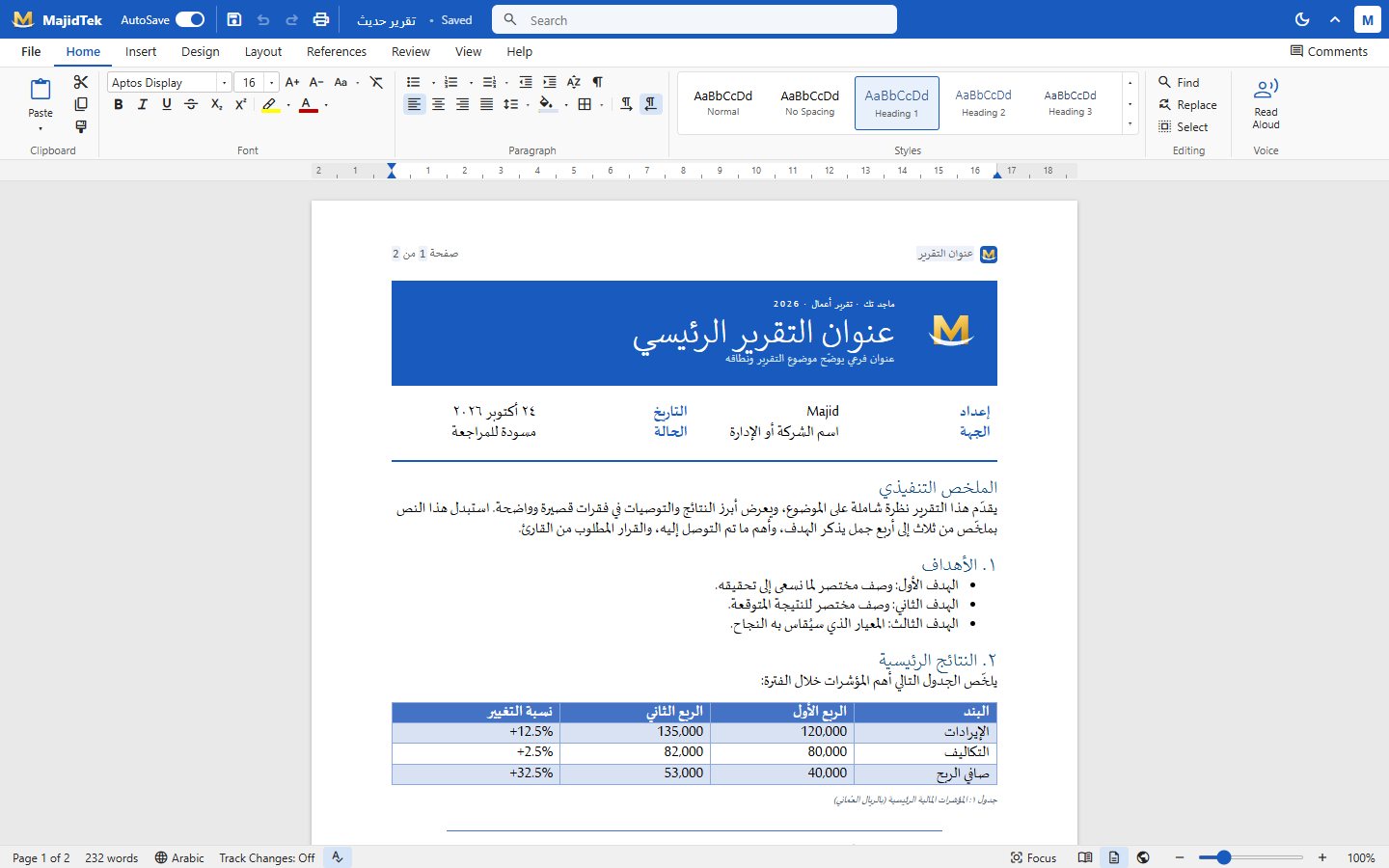
A Word-style word processor in the browser — ribbon, real pages, tables, comments, track changes, Arabic RTL and real .docx open and save.
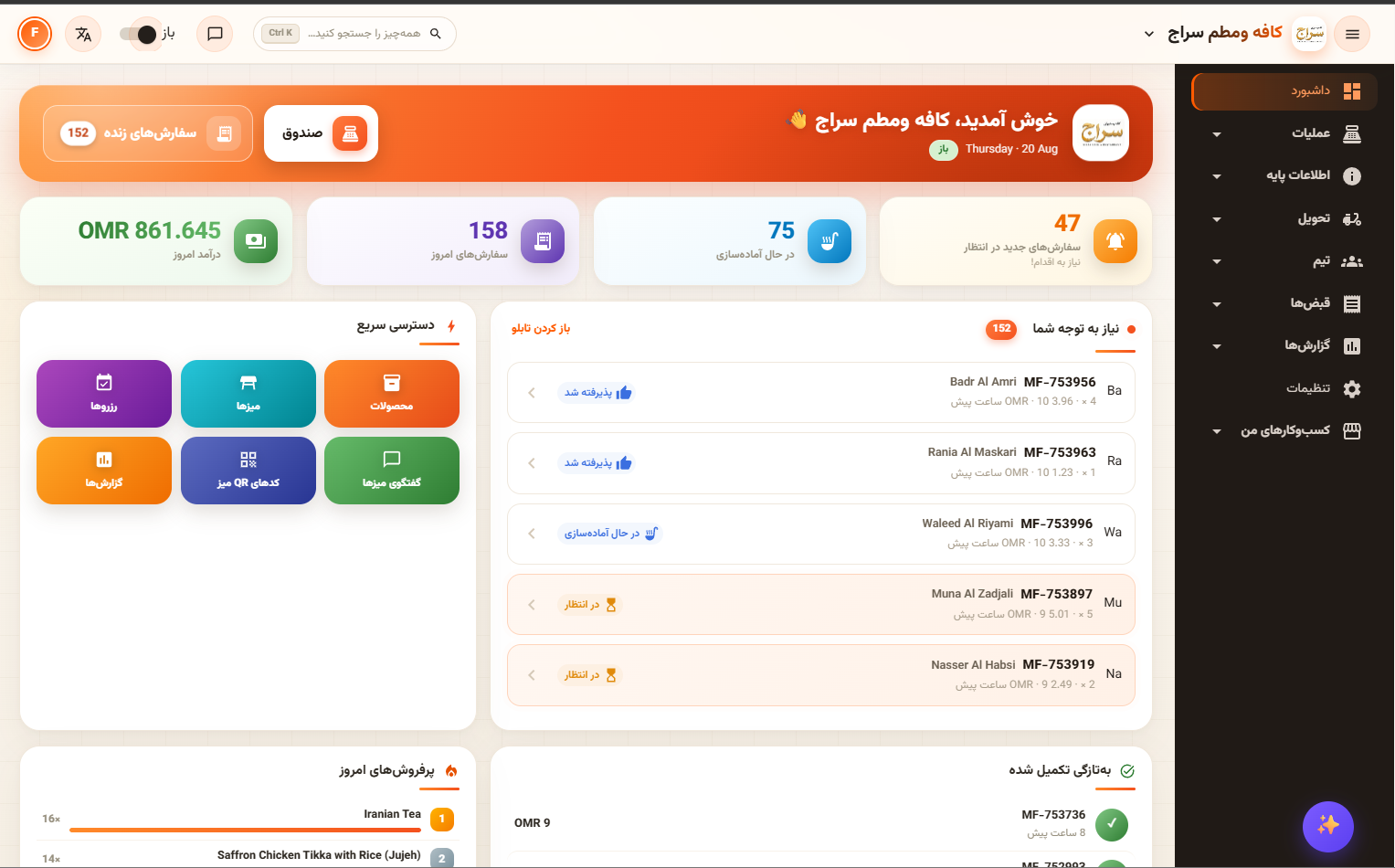
Free, open-source POS for restaurants, cafés and shops plus the food-ordering marketplace that comes with it — live at orderorange.com.
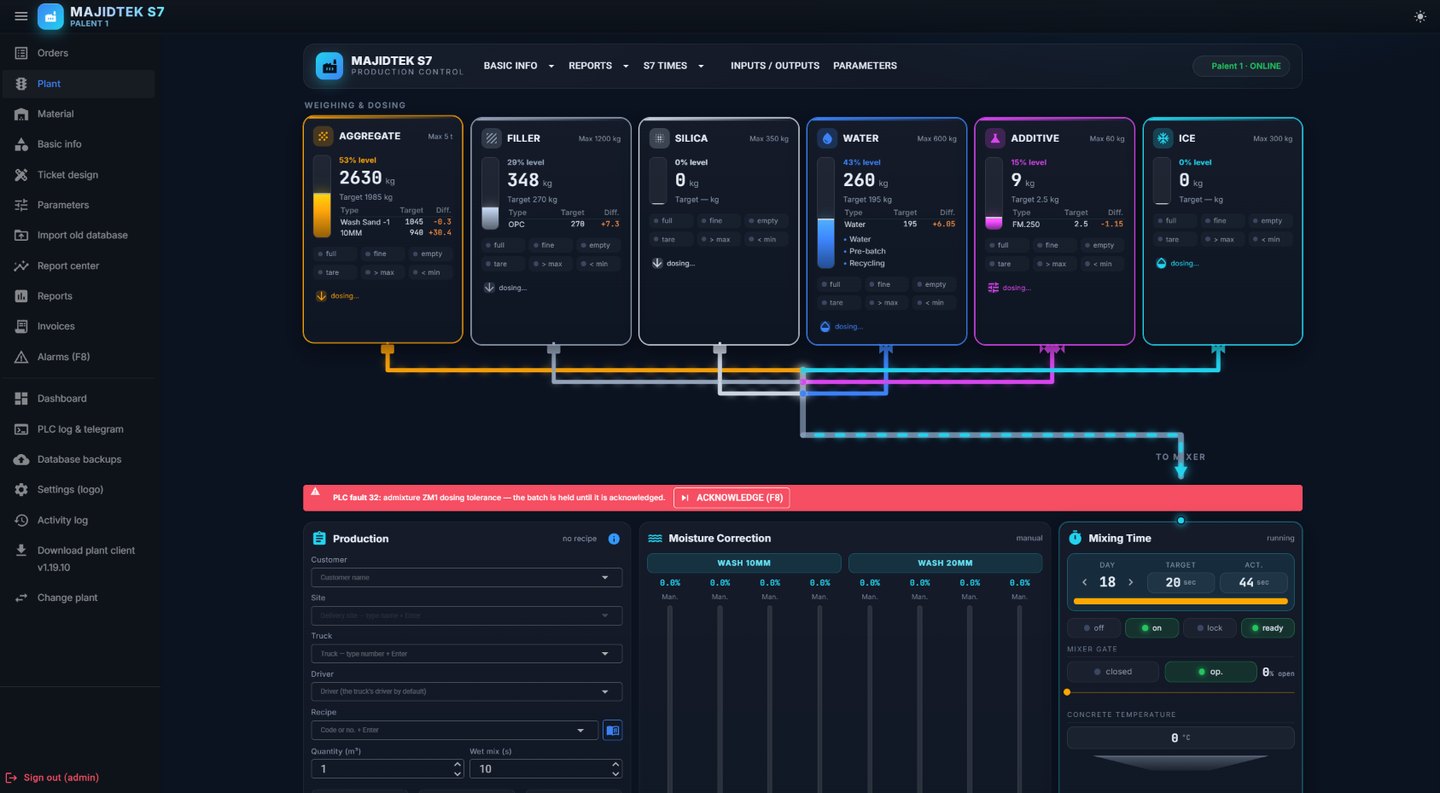
Concrete-plant control: reverse-engineered PLC protocol, WPF plant client that starts the mixer, web dashboard, API and admin.
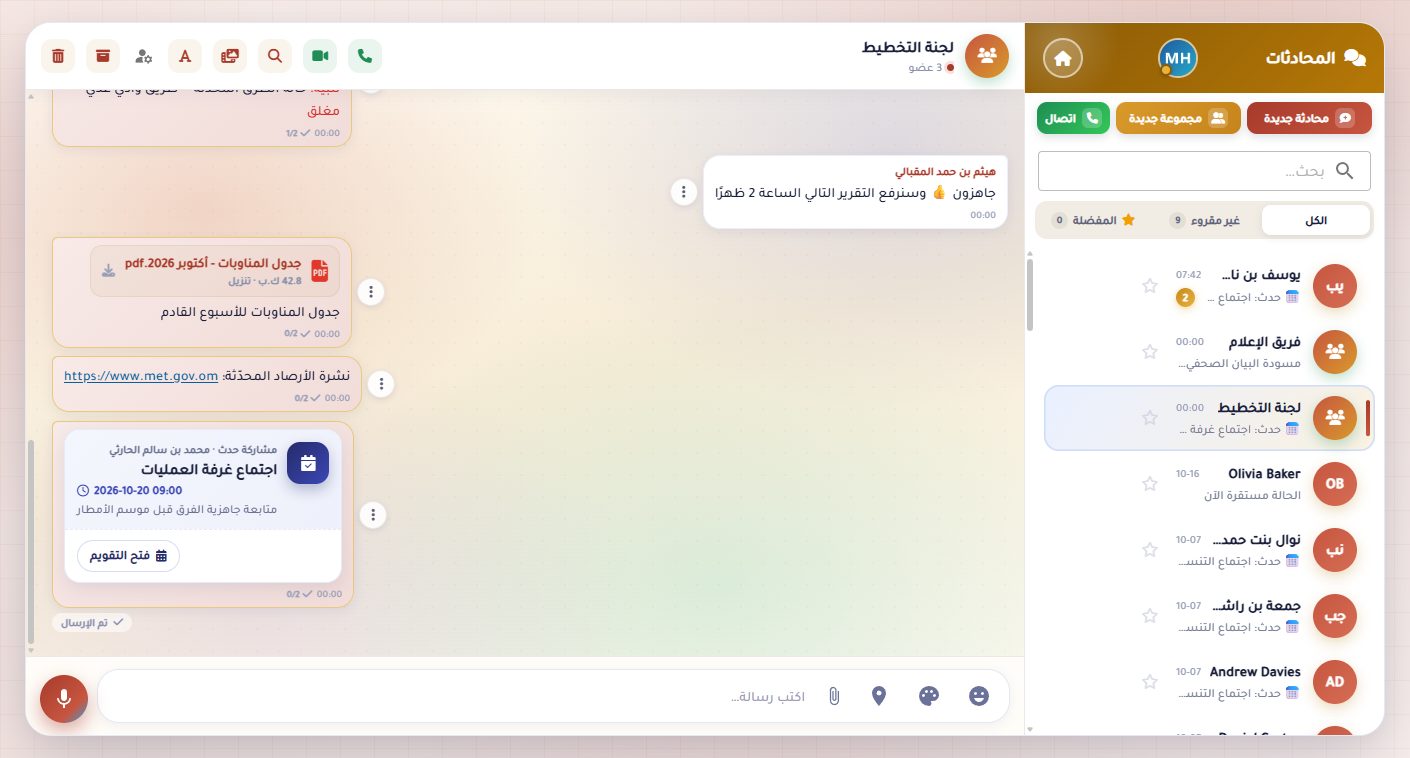
On-premise national emergency platform — official telegrams, secure team chat, shared calendar, live map board, mobile app with push.
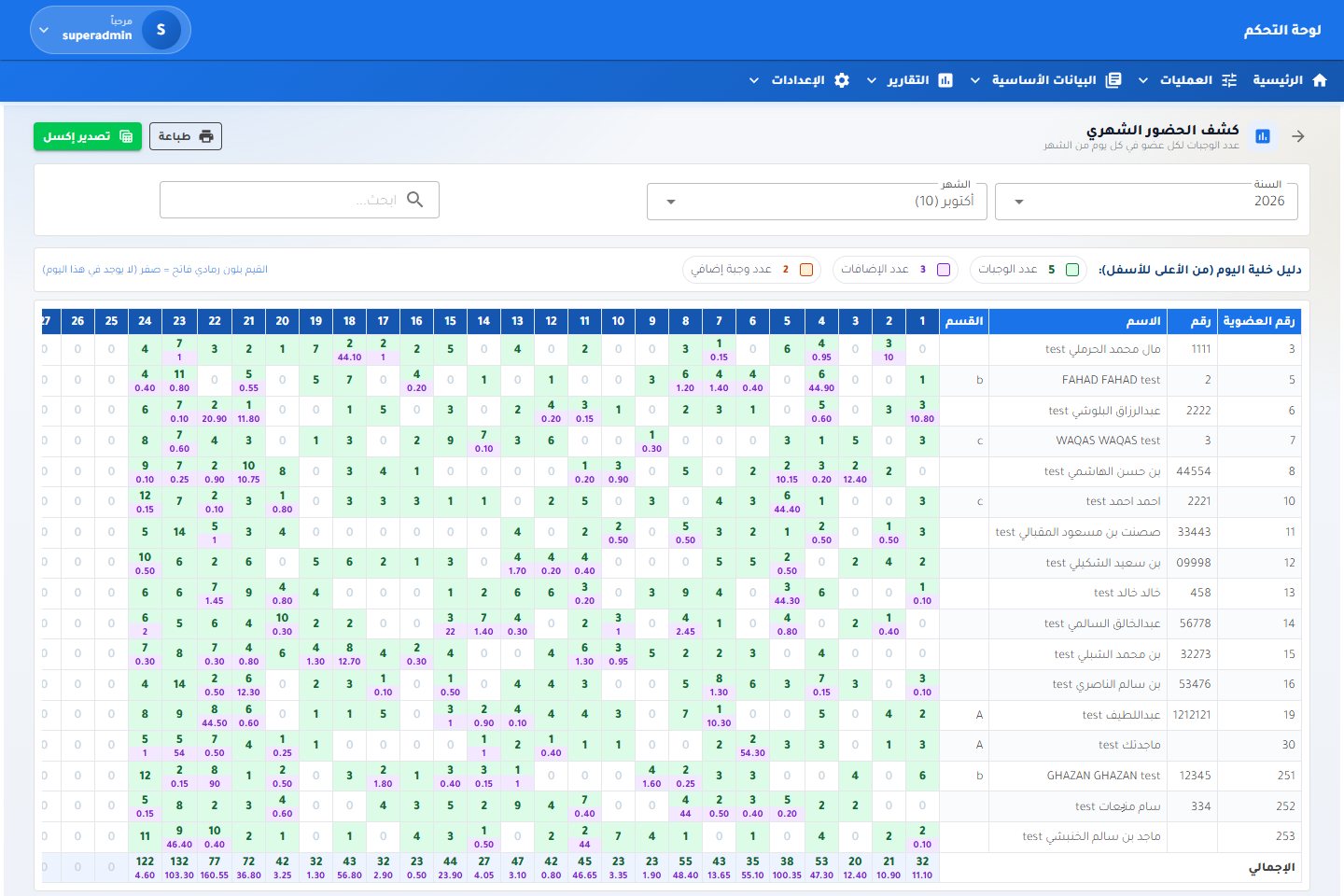
Meal reservation and serving for institutions — daily menu, hall or parcel, collection confirmation, monthly quotas and 15+ reports.
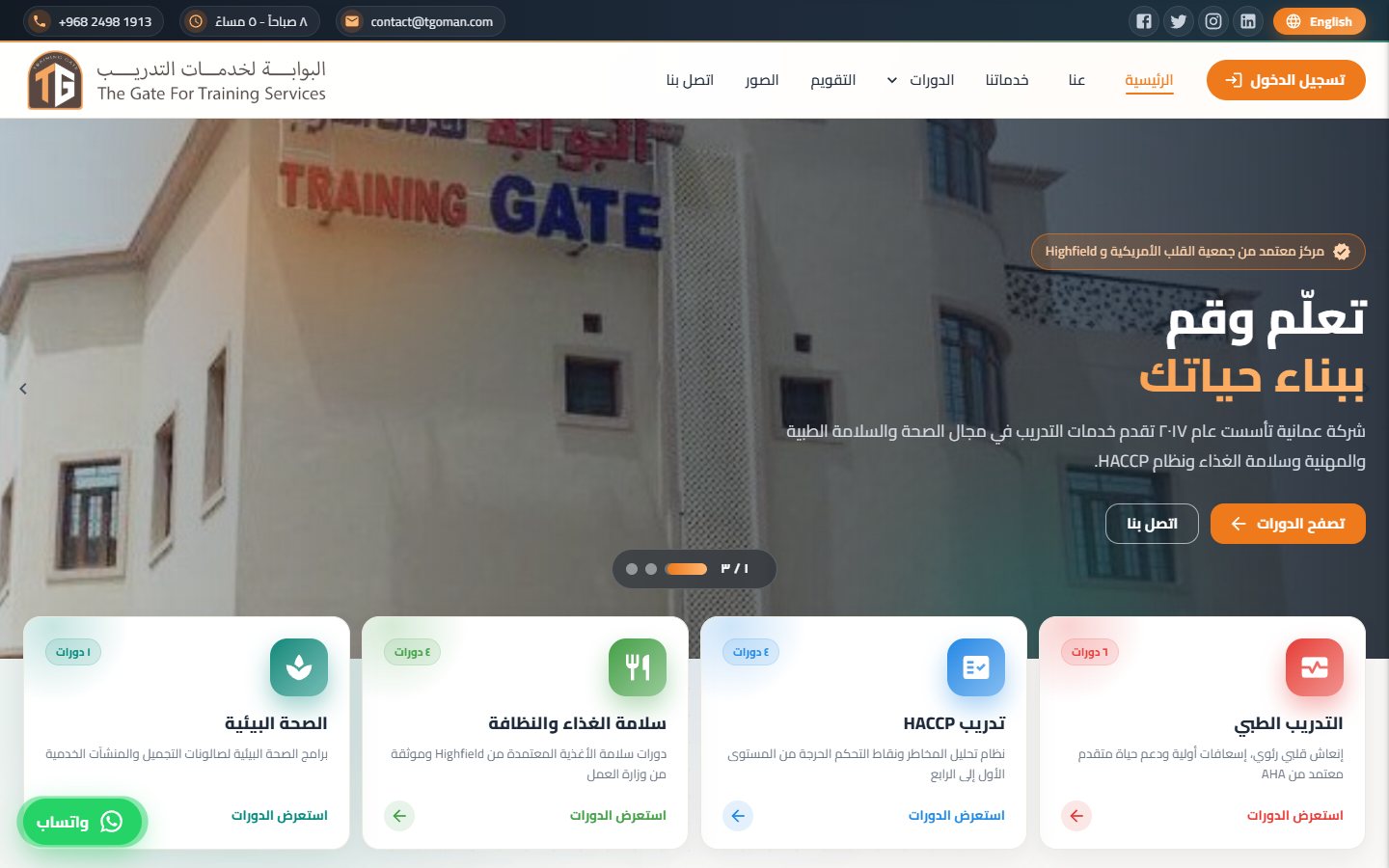
Bilingual website for an accredited Omani training centre — 15 courses with prices, booking, calendar, gallery and WhatsApp share previews.
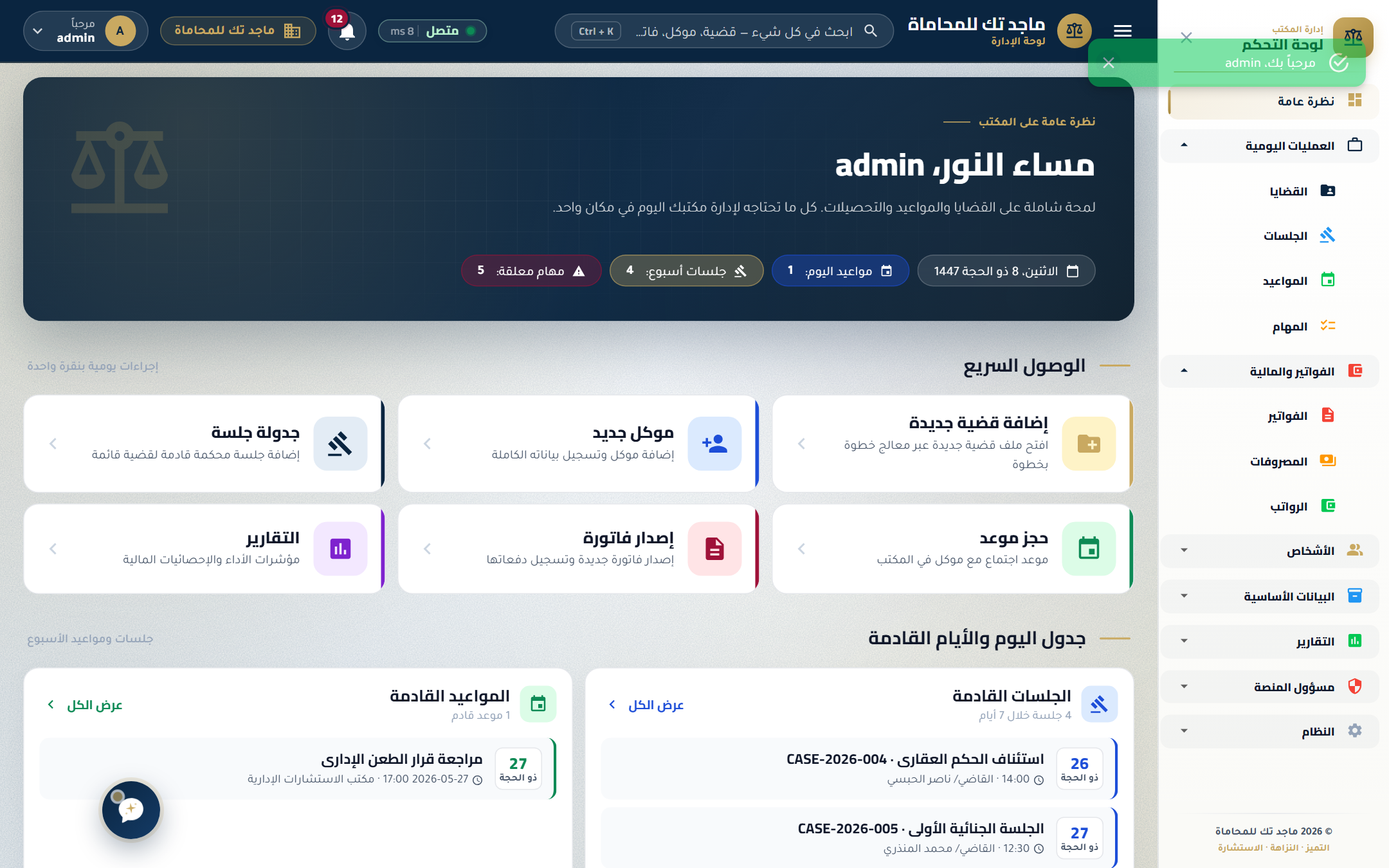
Case-management and client portal for law firms — secure document vault, time tracking, JWT-secured API.
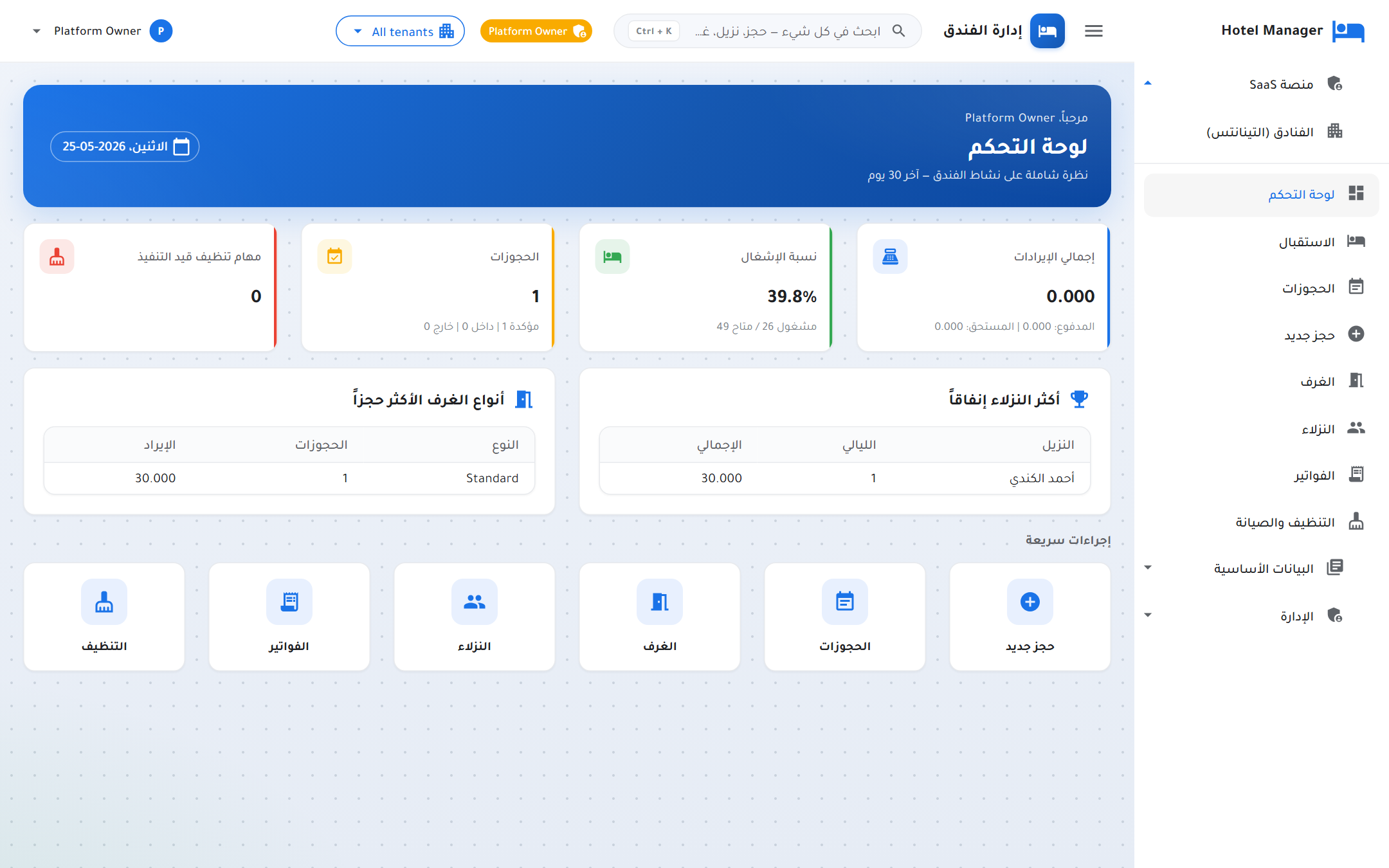
Admin-only PMS console for hotels that book offline — visual room board, fast reservations, folios, housekeeping.
At MajidTek, we specialize in creating high-quality websites and mobile applications. Our team follows modern software development principles and practices to deliver scalable, maintainable, and efficient solutions tailored to our clients' needs. Here's what makes us stand out.
We build modular, reusable, and extendable codebases using OOP principles such as encapsulation, inheritance, and polymorphism. This approach ensures flexibility and maintainability in our software solutions.
By adhering to the SOLID principles (Single Responsibility, Open/Closed, Liskov Substitution, Interface Segregation, and Dependency Inversion), we create software architectures that are easy to scale and adapt over time.
We utilize design patterns such as Singleton, Factory, Strategy, and Observer to tackle common challenges in software development effectively and ensure reusable, clean solutions.
Our commitment to quality is reinforced by writing automated unit tests using xUnit. This ensures that our software remains reliable, bug-free, and ready to handle real-world scenarios. With xUnit, we follow Test-Driven Development (TDD) practices, allowing us to catch potential issues early in the development process.
Writing clean, readable, and maintainable code is a cornerstone of our development process. We emphasize simplicity and consistency in our coding standards to ensure long-term project success.
We embrace Agile methodologies to deliver incremental improvements while remaining flexible to accommodate evolving requirements and feedback from our clients.
From the first sketch to the final deploy, we own every layer of the stack so your team only worries about growth.
Production-grade SaaS and dashboards built on Blazor, React, and .NET 10 — clean architecture, SOLID, fully testable.
Cross-platform Android & iOS apps that feel native, share a single codebase, and ship to stores without drama.
Human-centered design — research, wireframes, design systems, and pixel-accurate Figma handoff that engineers love.
REST and real-time APIs, JWT auth, rate-limiting, and observability baked in from day one.
CI/CD pipelines, containerized deployments, monitoring, and zero-downtime releases on Azure, AWS, or self-hosted.
SLA-backed retainers for ongoing fixes, performance tuning, and feature work after launch.
Discover how our UX/UI design services create intuitive and engaging digital experiences that captivate users and drive results. We focus on innovation and creativity to deliver seamless designs tailored to your needs.
We craft visually stunning designs that align with your brand identity and capture your audience's attention.
Our designs focus on usability, ensuring seamless navigation and a great user experience for all users.
We prioritize understanding user needs to deliver designs that are not only functional but also delightful.
At MajidTek, we prioritize the security of your applications and data. Our team implements advanced security measures and follows industry best practices to safeguard your systems against vulnerabilities and cyber threats. Here's how we ensure robust security.
We use secure token-based authentication systems, such as JSON Web Tokens (JWT), to validate user sessions and prevent unauthorized access.
Our applications are designed to prevent injection attacks (SQL Injection, Cross-Site Scripting, etc.) by using input validation, secure coding practices, and parameterized queries.
We employ rate-limiting, traffic filtering, and cloud-based solutions to protect your applications from Distributed Denial of Service (DDoS) attacks, ensuring high availability.
Our systems are designed to align with CPU privilege rings, ensuring sensitive operations are restricted to the appropriate privilege levels and unauthorized access is prevented.
We implement secure kernel-level processes, minimizing attack surfaces and safeguarding critical system resources against malicious threats.
We integrate 2FA solutions into applications, adding an extra layer of verification for user accounts, such as mobile authenticator apps or email codes.
We encrypt sensitive data stored in databases or file systems, ensuring that even if access is compromised, the data remains unreadable without the decryption keys.
Our team conducts regular vulnerability scanning and penetration testing to identify and mitigate potential security weaknesses.
We follow strict API security guidelines, including OAuth 2.0 for authorization, rate limiting, and API key management to protect data exchange between services.
Our solutions implement RBAC to restrict access to sensitive areas of applications, ensuring users can only perform actions permitted by their role.
We set up advanced monitoring and logging mechanisms to detect and respond to security incidents in real time, ensuring prompt mitigation of threats.
Our systems are regularly updated with the latest security patches to address known vulnerabilities in software and dependencies.
All communications between clients and servers are secured using HTTPS, ensuring data is encrypted in transit and protected from eavesdropping or tampering.
Four phases, weekly demos, fixed-price discovery. No surprises, no scope creep.
Workshops, user interviews, and competitor research to nail down what we're really building.
Figma wireframes, design system, and clickable prototypes you can test before a line of code.
Two-week sprints, weekly demos, automated tests, and code reviews on every PR.
CI/CD pipeline, blue/green release, monitoring, and a 30-day hypercare window post-launch.
A Word-style editor with the familiar ribbon, real pages, styles, tables, pictures, headers and footers, comments and track changes — built entirely in HTML, CSS and JavaScript. Arabic and English sit side by side with proper right-to-left layout, documents autosave in the browser, and every file opens and saves as a real .docx. There is no server to run: copy the folder to IIS or any static host and it works.
Every screen below is from the running app.
Arabic reports, letters and memos lay out correctly: right-aligned paragraphs, mirrored lists and tables, and Arabic and English mixed in the same line. A modern Arabic report template comes ready with a cover band, metadata, executive summary and a styled table.
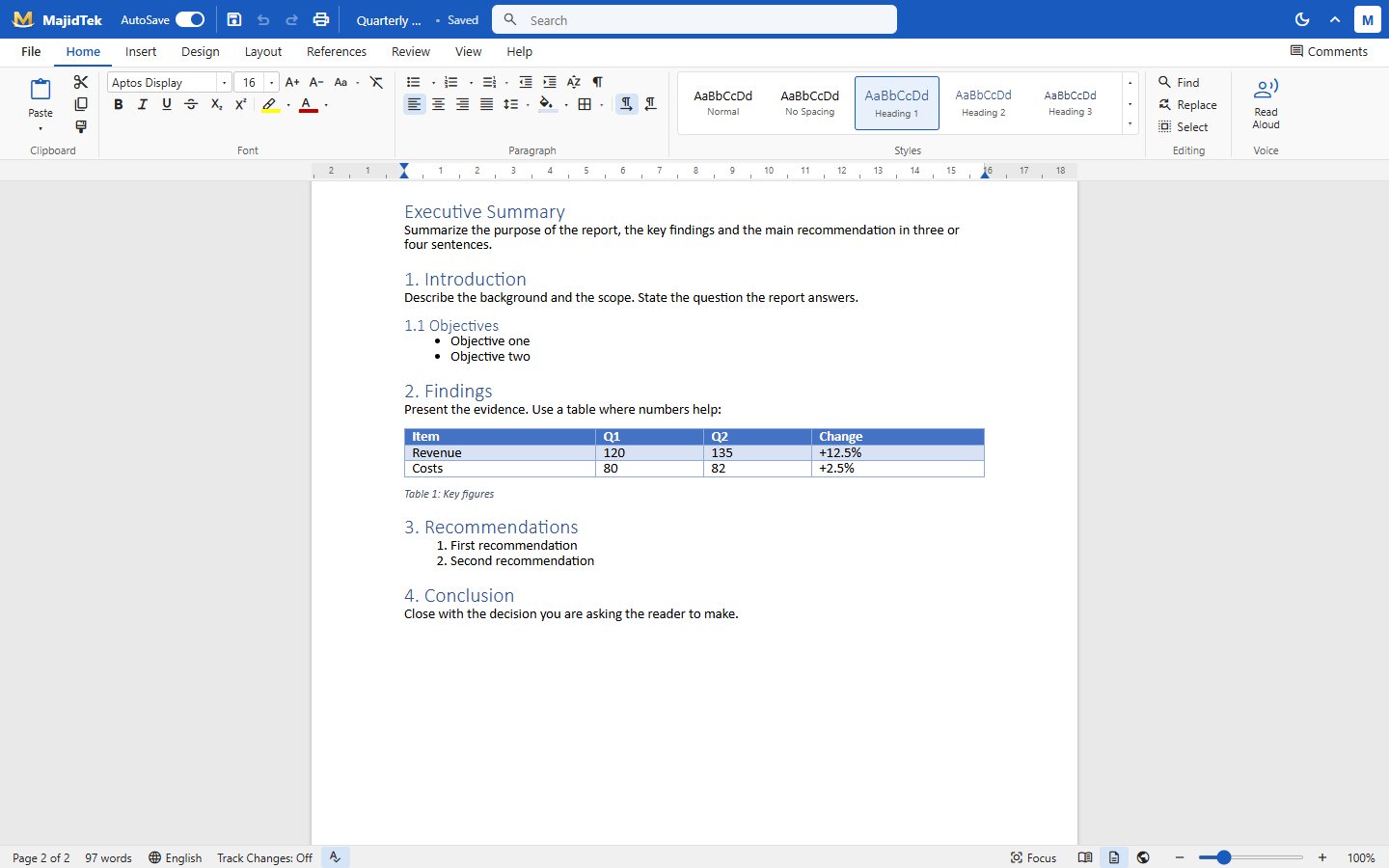
Home, Insert, Design, Layout, References, Review, View and Help tabs with clipboard, font, paragraph, styles and editing groups — the same layout as Word, so nobody needs training. A style gallery applies Normal, No Spacing and three heading levels in one click.
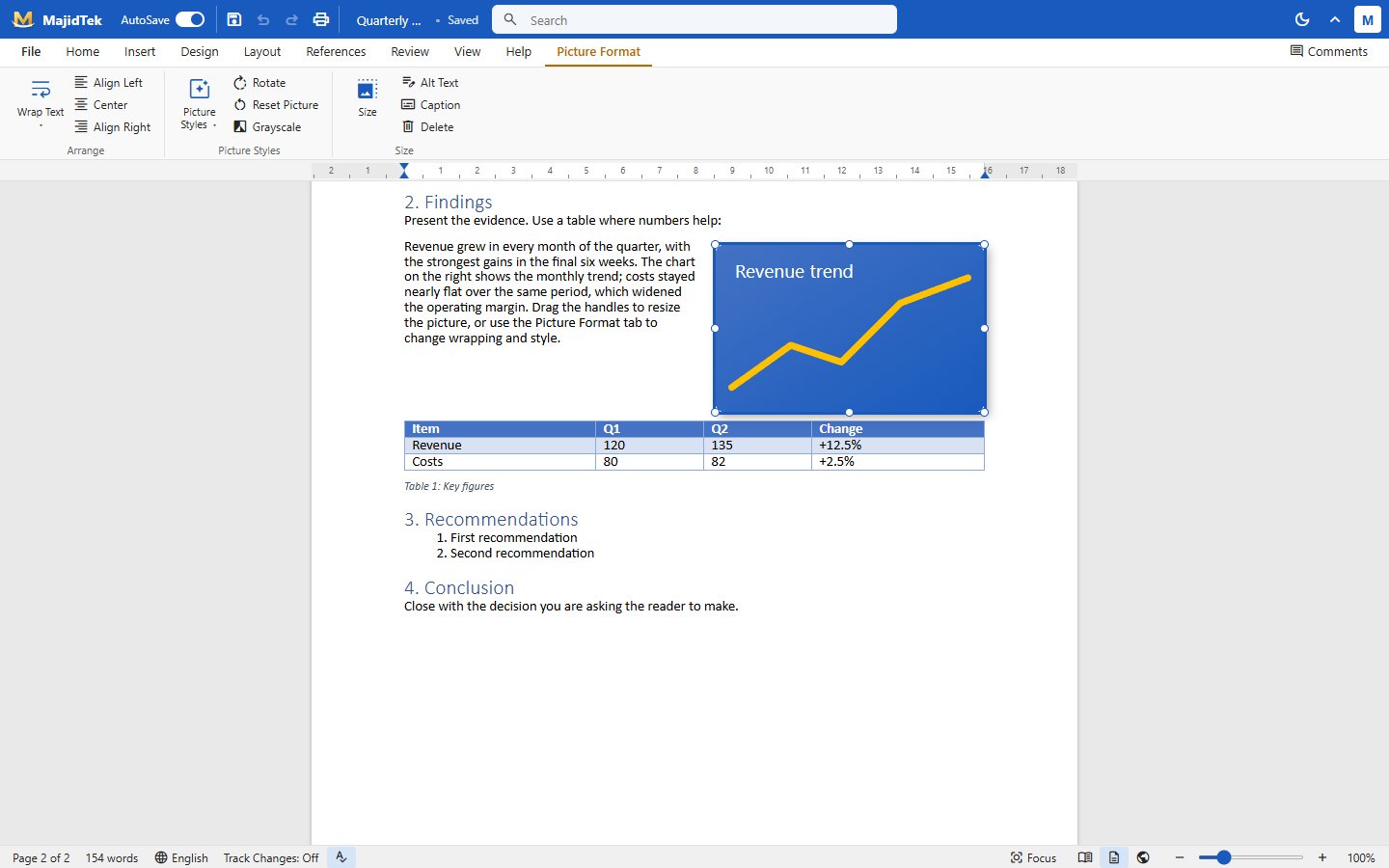
Insert a table by dragging across a grid, convert text to a table or pick a quick table. Pictures get their own Picture Format tab with wrapping, alignment, styles, rotation, grayscale, alt text and captions, and resize with drag handles.
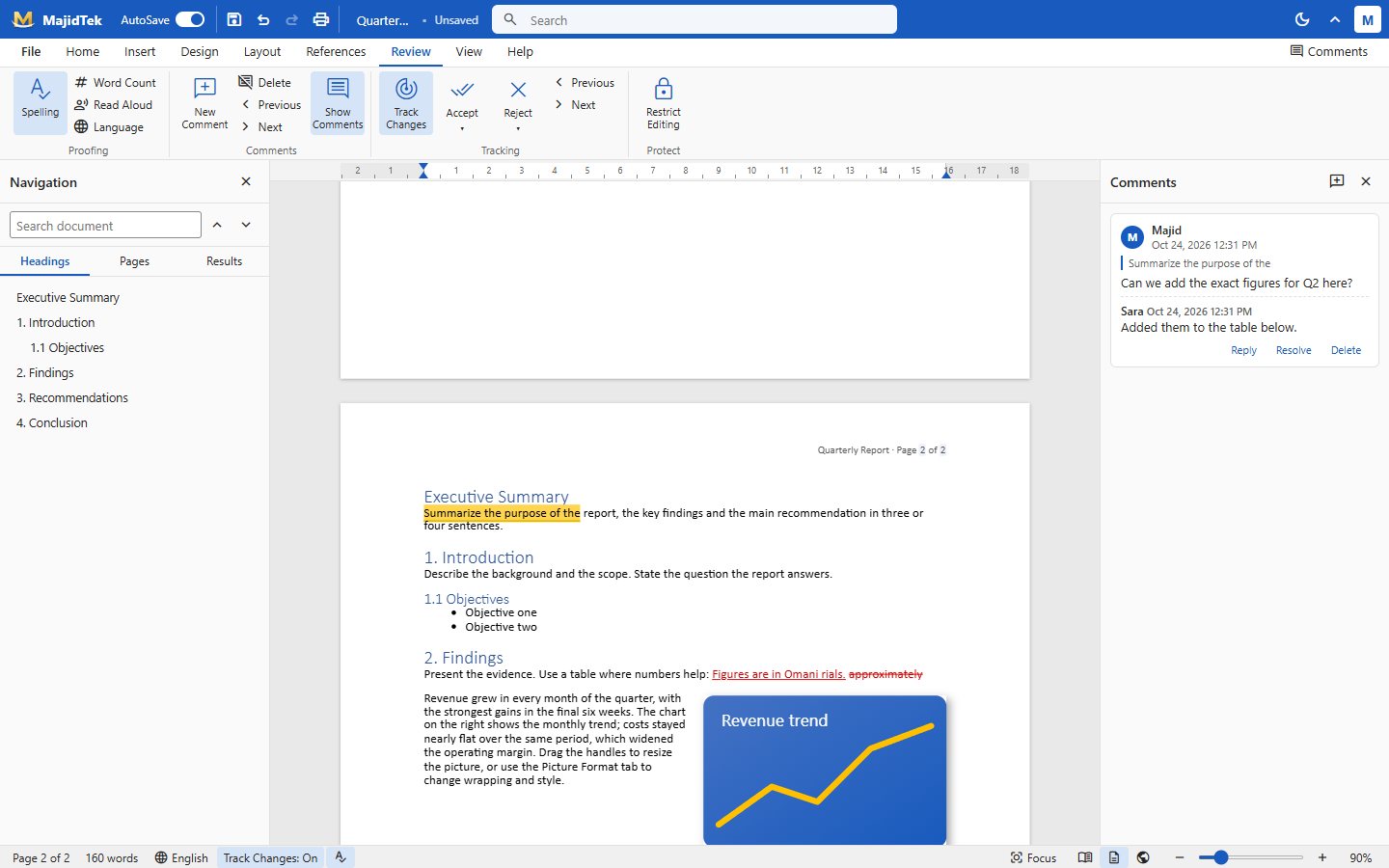
Leave comments on any selection and reply in threads, then resolve or delete them. With Track Changes on, insertions and deletions are marked in colour and can be accepted or rejected one by one. A navigation pane lists headings, pages and search results.
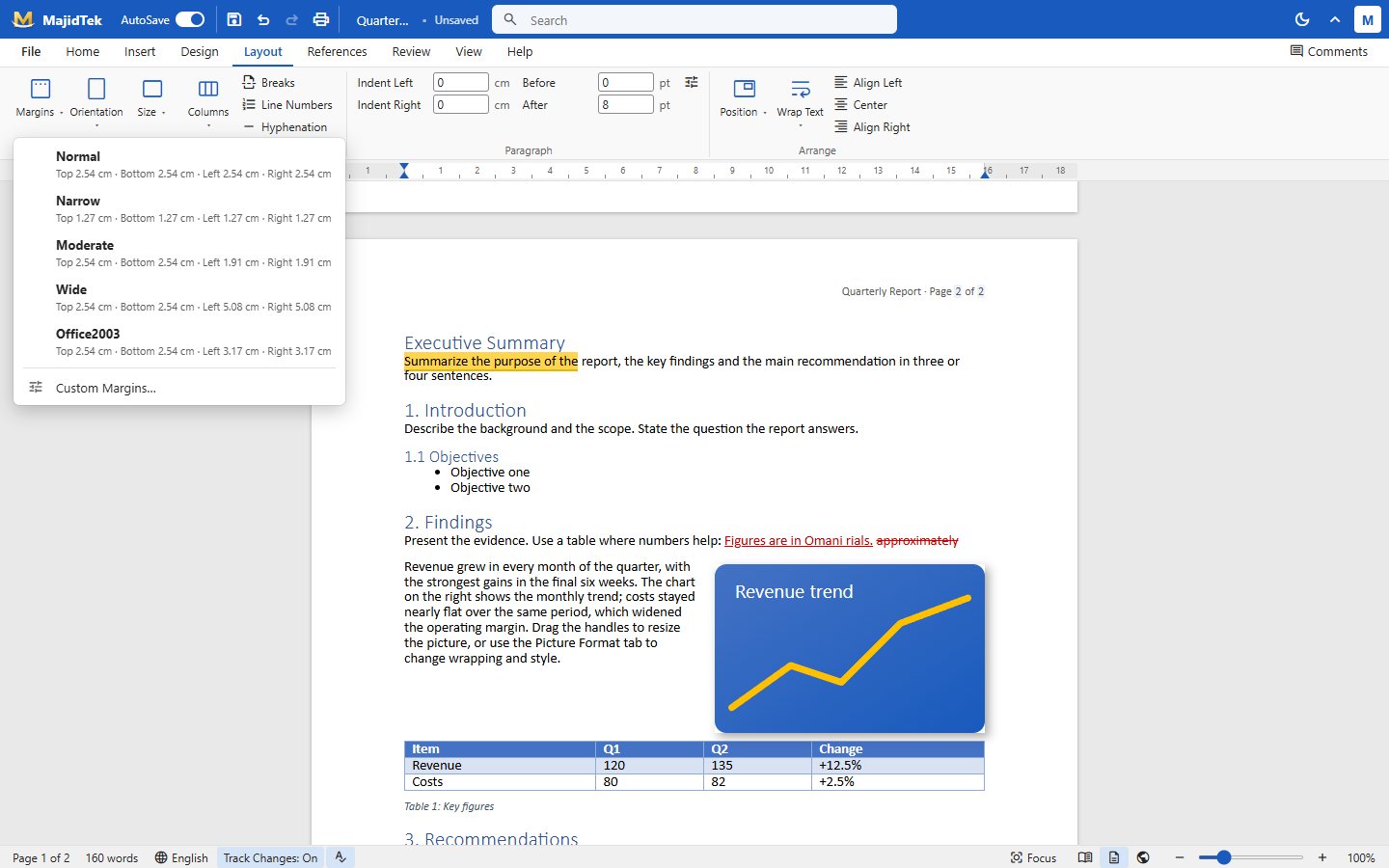
Documents are laid out on real pages with margin presets or custom margins, orientation, size, columns, breaks and hyphenation. Headers and footers have their own tab with page numbers, date, document info and a different first page.
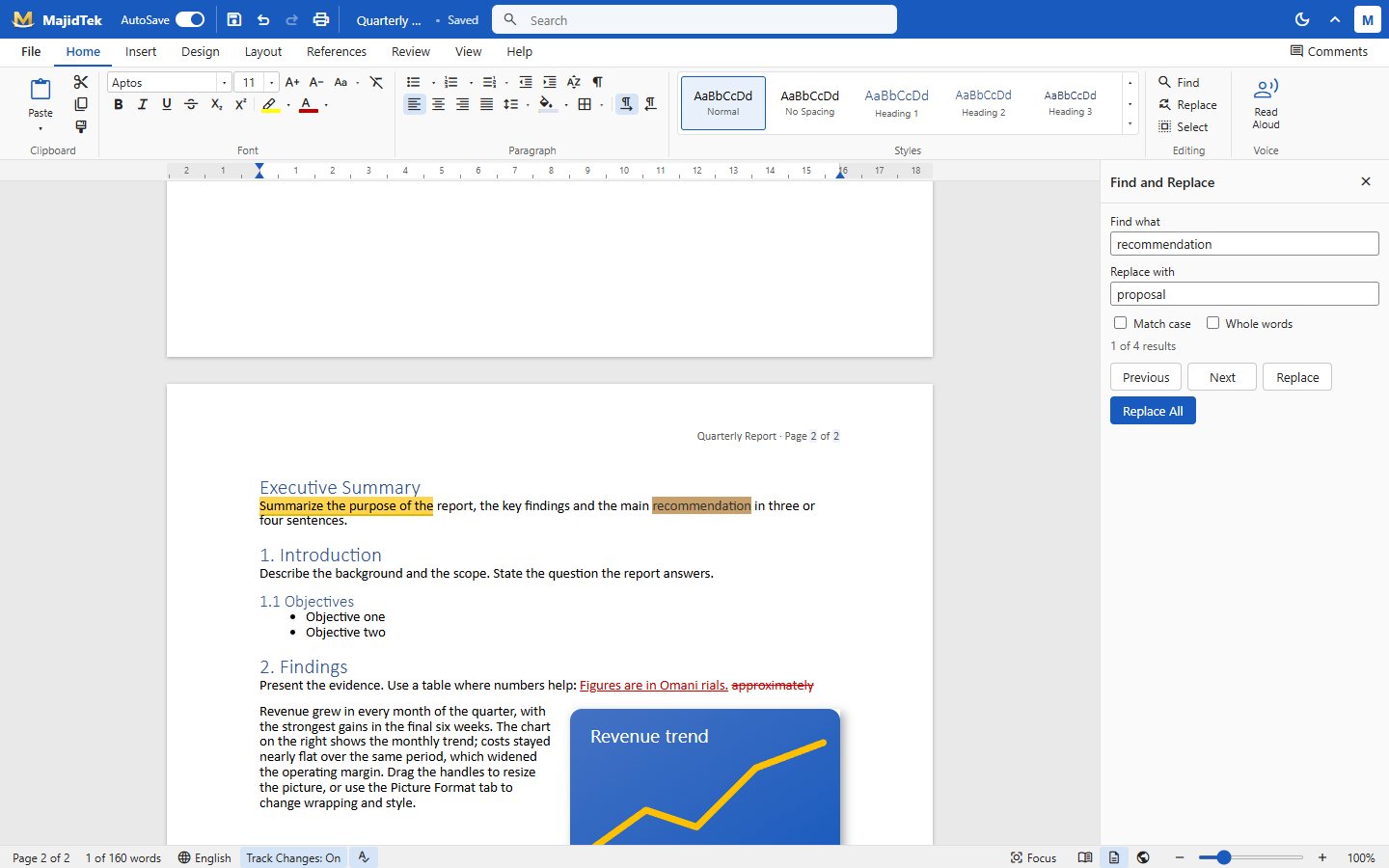
A side pane finds every match with match-case and whole-word options, steps through results and replaces one or all. Matches are highlighted in the page as you move through them.
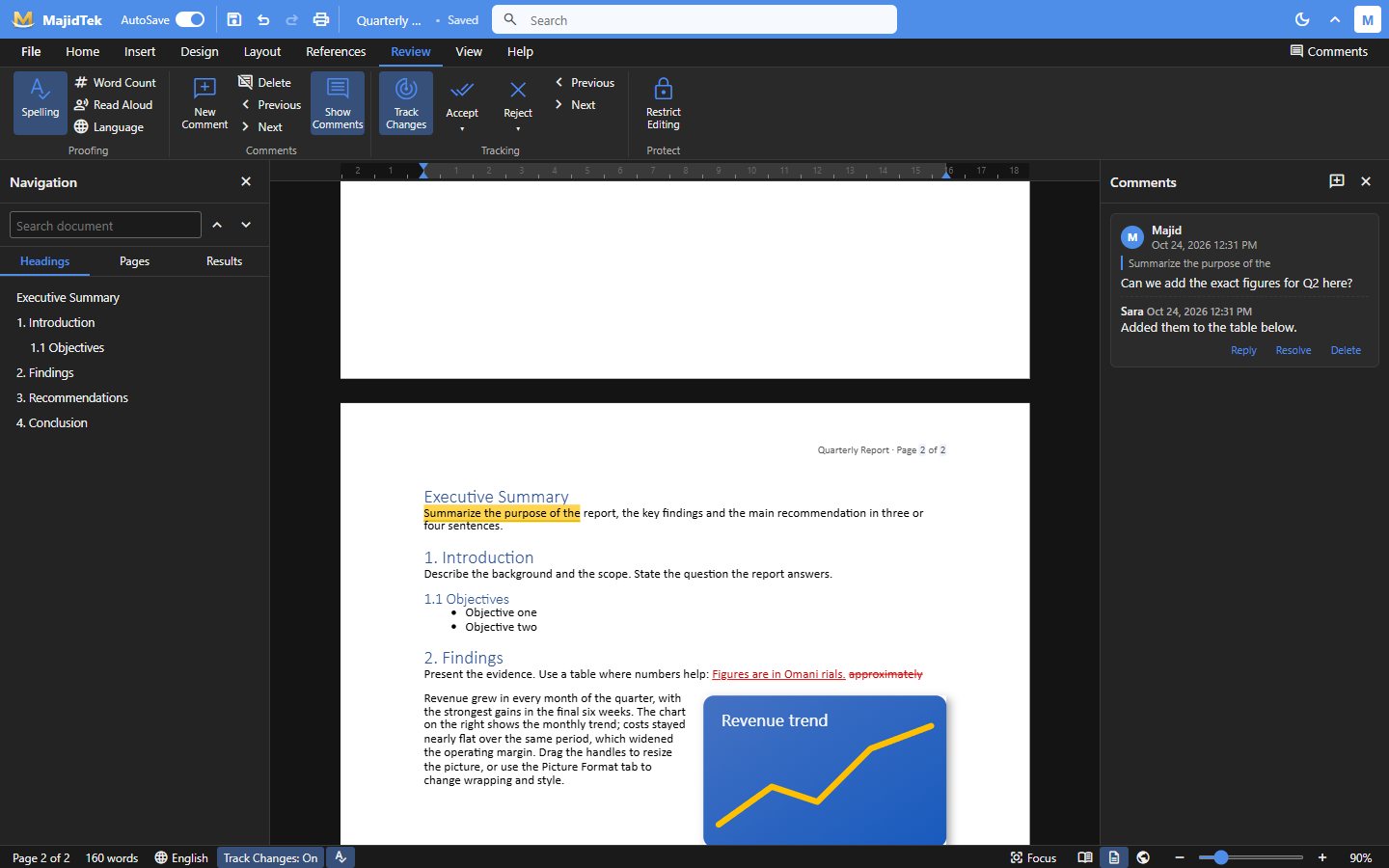
Switch between print layout, web layout, outline and draft, open a distraction-free read mode, or turn on dark mode for the whole app. Zoom, one-page and page-width views and a pages overview make long documents easy to move through.
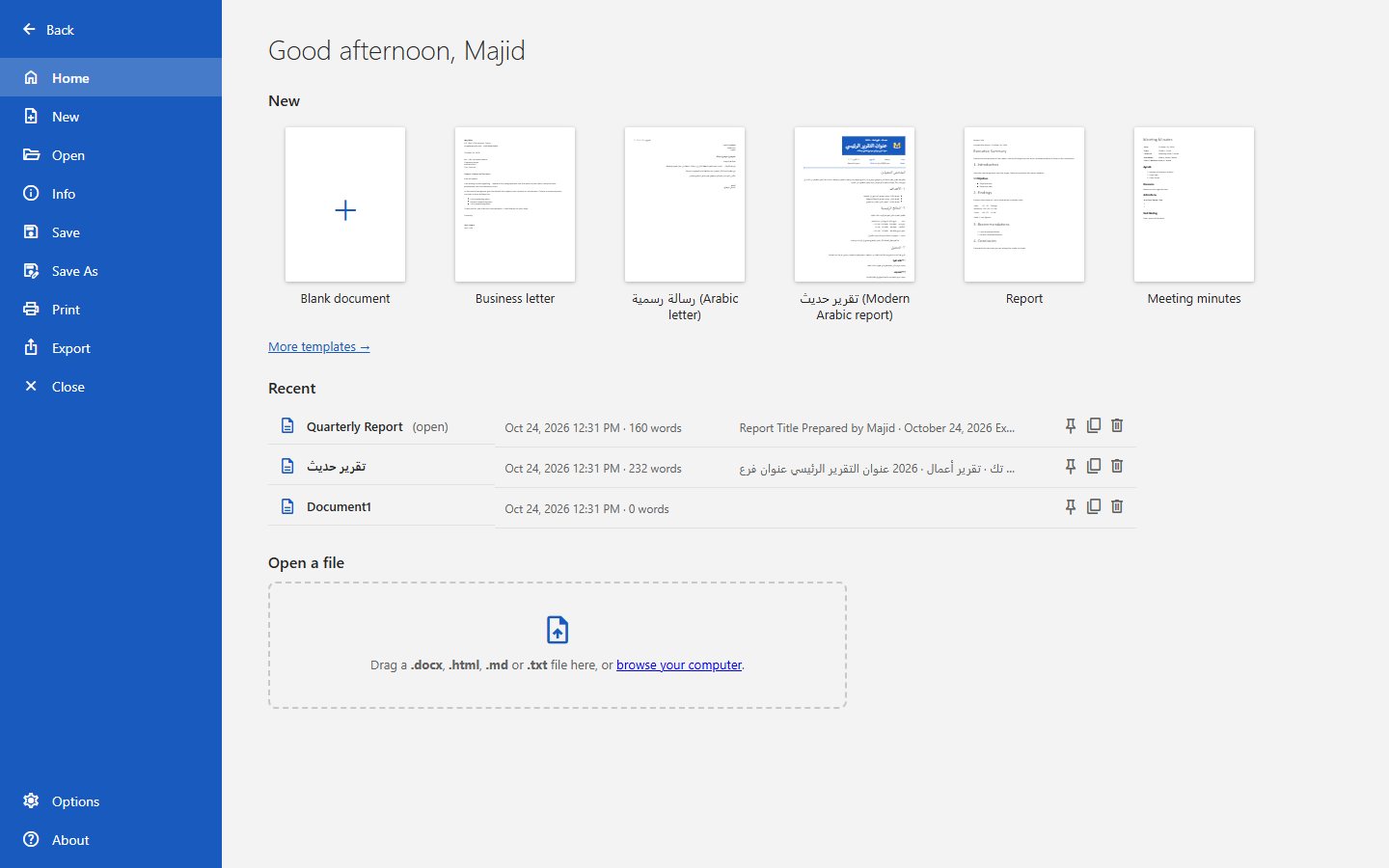
A File backstage greets you with templates and recent documents, and opens .docx, .html, .md or .txt by drag and drop. Documents autosave in the browser and export to PDF, Word (.docx), web page, Markdown, plain text or a full-fidelity Writer backup.
Tap any screen to open it full size.
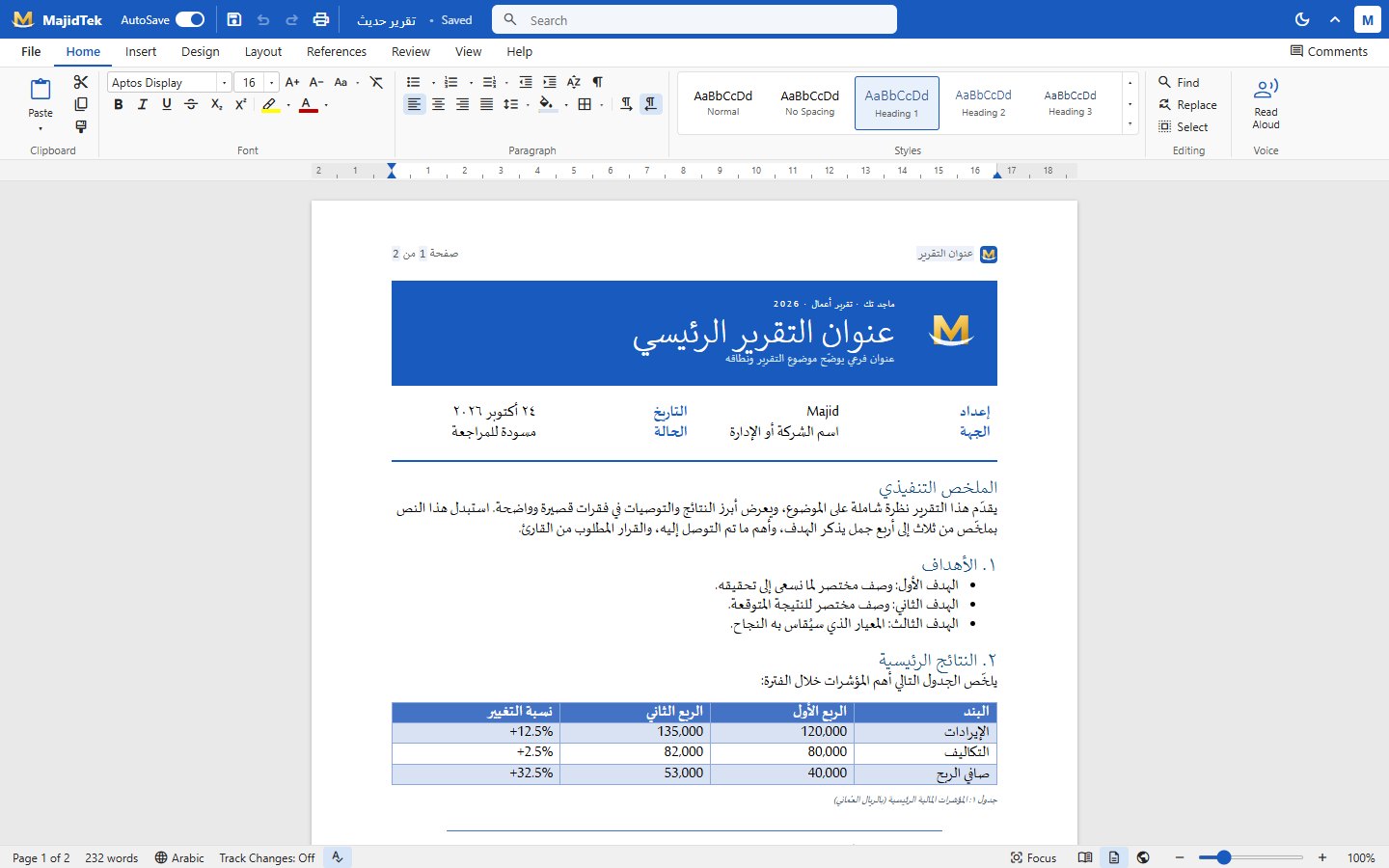 Modern Arabic report
Writing
Modern Arabic report
Writing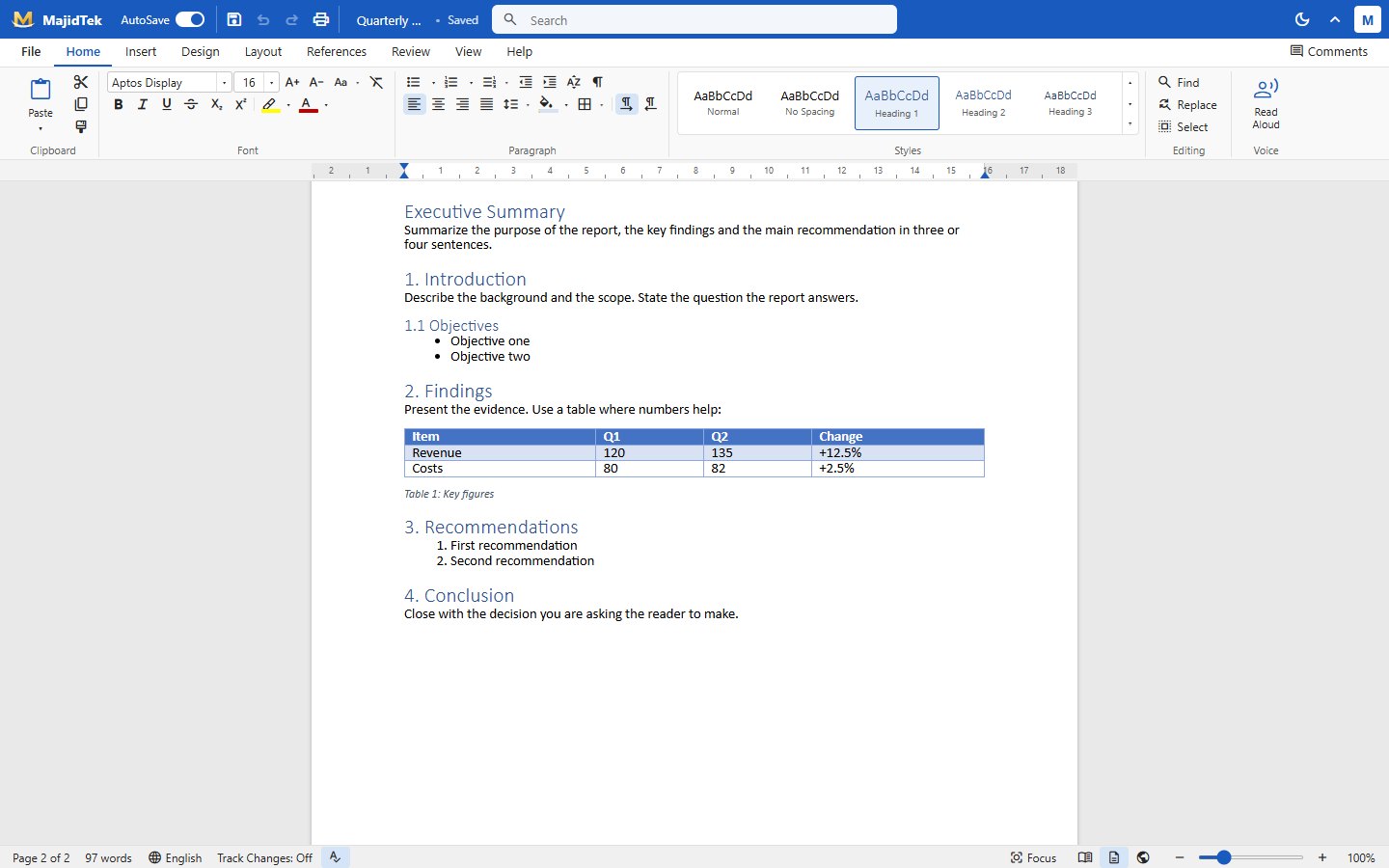 Report with the Home ribbon
Writing
Report with the Home ribbon
Writing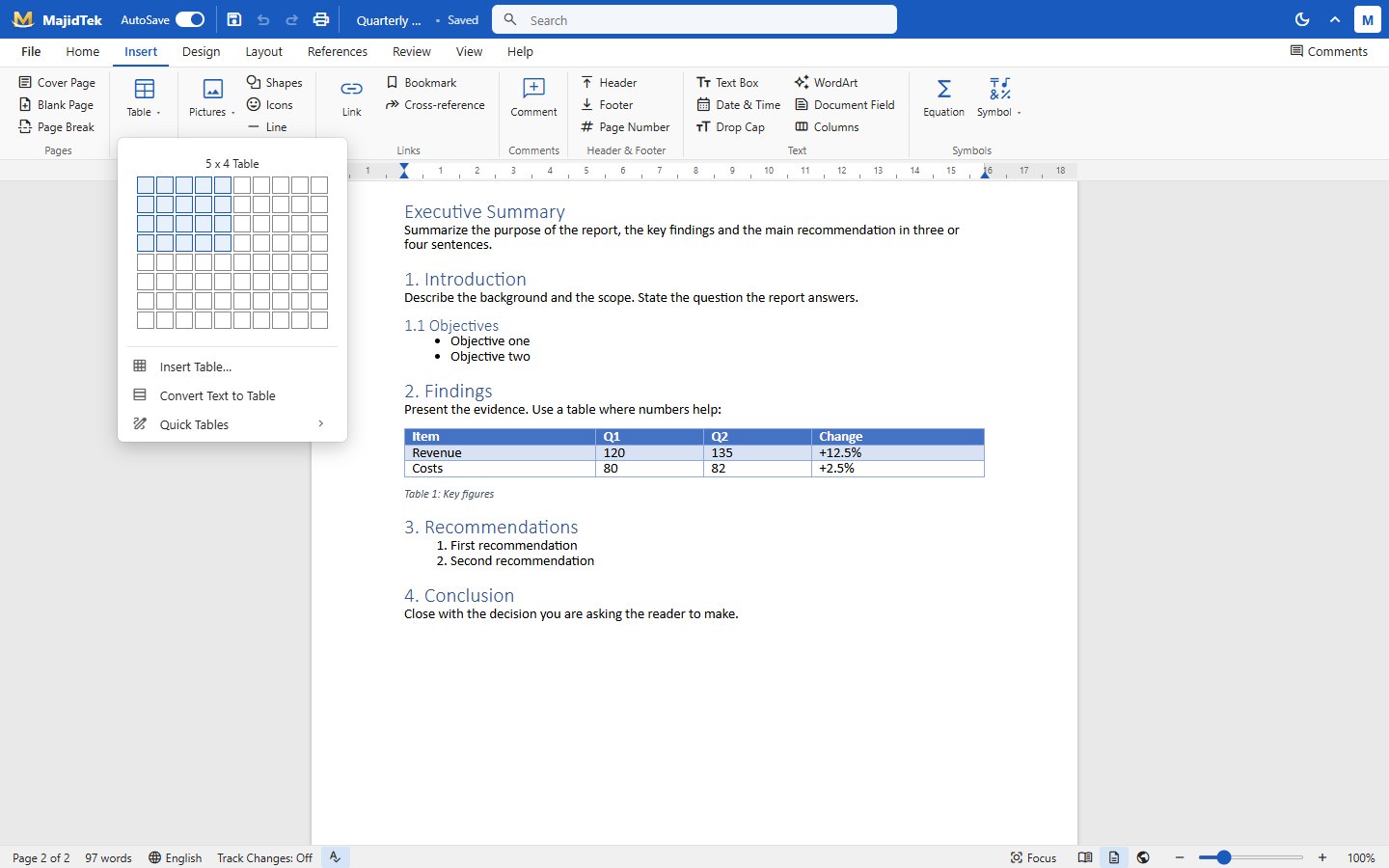 Insert table
Writing
Insert table
Writing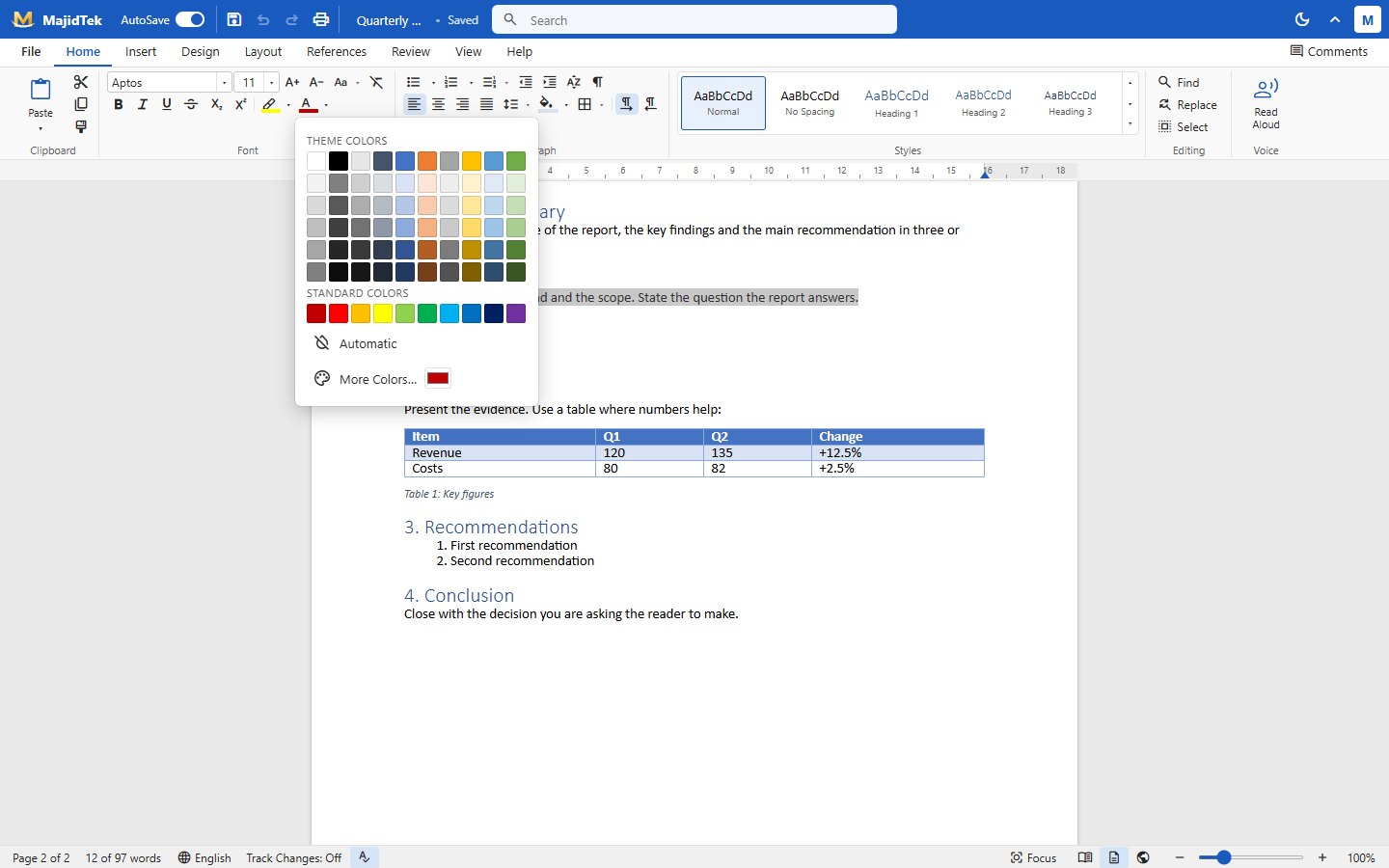 Font colour picker
Writing
Font colour picker
Writing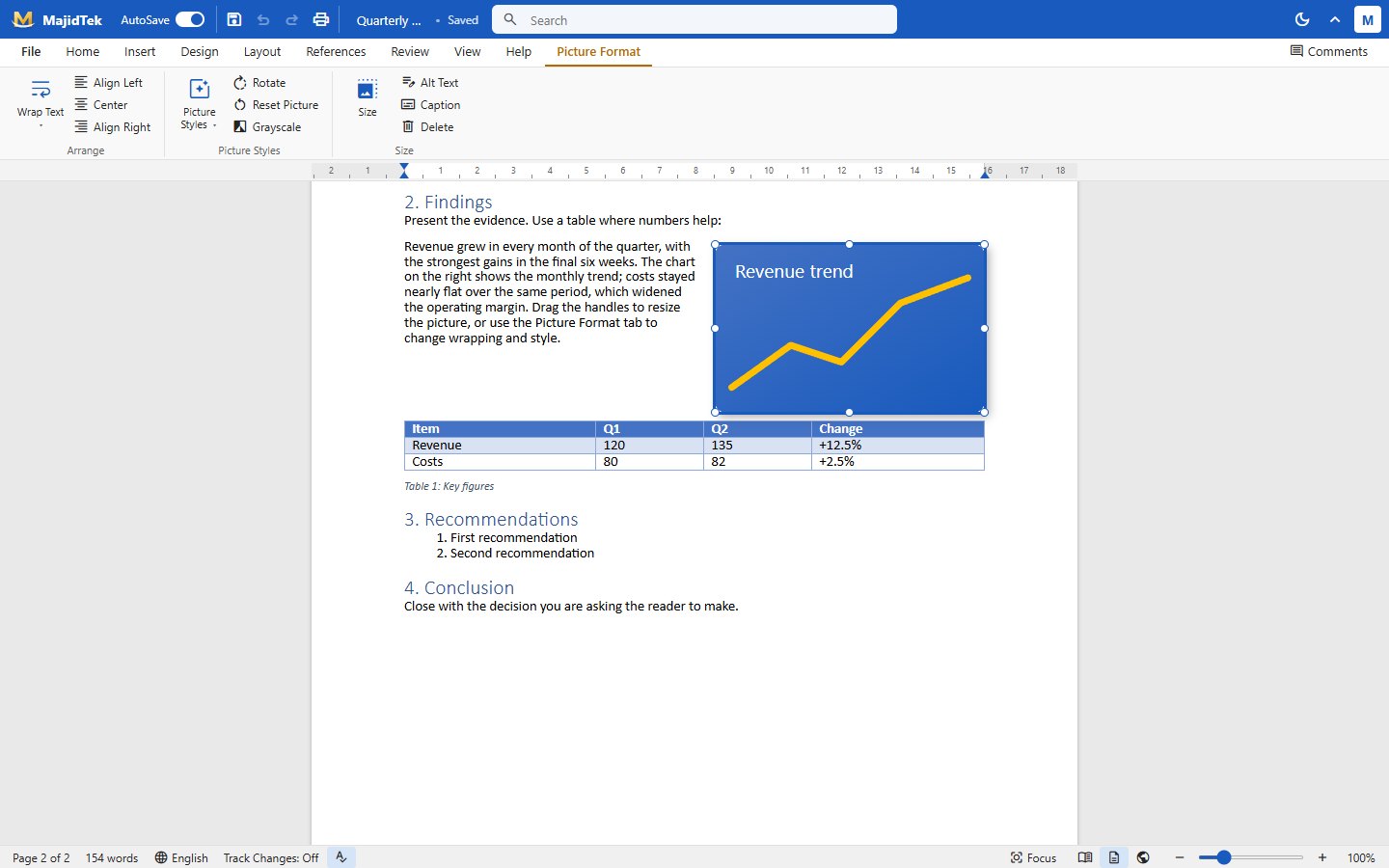 Picture format
Writing
Picture format
Writing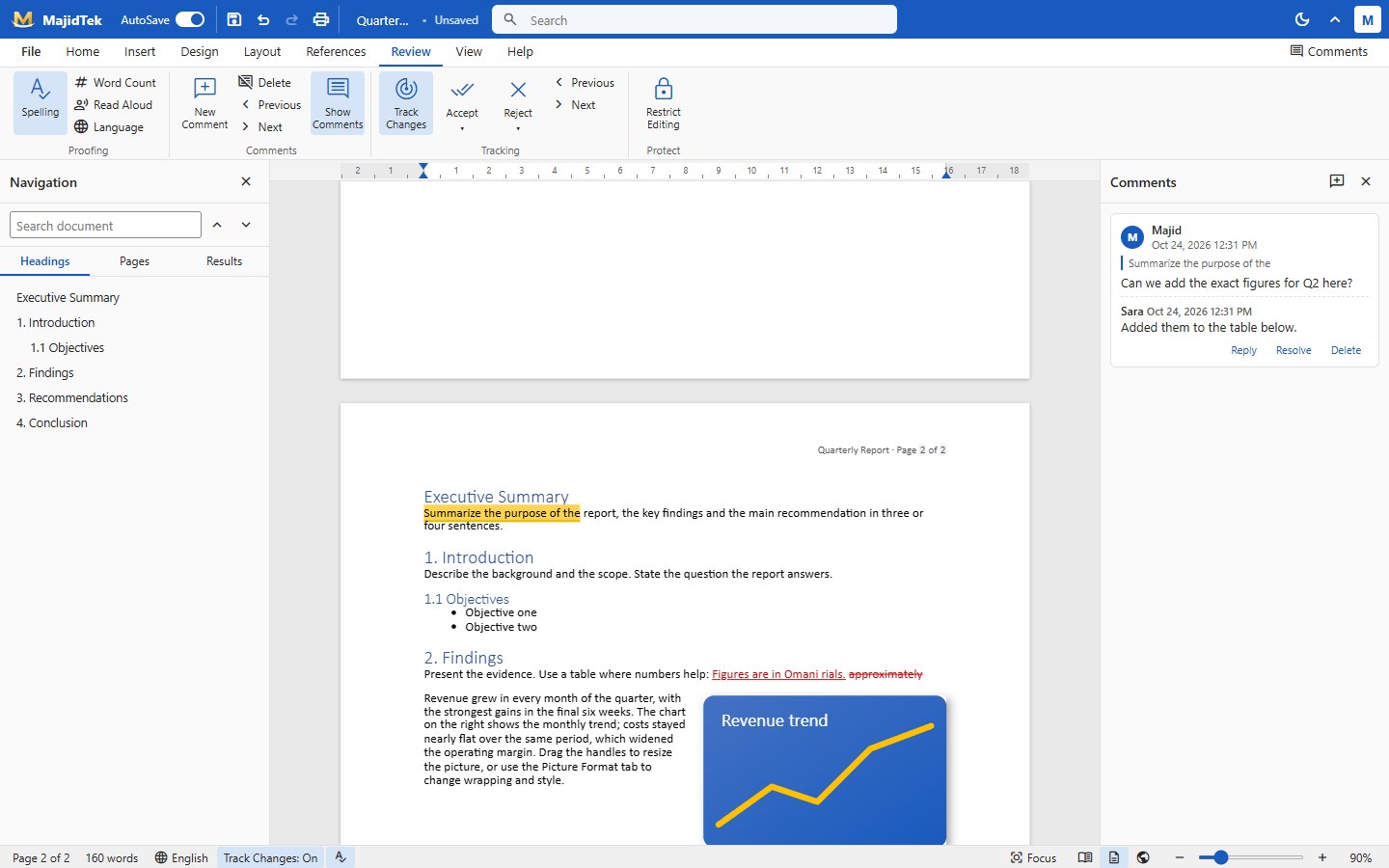 Comments and track changes
Review
Comments and track changes
Review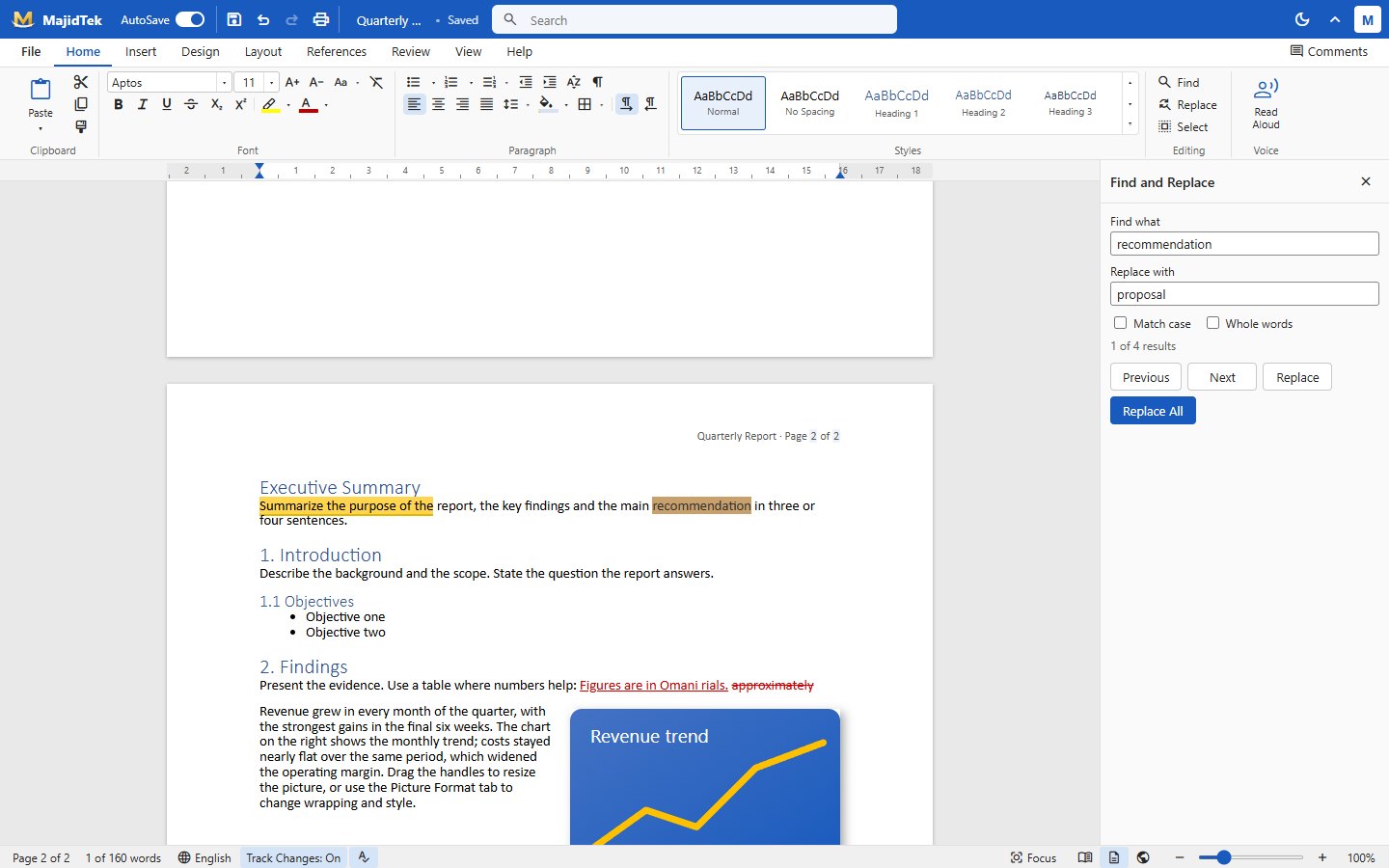 Find and replace
Review
Find and replace
Review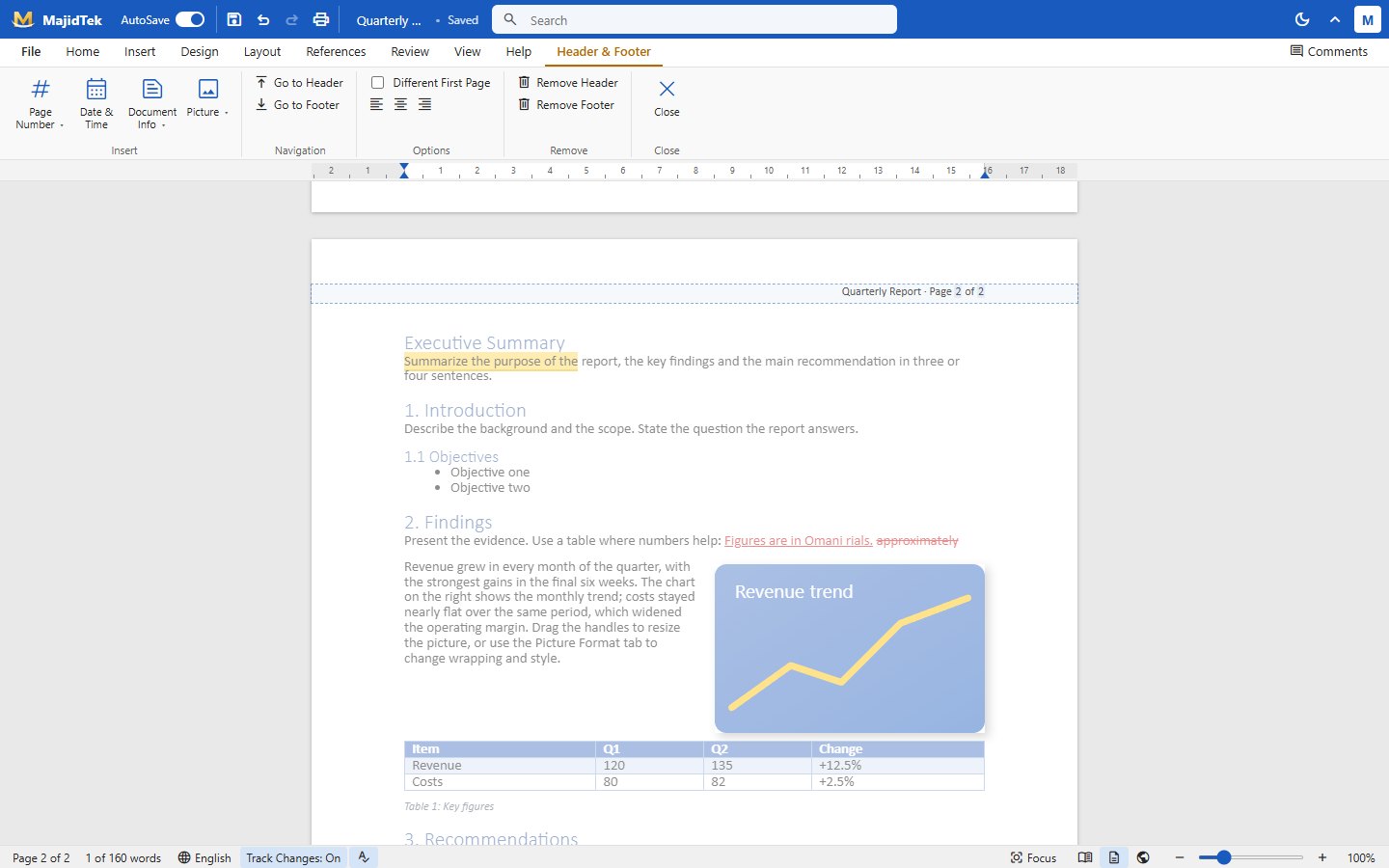 Header and footer
Layout
Header and footer
Layout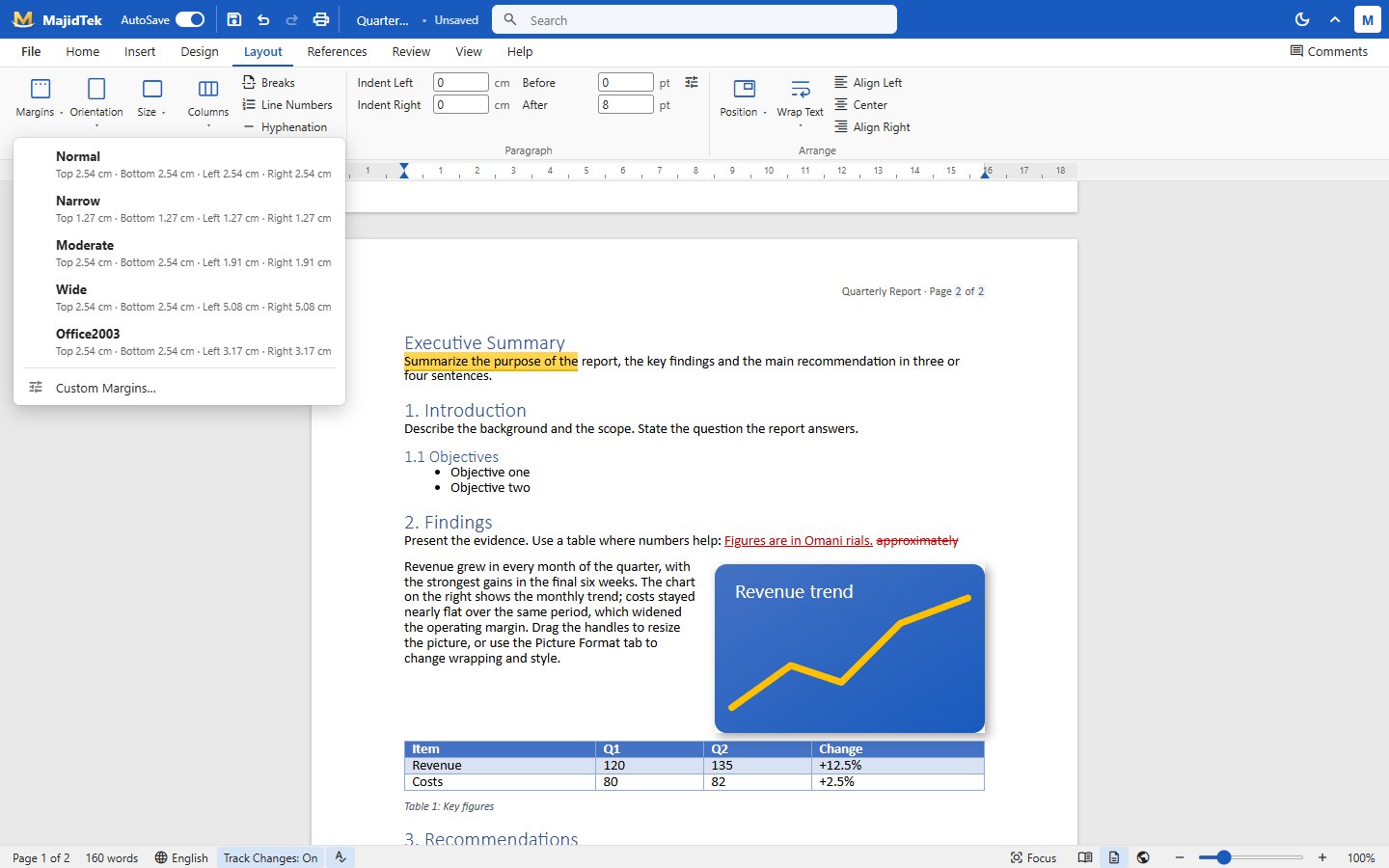 Margins
Layout
Margins
Layout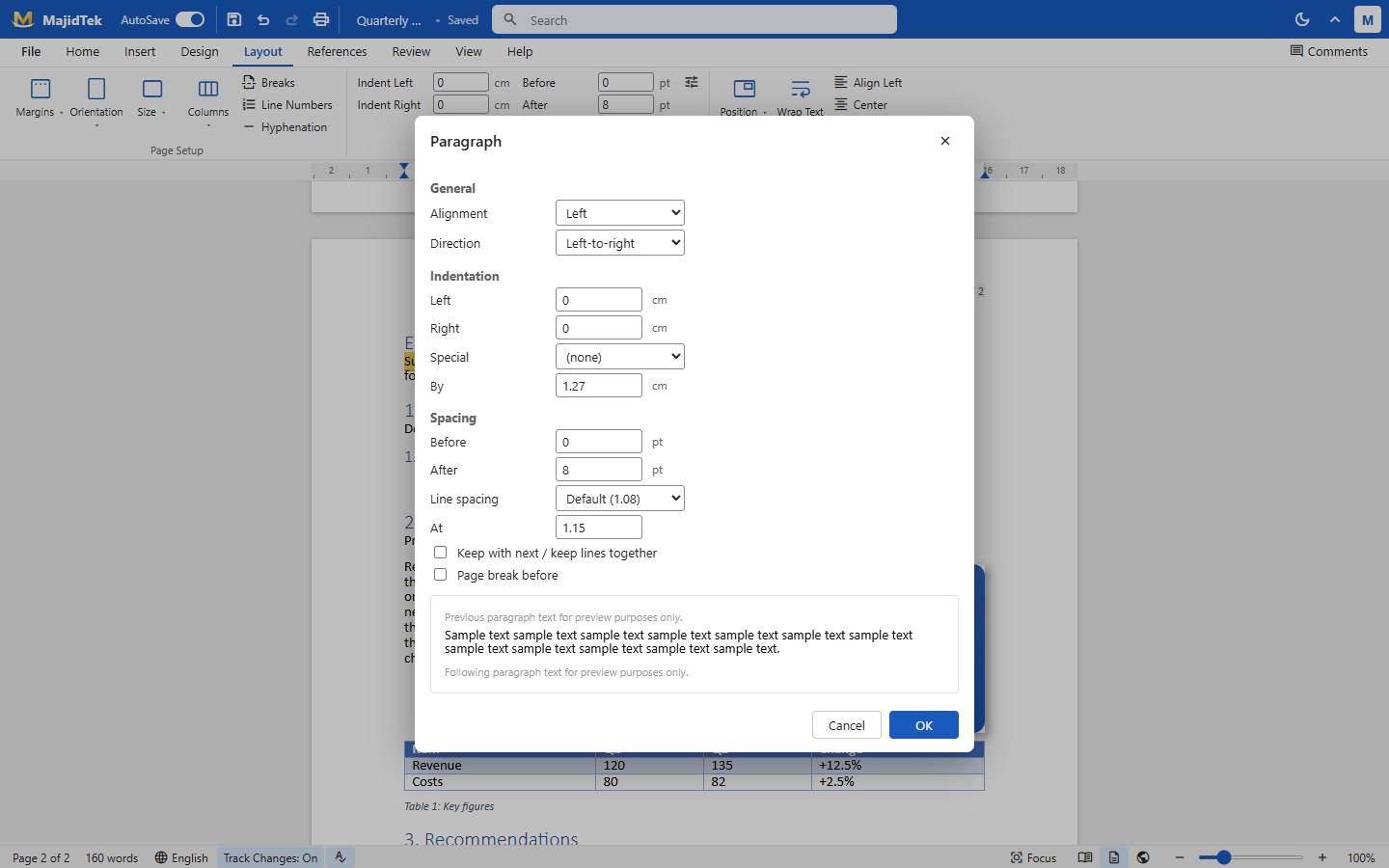 Paragraph dialog
Layout
Paragraph dialog
Layout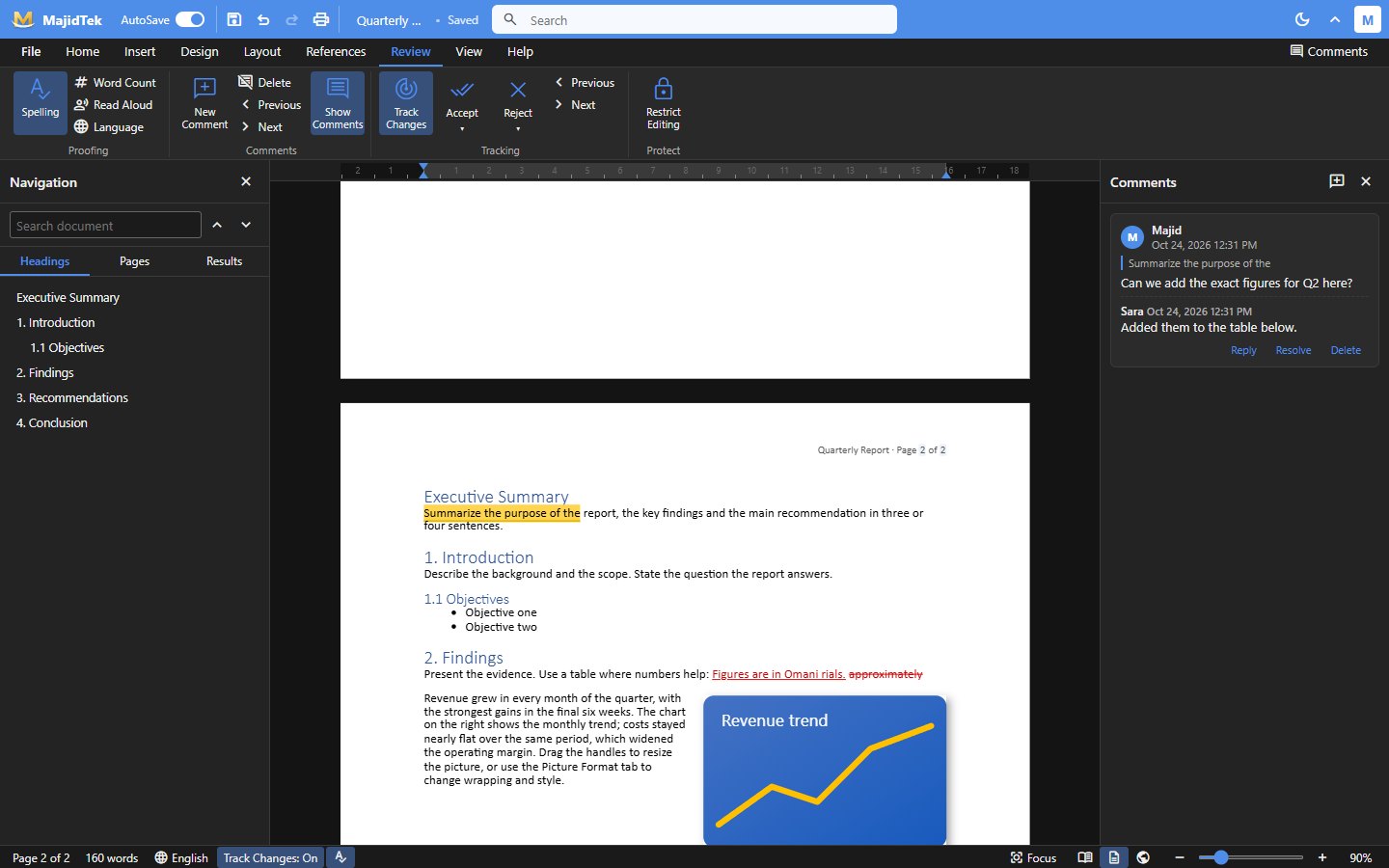 Dark mode
Files and views
Dark mode
Files and views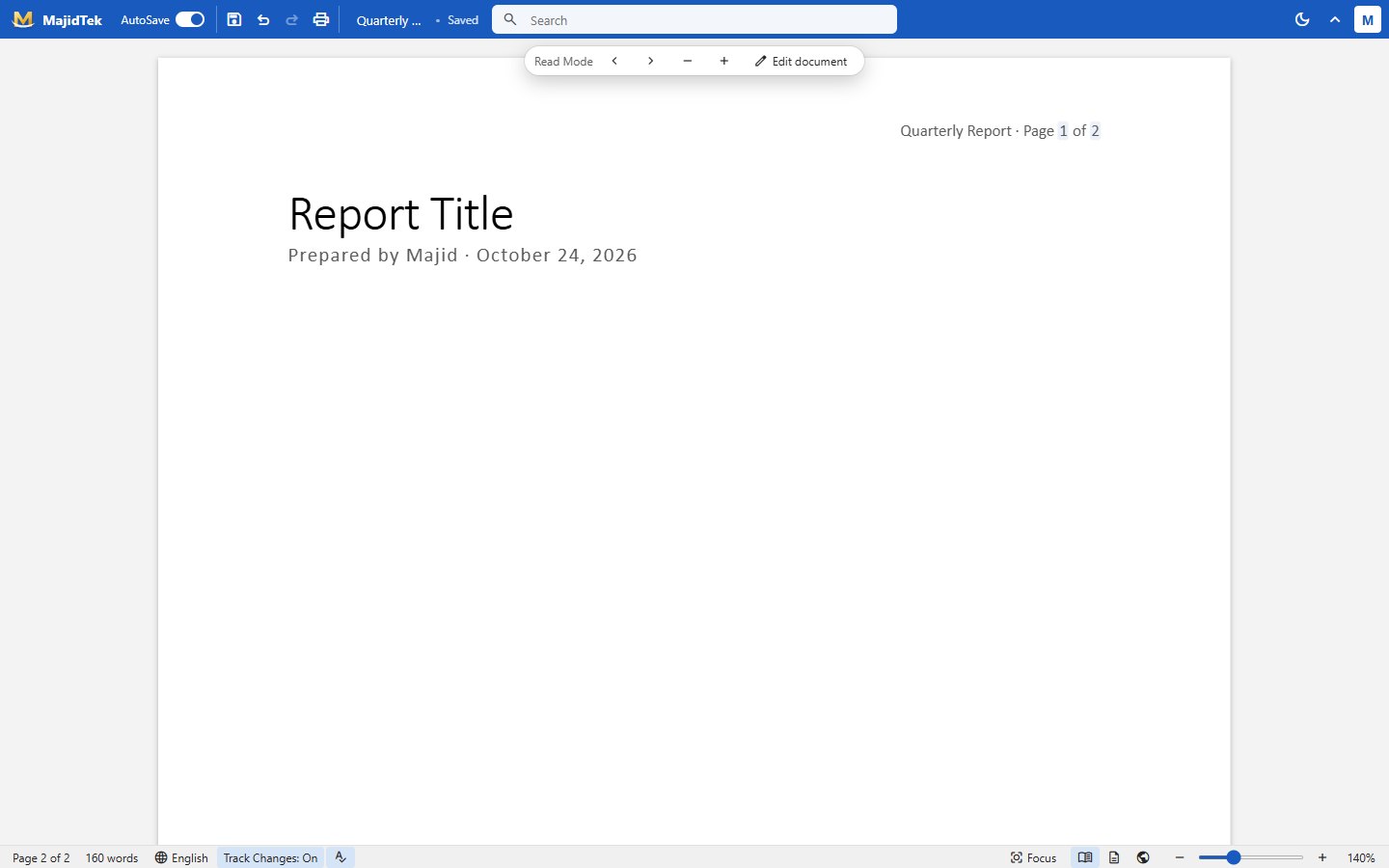 Read mode
Files and views
Read mode
Files and views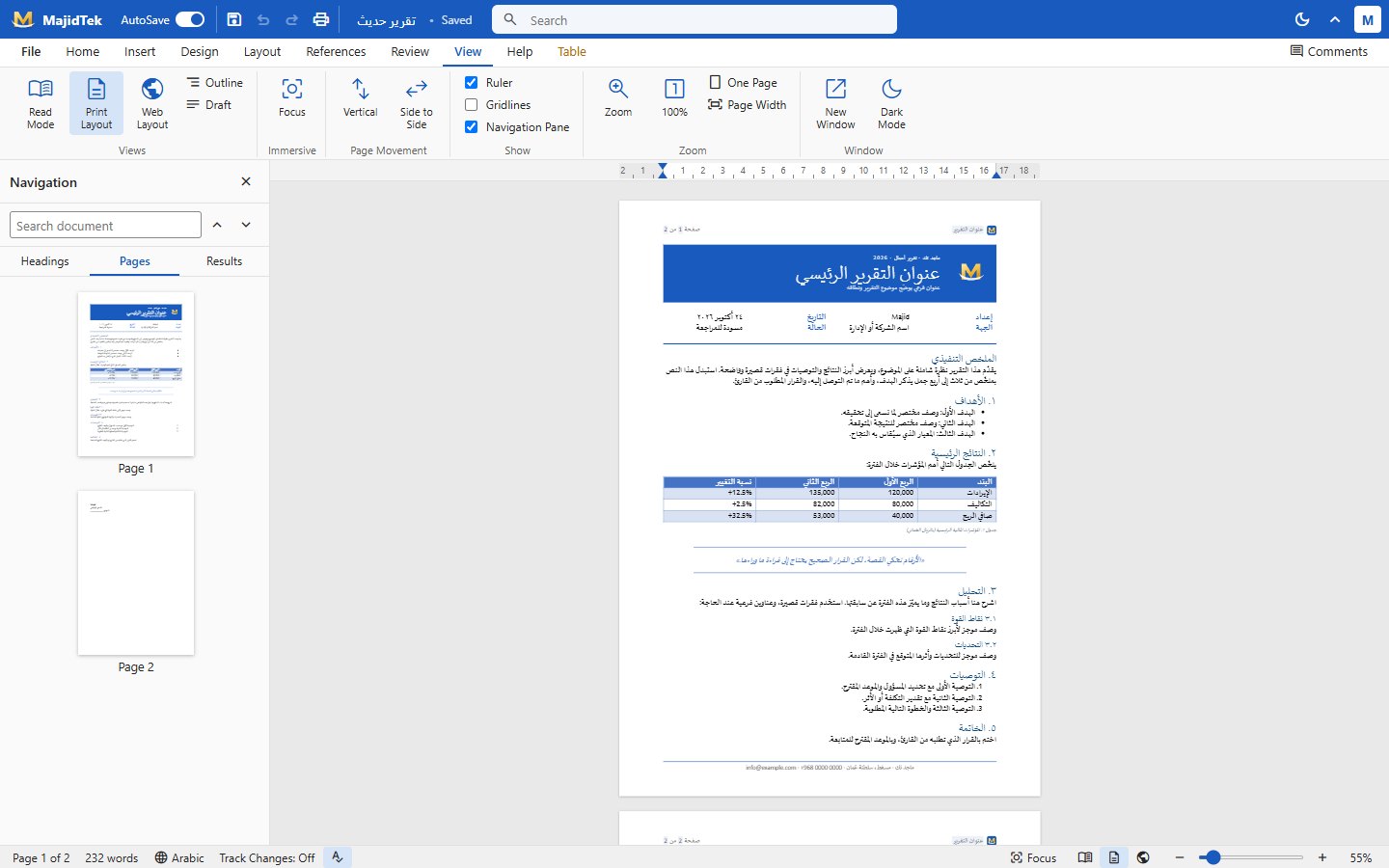 Pages overview
Files and views
Pages overview
Files and views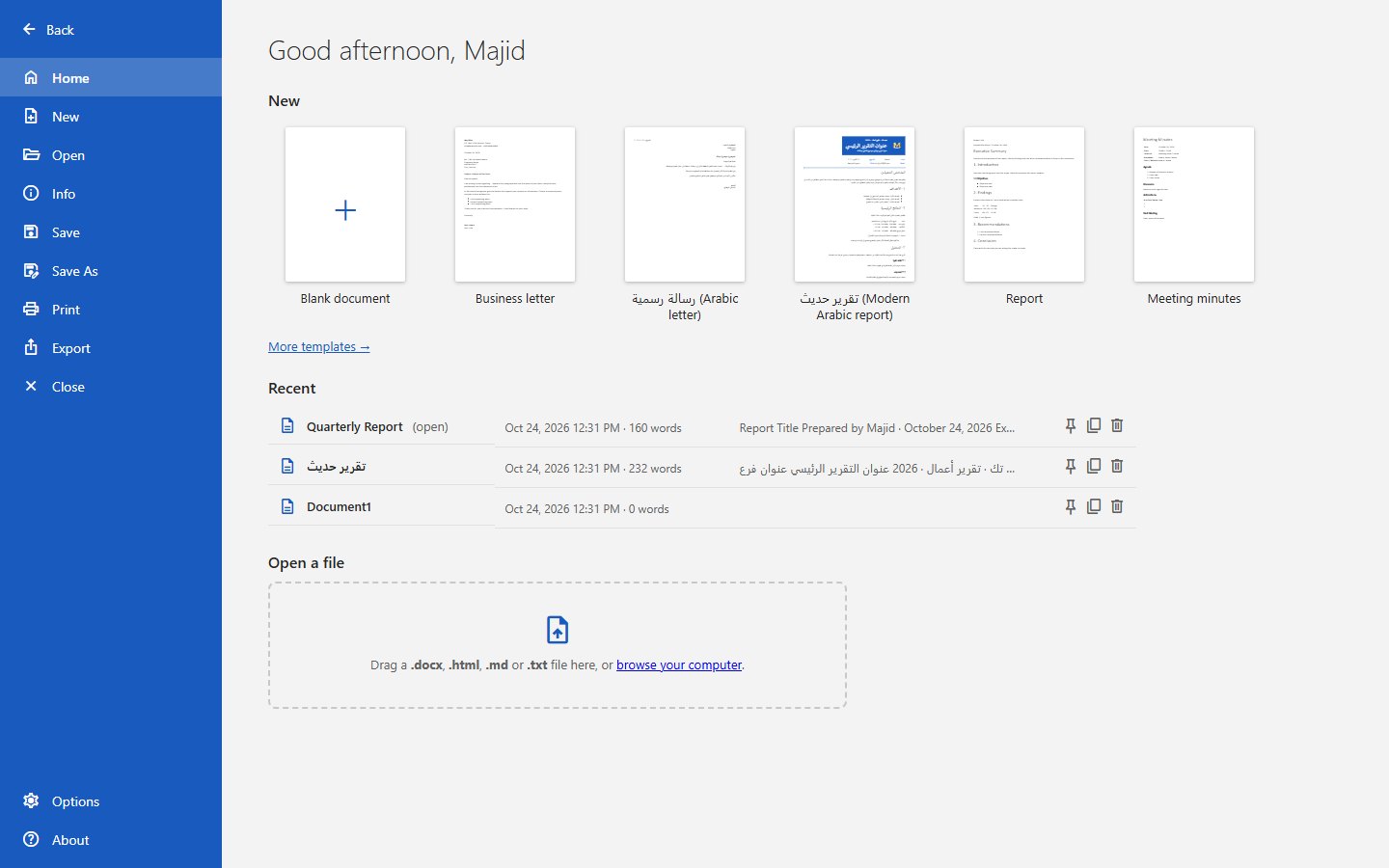 File backstage
Files and views
File backstage
Files and views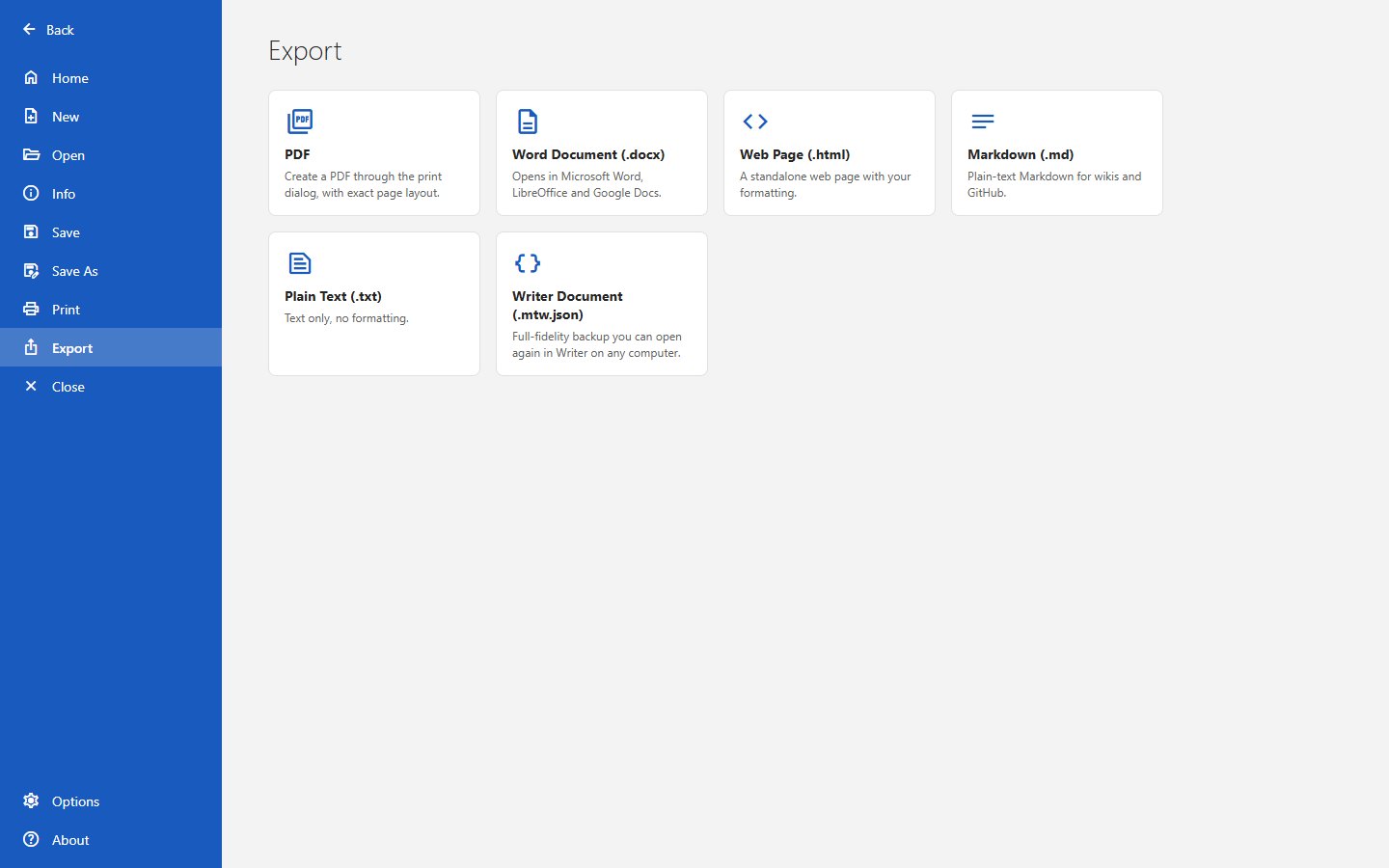 Export
Files and views
Export
Files and viewsOne API, one shared menu, and five front ends: a customer ordering site, a partner app that is a full point of sale, an admin console, a rider app and a tablet till for older devices. Any country, any currency, fourteen languages — and it is live today at orderorange.com.
Every screen below is from the live partner app. Several businesses can sit under one login, each with its own stock, staff and reports.
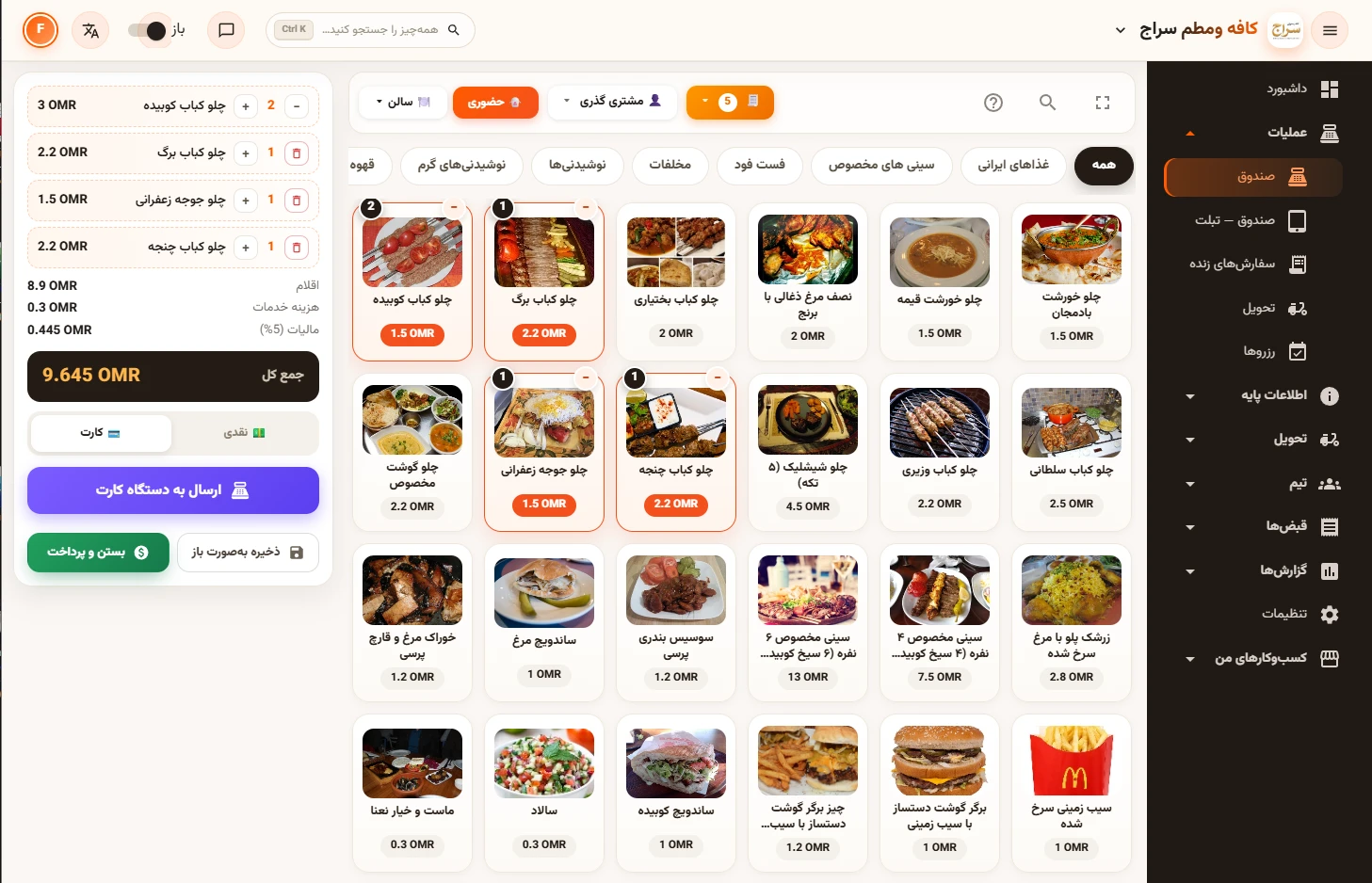
Tables, rooms and a floor plan, walk-in sales, open tabs, cash and card, split by rounds. Keyboard shortcuts and a code box ring items in seconds, and a POS assistant understands plain sentences in several languages.
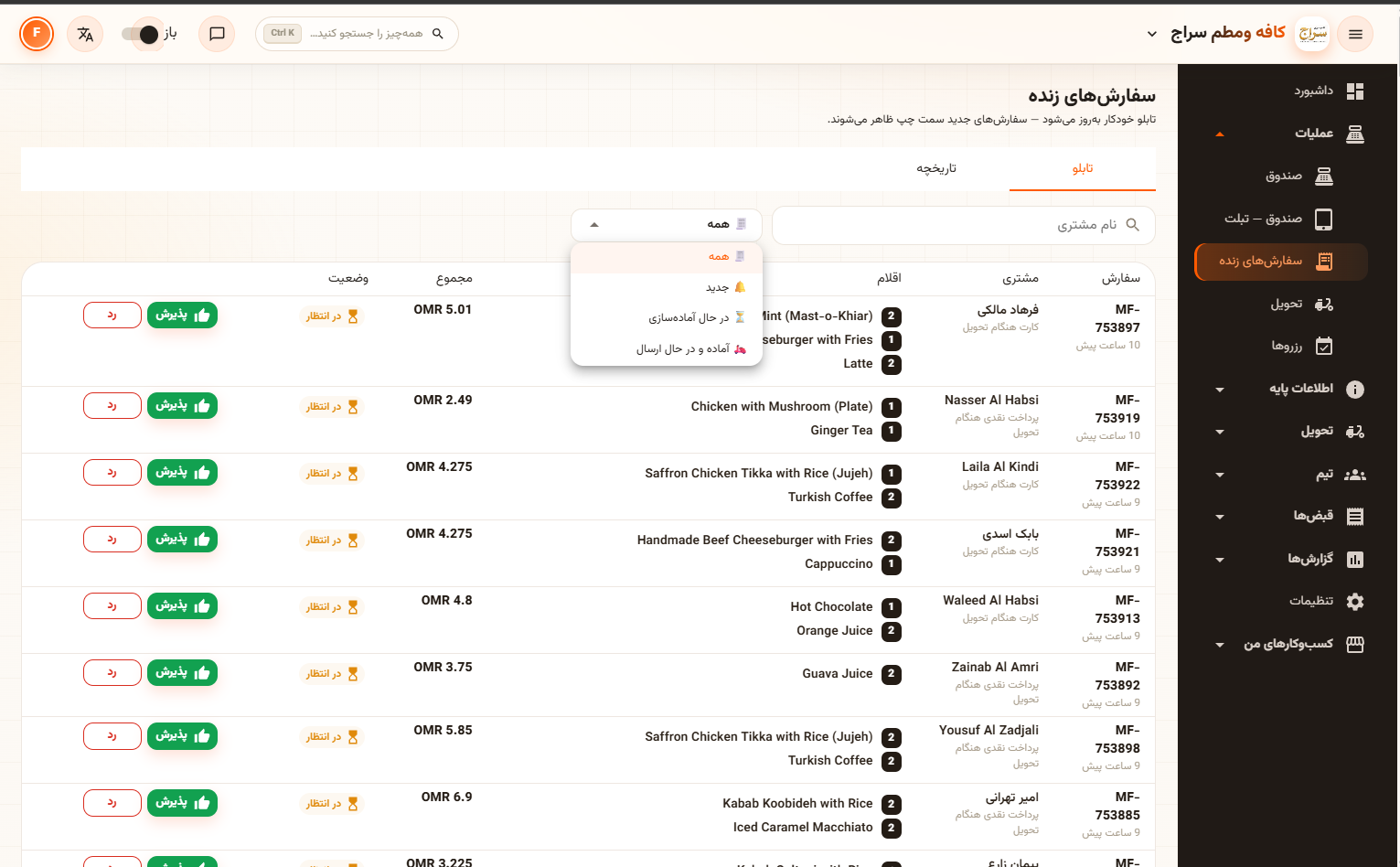
Online, QR-table and counter orders land on one live board. Staff accept or reject with one tap, and the kitchen display ages tickets from white to amber to red so nothing is forgotten.
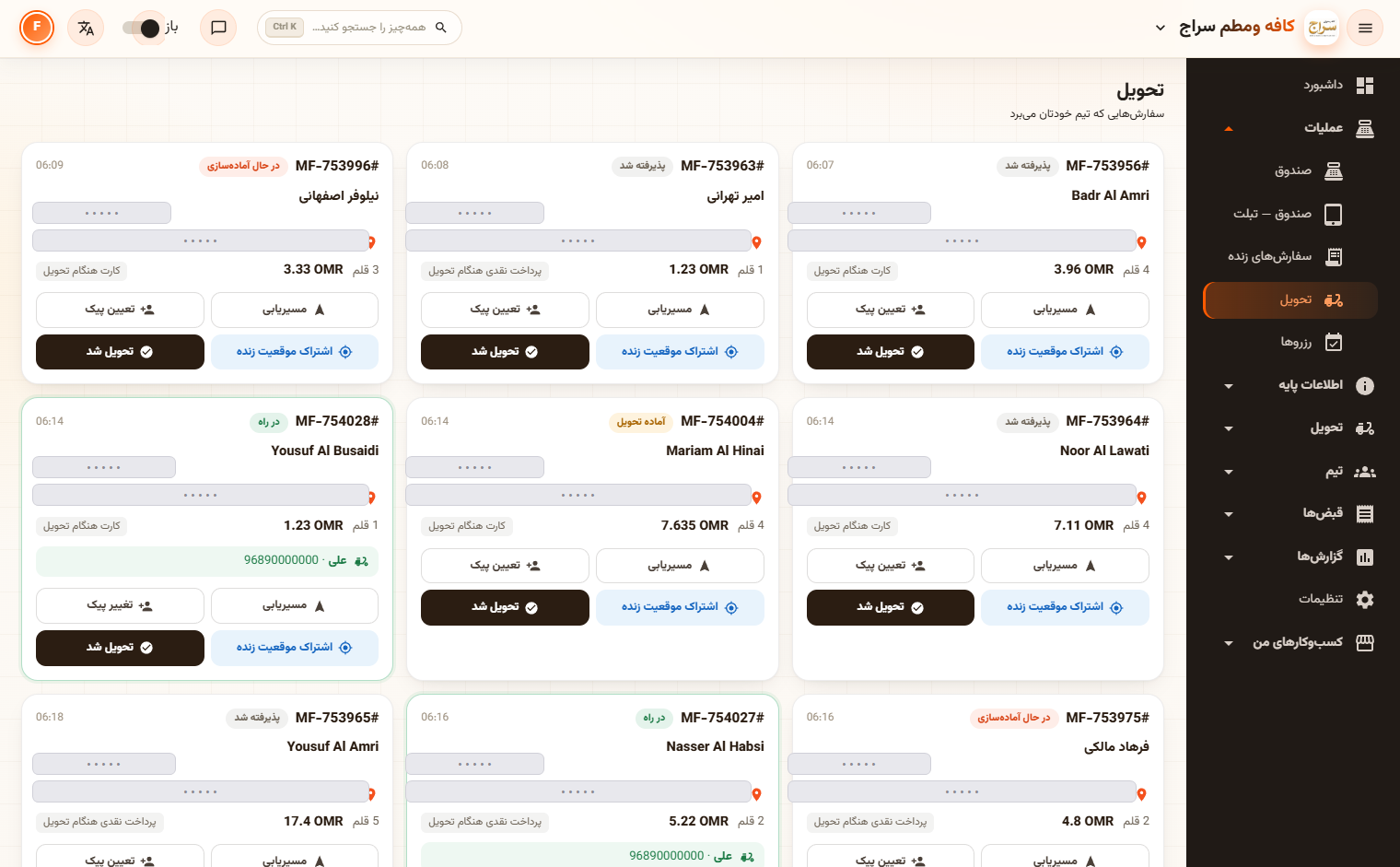
Assign a rider, route the drop, share a live location link with the customer and mark delivered — all from the same board the counter already uses.
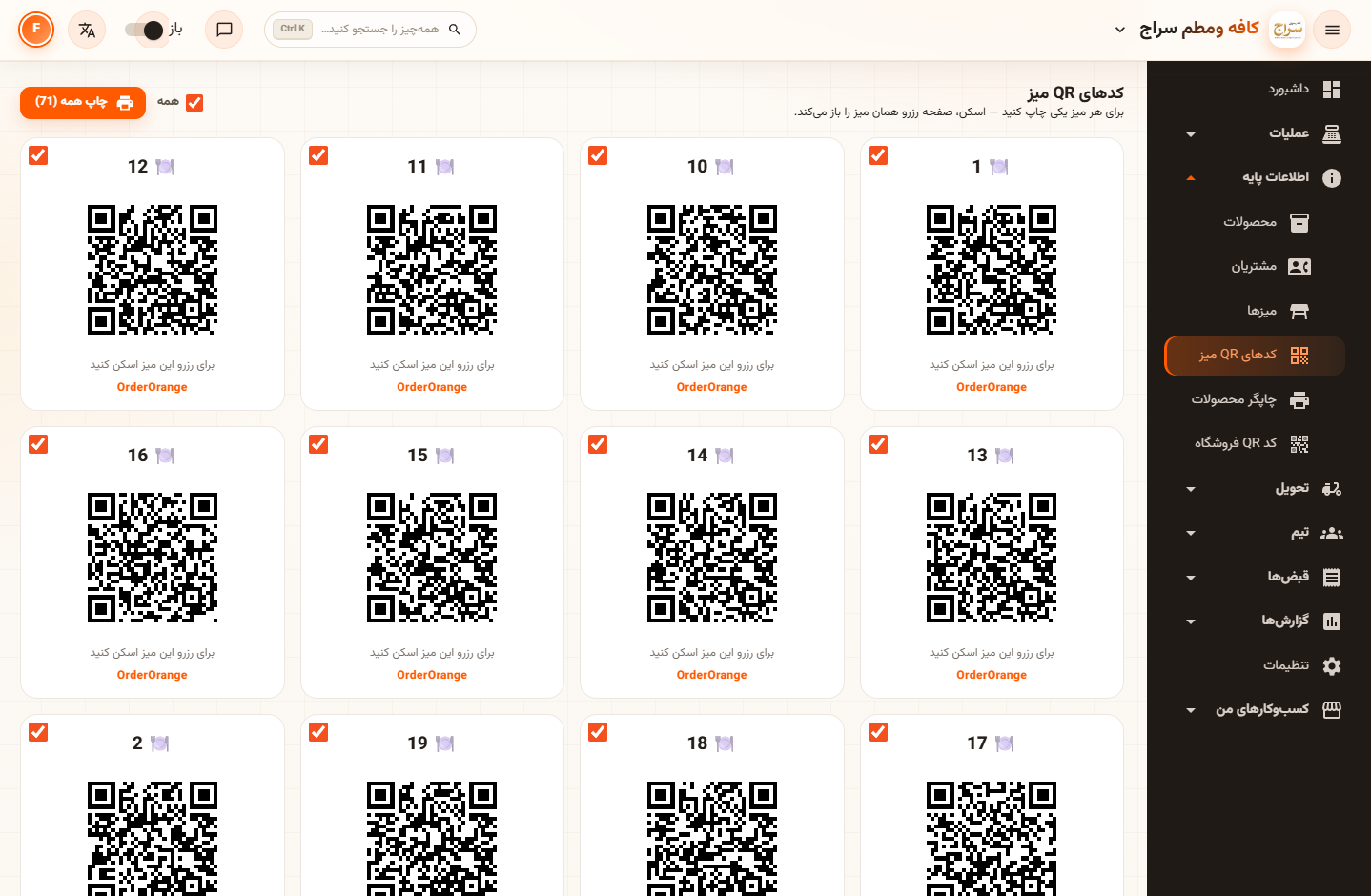
Guests scan, see the menu in their own language and order from their phone. Orders land on that table's bill, and the guest can message the counter without calling a waiter.
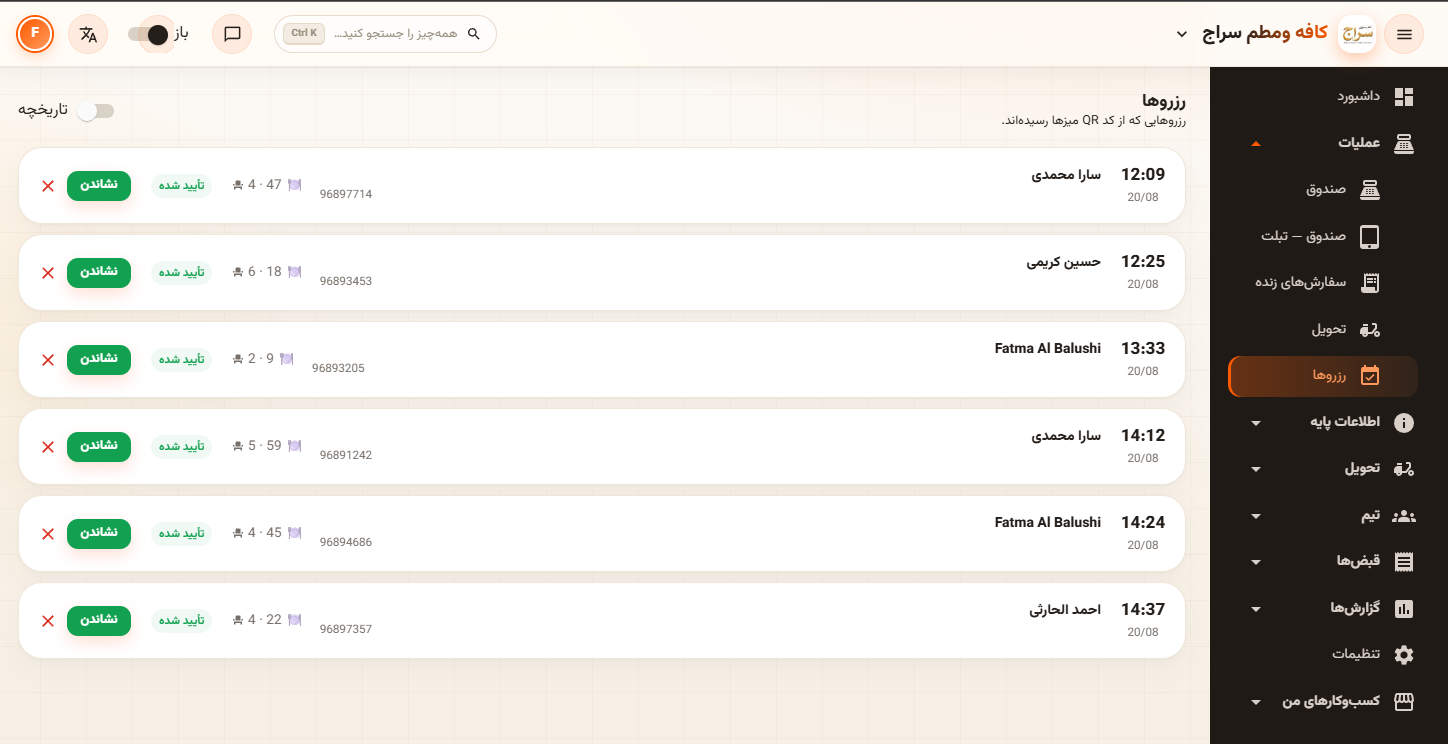
Table bookings come in from the customer site and the table QR, with party size, time and a phone number. Confirm, seat or cancel in one tap, with history kept for repeat guests.
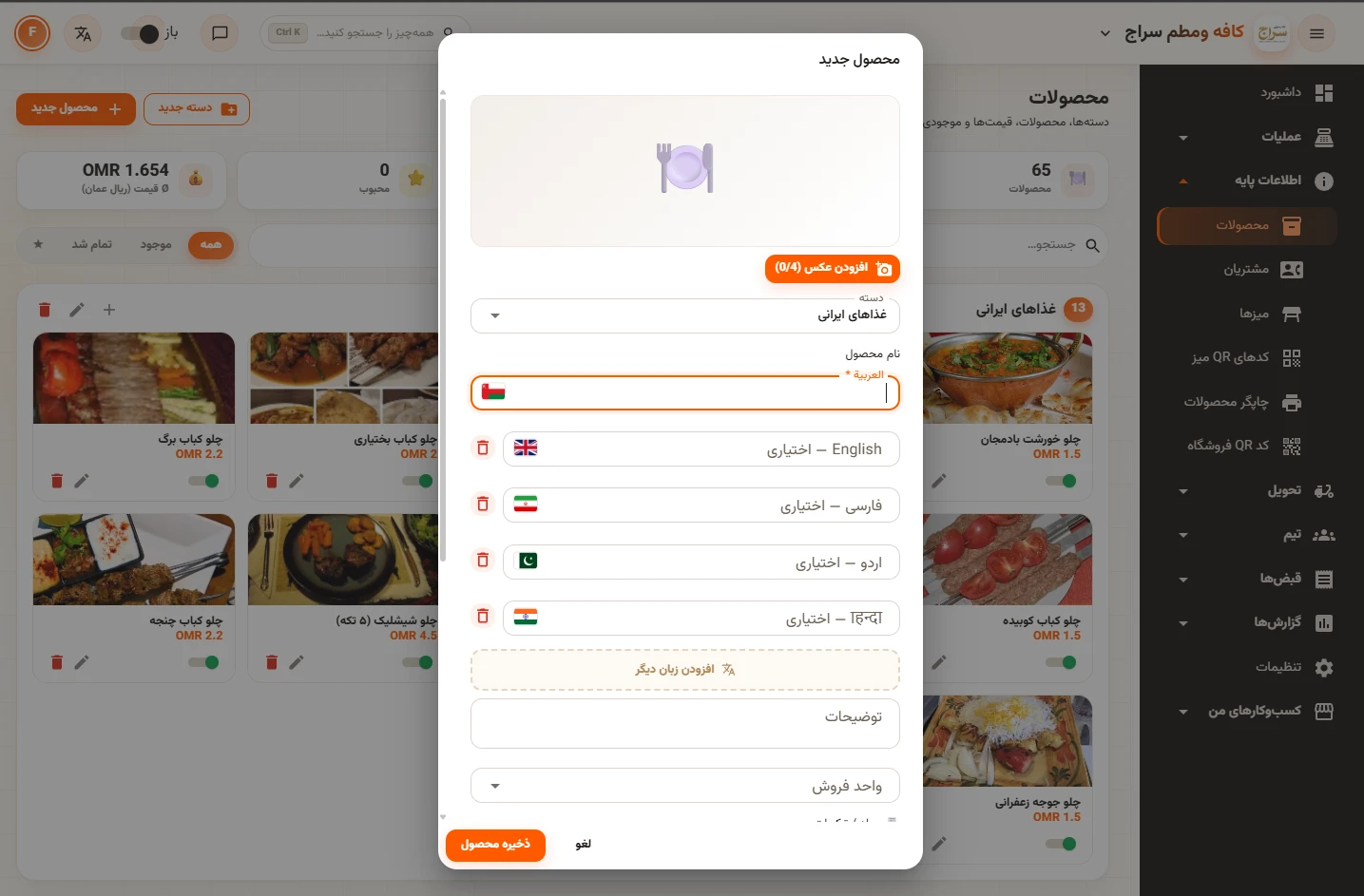
Categories, products, options, photos, prices, discounts and availability windows. Recipes consume raw materials on every sale, purchasing works by barcode, and a warehouses map handles transfers between branches.
A batching plant was locked to a legacy Visual Basic program that spoke a proprietary telegram protocol to its Siemens-compatible PLC. We reverse-engineered the protocol from live captures, built a .NET 10 plant client that reads the plant and sends production orders, and put a web dashboard, API and admin panel on top — the mixer now starts from our software.
No vendor documentation existed. Everything below was proven against the live plant, and every protocol rule is locked in by automated tests that assert on real captured bytes. Screens are from the real system; client and customer details are blurred.
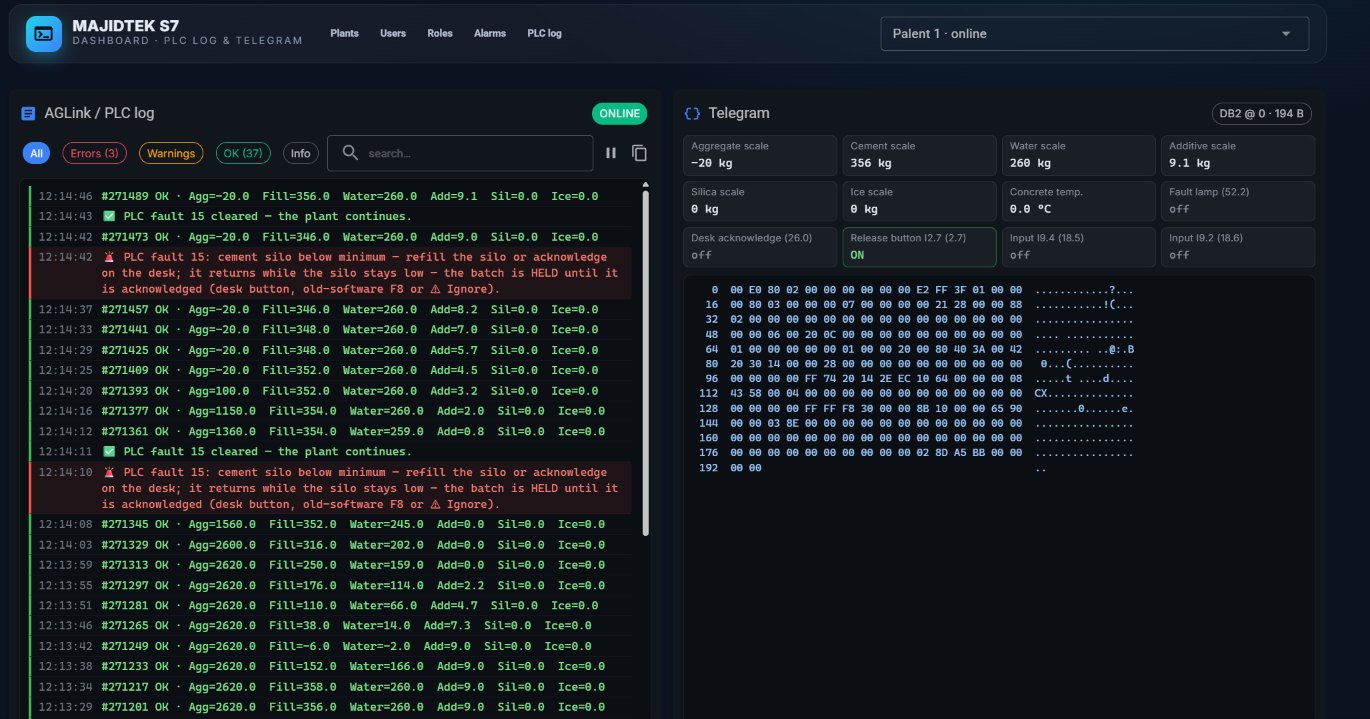
The PC and the PLC exchange fixed-layout telegrams through one data block: a two-letter command, a length, and a payload of weights, silo numbers and mixing times. We captured live traffic, decoded the layout field by field, and found the encoders the decompiled legacy code had misled us about. The PLC log shows every poll and fault next to the raw telegram.
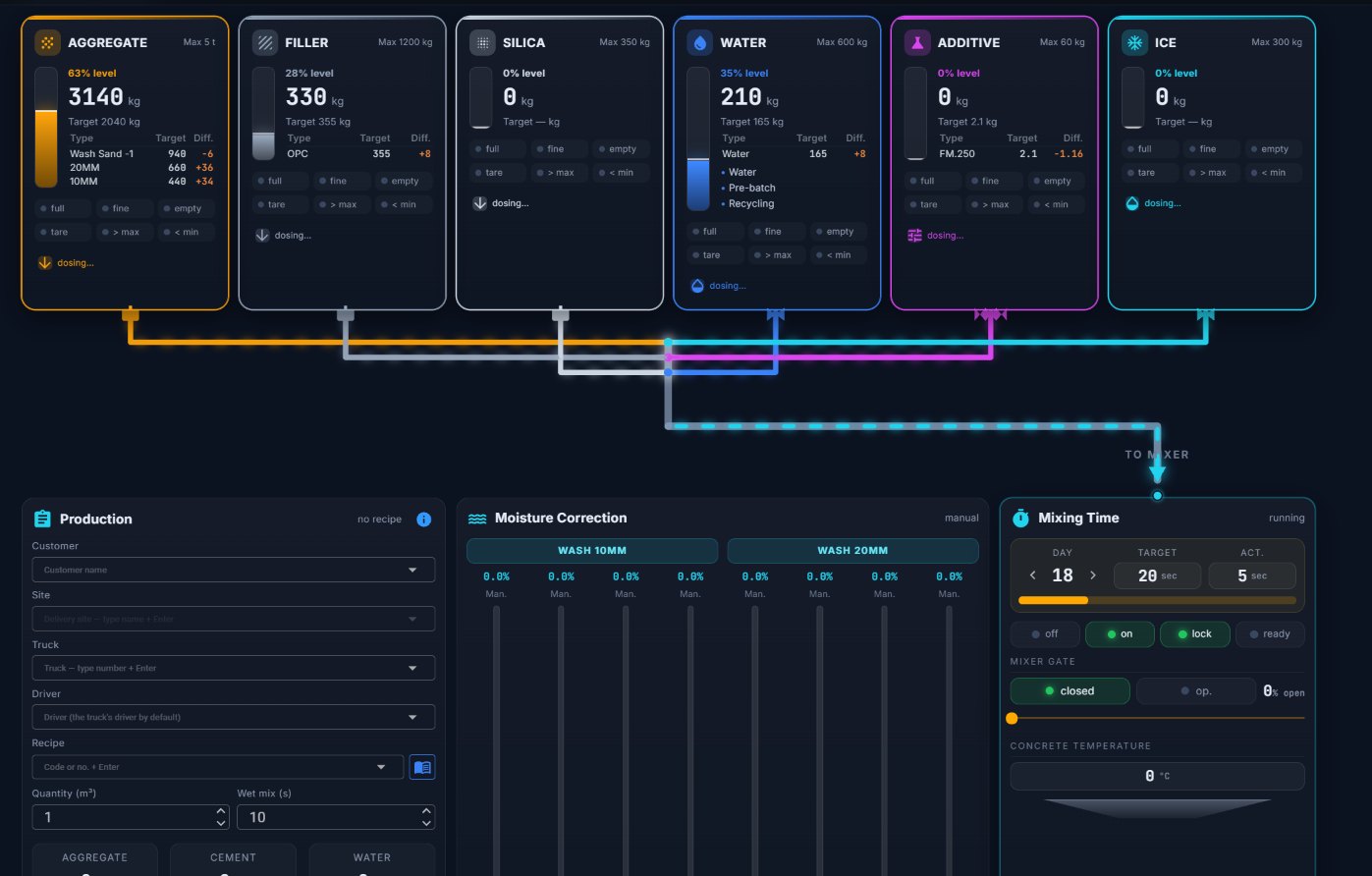
Aggregate, filler, silica, water, additive and ice each get a live card with fill level, weight, target and the difference per material. Animated lines show what is flowing to the mixer, and mixing time, mixer gate and moisture correction sit right below.
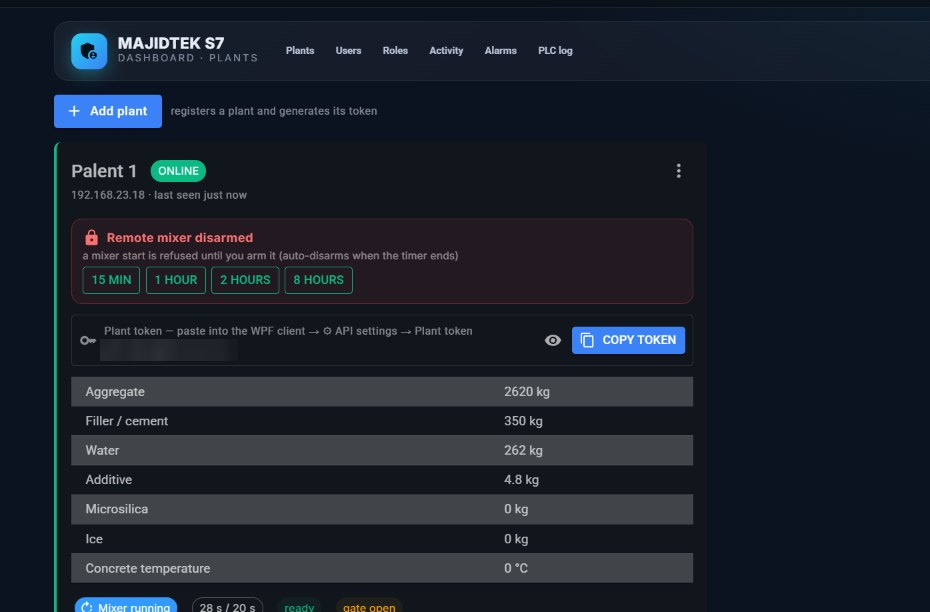
Starting the mixer from outside the plant is disarmed by default; an admin arms it for a fixed window and it disarms itself when the timer ends. Each plant has its own token, and the client writes the order body first and the command bytes last so the PLC never acts on a half-written order.
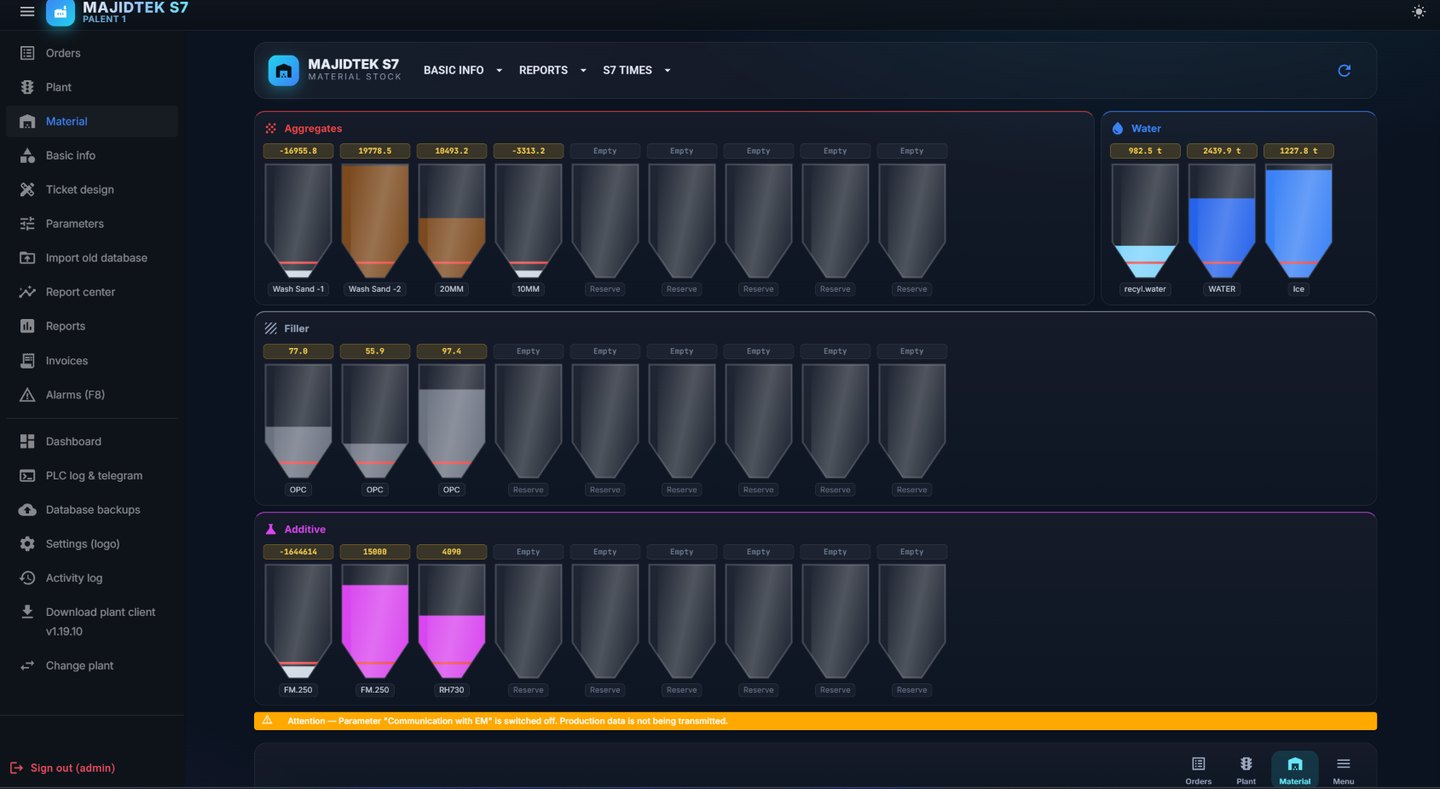
The plant client pushes live values to a REST API, and the stock view shows every aggregate, cement, water and additive silo with its level and running balance. Production data reaches the browser from anywhere, backed by SQL Server with JWT security.
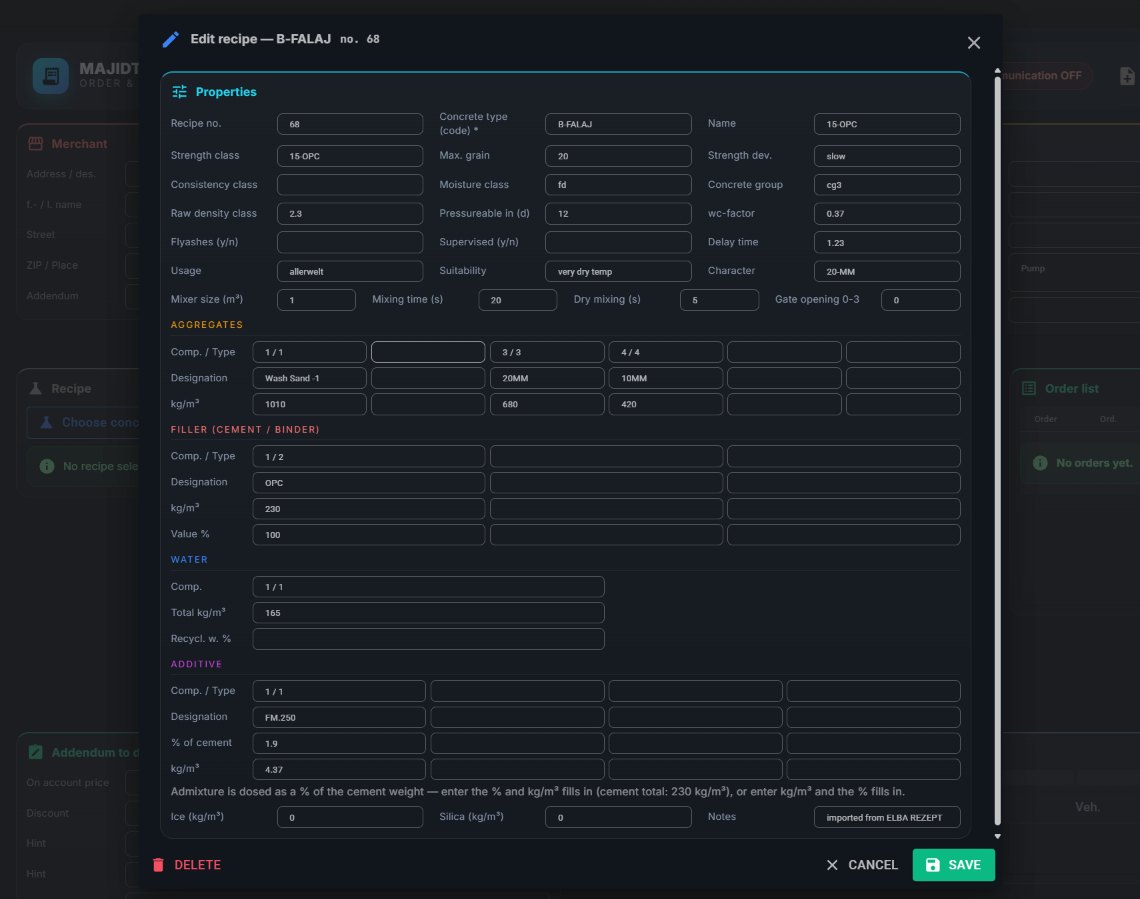
Concrete recipes carry strength class, water-cement factor, mixing and dry-mixing times and the weight per cubic metre for every aggregate, filler, water and additive — imported from the old system. The batching and mixer timings that the PLC uses are edited in the same app.
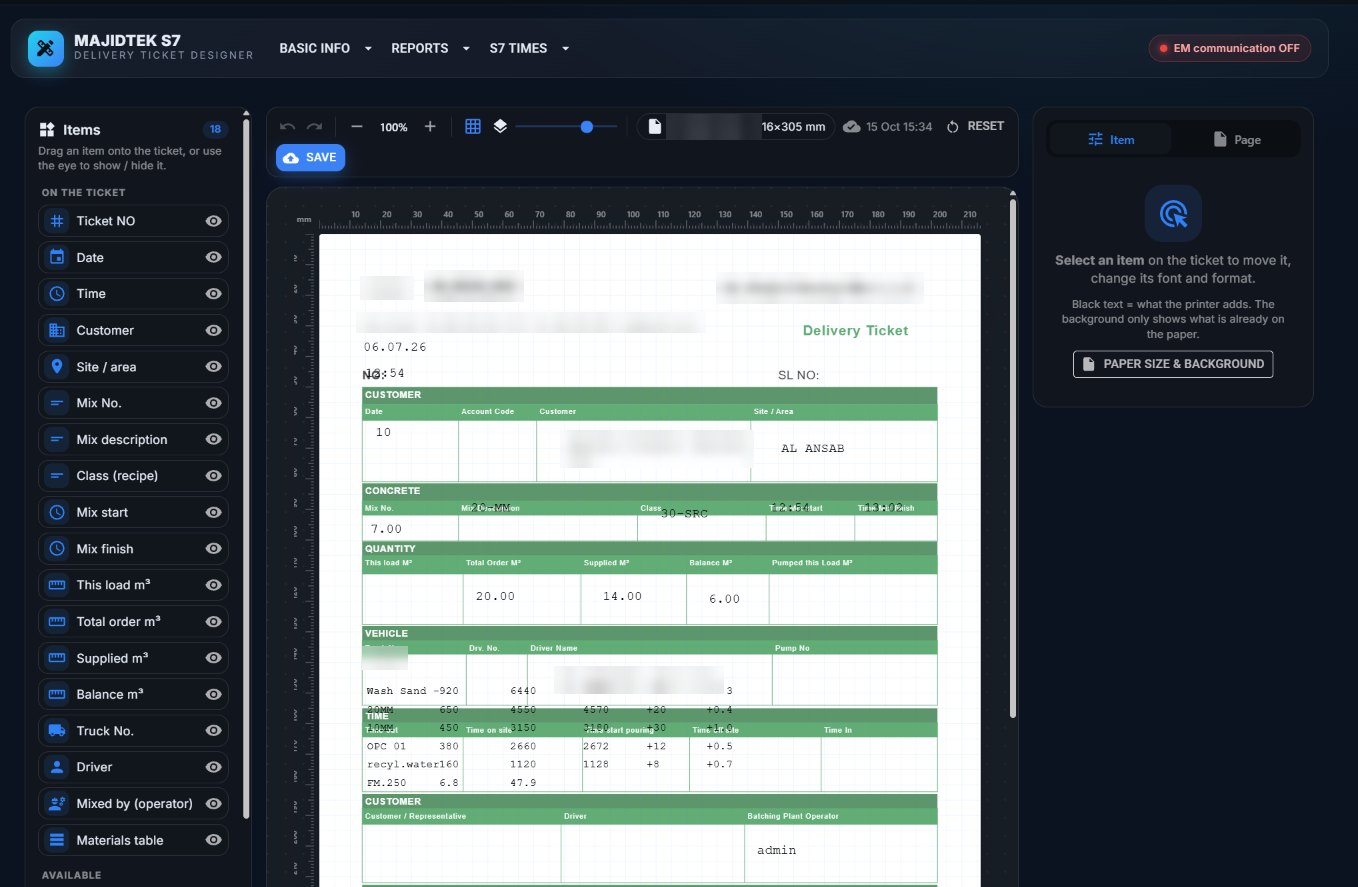
Plants print onto pre-printed paper, so the ticket designer lays every field — ticket number, customer, site, mix, quantities, truck, driver and the materials table — over a scan of the real form, in millimetres, and saves it per plant.
✓ PutL_matches_the_live_plant_big_endian
✓ Real_EL_start_telegram_decodes_field_for_field
✓ LooksLikeOrder_accepts_a_real_order_and_rejects_everything_else
✓ MailboxReady_accepts_spaces_and_zeros_but_not_a_command
✓ BuildAck_matches_the_captured_EQ_telegram
✓ DosingOffsets_cover_every_weight_channel
… 50 more
Industrial code cannot be tested by trial on the plant. The protocol codec is pure and fully covered: the real start telegram decodes field by field, the encoders reproduce eight captured weights exactly, and two bugs that once cost days can never return.
Built for a national emergency-management centre in Oman: one Arabic-first platform for official telegrams, secure team chat, a shared calendar, a live map board and an Android and iOS app with push notifications — plus an admin console that shows who is online and from which device. It is deployed on-premise behind the organisation's own gateway; nothing leaves their network.
Every screen below is from a demo build of the real product, filled with demo users and demo data. Nothing here is real operational information.
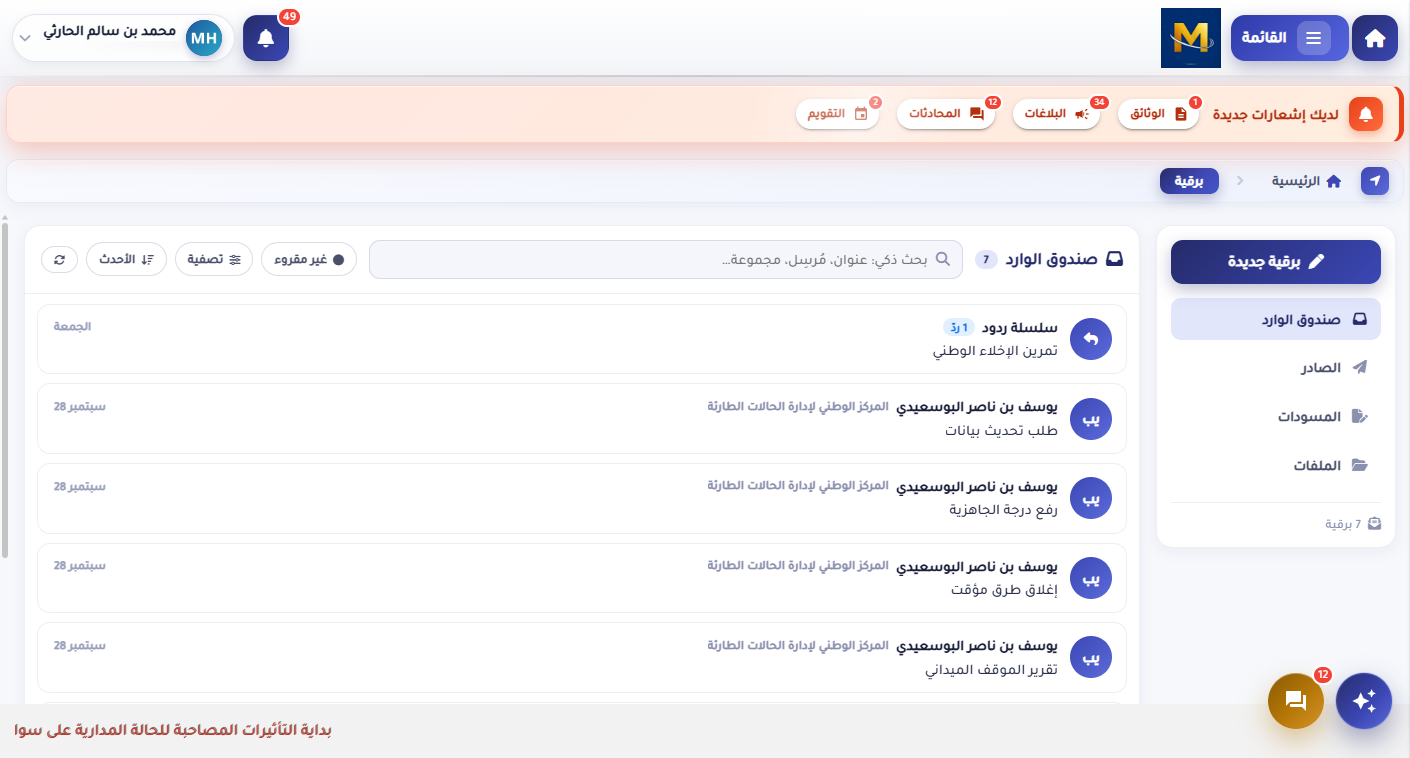
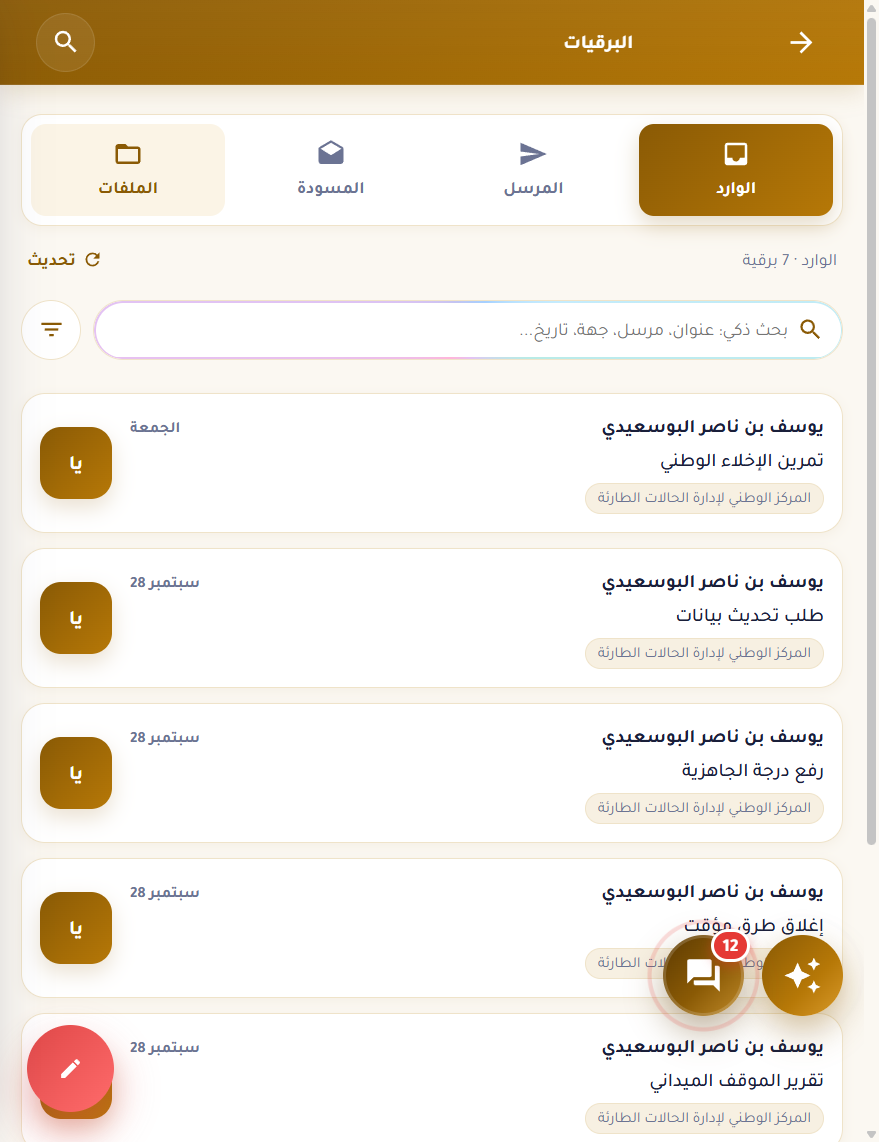
Formal dispatches between the centre and the sectors: inbox, outbox, drafts and a file archive. Every telegram carries its sender, organisation and time, keeps its replies as a thread, and records exactly who received and read it.
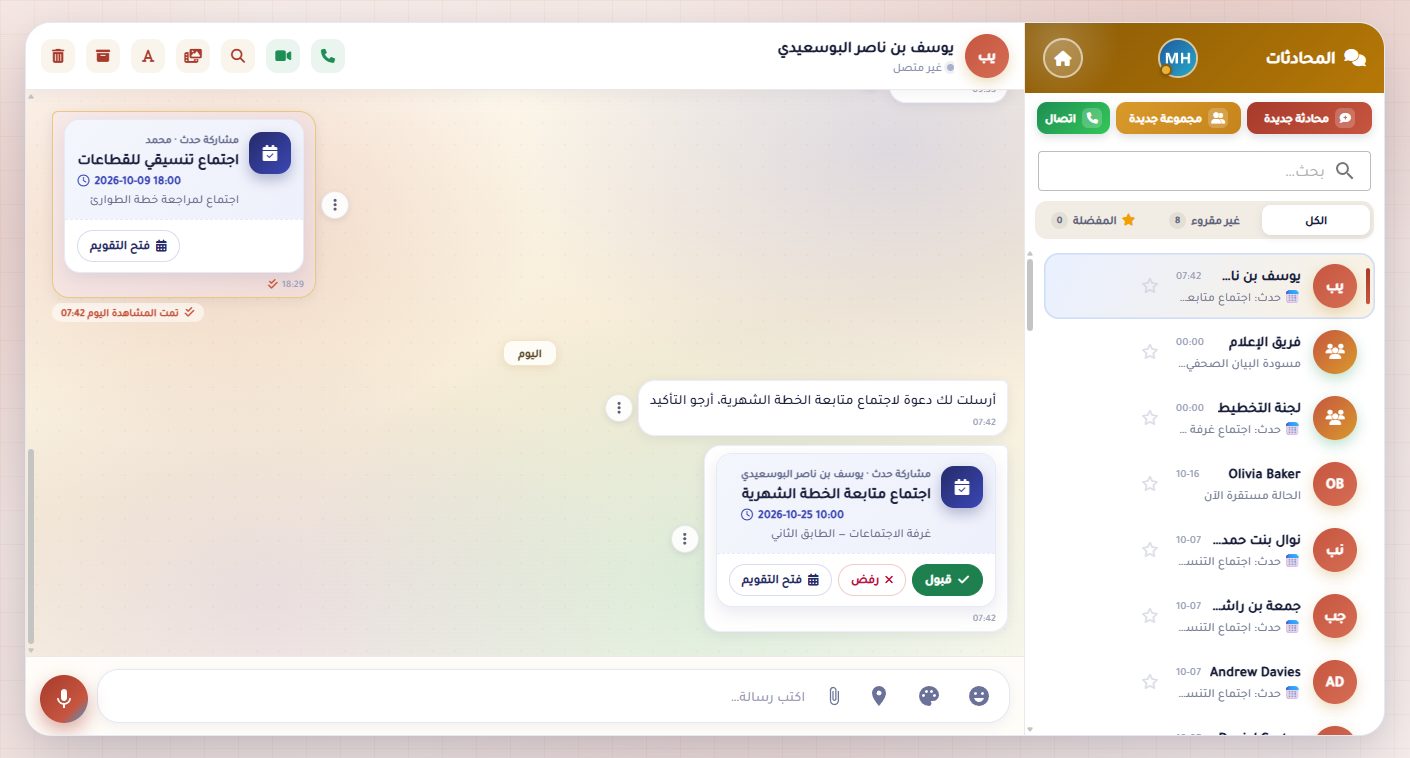
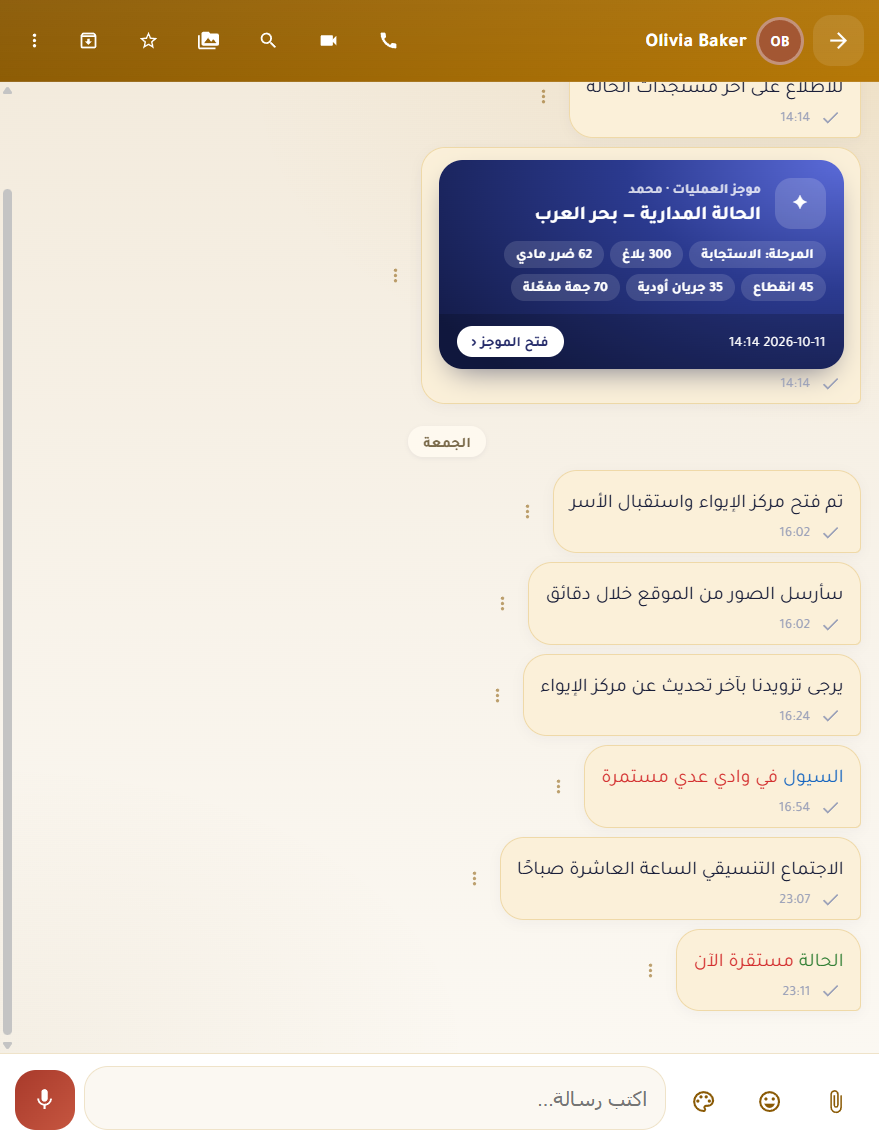
Groups and direct chats over SignalR with read receipts, starred messages, files, links and media tabs, voice notes and audio or video calls. Operations summaries and calendar events arrive as rich cards straight in the conversation.
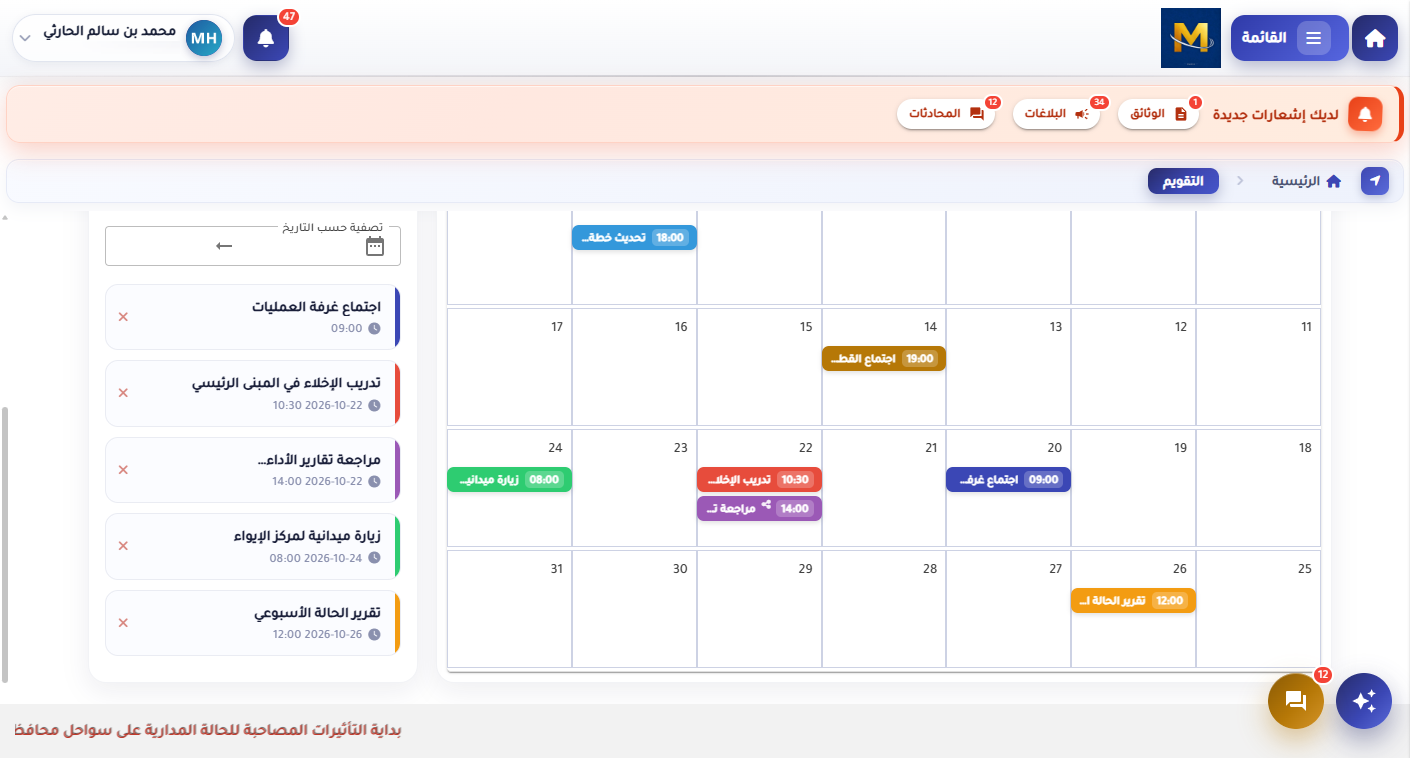
Meetings, drills, field visits and reports on a shared monthly view with a day list beside it. Events can be shared into a chat as a card, and every change notifies the people involved on web and phone.
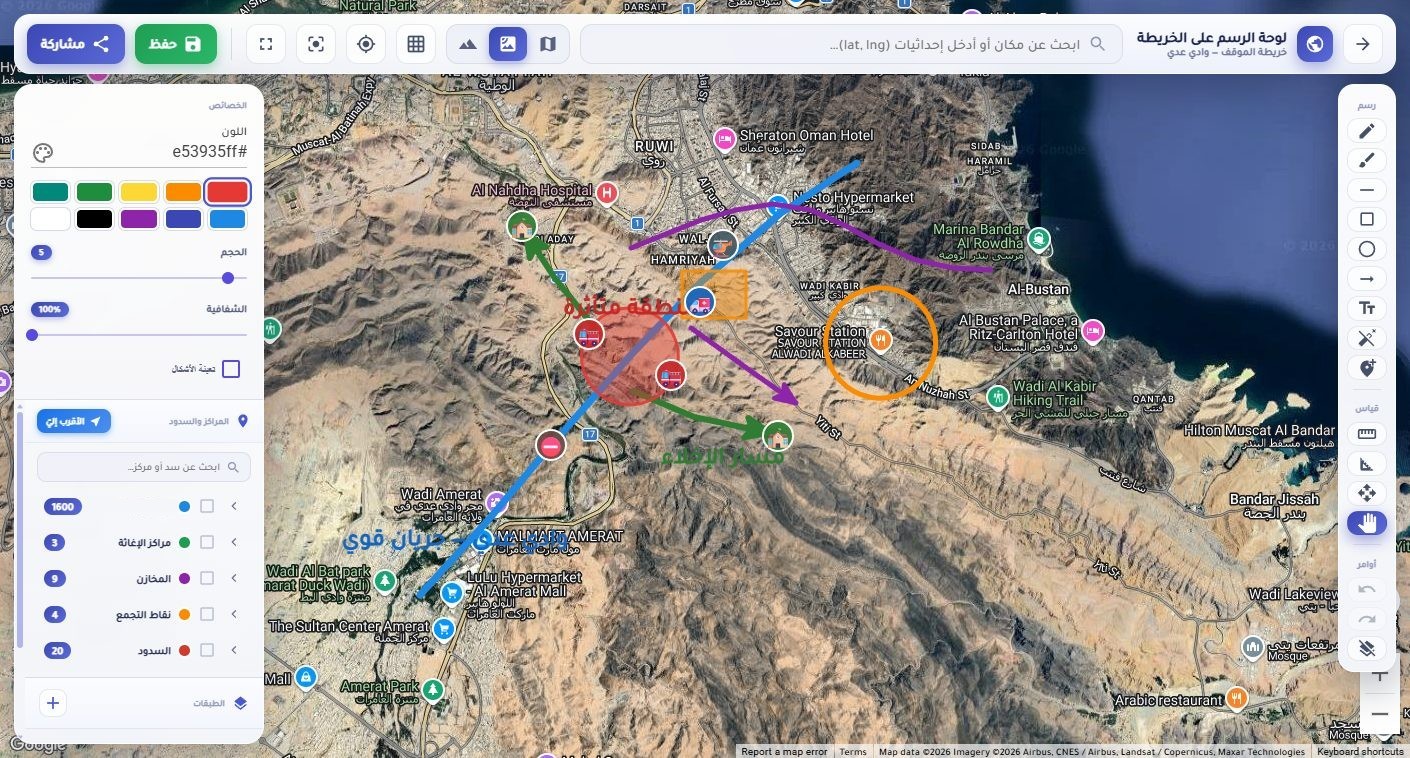
A drawing board over satellite imagery: shelters, relief centres, warehouses, assembly points and dams as toggleable layers, plus freehand drawing, shapes, arrows, labels and measurements. Save a board and share it with the team.
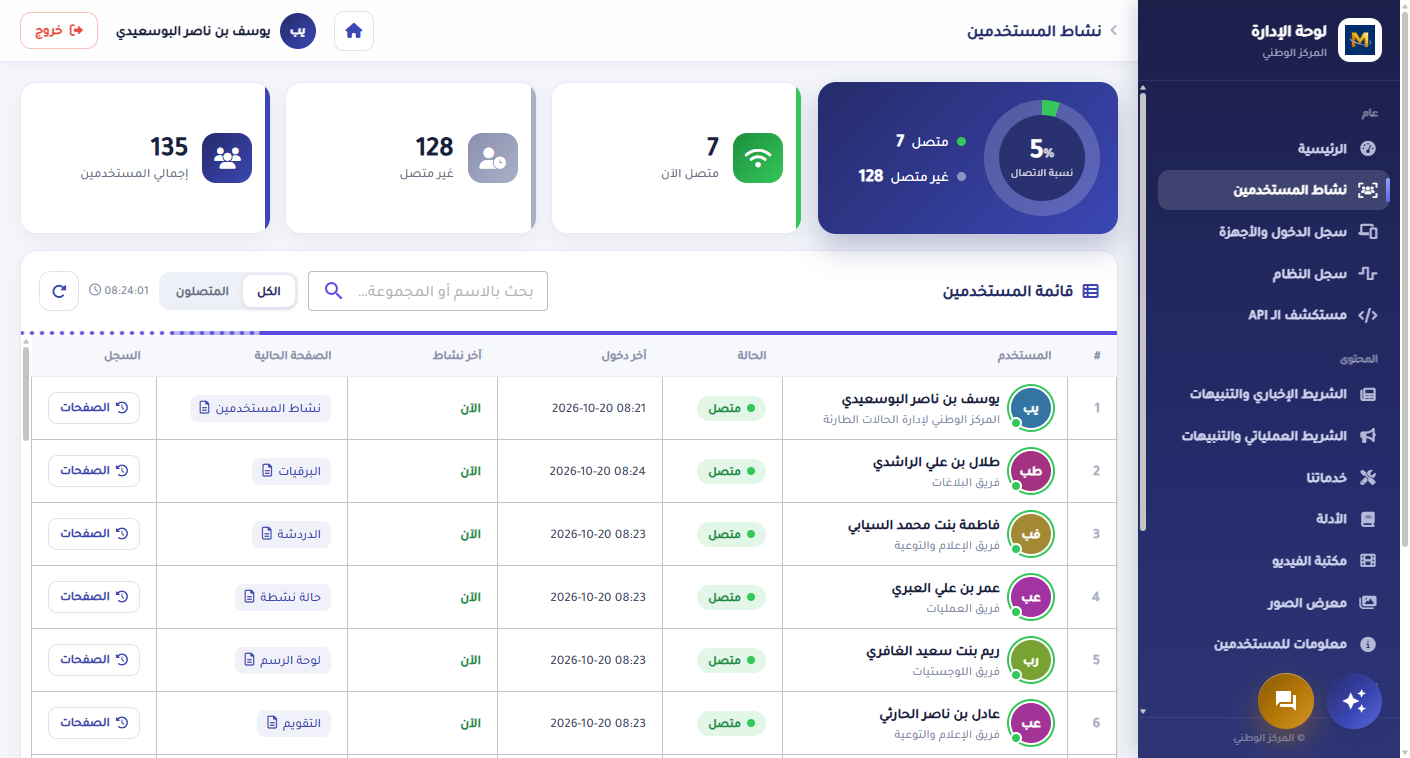
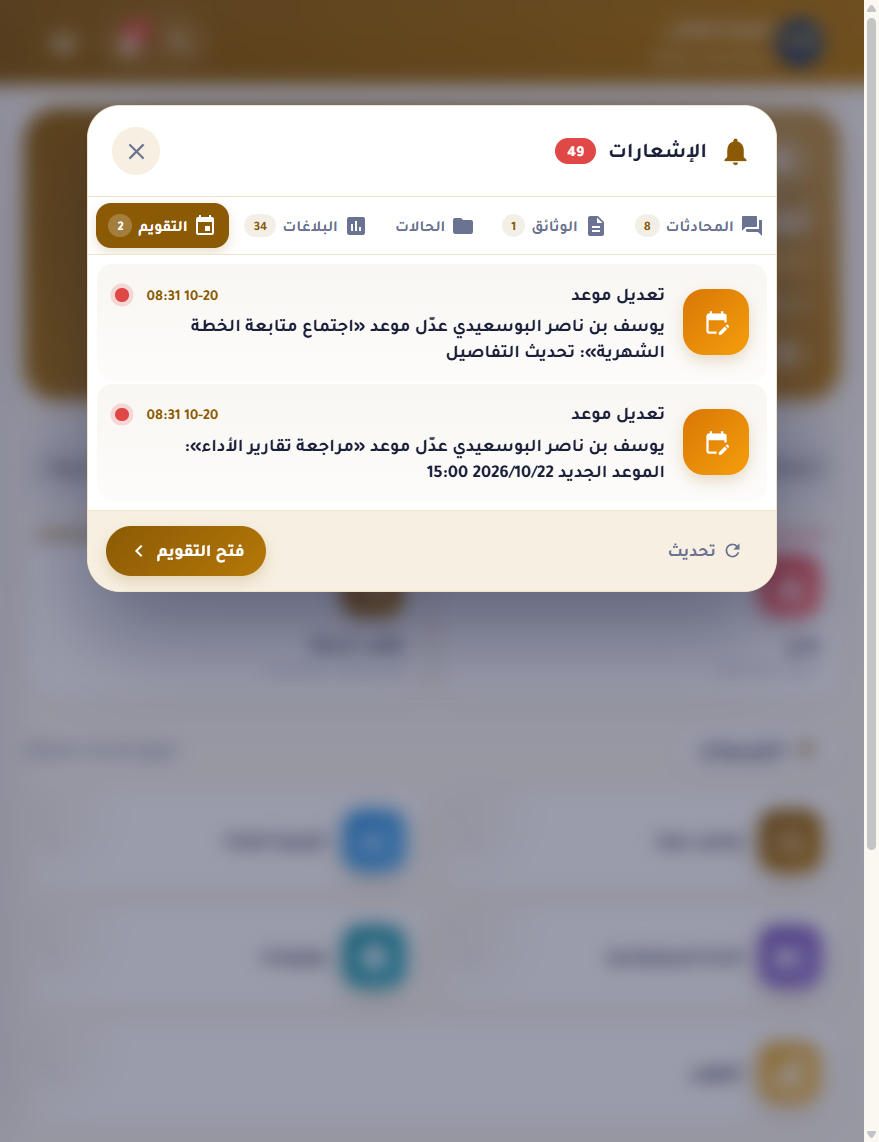
The admin console shows live user activity — who is connected, their last page and their history — and a login and device log with browser, OS, device model and IP. Each user can see and sign out their own linked devices.
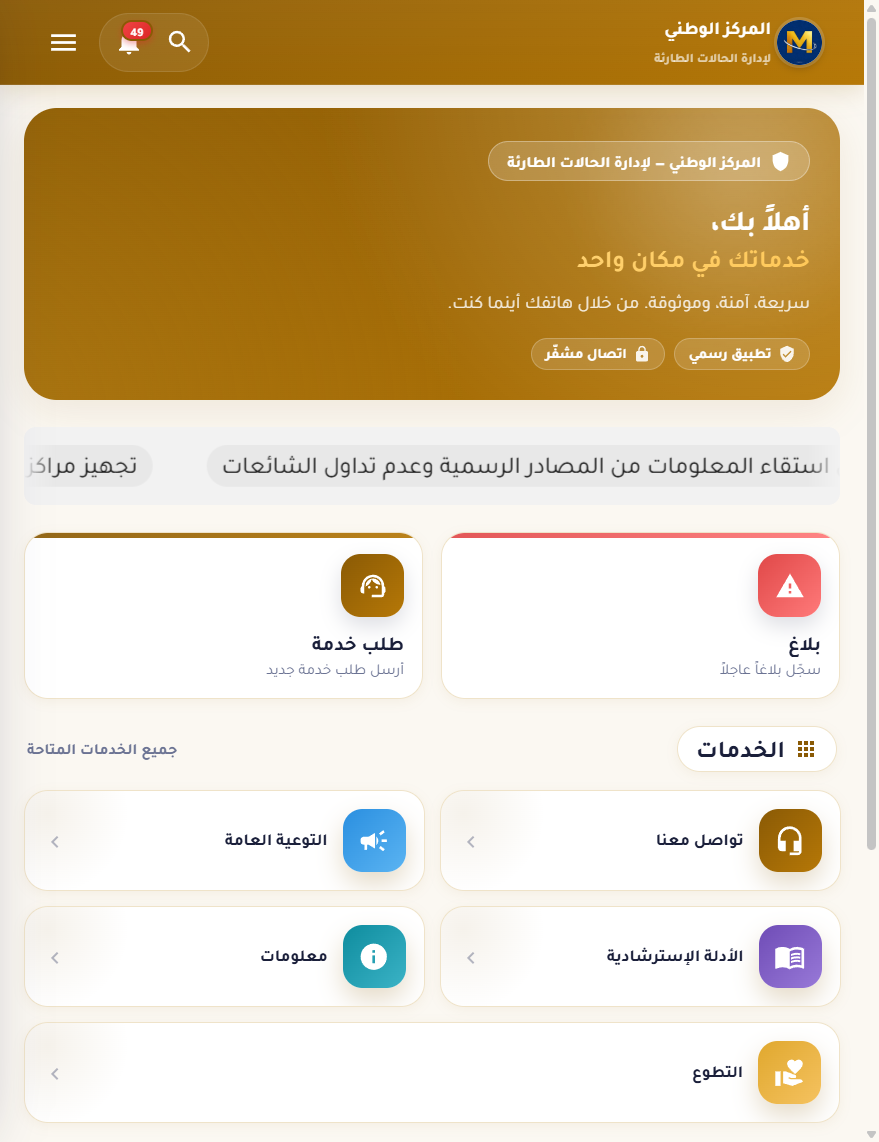
A .NET MAUI hybrid app shares the same UI library as the web, so every page ships once. Home, services, chat, telegrams, calendar and notifications all work from the phone, with push for every event and a share target for photos.
An Arabic-first admin panel that runs an institutional dining hall from end to end. Staff plan the daily menu, record each member's breakfast, lunch and dinner for the hall or as a parcel, and confirm who collected their meal. Behind that sit monthly mandatory quotas, booking windows, a catalogue of meals, extras and raw materials, and more than fifteen printable reports with Excel export. Every invoice change is audited, and every screen is guarded by per-user permissions.
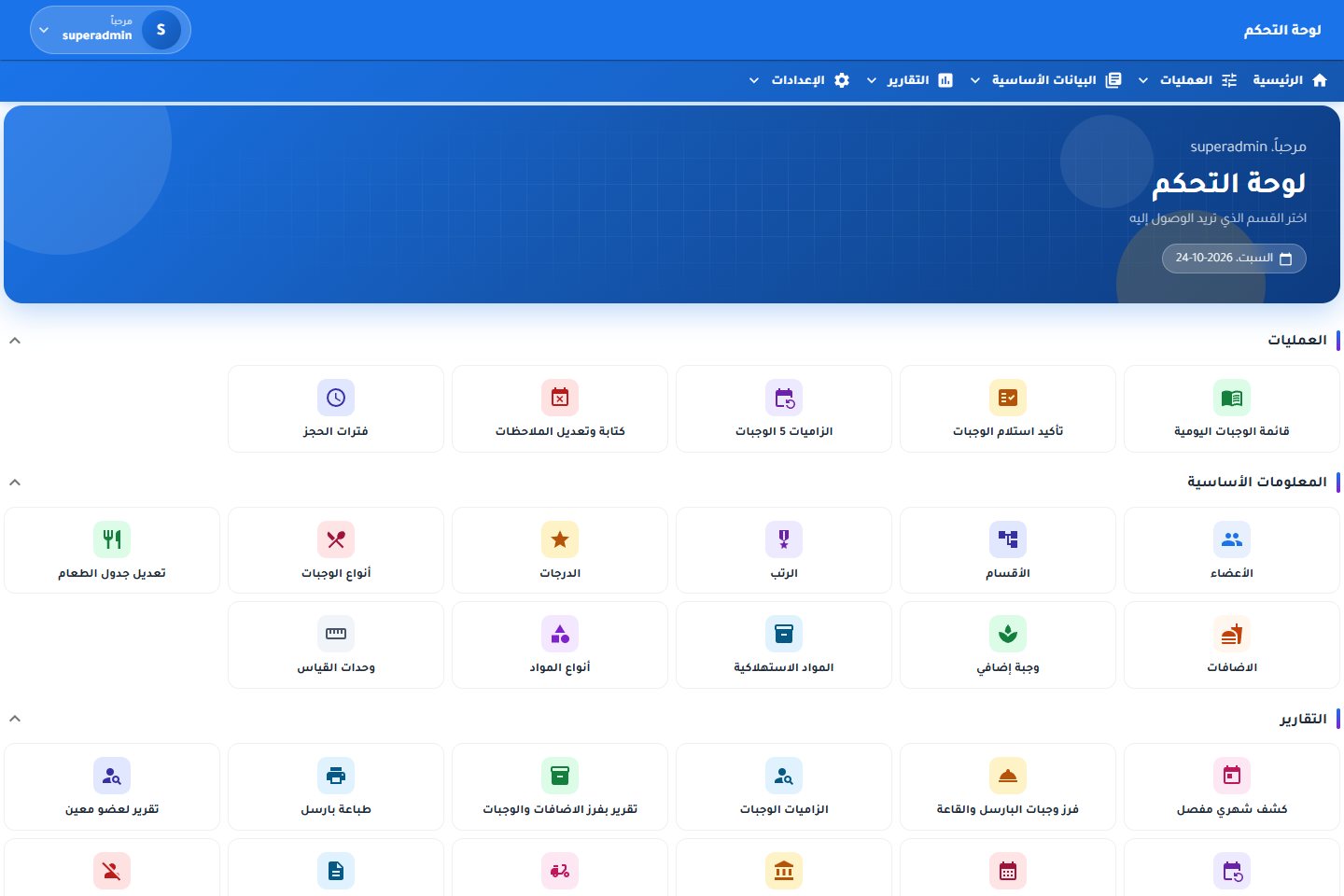
Every screen below is from the real admin panel, filled with test members and test data.
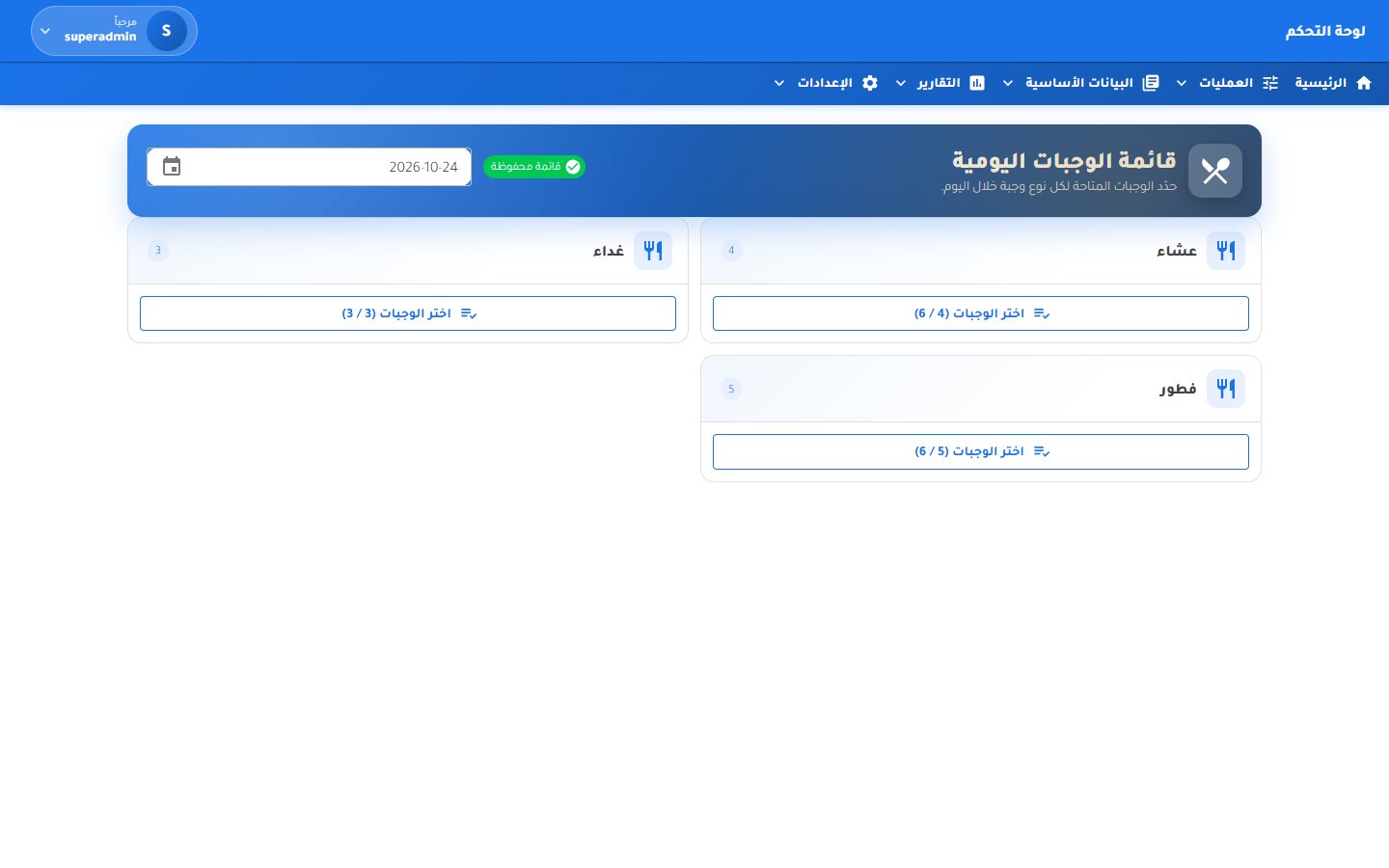
Pick a date and choose the dishes offered for each meal, up to the limit set for that meal. The menu is saved per day and feeds the counter, the collection list and the kitchen reports.
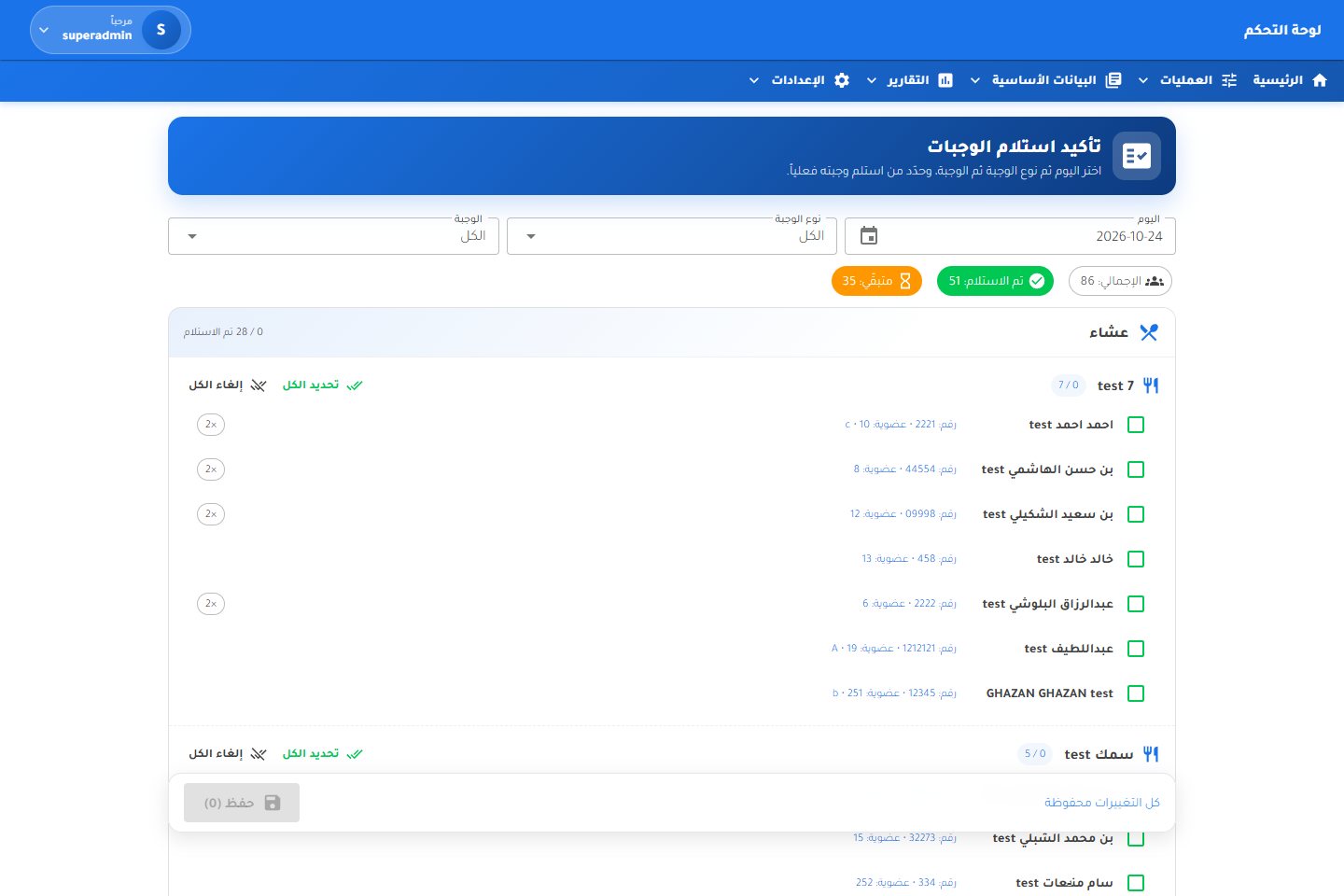
For the chosen day and meal, every dish lists the members who booked it with their service and membership numbers. Staff tick each member as they collect, or mark a whole dish at once, and the counters show what is still waiting.
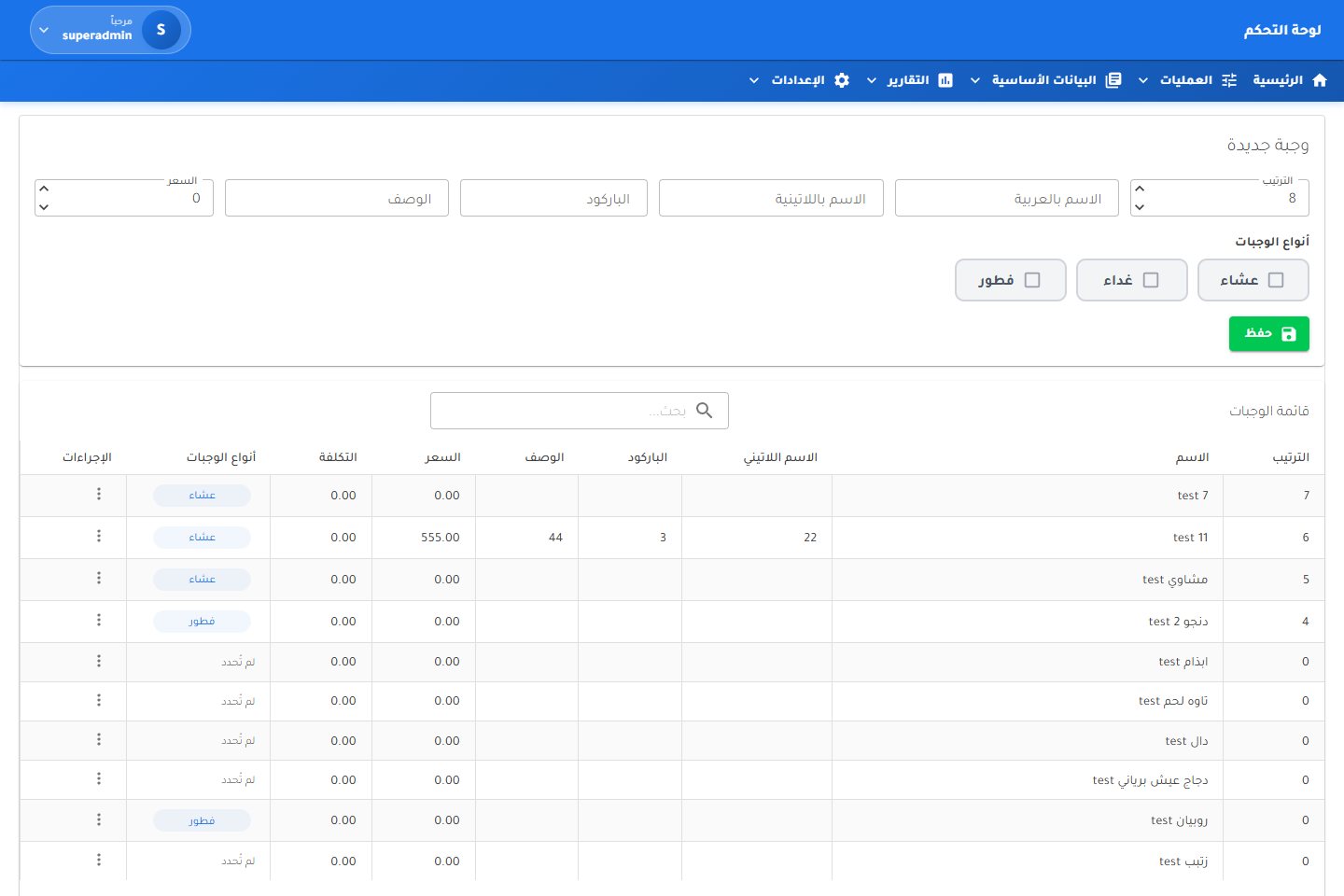
Define dishes with Arabic and Latin names, barcode, description, price and cost, and tick whether each is served at breakfast, lunch or dinner. The daily menu only offers dishes that fit.
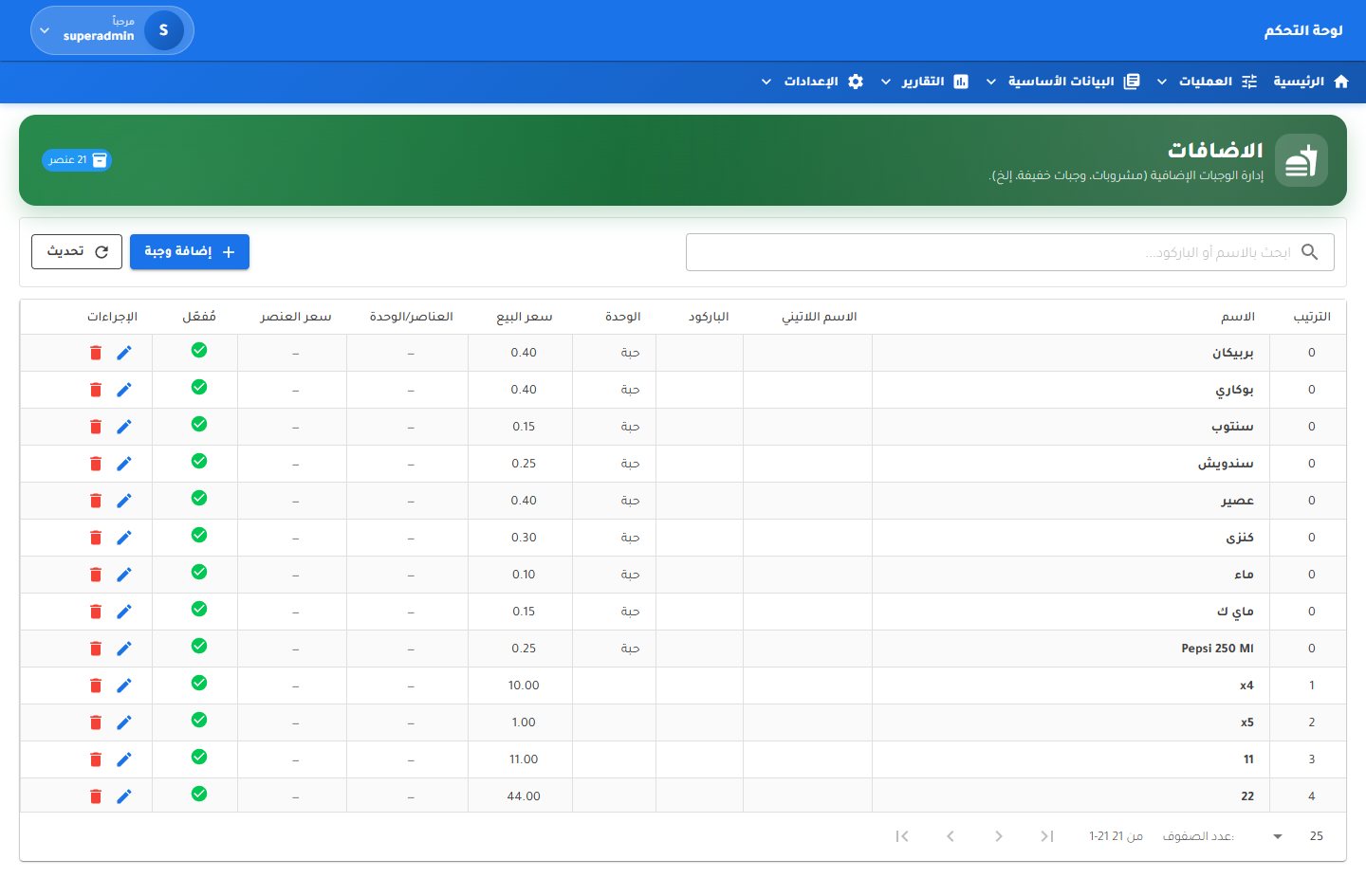
Two catalogues sit beside the meals: additions such as drinks, juices and sandwiches, and extra sides such as rice, salad, soup, sauces, dates and fruit. Each has a unit, sale price and optional barcode, and can be switched off without deleting it.
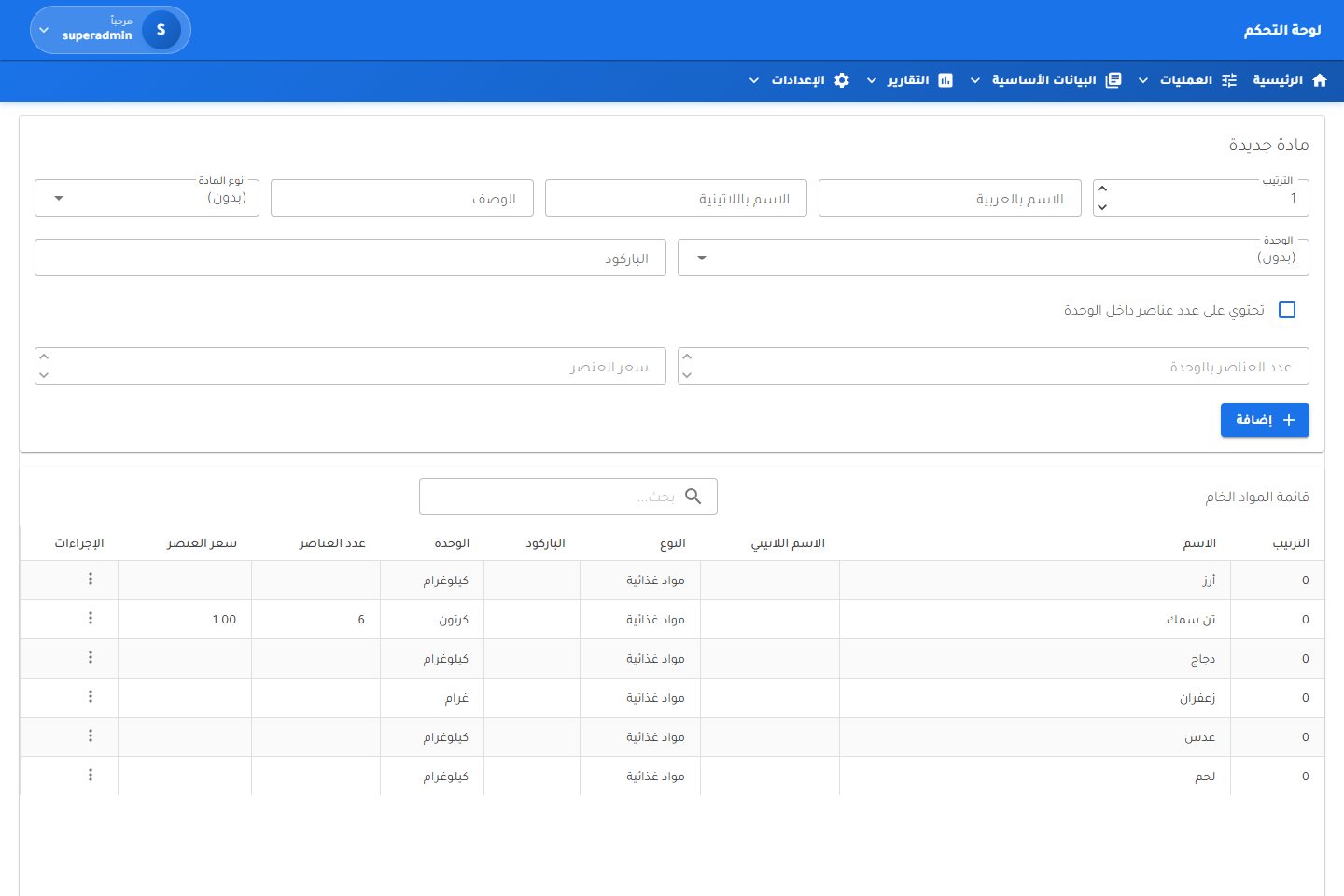
Rice, chicken, fish, meat, lentils and saffron are registered as raw materials with a type, unit and, where packed, items per unit and item price. Units of measure and material types are managed as their own lists.
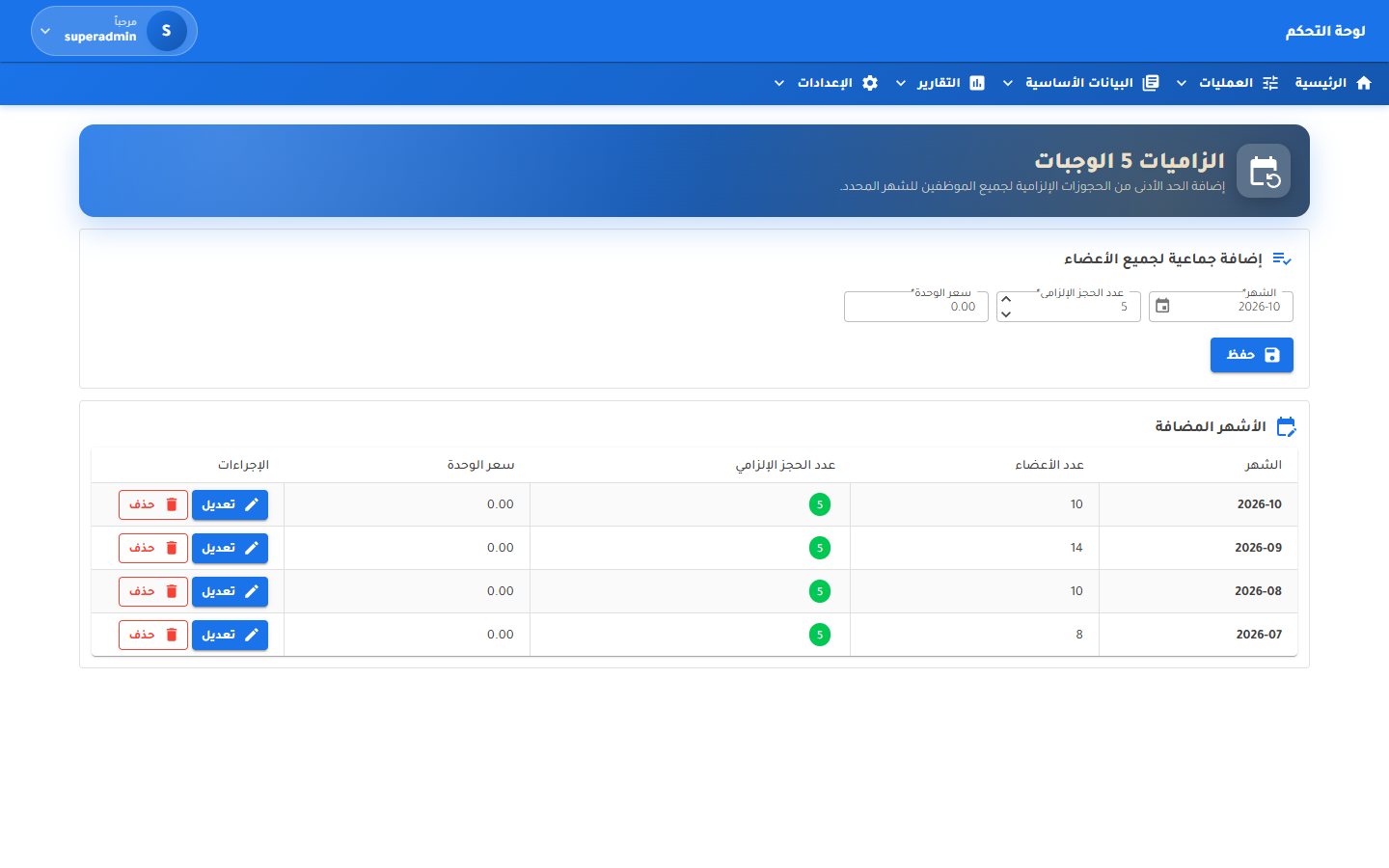
Set the mandatory number of meals and the unit price for a month and apply it to every member in one step. Exemption periods are recorded per member with a reason, and the quota report shows each member's commitment for the month.
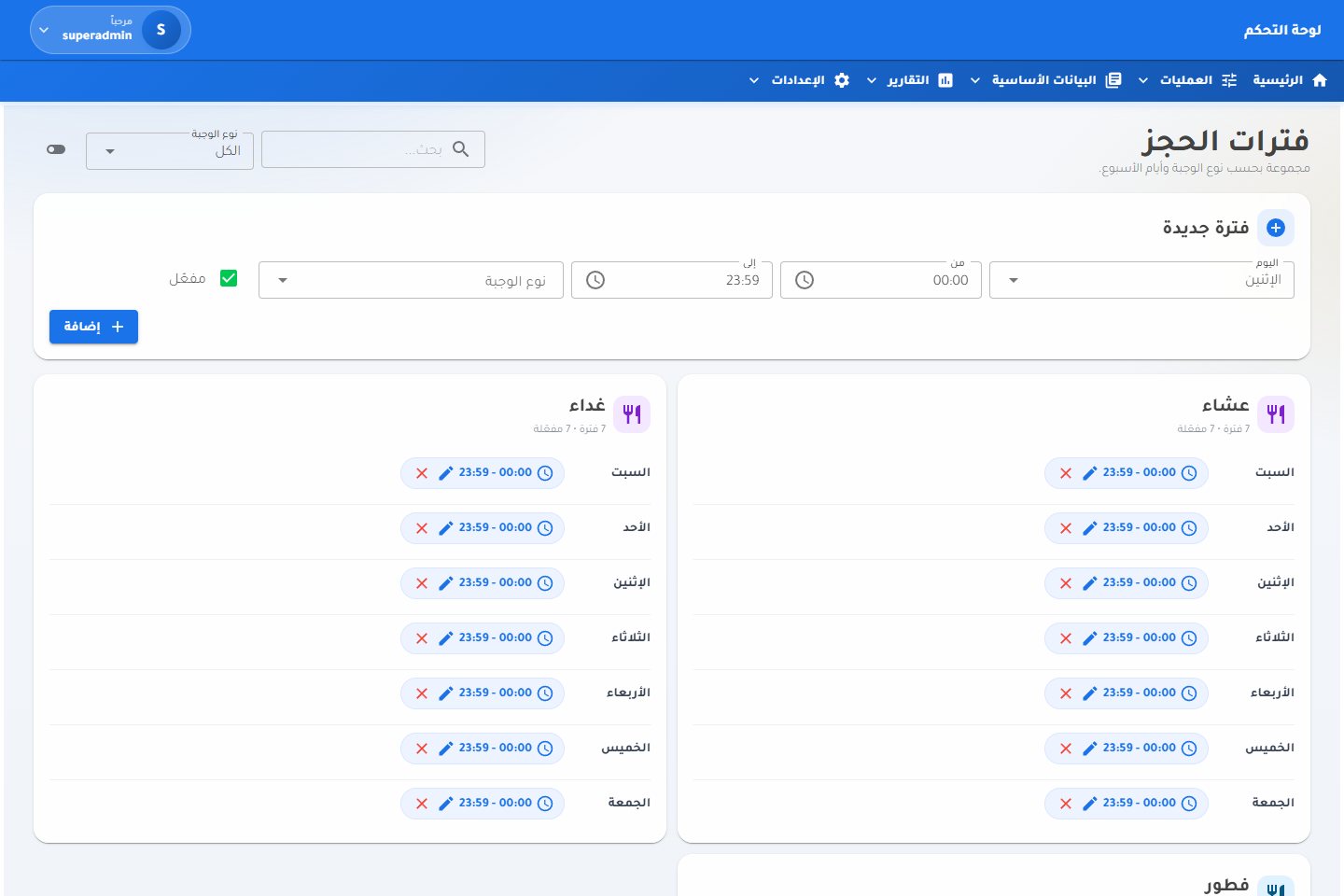
Define opening and closing times for every meal on every day of the week. Windows are grouped by meal, can be switched on or off, edited inline and filtered by meal type.
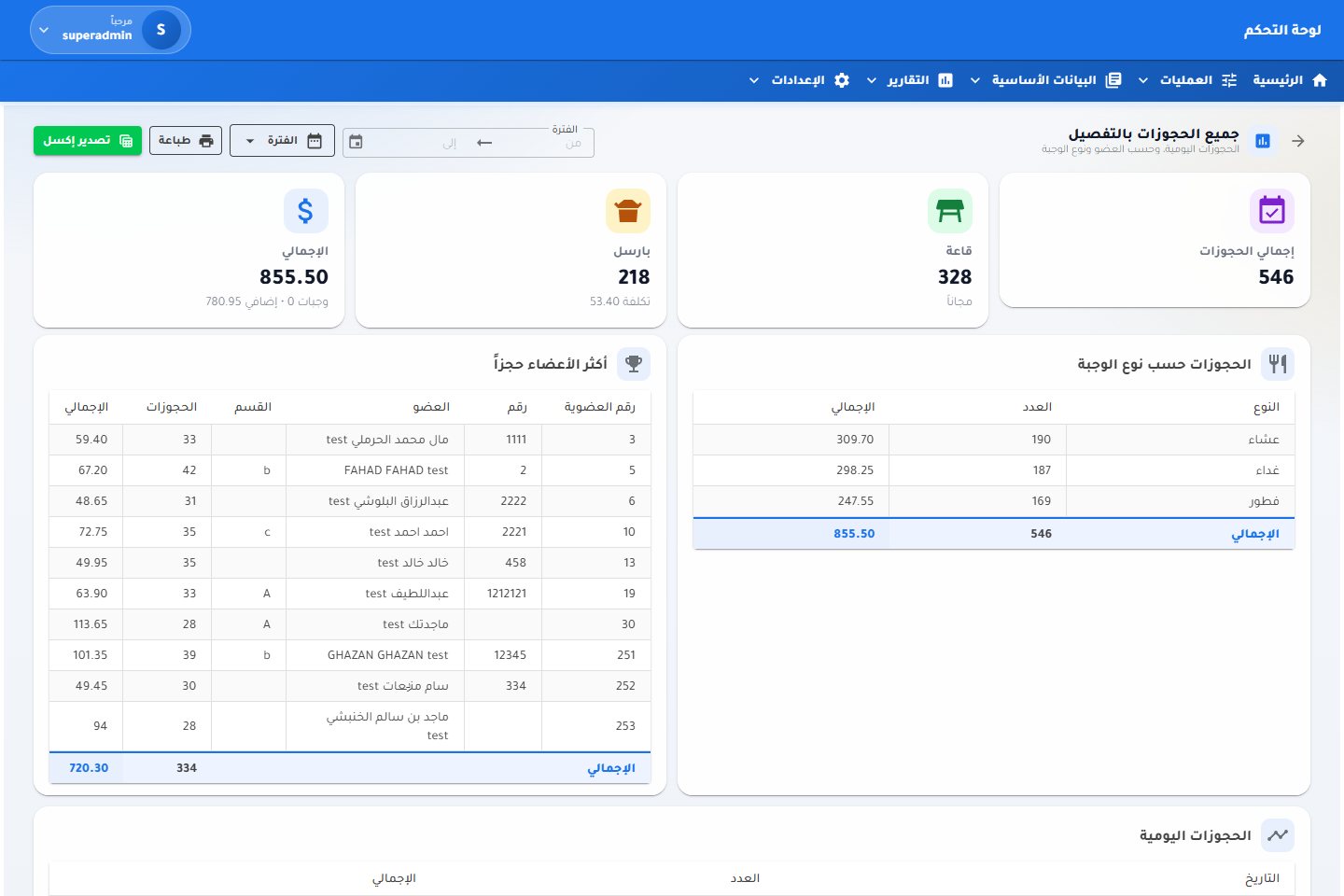
Total bookings split into hall and parcel, parcel cost and the period's grand total, then breakdowns by meal type, the members who booked most and bookings day by day. A detailed monthly sheet lists every invoice with its counts and values.
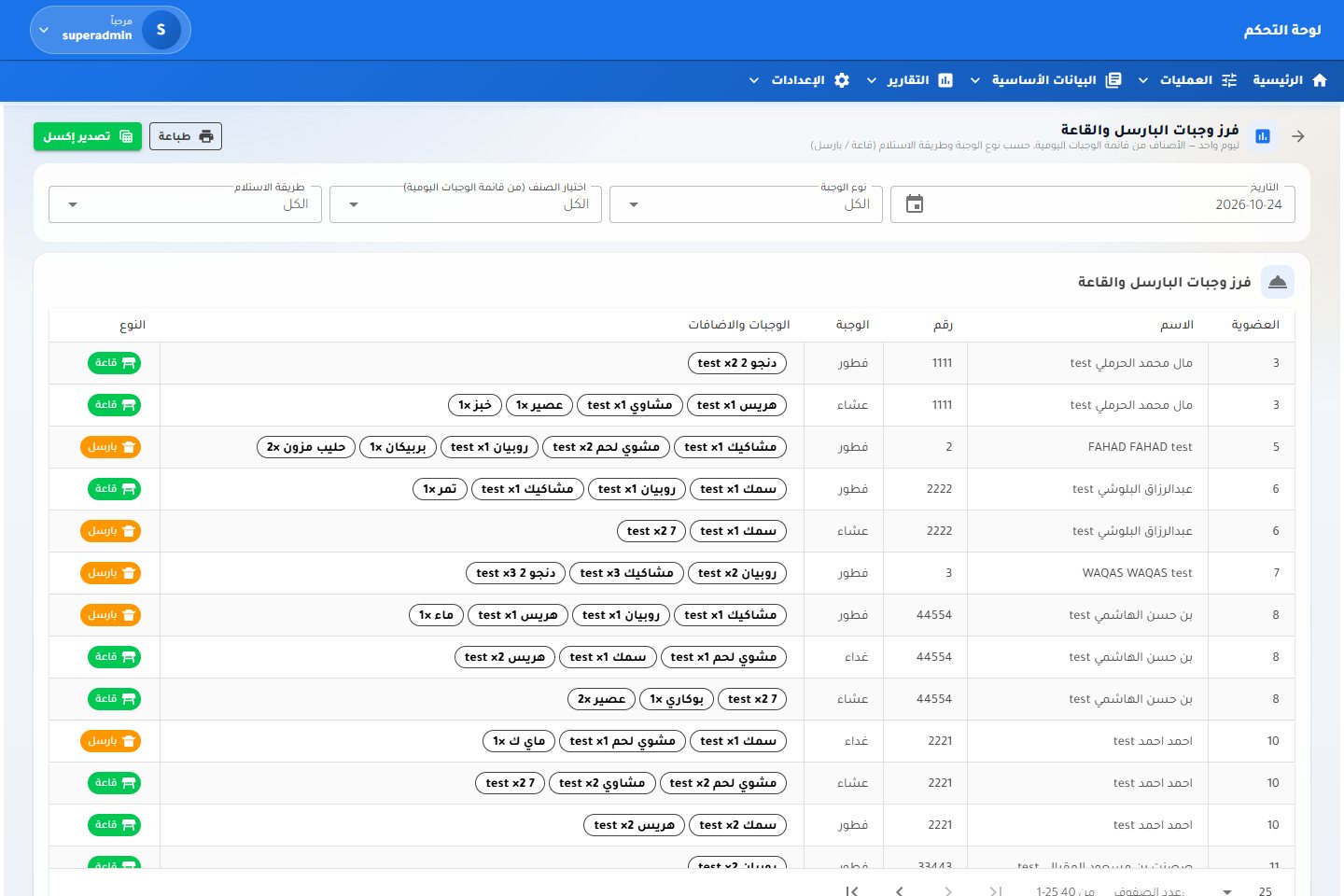
One list for the day: every member, their meal, their dishes and extras with quantities, and whether they eat in the hall or take a parcel. Filter by meal type, dish or serving mode, then print parcel coupons or export.
A day-by-day grid of meals, extras and add-on dishes for every member, colour-coded and totalled per day and per member, with the month's meal count and extras value underneath.
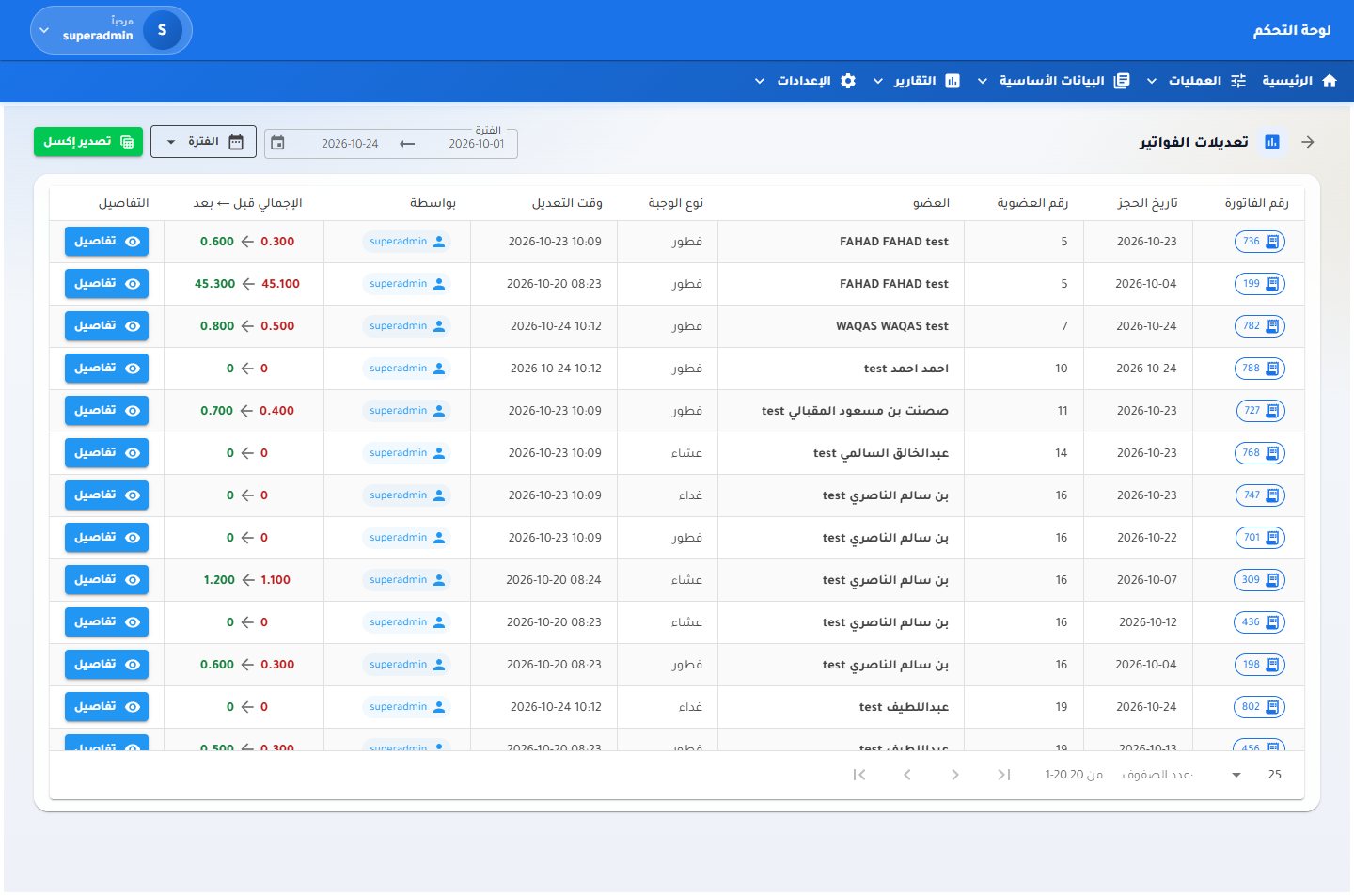
Edits and cancellations are never silent. The invoice-edits report shows who changed which invoice and when, with the total before and after, and the cancelled-invoices report records the reason and the user for every cancellation.
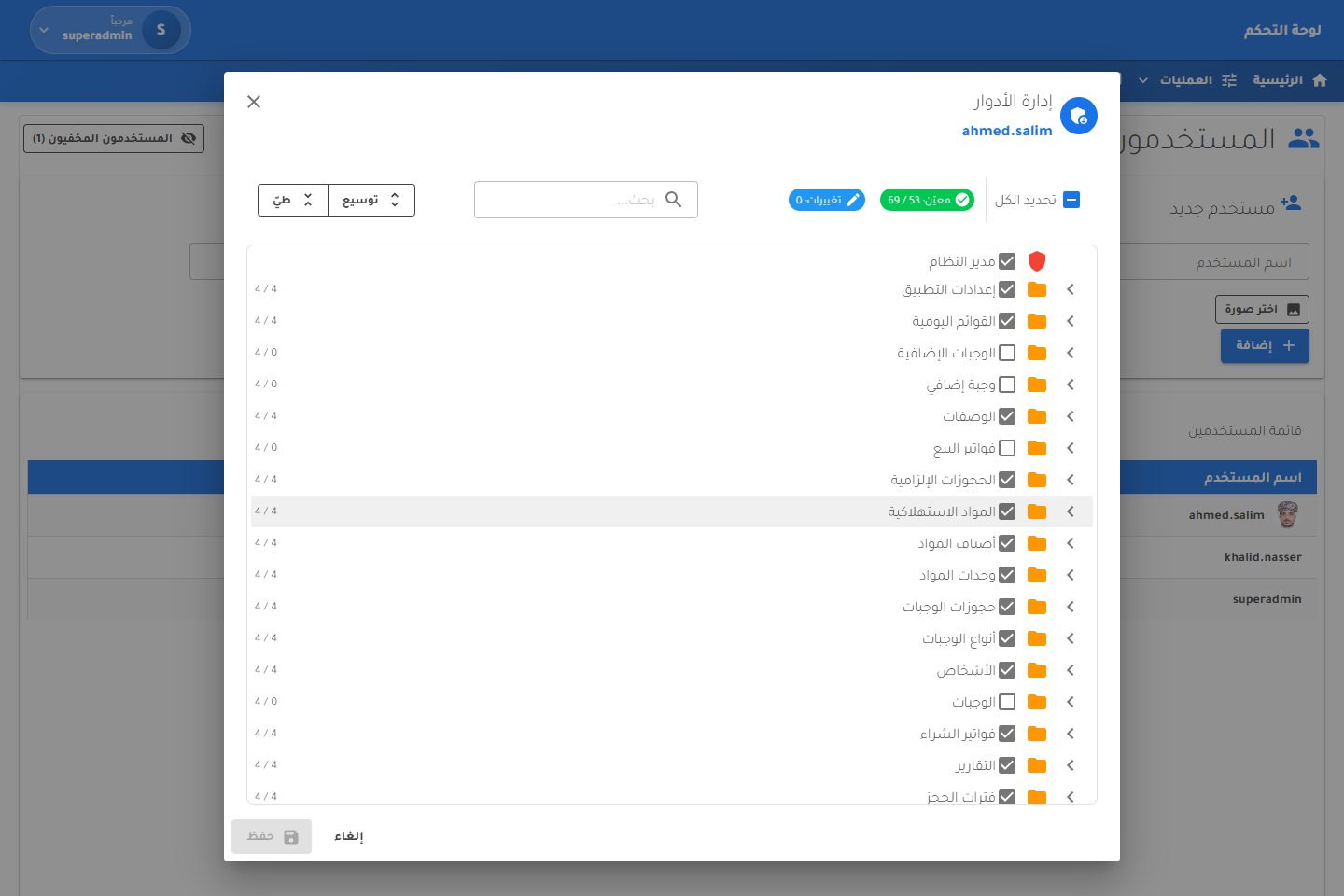
Each user gets add, edit, delete and view rights on every screen, managed in one searchable tree with select-all and change counters. Service accounts can be hidden, and every user keeps a profile with their own password.
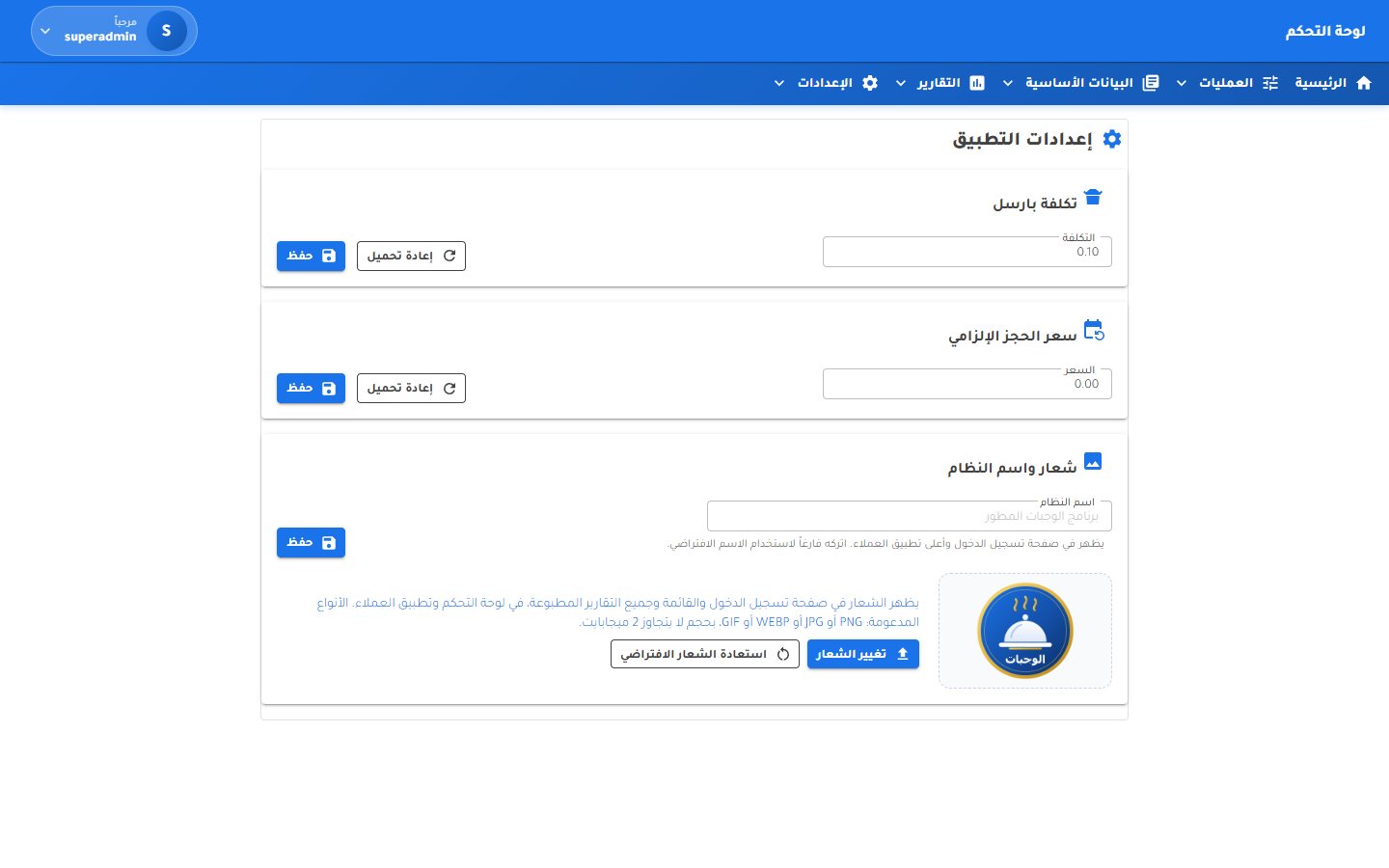
Set the parcel fee, the mandatory booking price, the system name and its logo. Schedule automatic database backups or run one now, and watch a live monitor of logins, pages visited and invoices recorded for every user.
Tap any screen to open it full size.
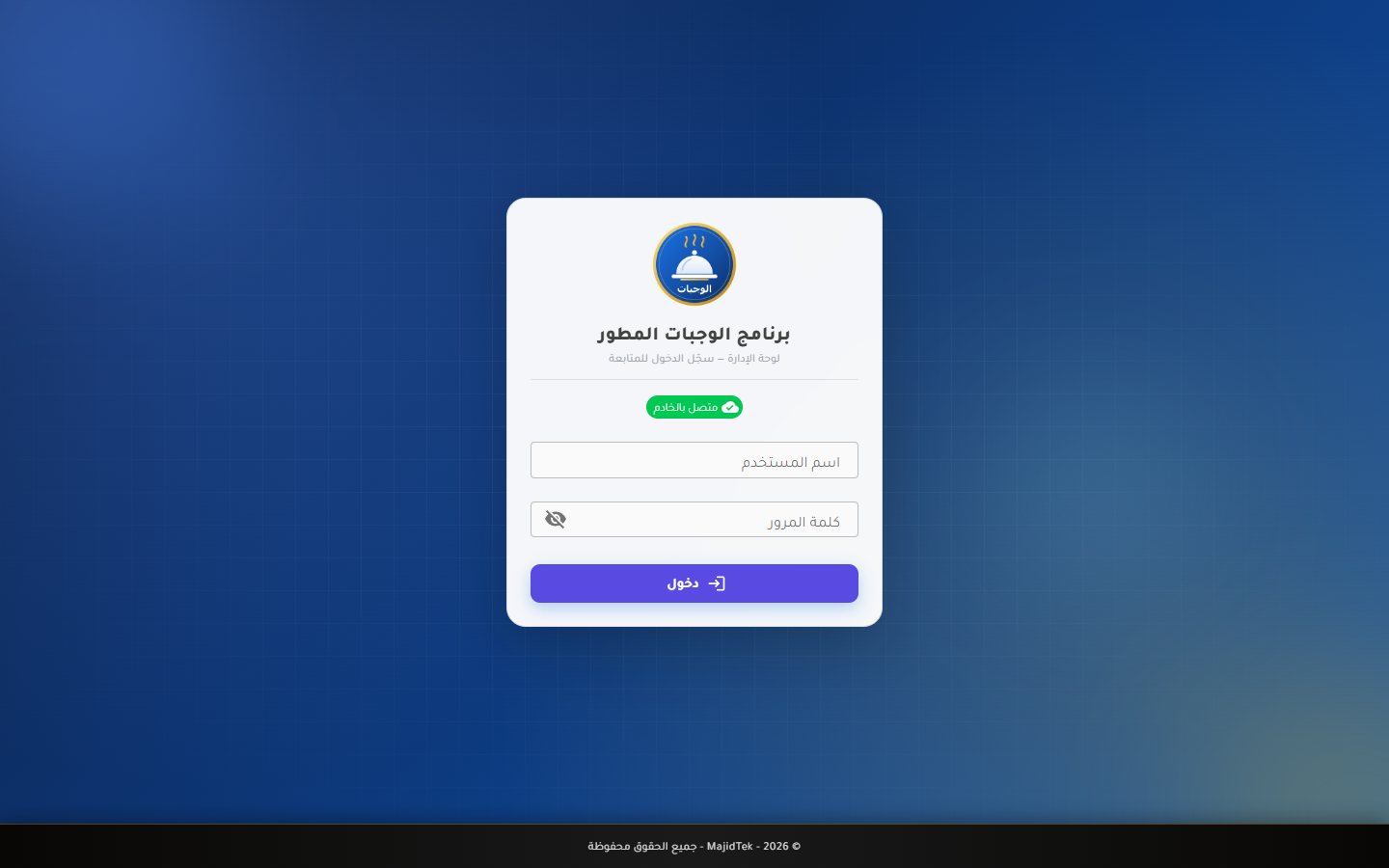 Sign in
Settings
Sign in
Settings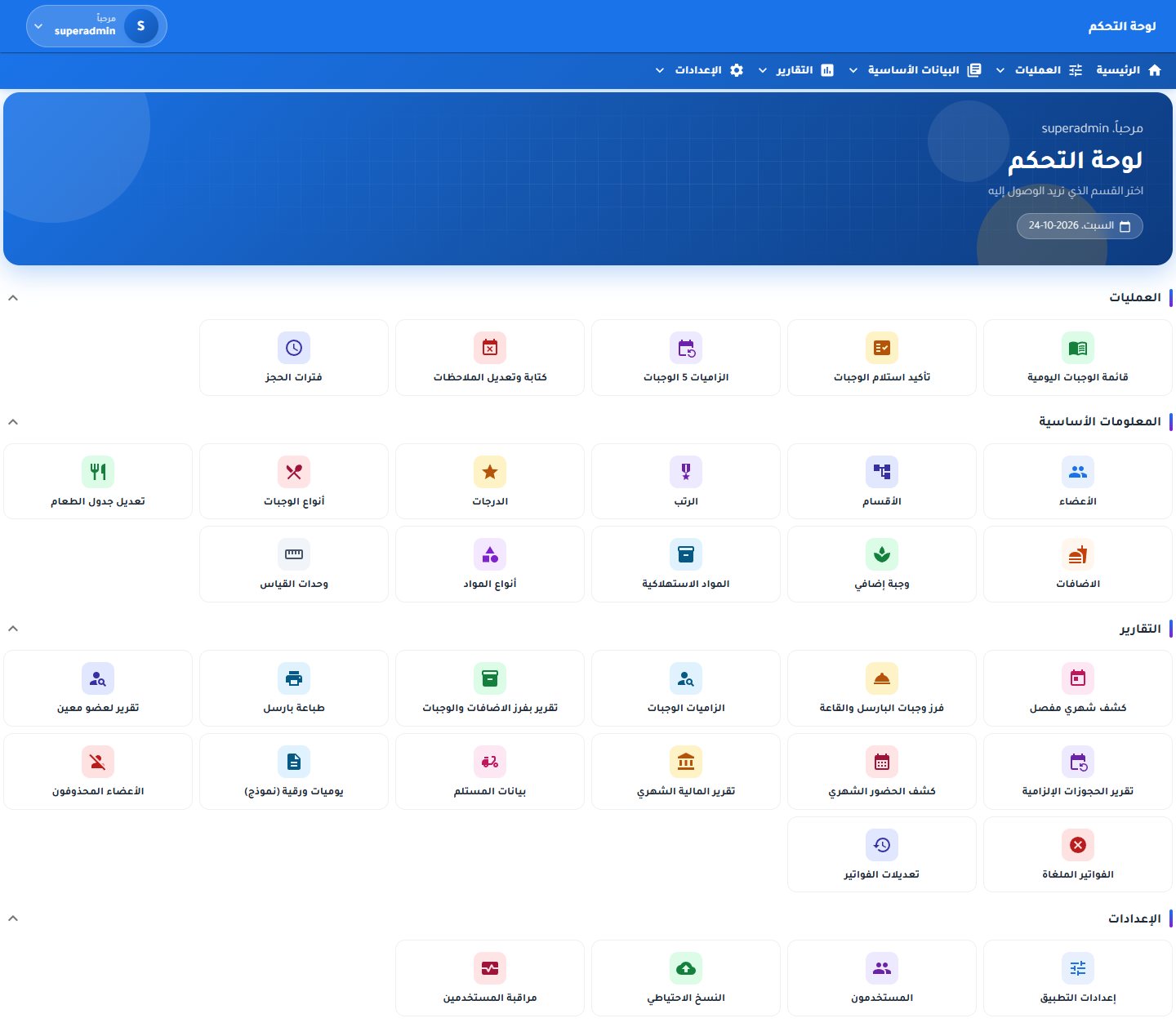 Control panel
Operations
Control panel
Operations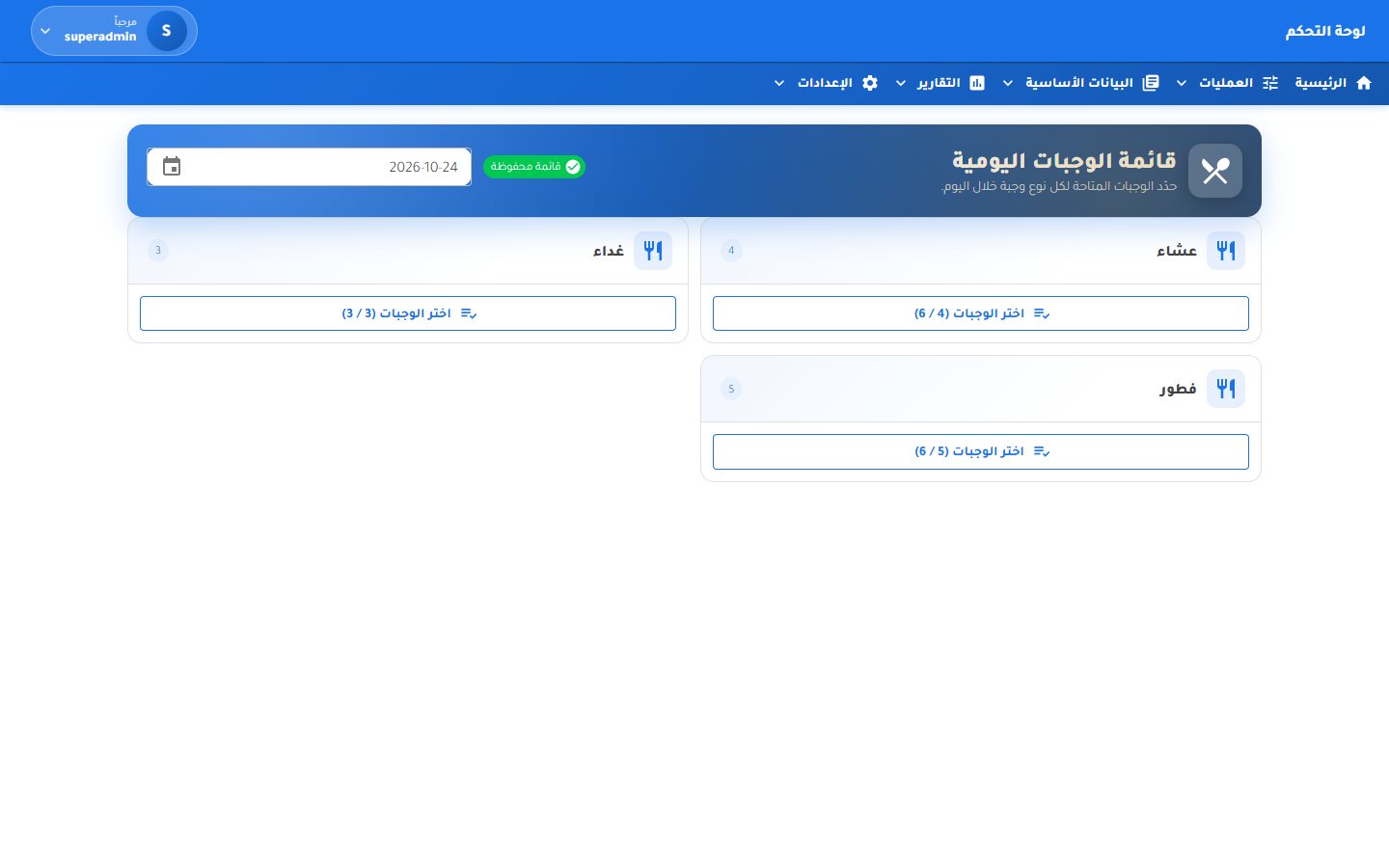 Daily menu
Operations
Daily menu
Operations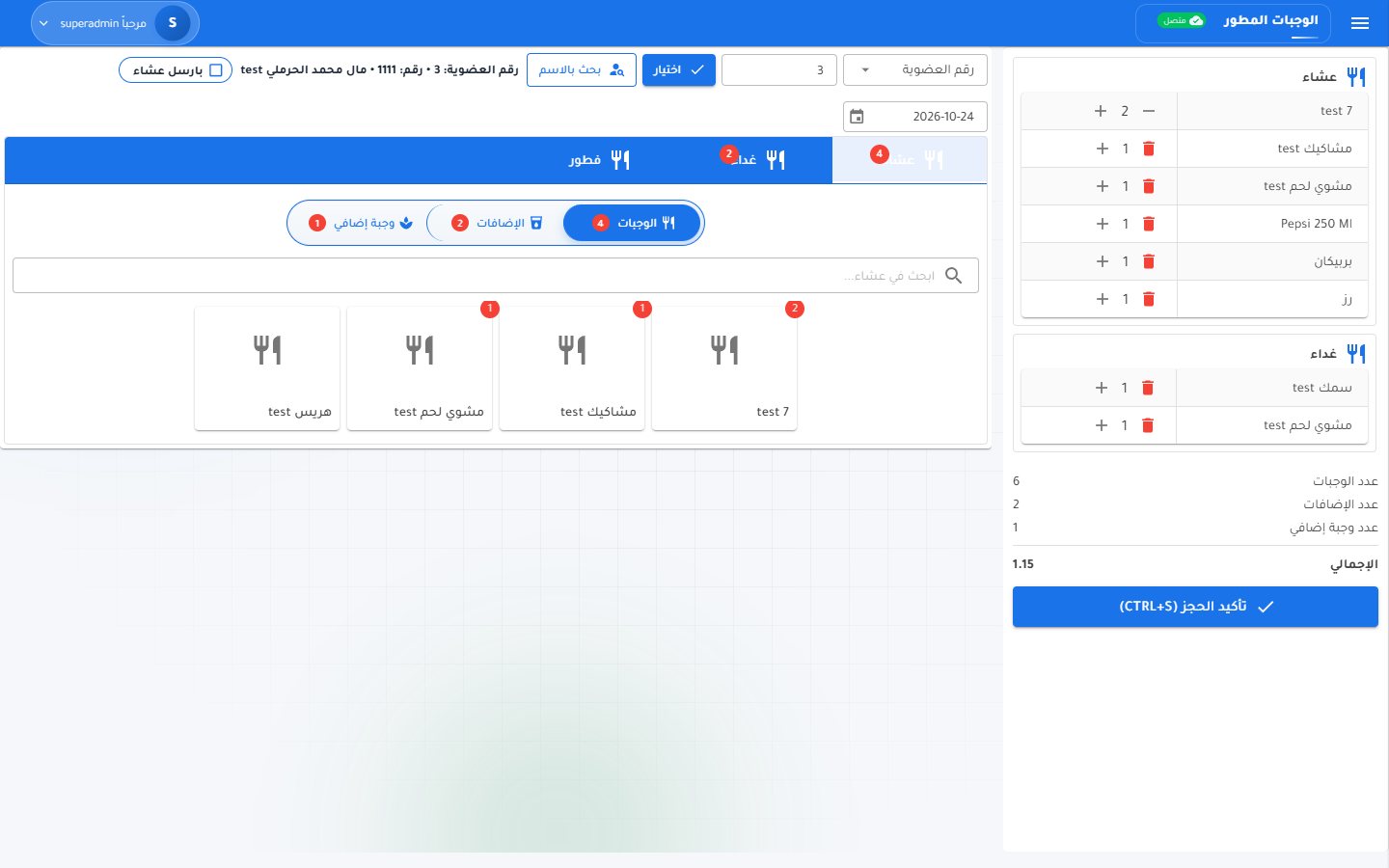 Meal reservations
Operations
Meal reservations
Operations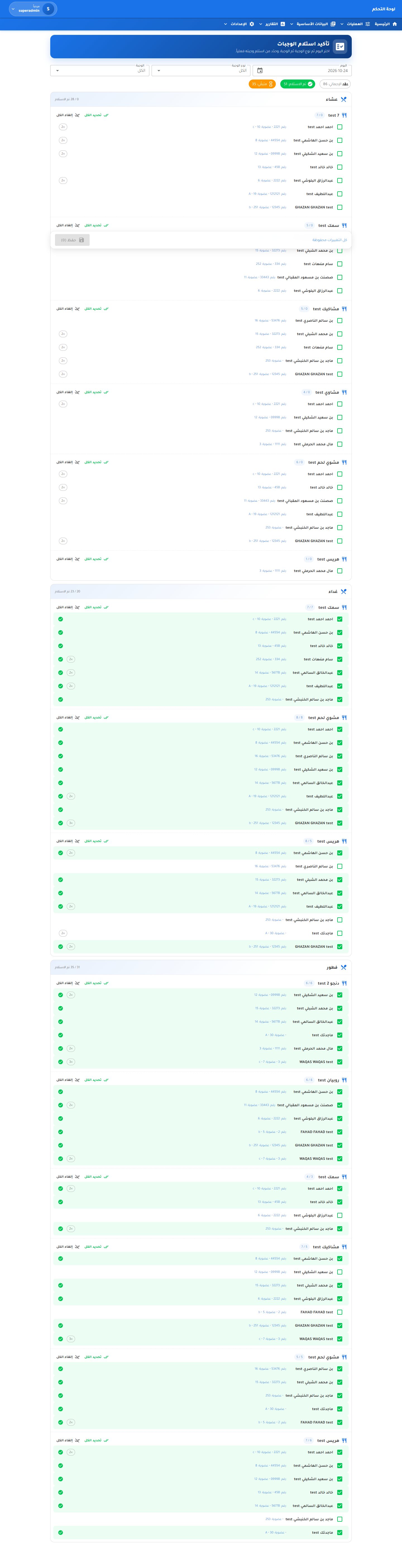 Meal collection confirmation
Operations
Meal collection confirmation
Operations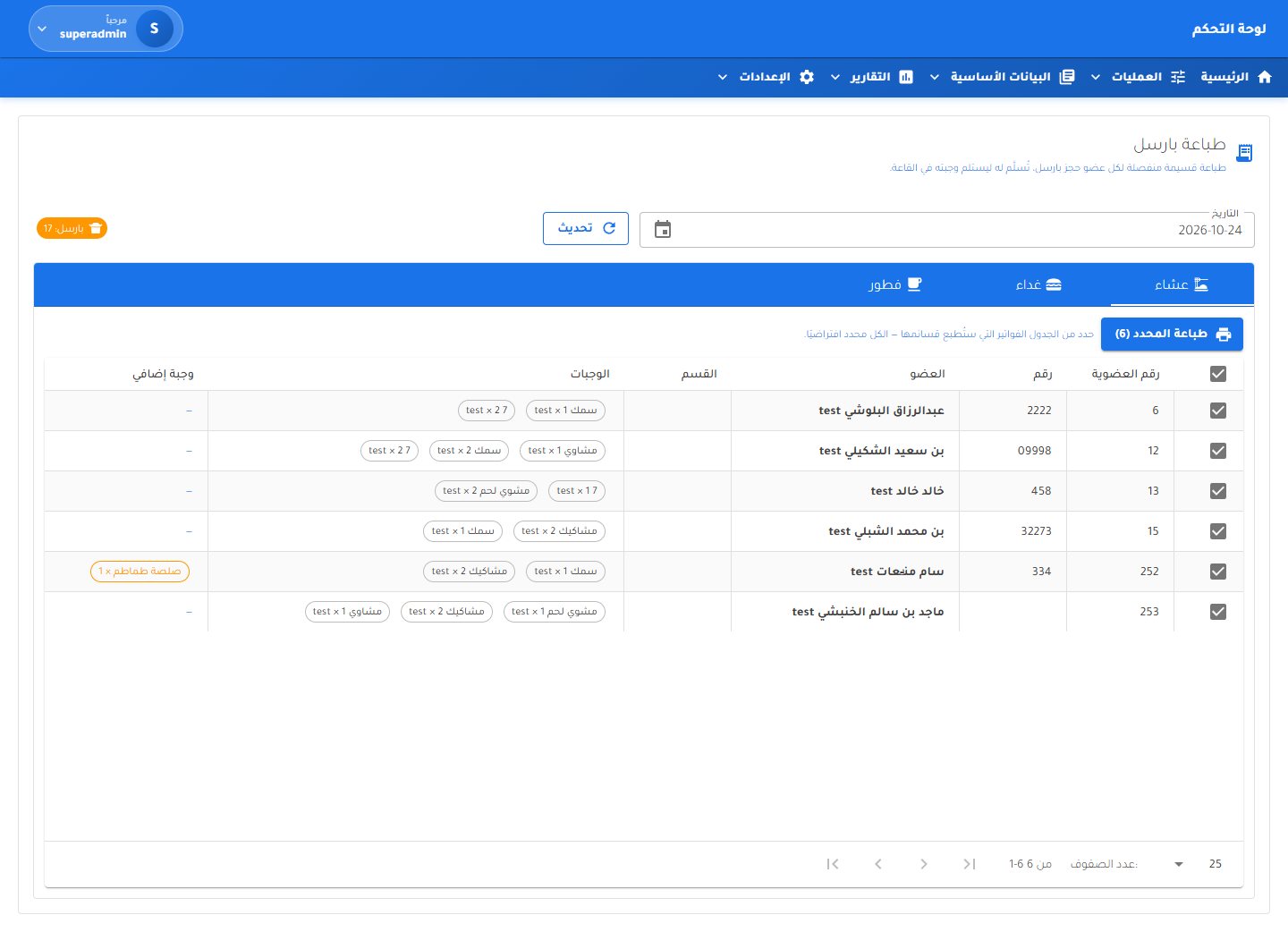 Parcel coupon printing
Operations
Parcel coupon printing
Operations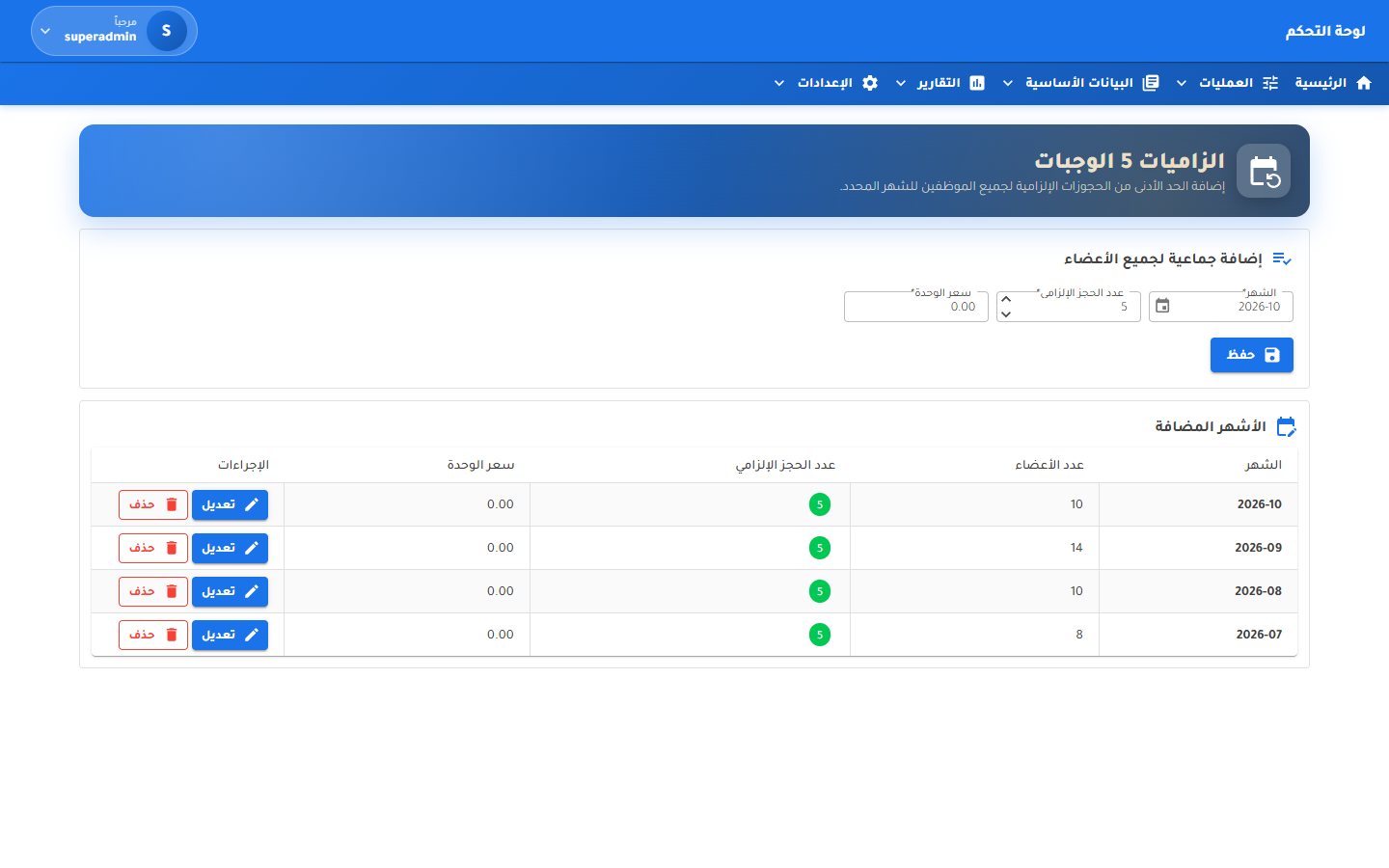 Mandatory quotas
Operations
Mandatory quotas
Operations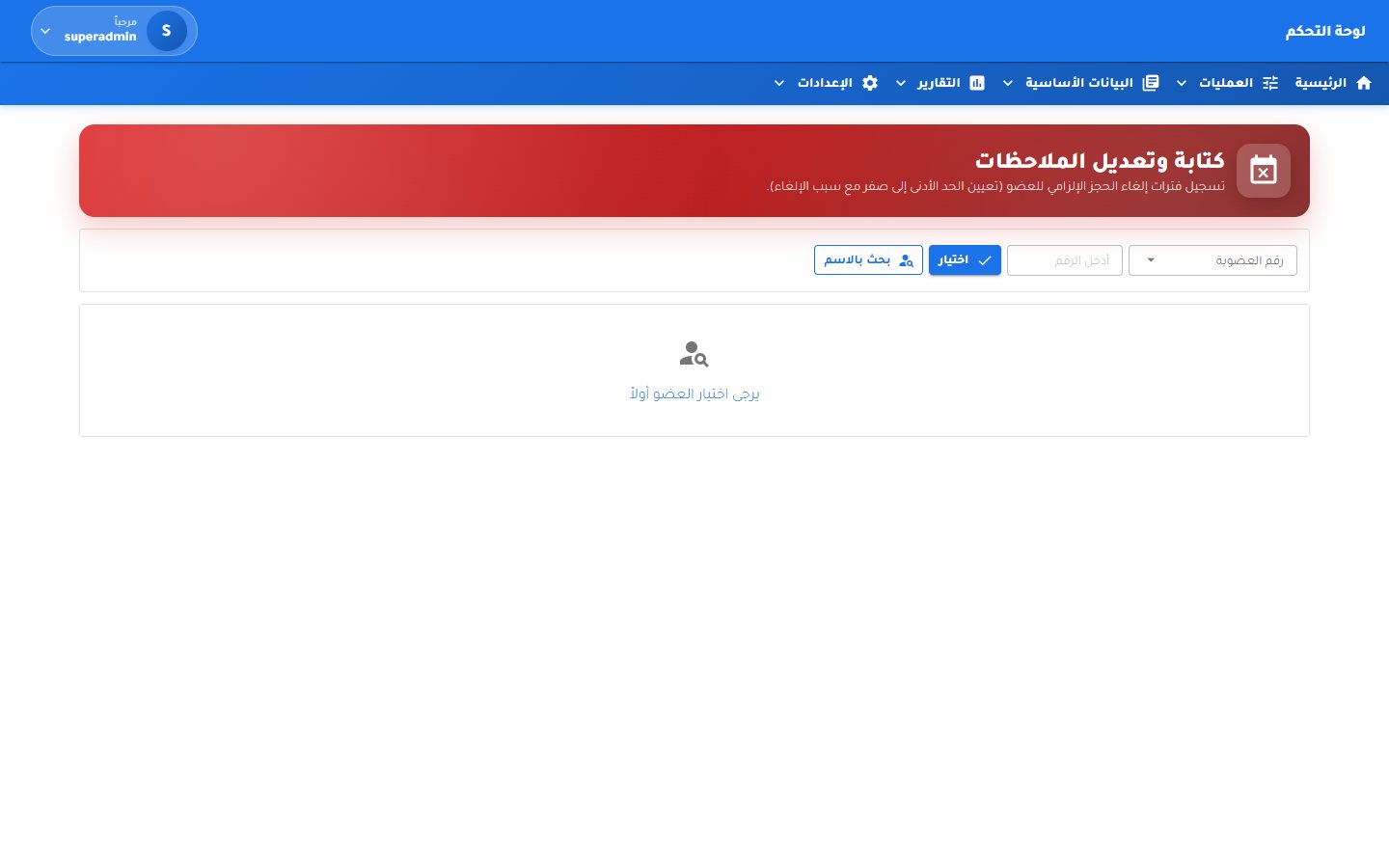 Quota exemptions and notes
Operations
Quota exemptions and notes
Operations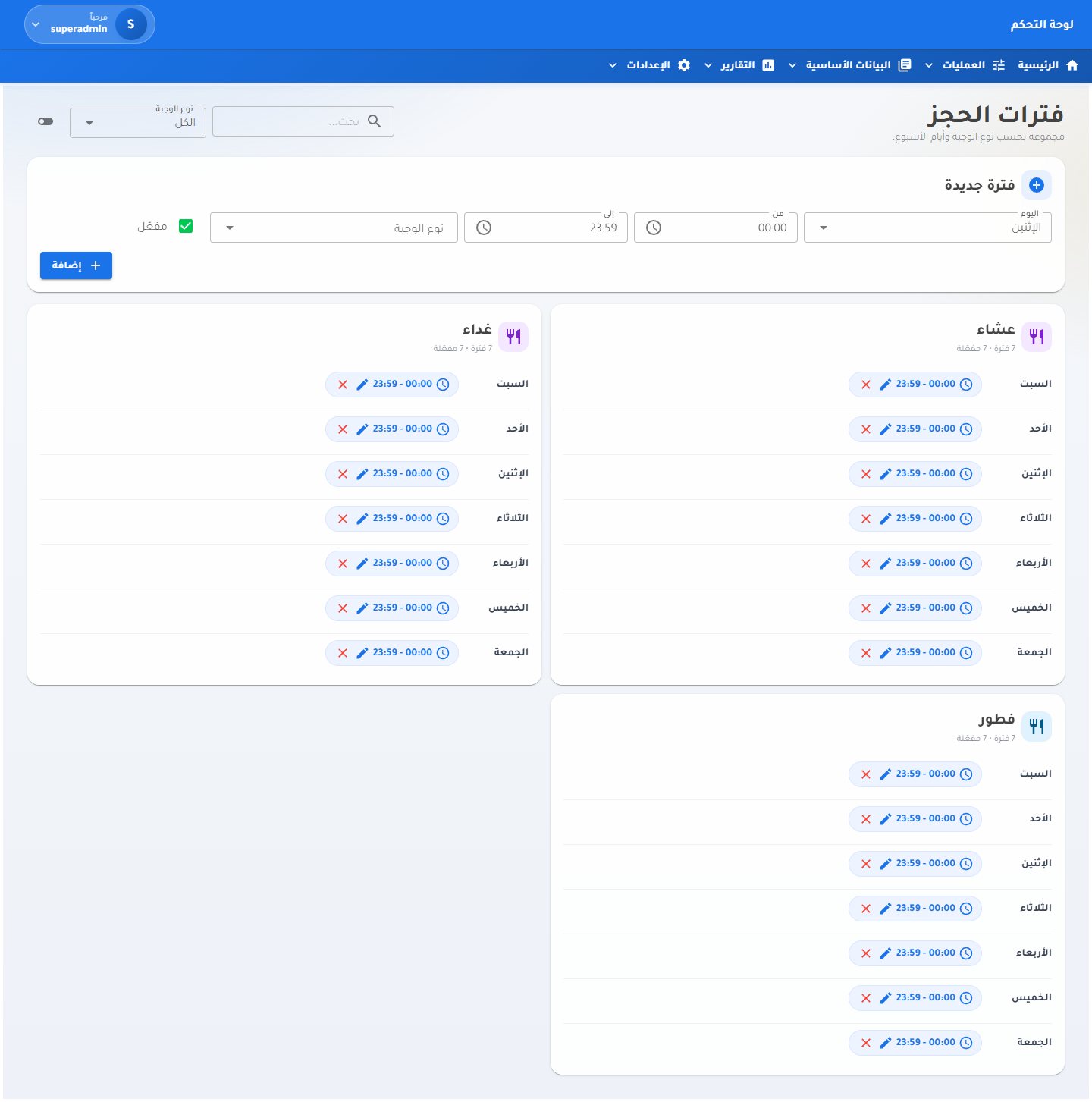 Booking windows
Operations
Booking windows
Operations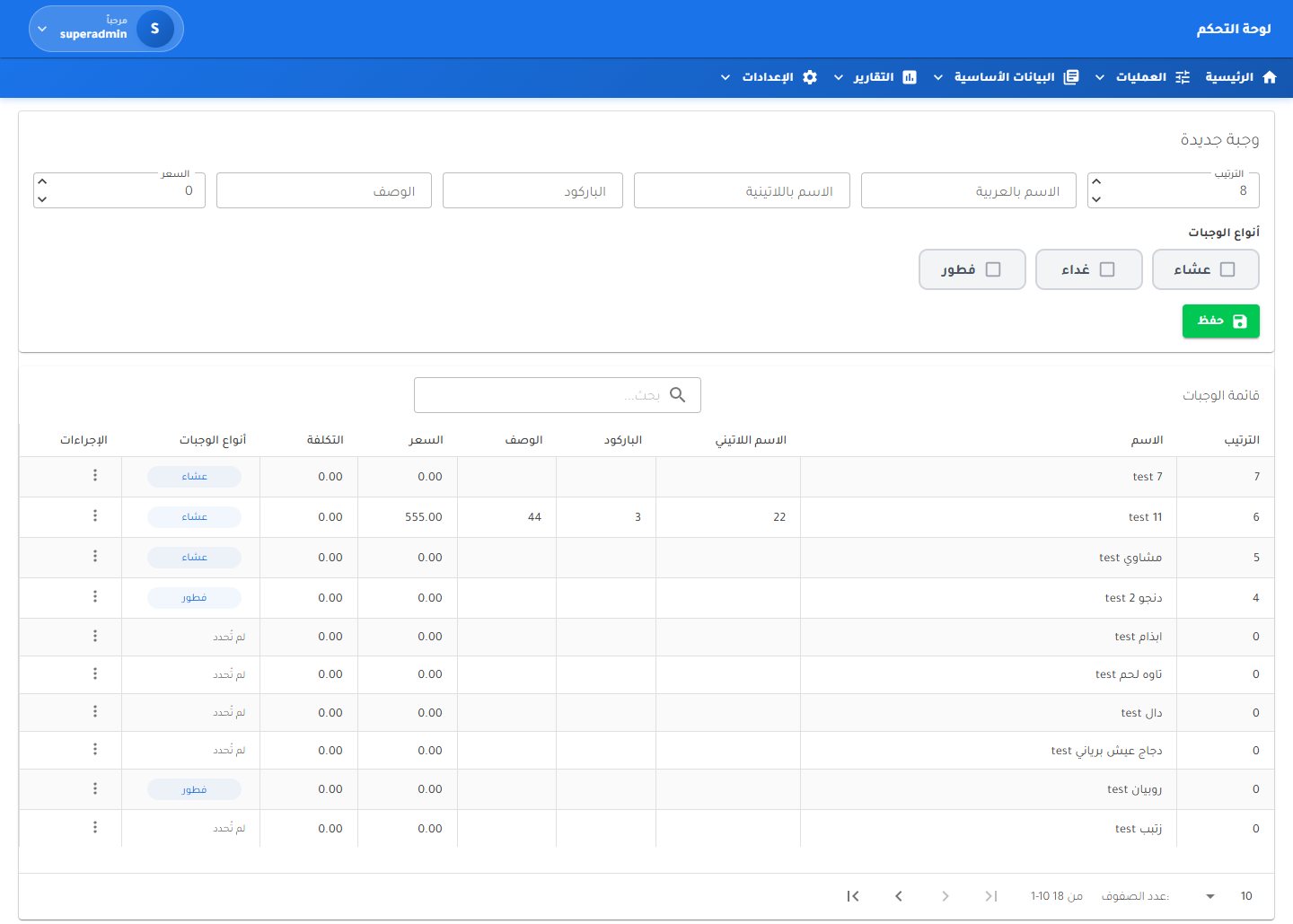 Meals catalogue
Master data
Meals catalogue
Master data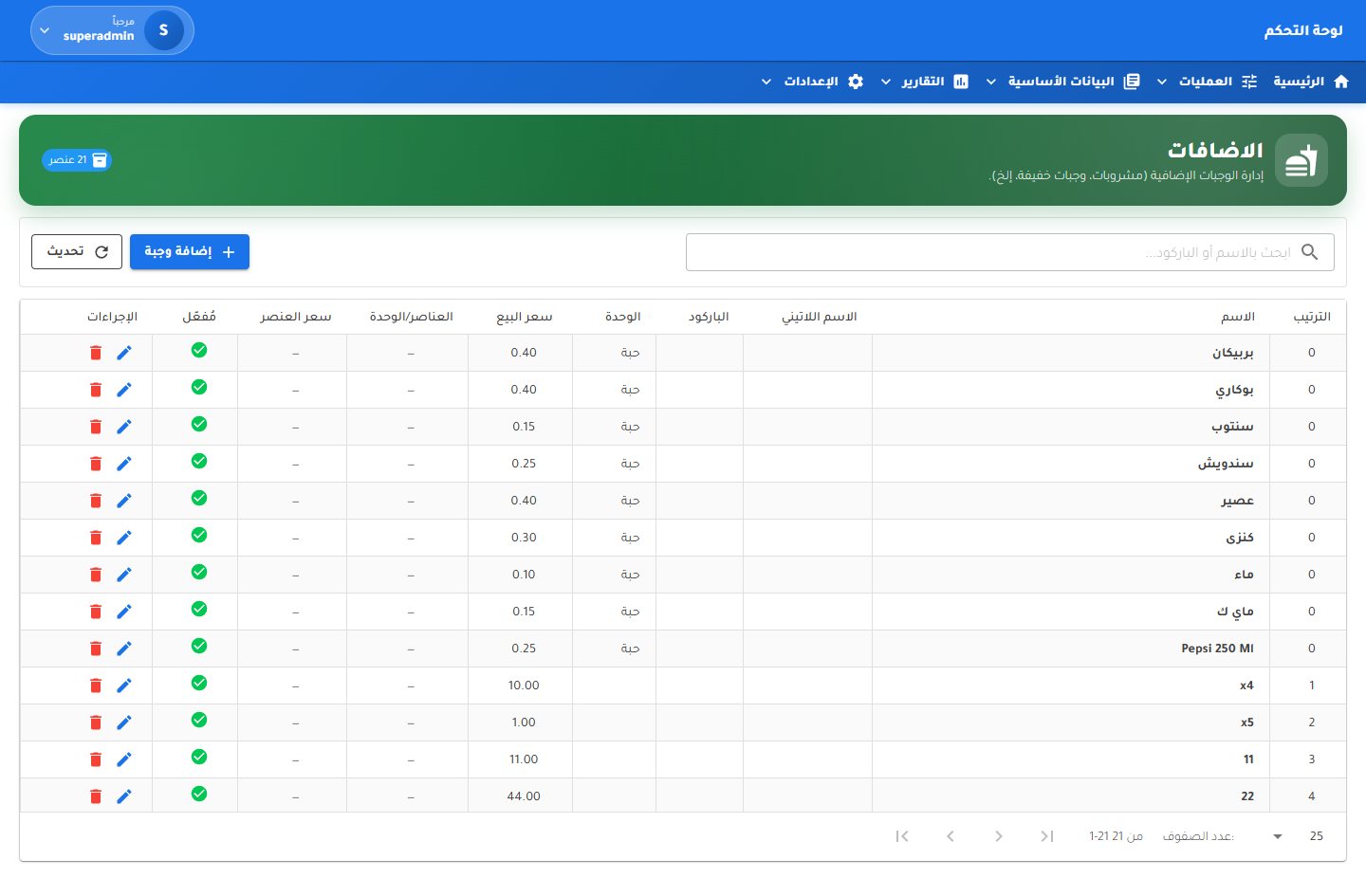 Additions
Master data
Additions
Master data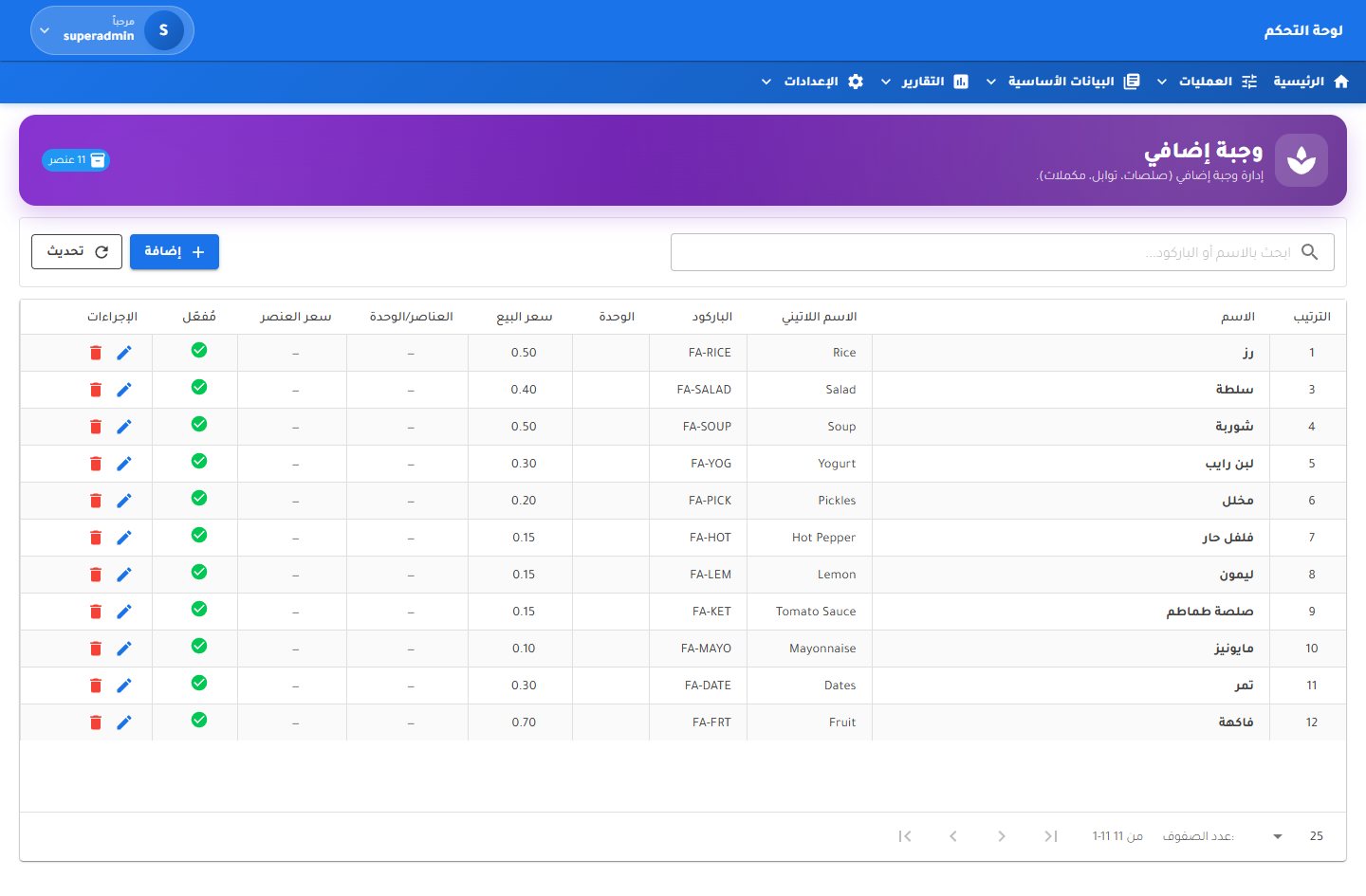 Extra sides
Master data
Extra sides
Master data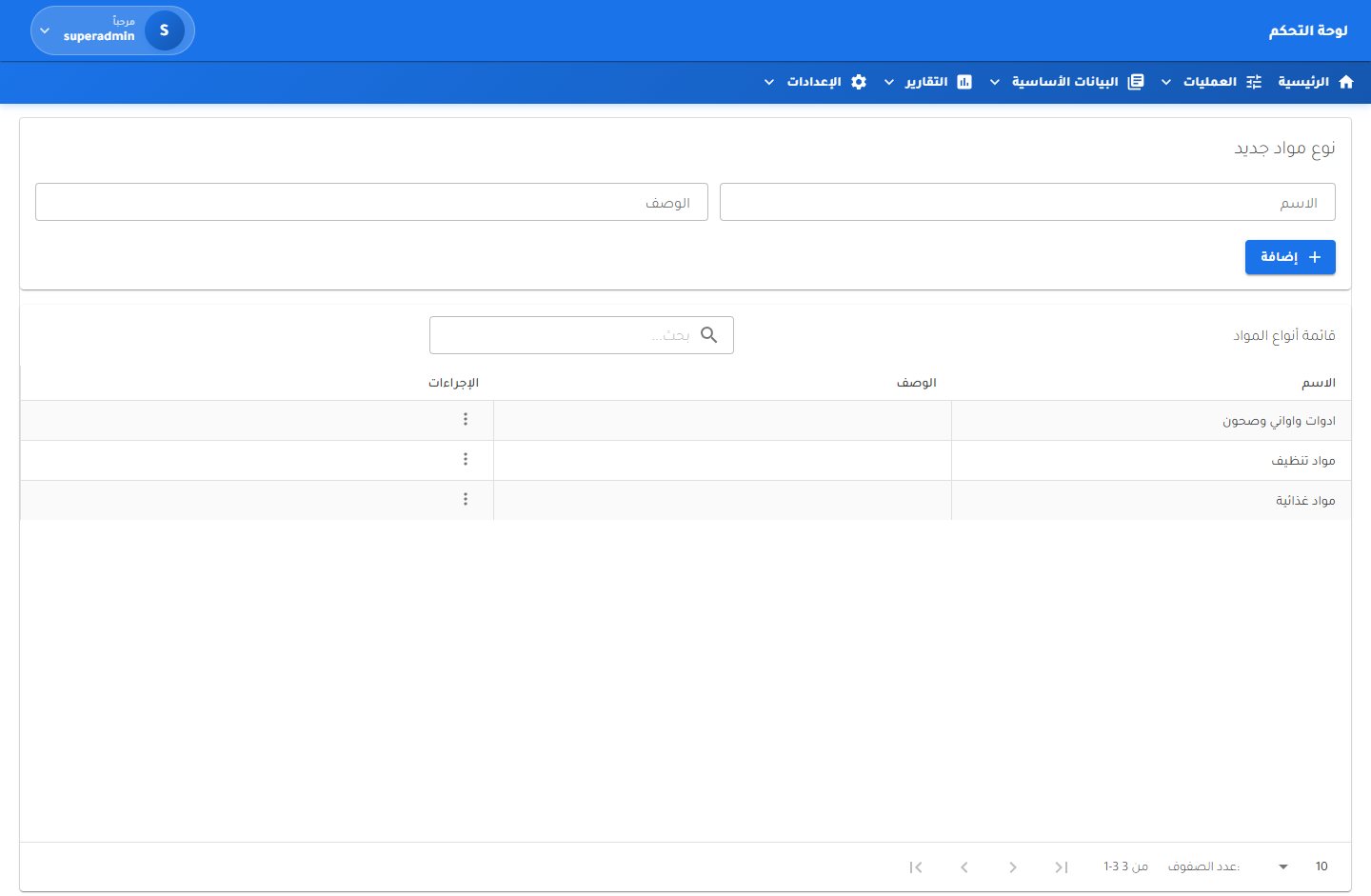 Material types
Master data
Material types
Master data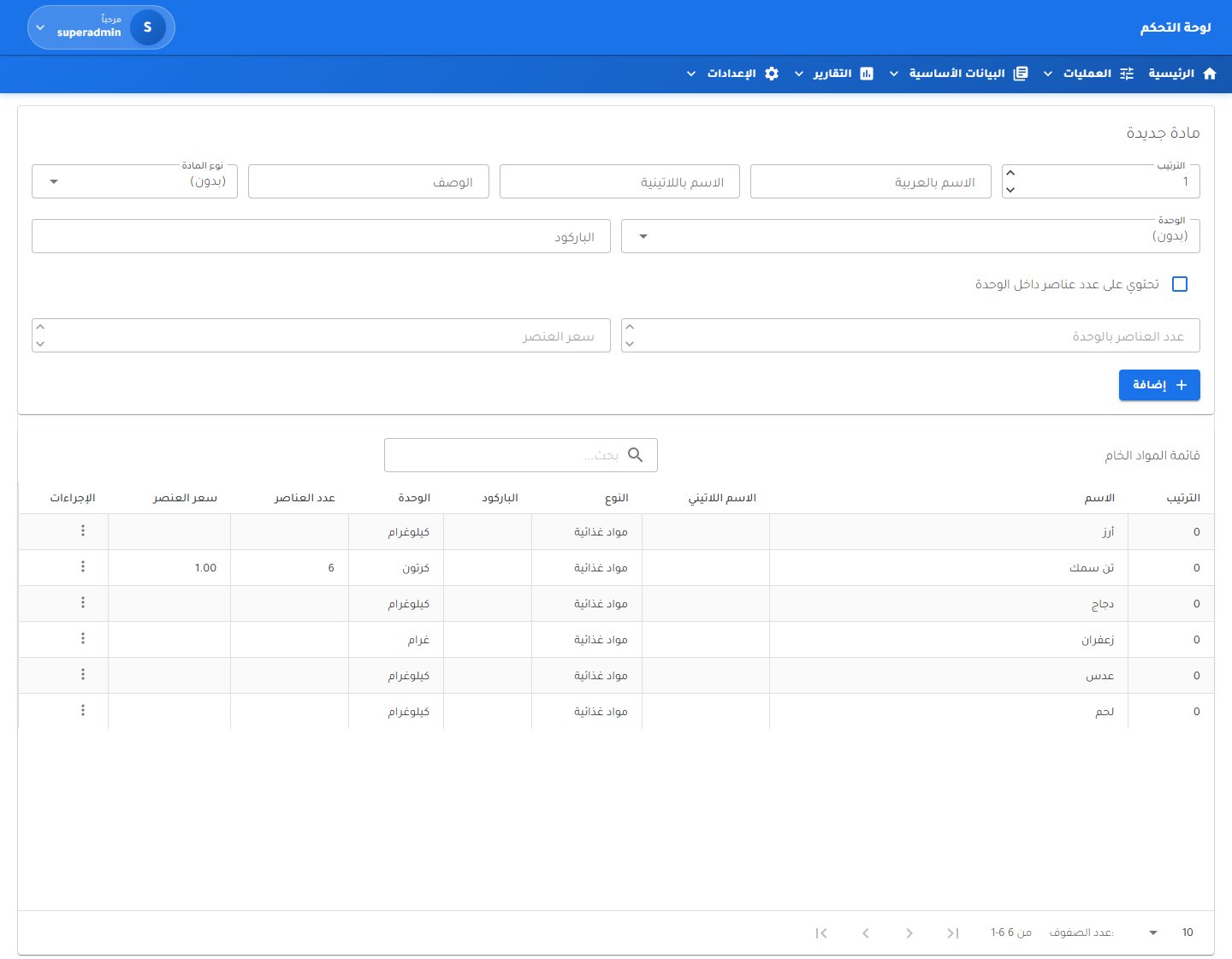 Raw materials
Master data
Raw materials
Master data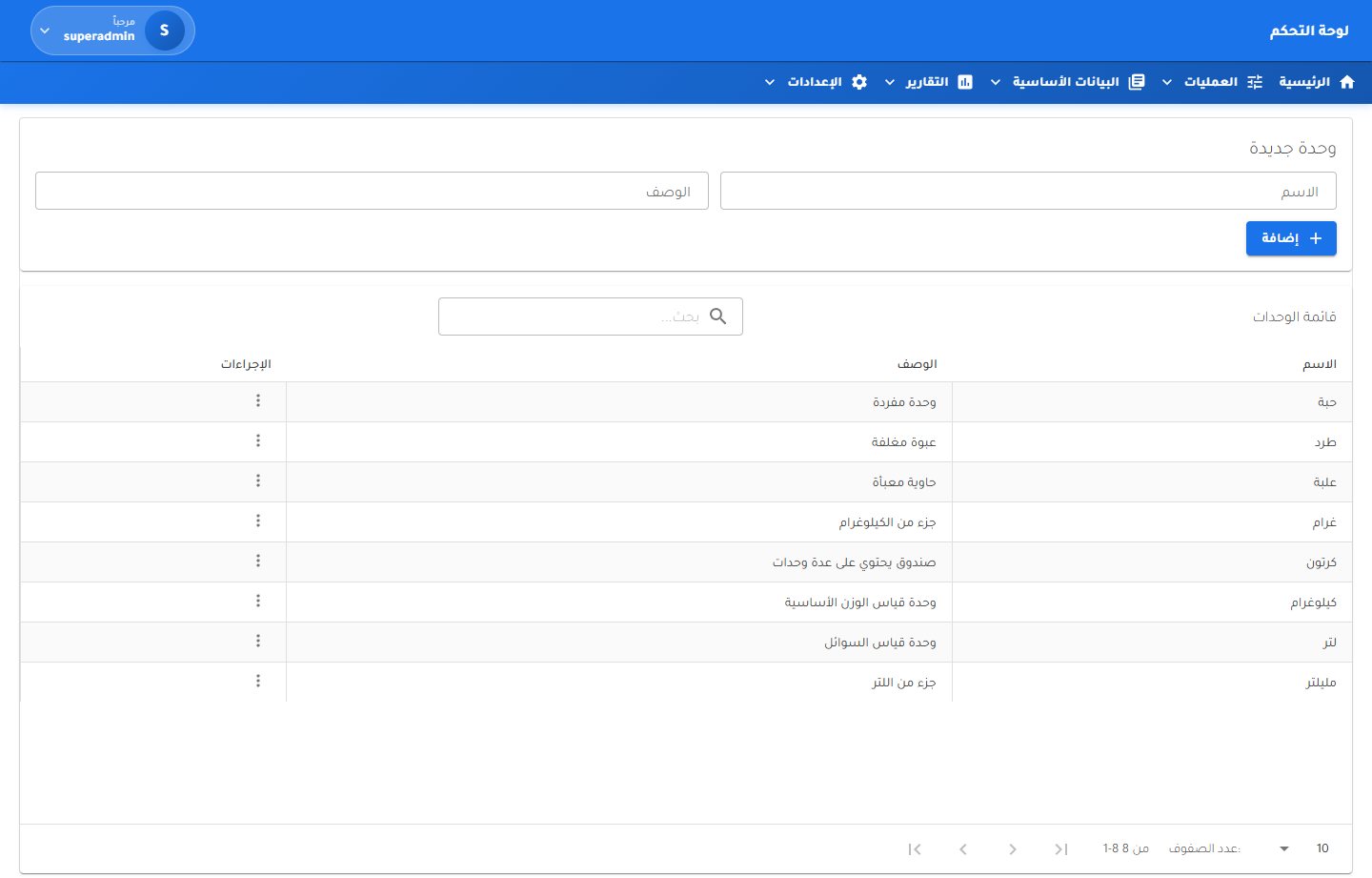 Units of measure
Master data
Units of measure
Master data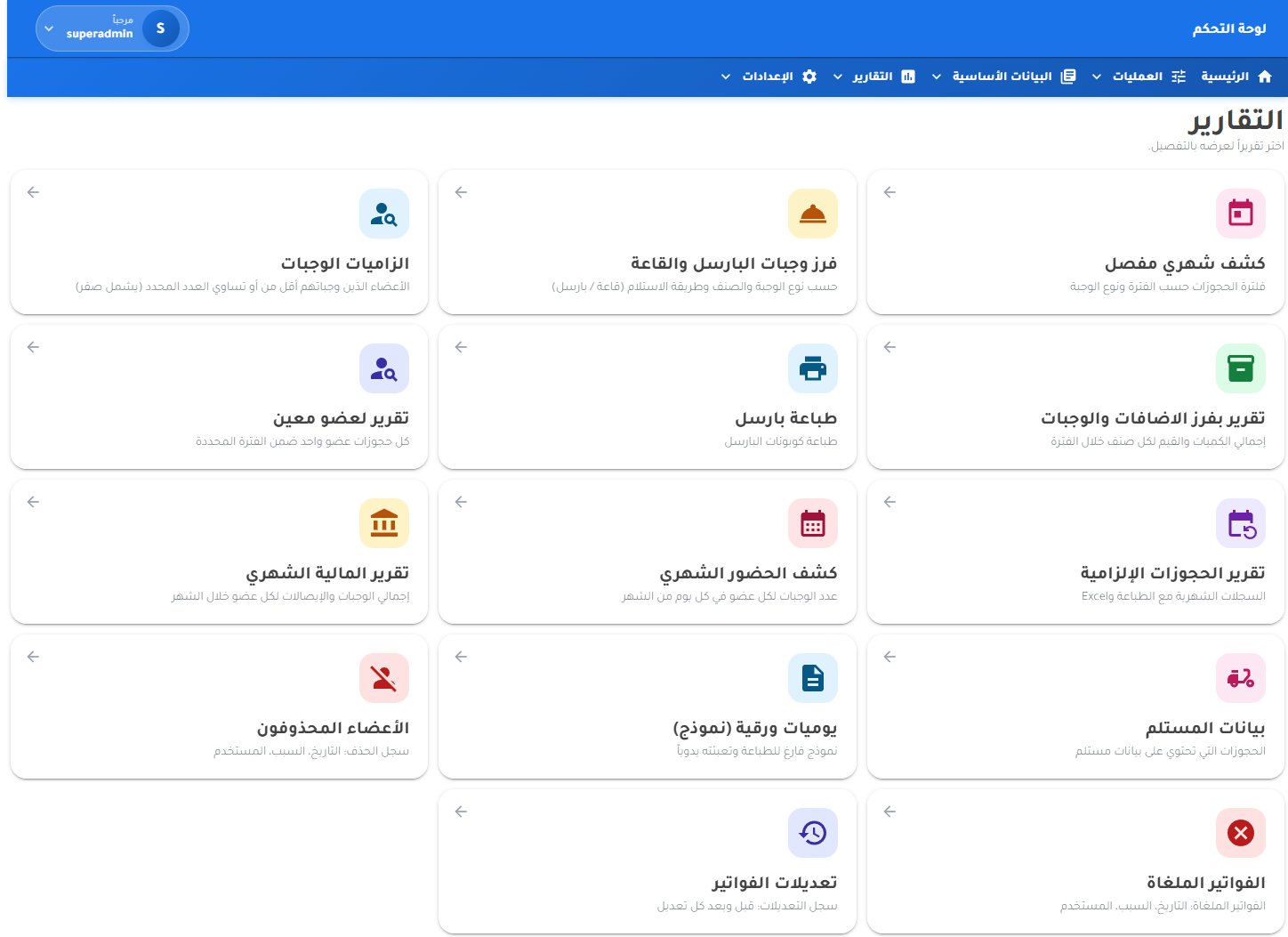 Reports hub
Reports
Reports hub
Reports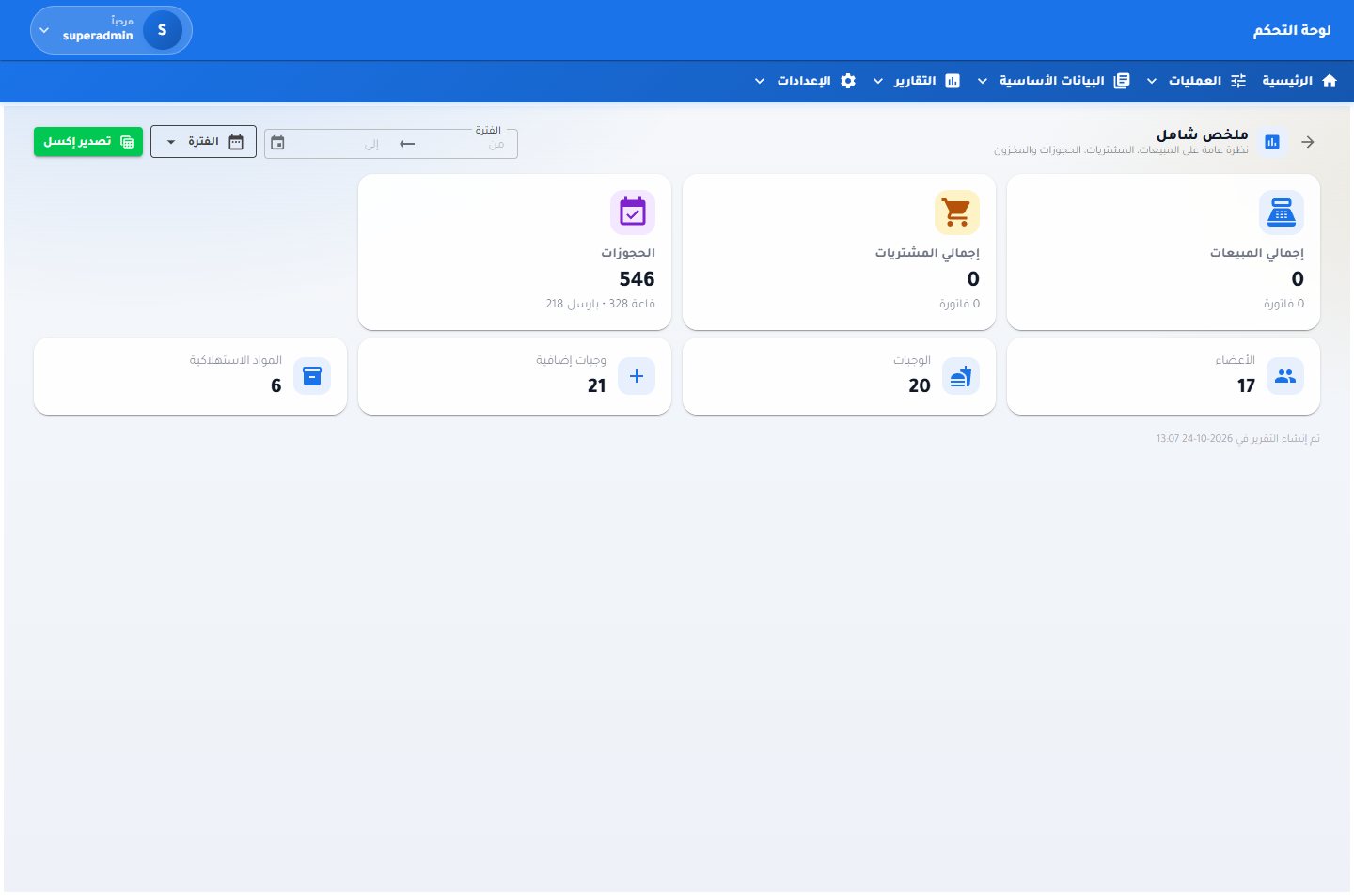 Summary overview
Reports
Summary overview
Reports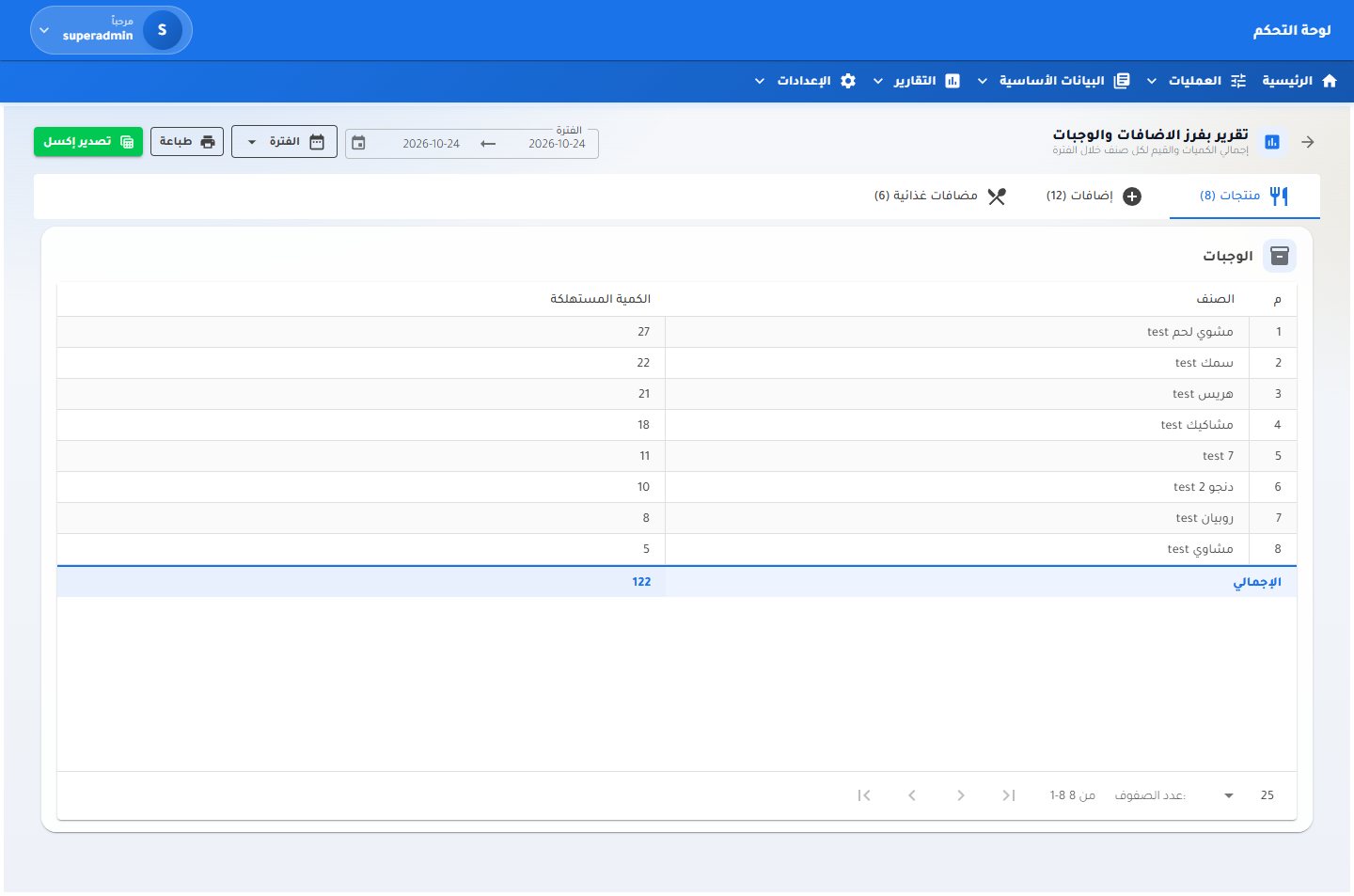 Meals and additions report
Reports
Meals and additions report
Reports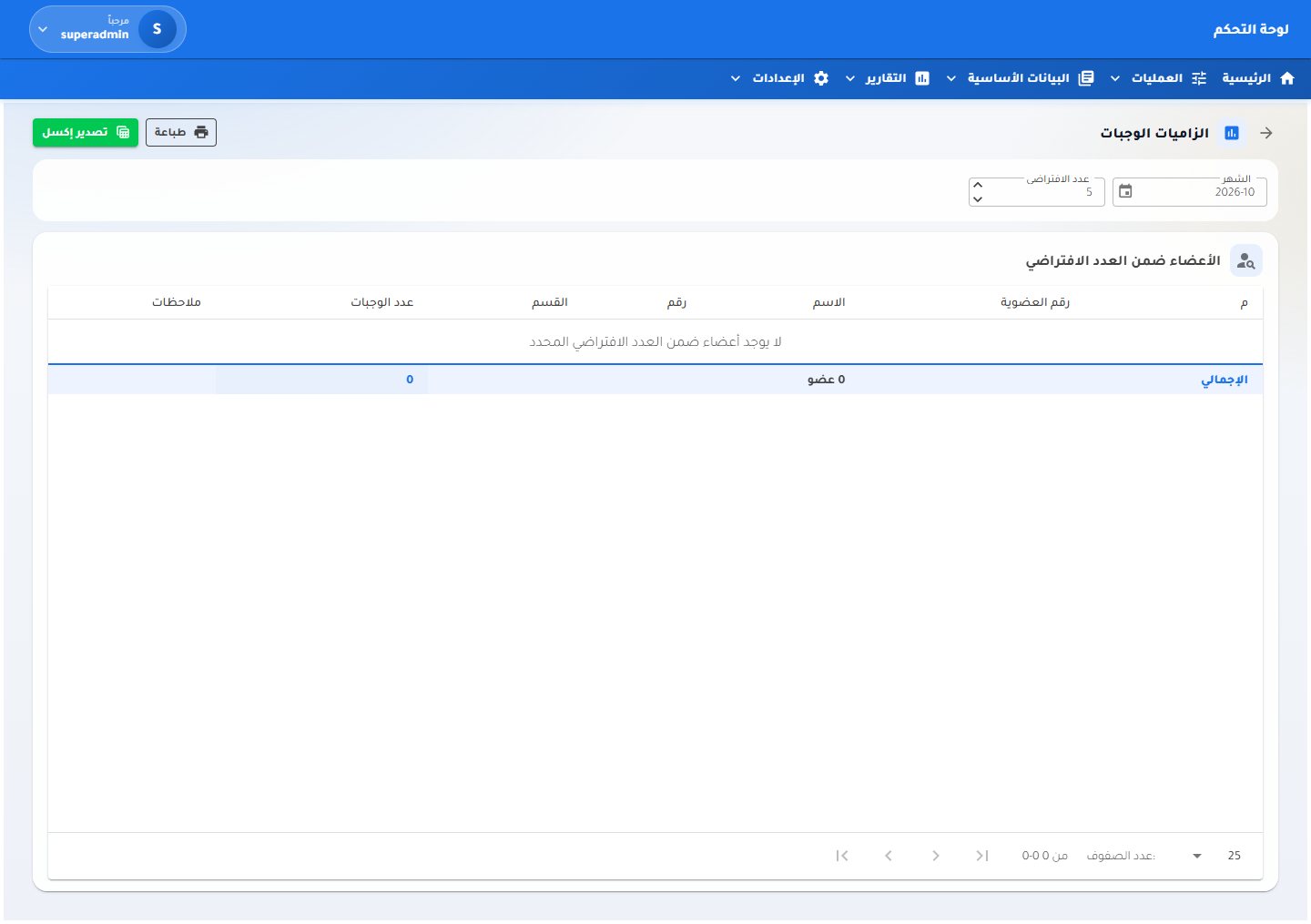 Members within the meal quota
Reports
Members within the meal quota
Reports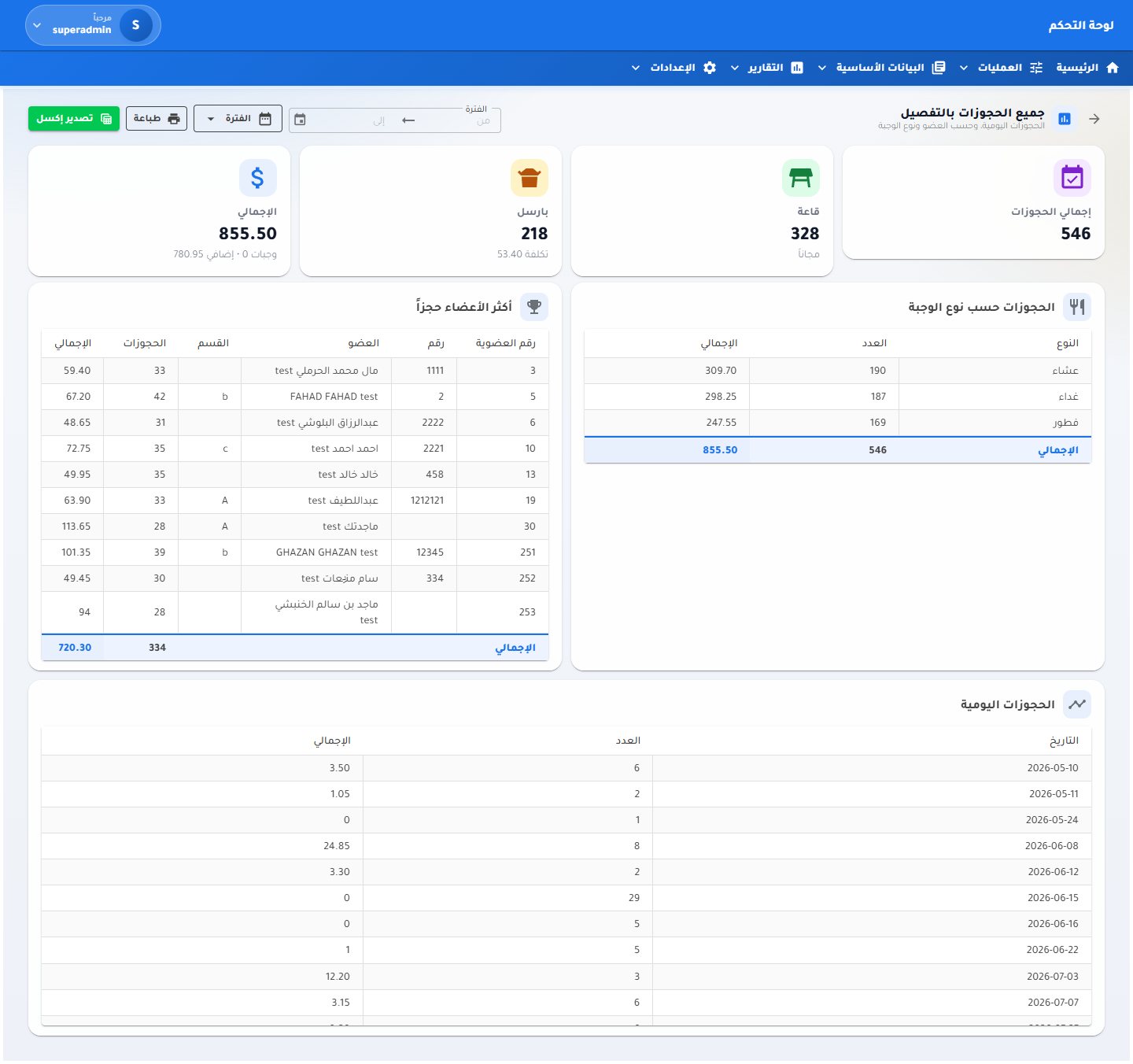 Reservations overview
Reports
Reservations overview
Reports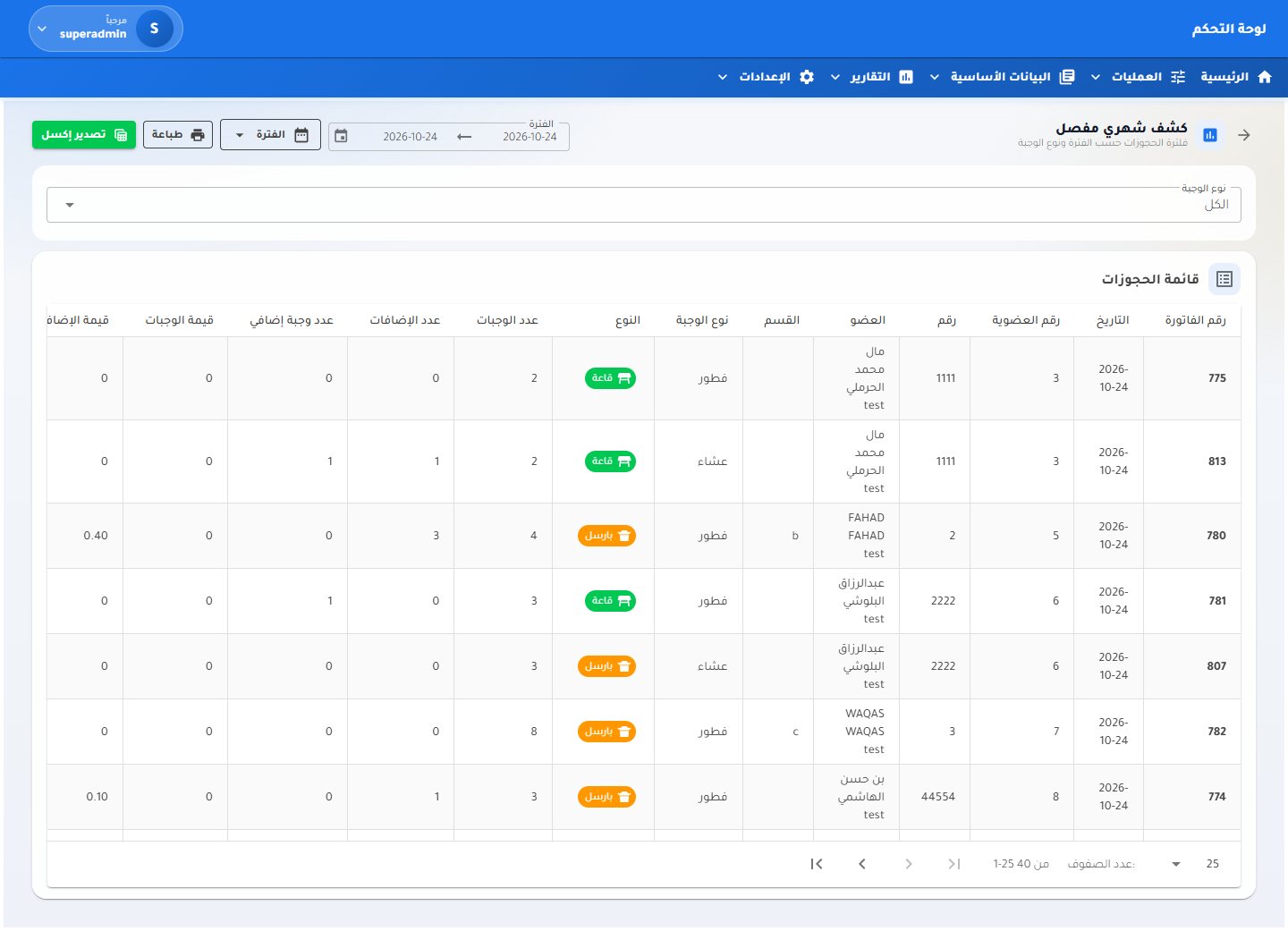 Detailed monthly sheet
Reports
Detailed monthly sheet
Reports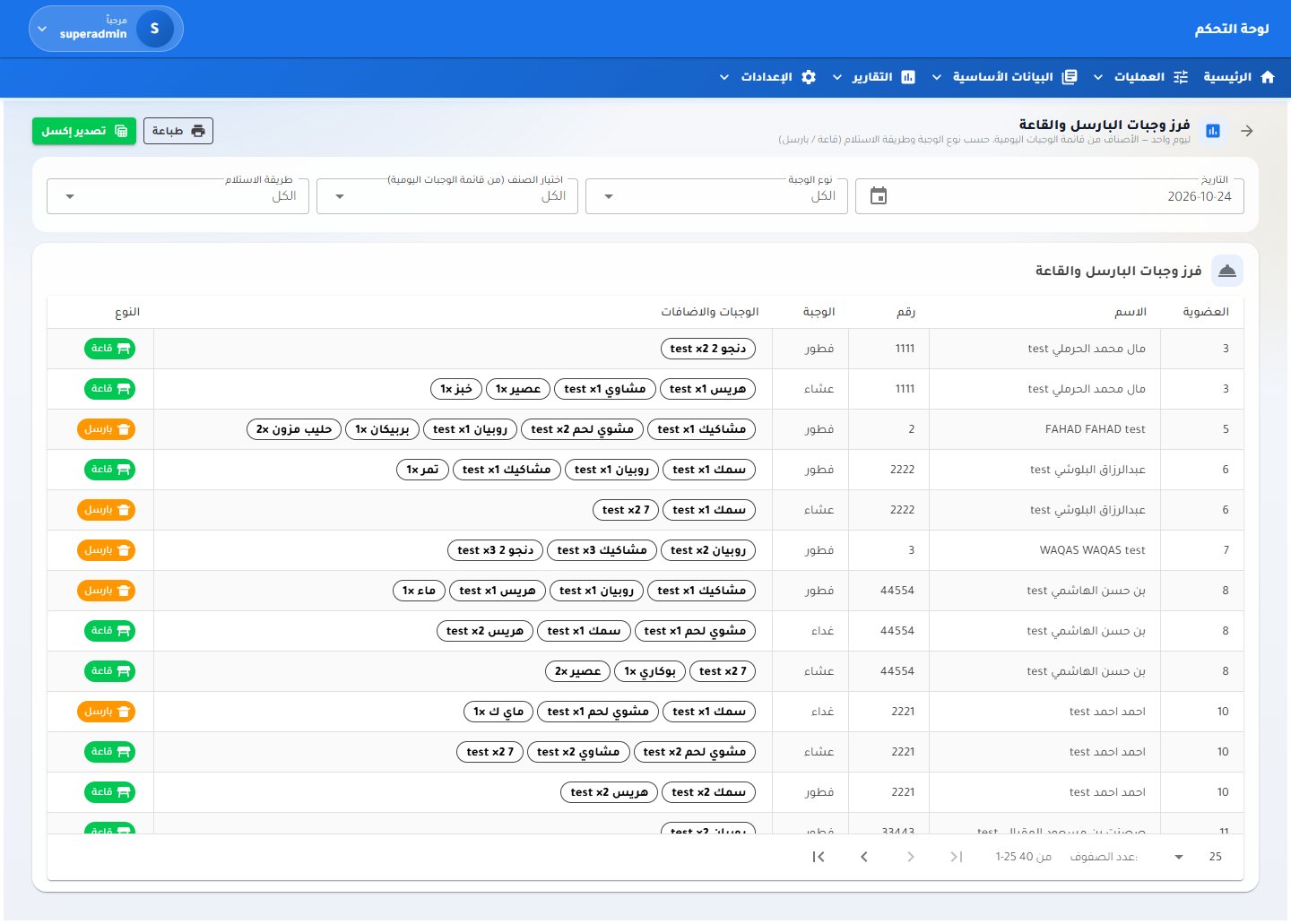 Hall and parcel sorting
Reports
Hall and parcel sorting
Reports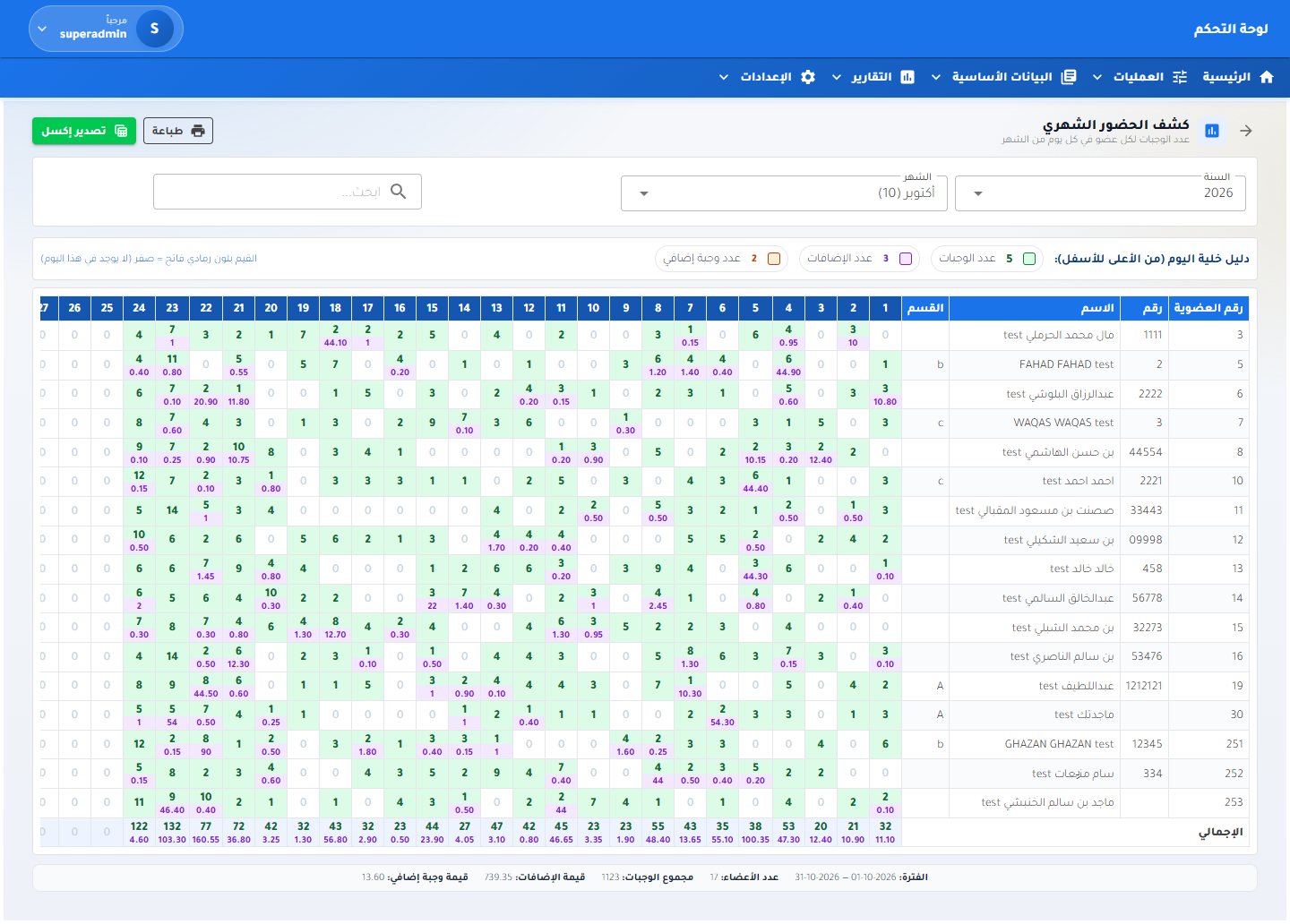 Monthly attendance
Reports
Monthly attendance
Reports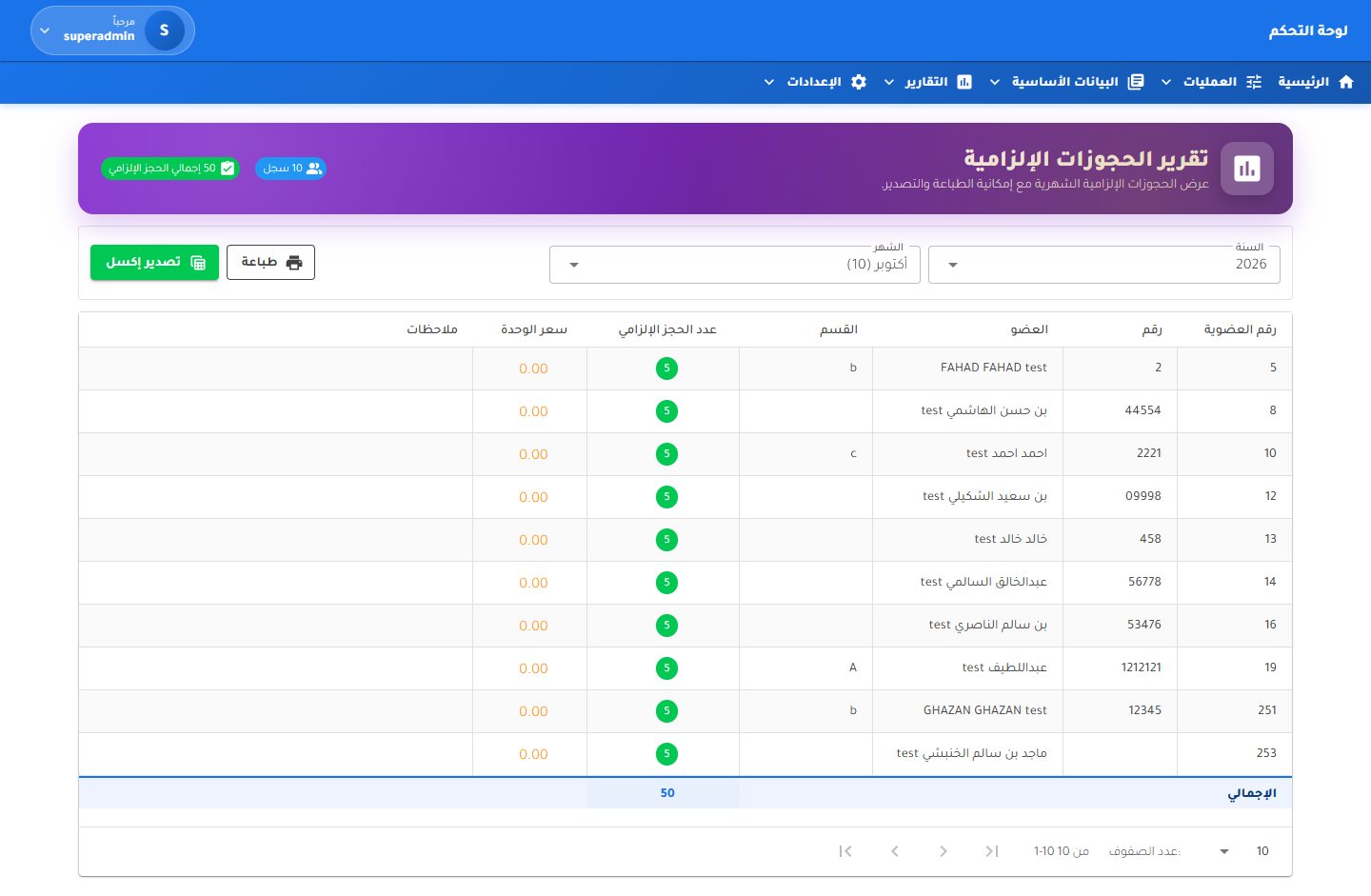 Mandatory quotas report
Reports
Mandatory quotas report
Reports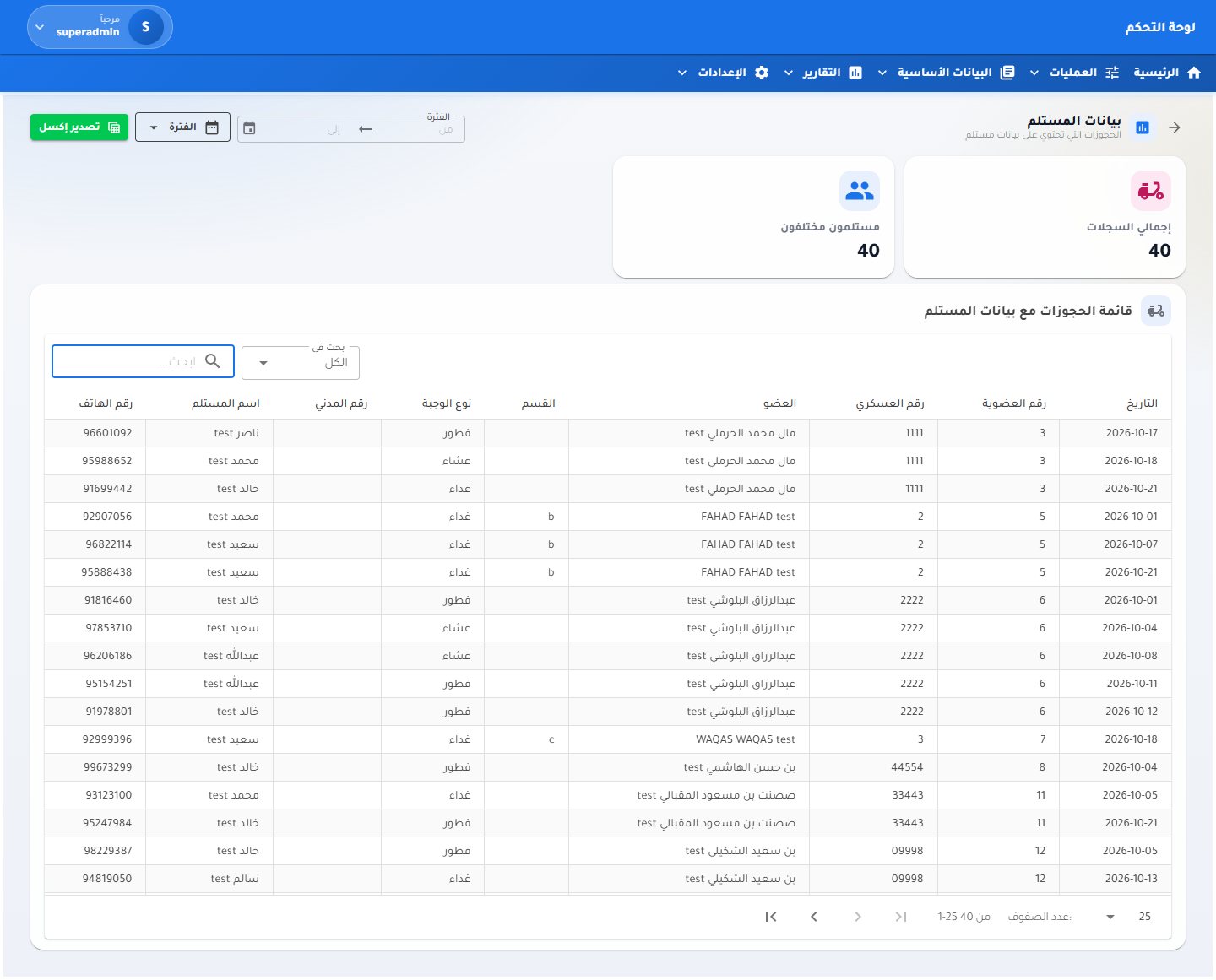 Recipient details
Reports
Recipient details
Reports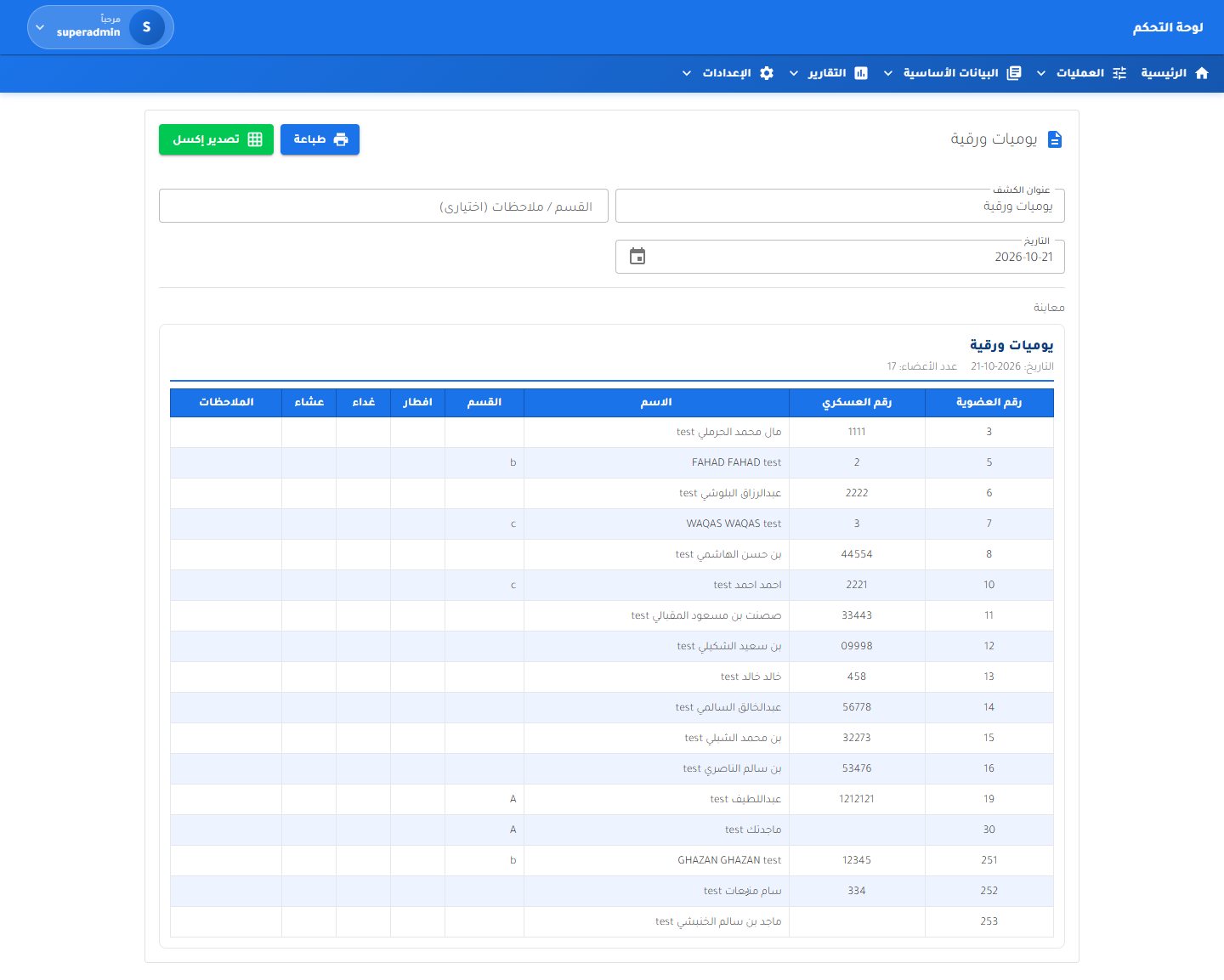 Paper daily sheet
Reports
Paper daily sheet
Reports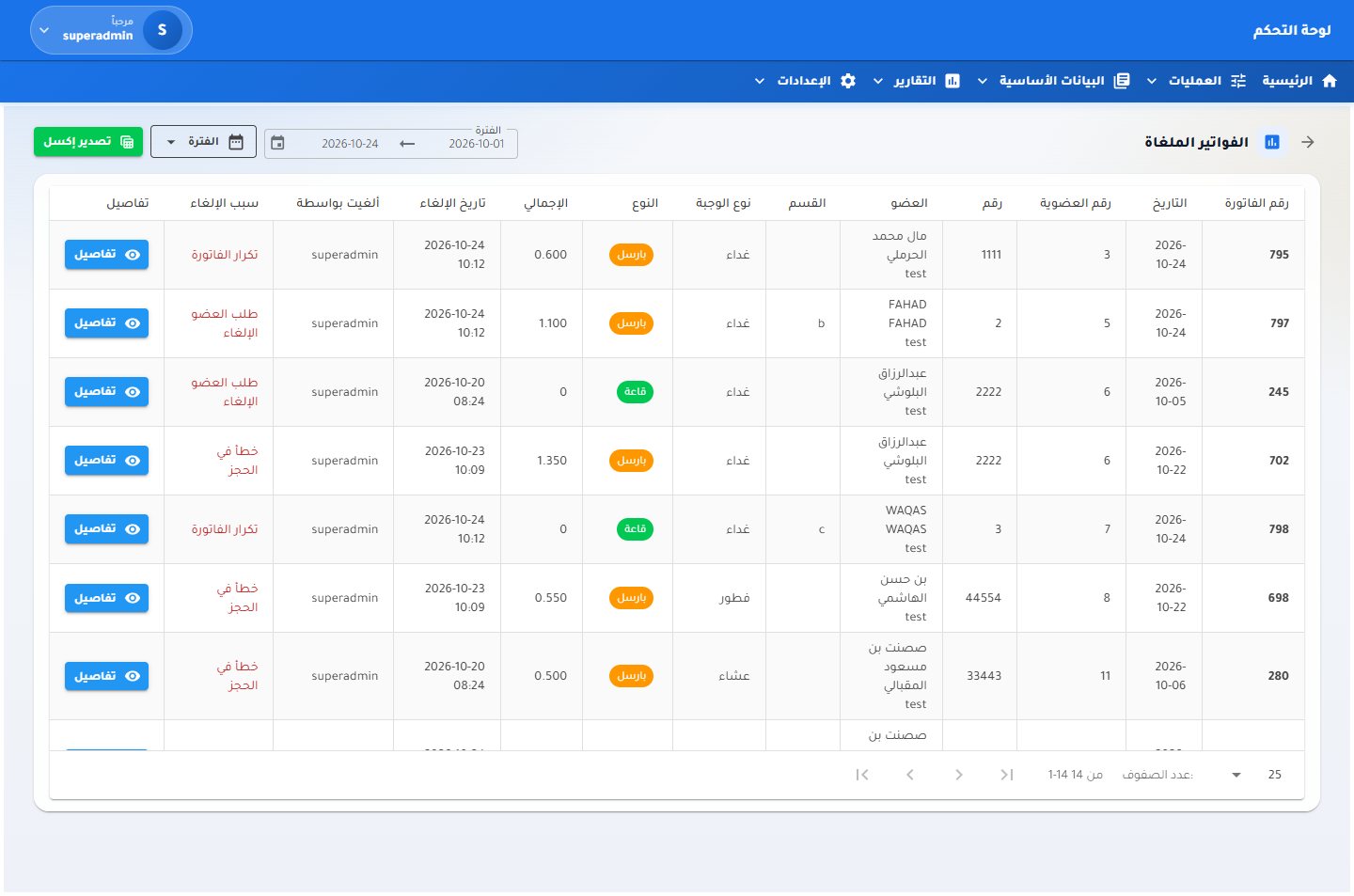 Cancelled invoices
Reports
Cancelled invoices
Reports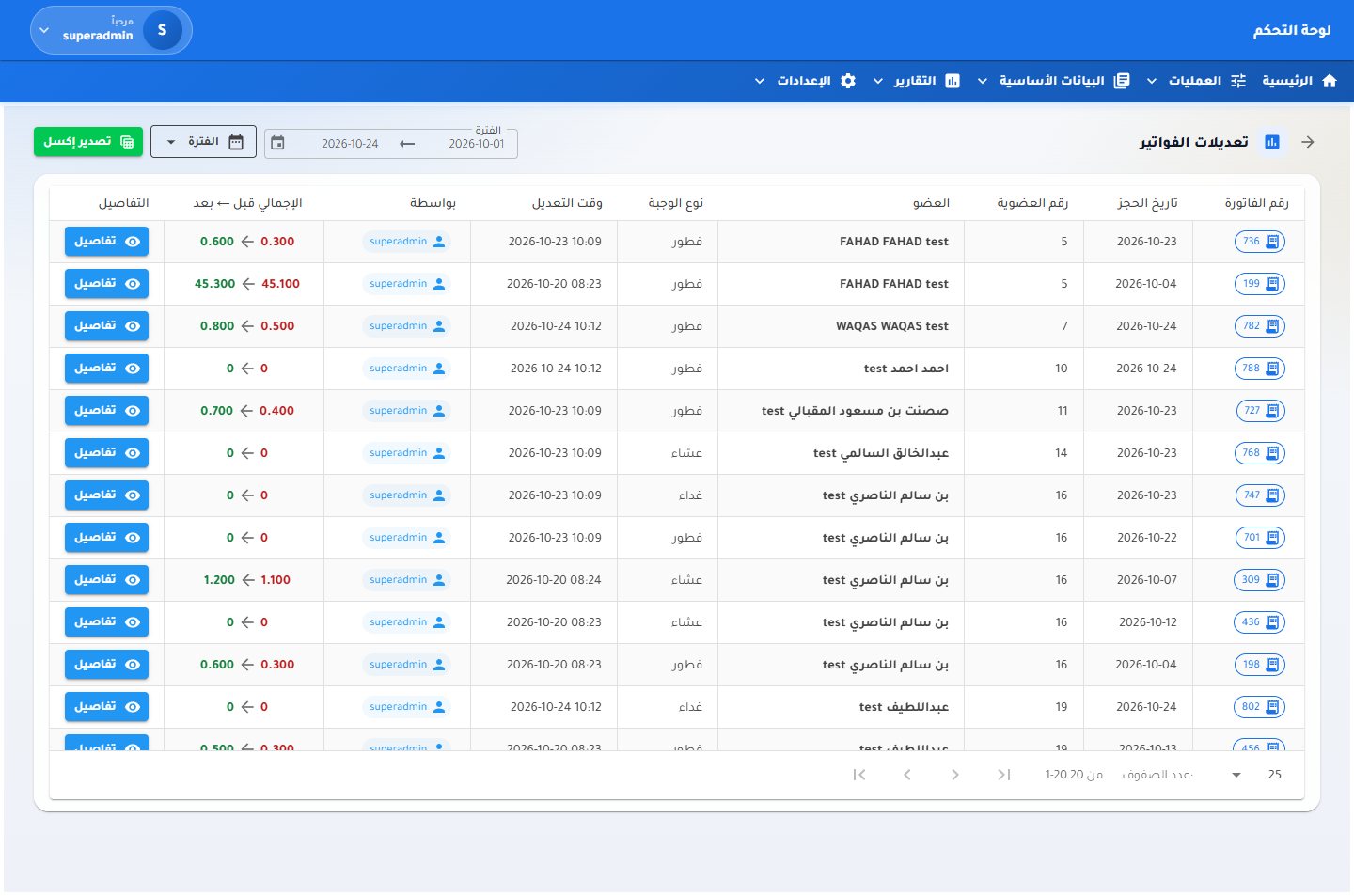 Invoice edits
Reports
Invoice edits
Reports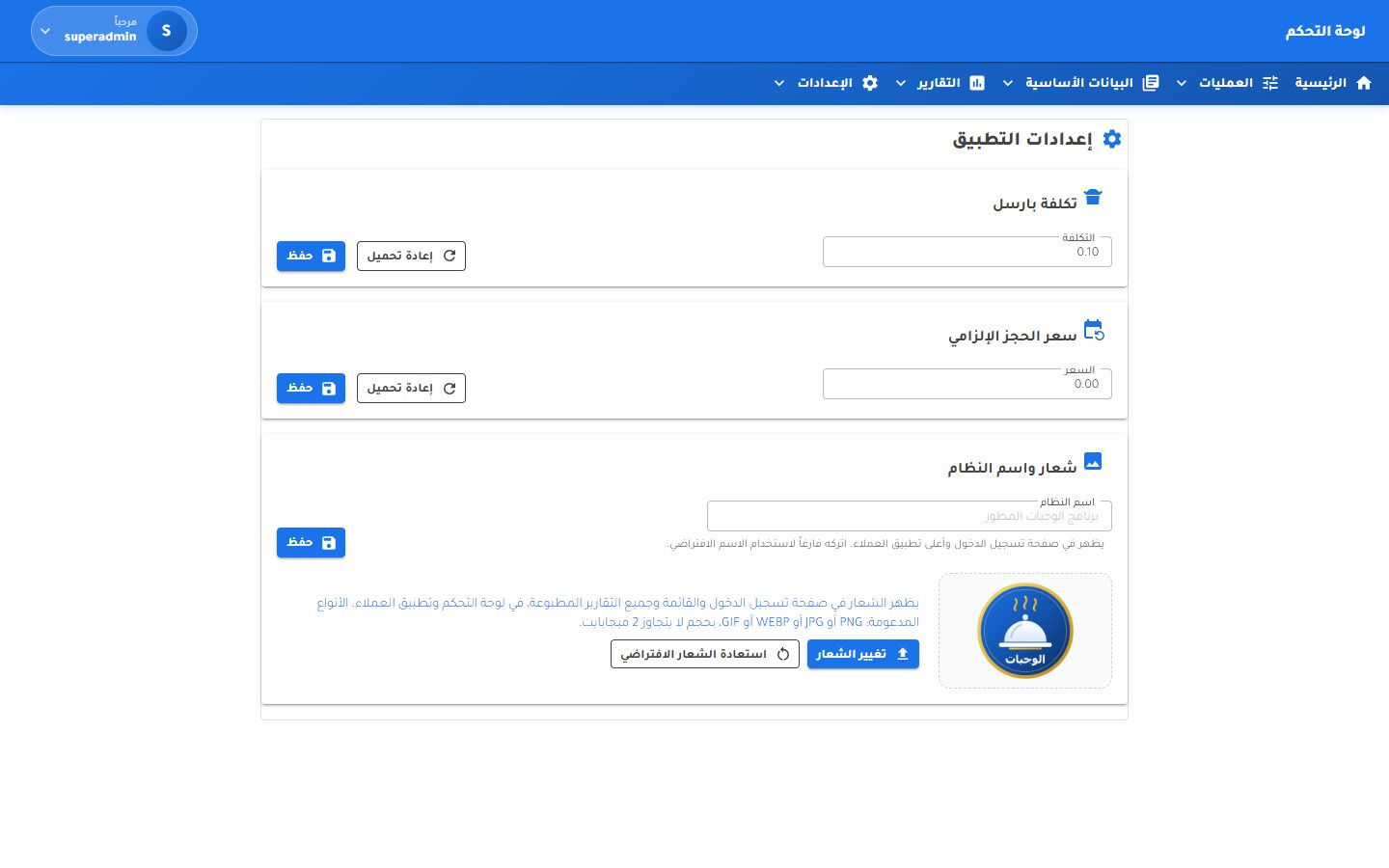 App settings
Settings
App settings
Settings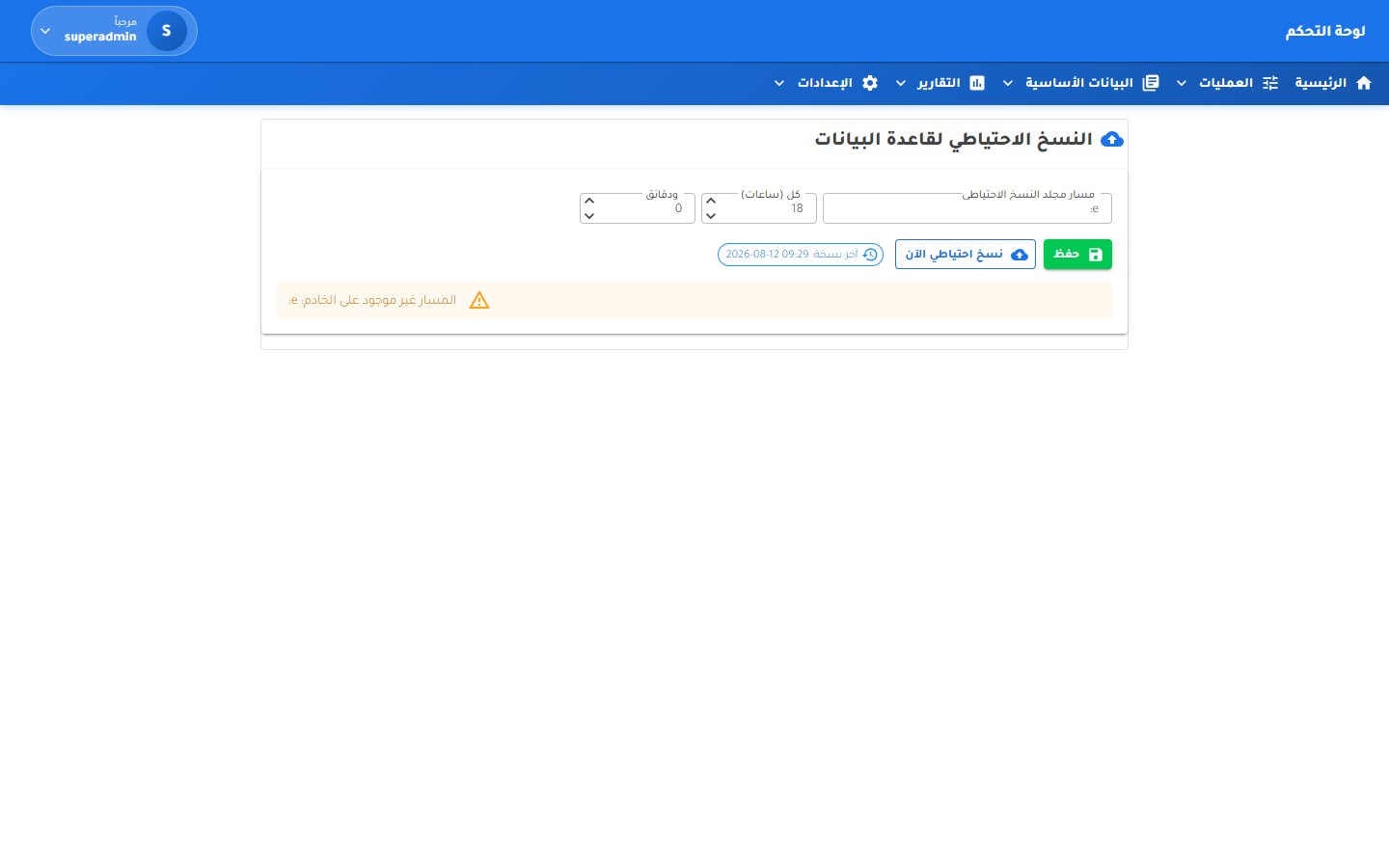 Database backup
Settings
Database backup
Settings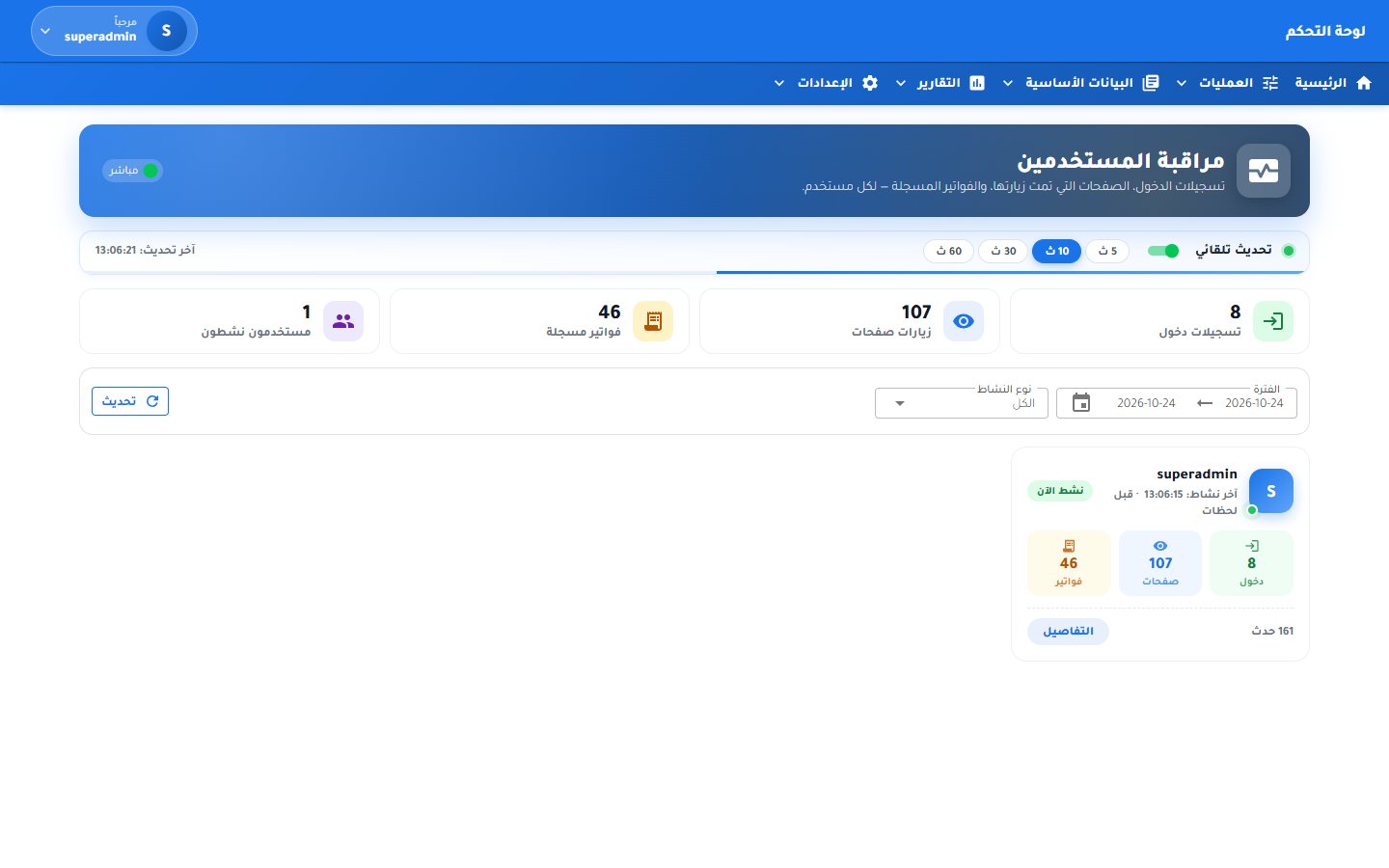 User monitoring
Settings
User monitoring
Settings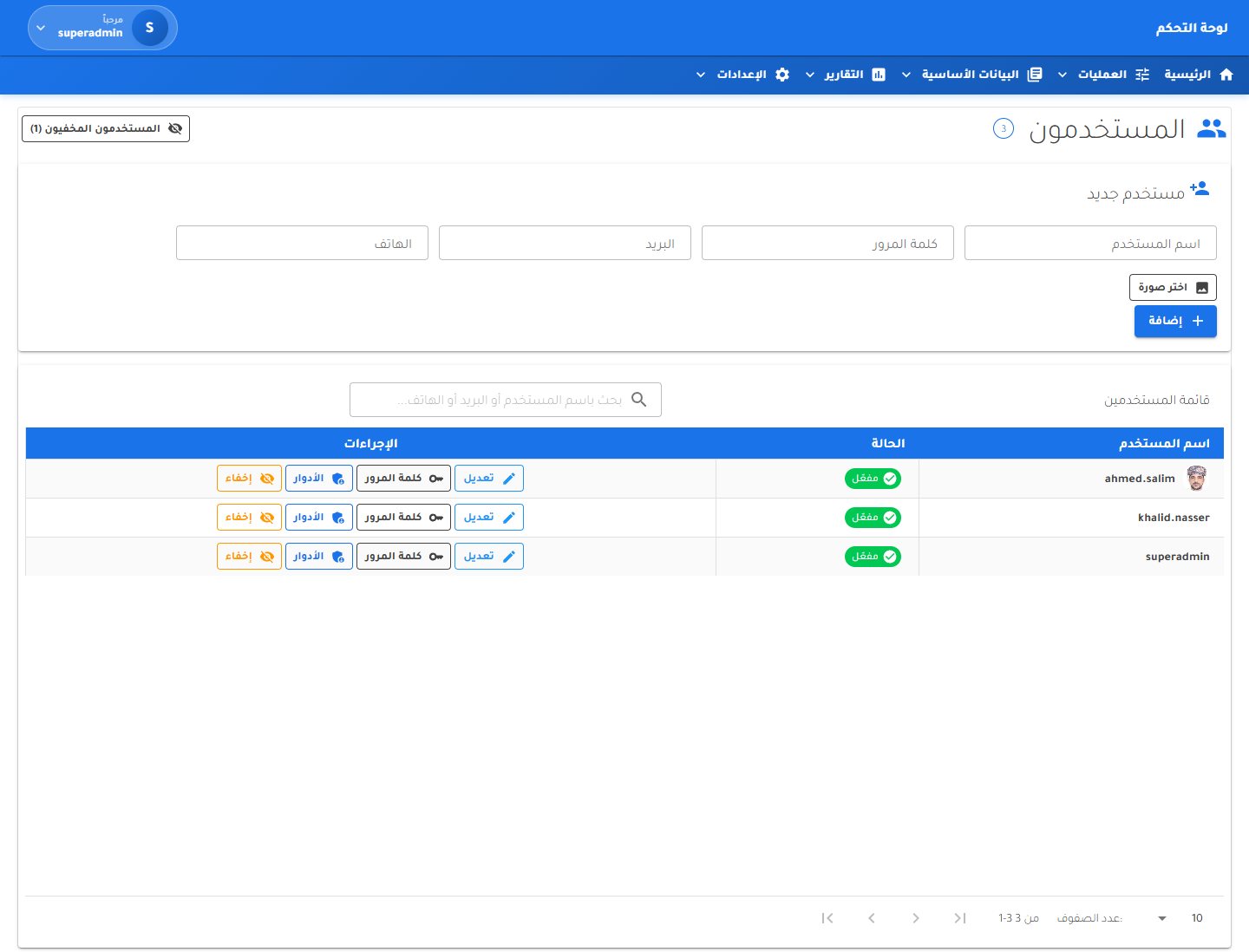 Users
Settings
Users
Settings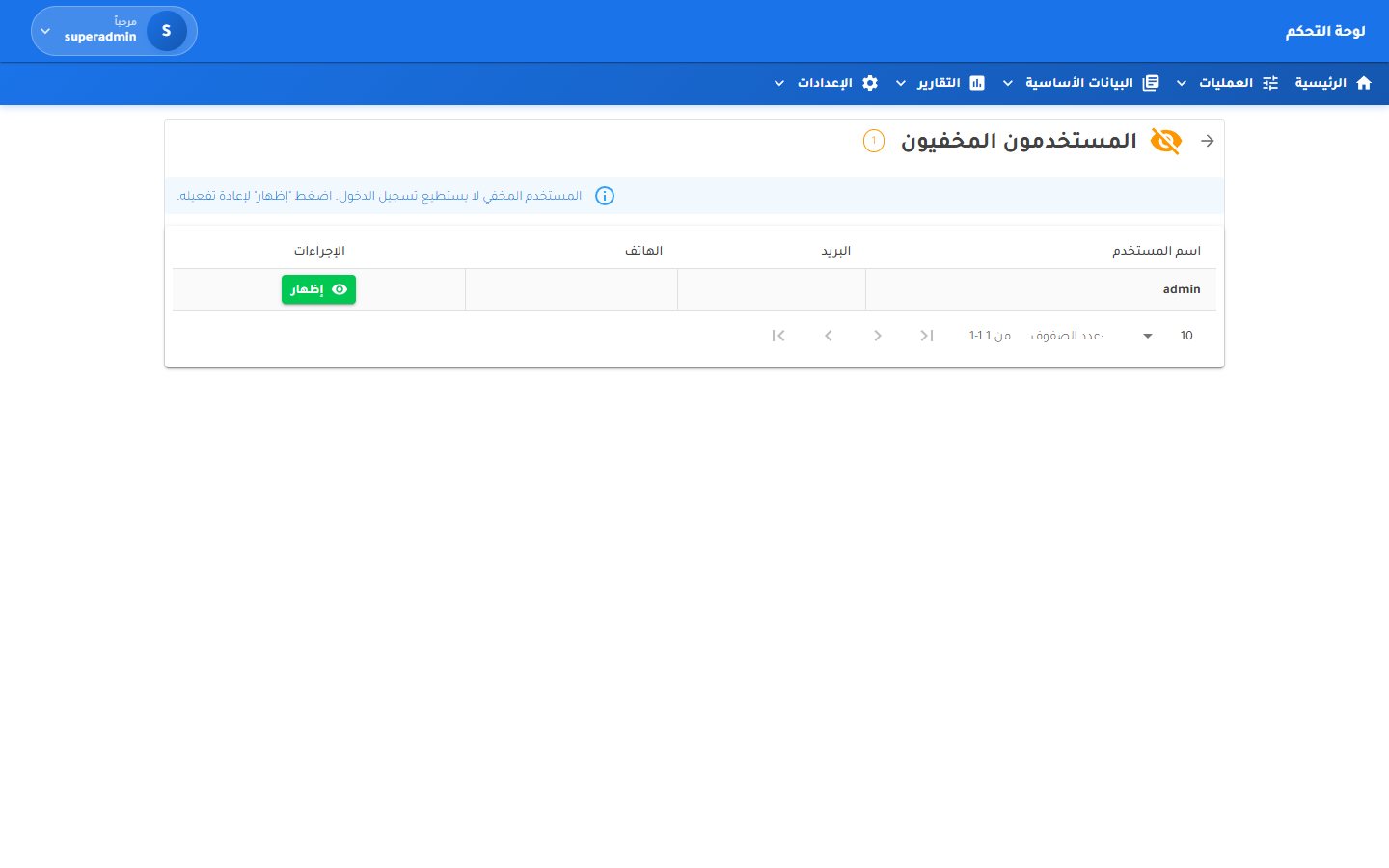 Hidden users
Settings
Hidden users
Settings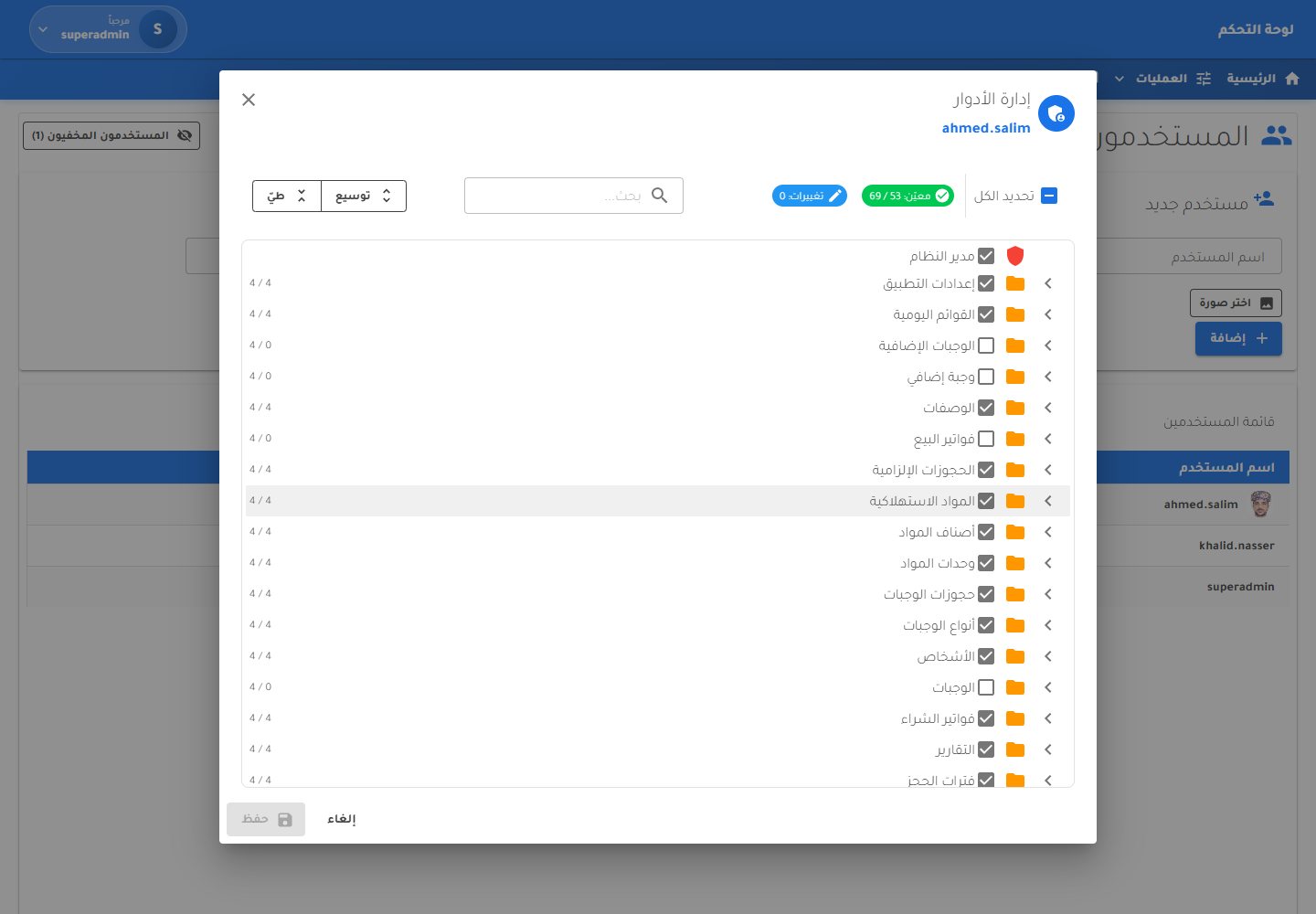 User roles
Settings
User roles
Settings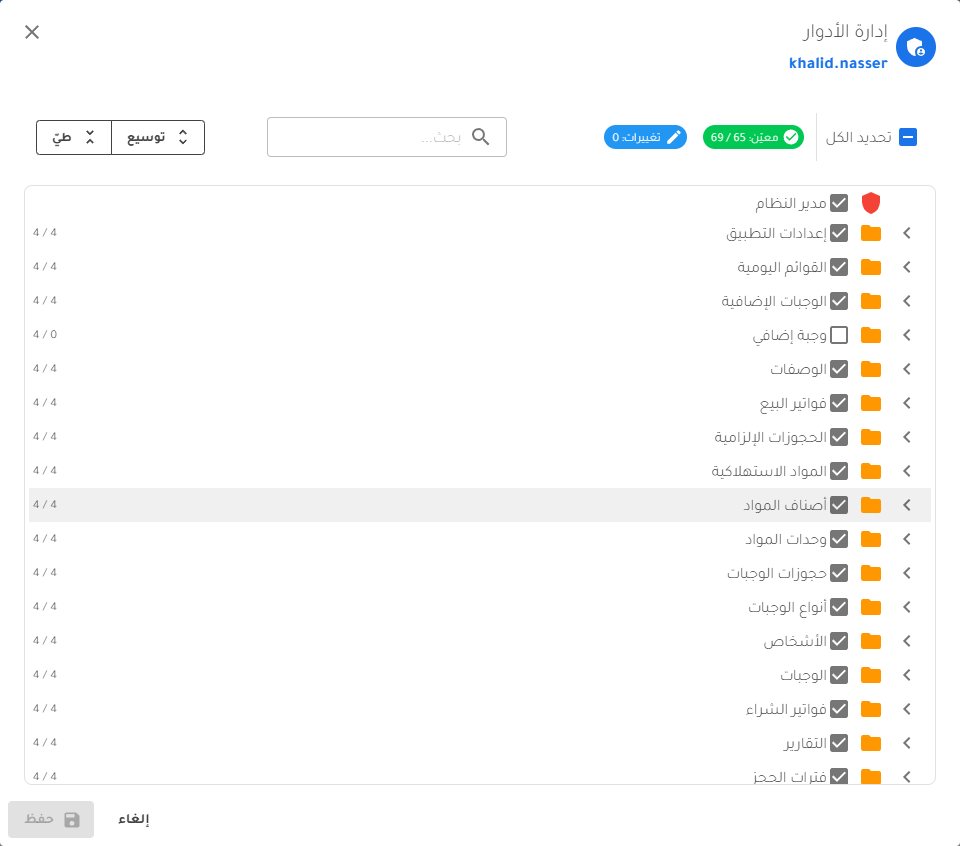 Roles dialog
Settings
Roles dialog
Settings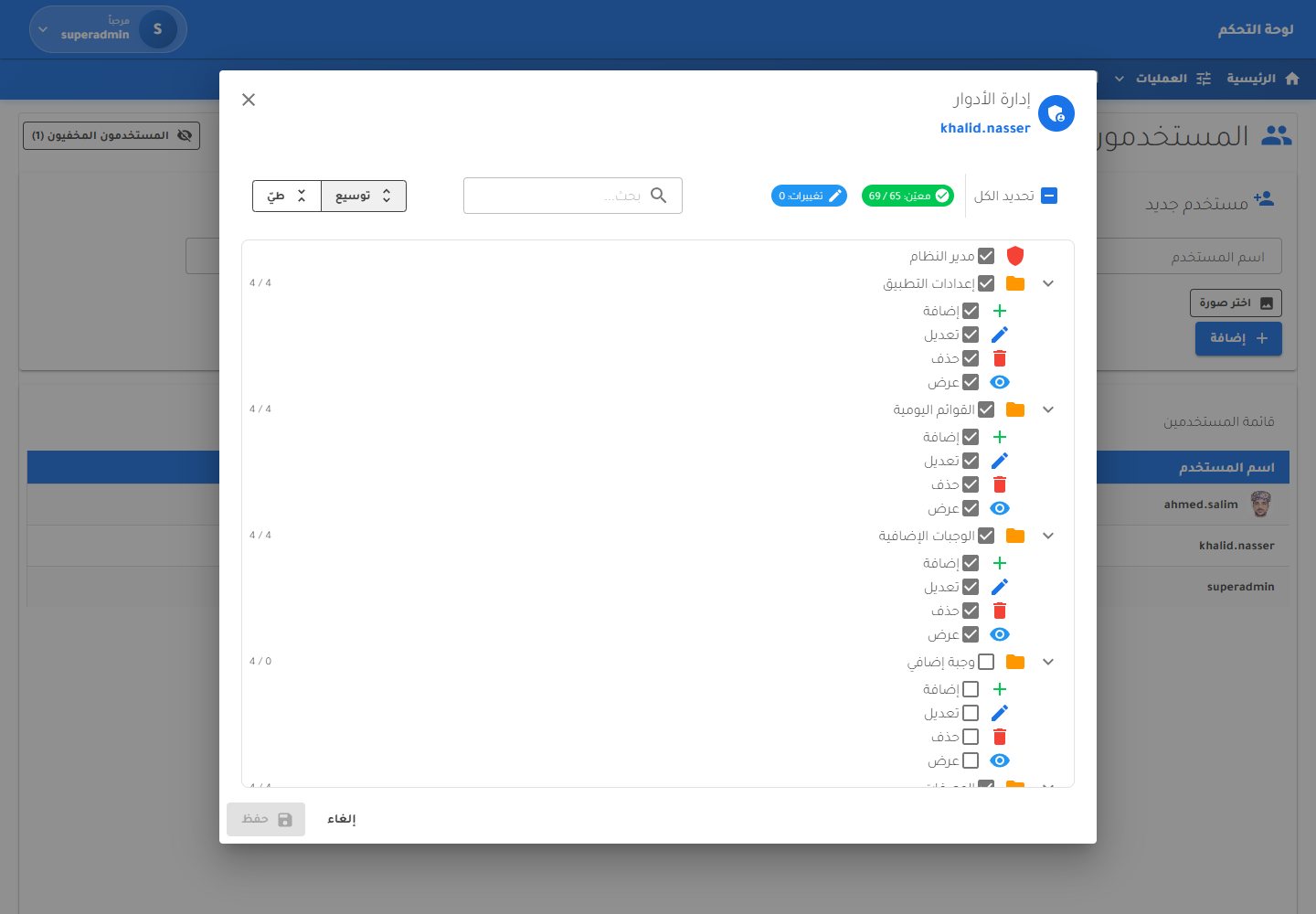 Detailed permissions
Settings
Detailed permissions
Settings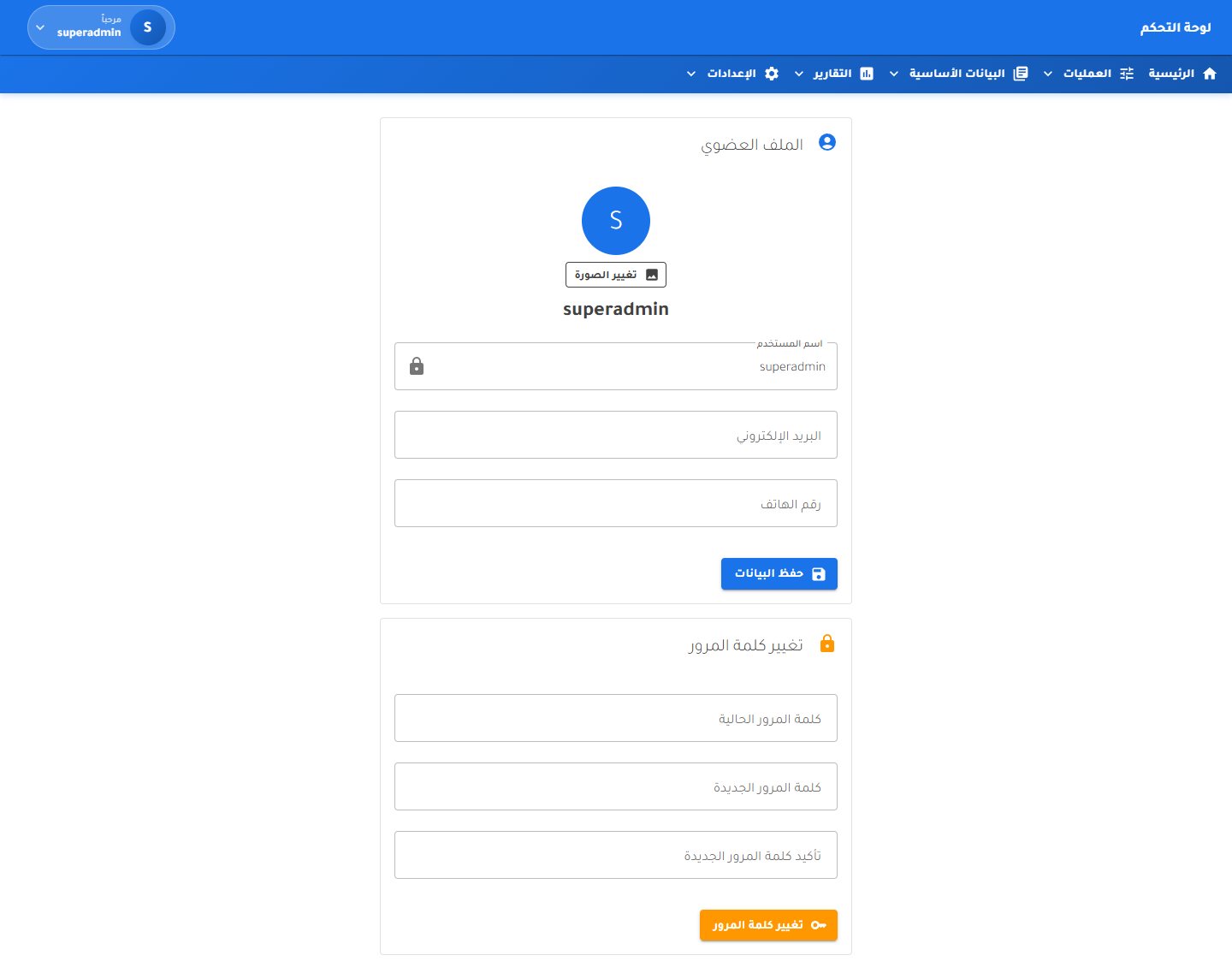 User profile
Settings
User profile
SettingsThe Gate for Training Services in Muscat teaches American Heart Association life-support courses and Highfield food-safety and HACCP qualifications. Their old WordPress site was Arabic-only, its English pages returned errors, and the calendar and gallery were empty. We rebuilt it from scratch as a fast .NET app: Arabic and English switched live, all fifteen courses with prices and certificates, booking, a working calendar and gallery, rich link previews for WhatsApp, and a design built for phones first.
Every screen below is from the live site. Course names, prices and accreditations are the centre's real catalogue.
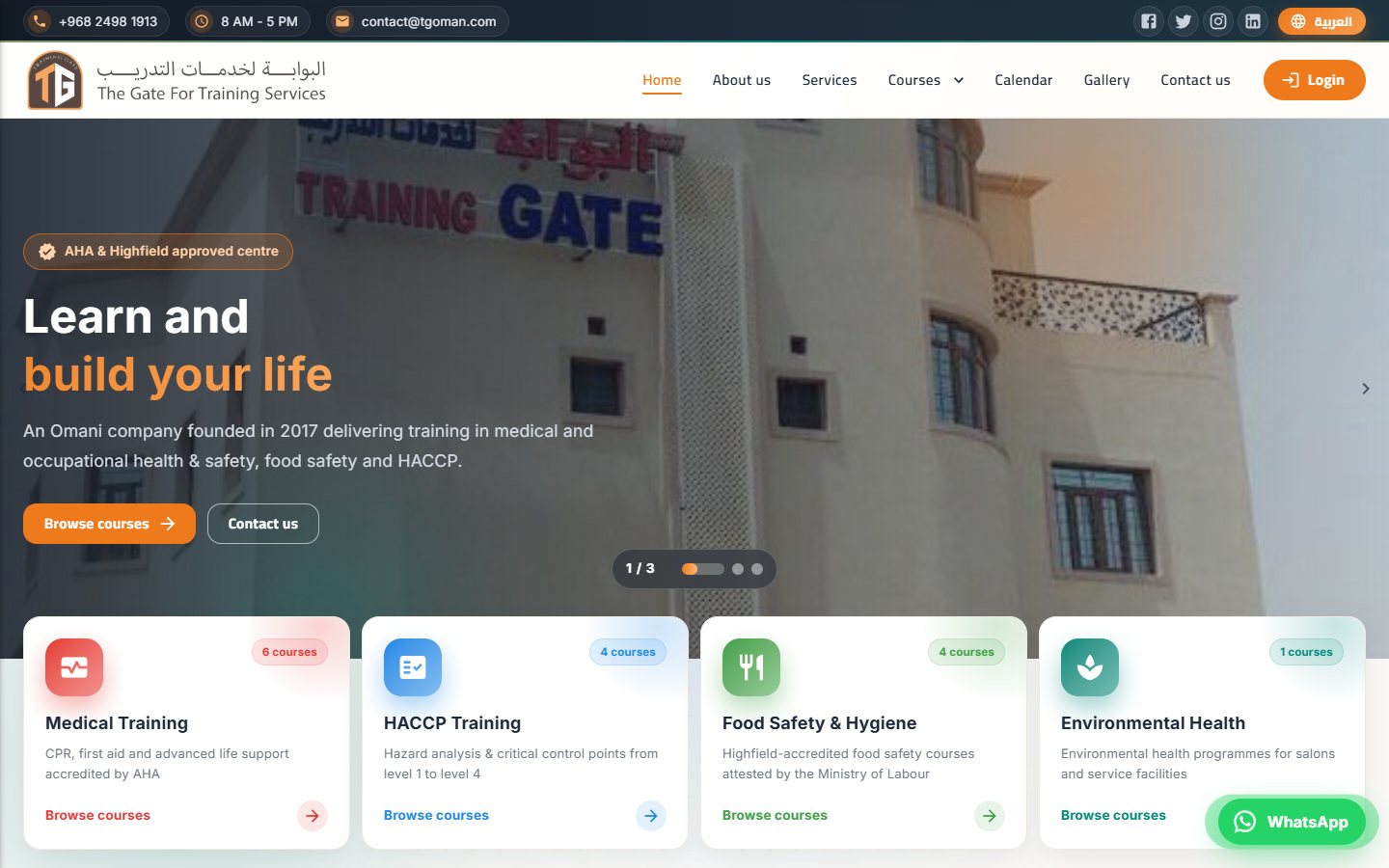
Arabic is the default and reads right-to-left; English flips the whole layout to left-to-right on the spot. The choice is remembered, so the next visit opens in the right language straight from the server.
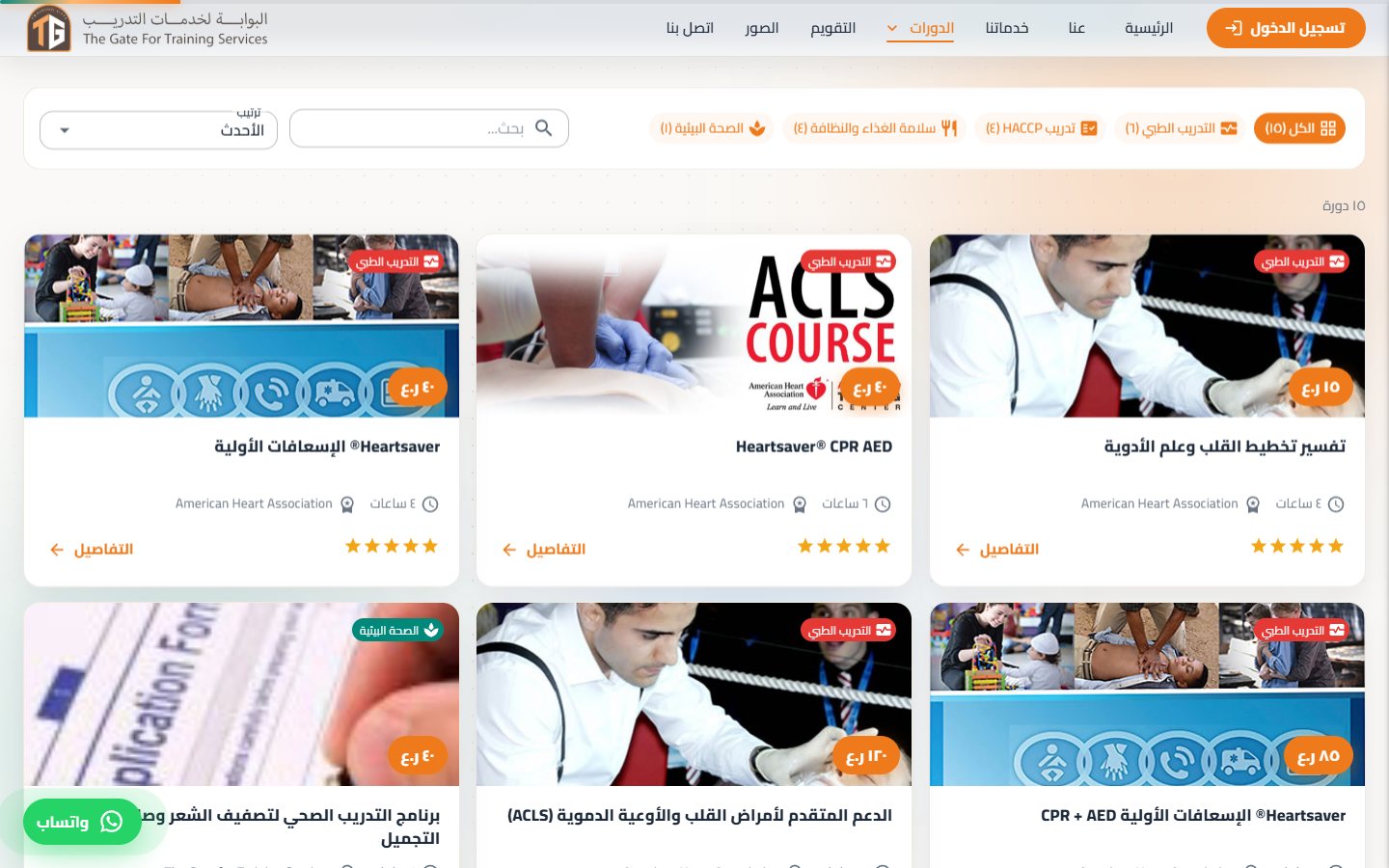
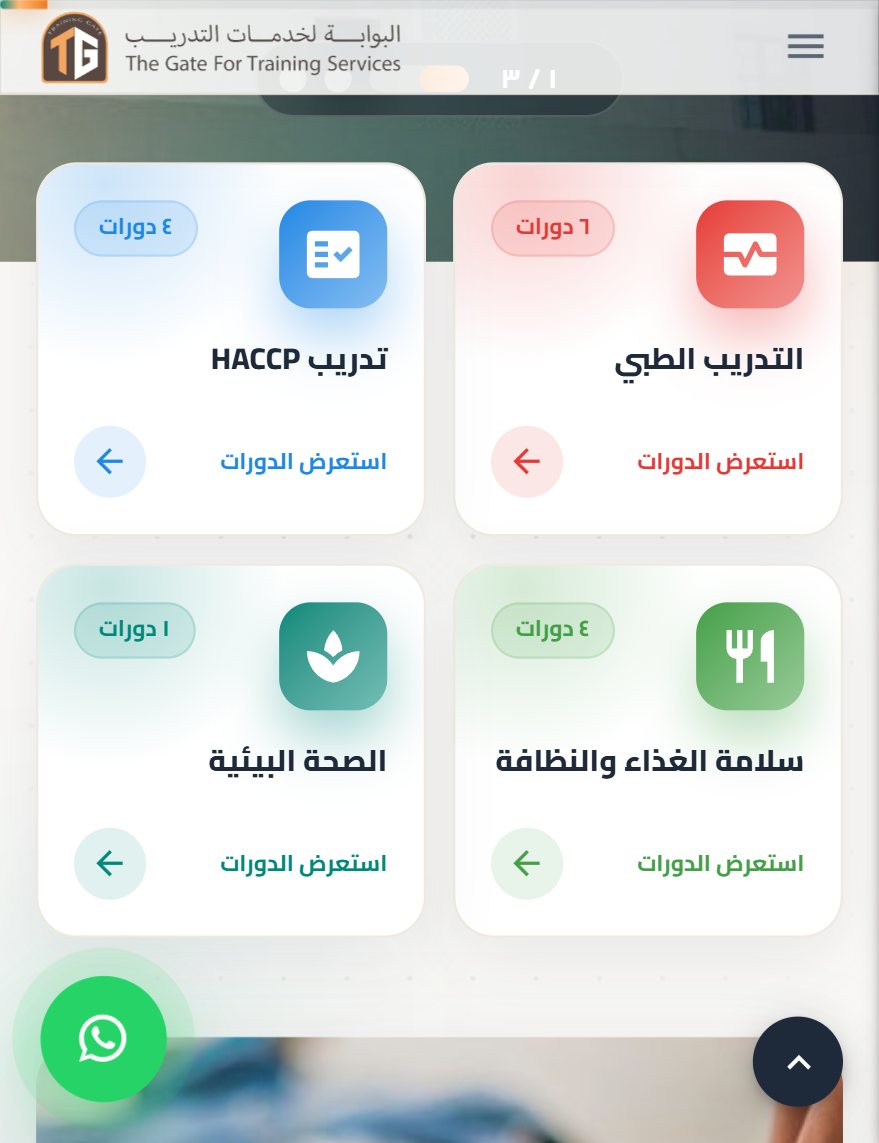
Medical, HACCP, food safety and environmental health courses with their real prices, hours and awarding body. Visitors filter by category, search by name and sort by price or popularity.
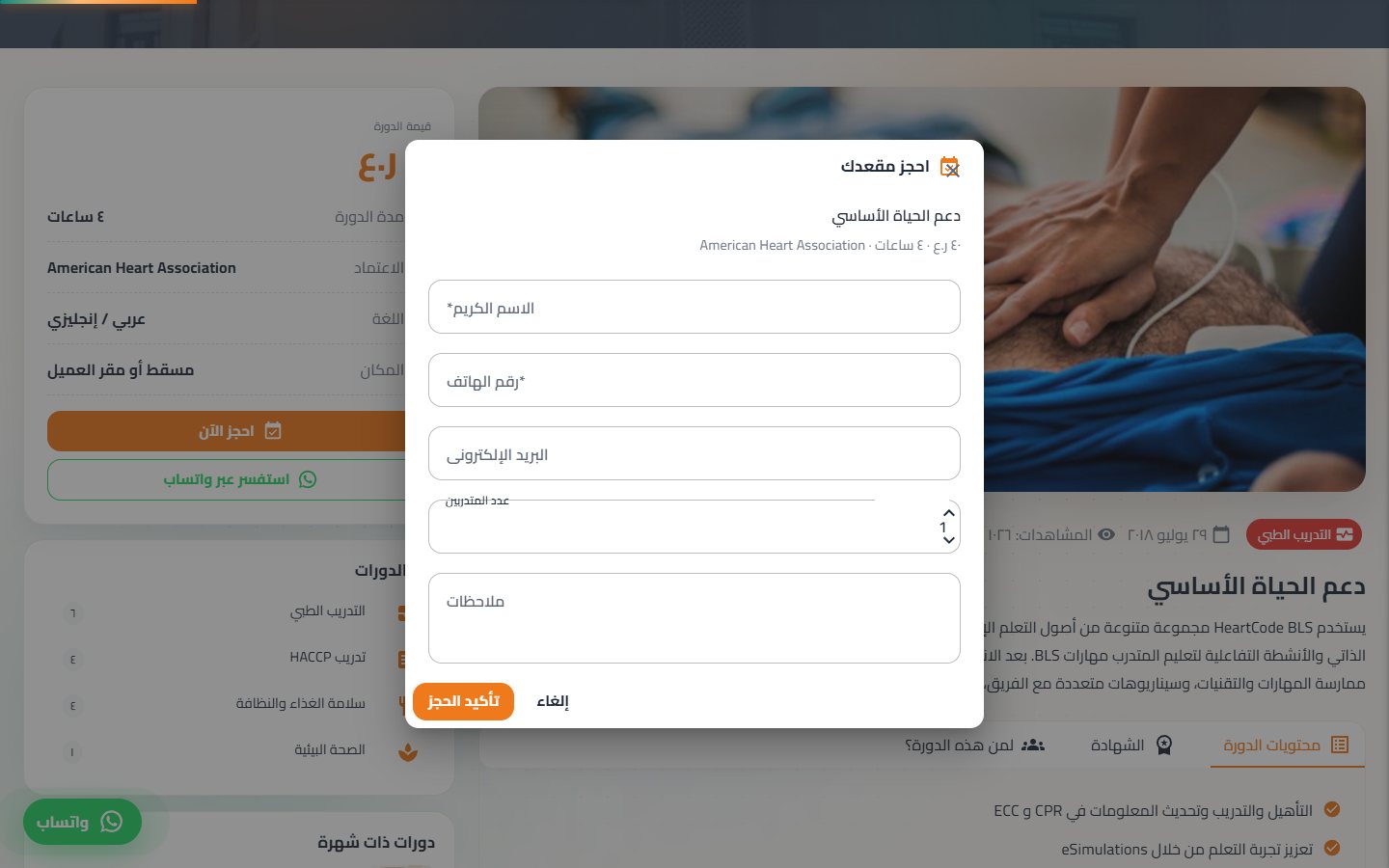
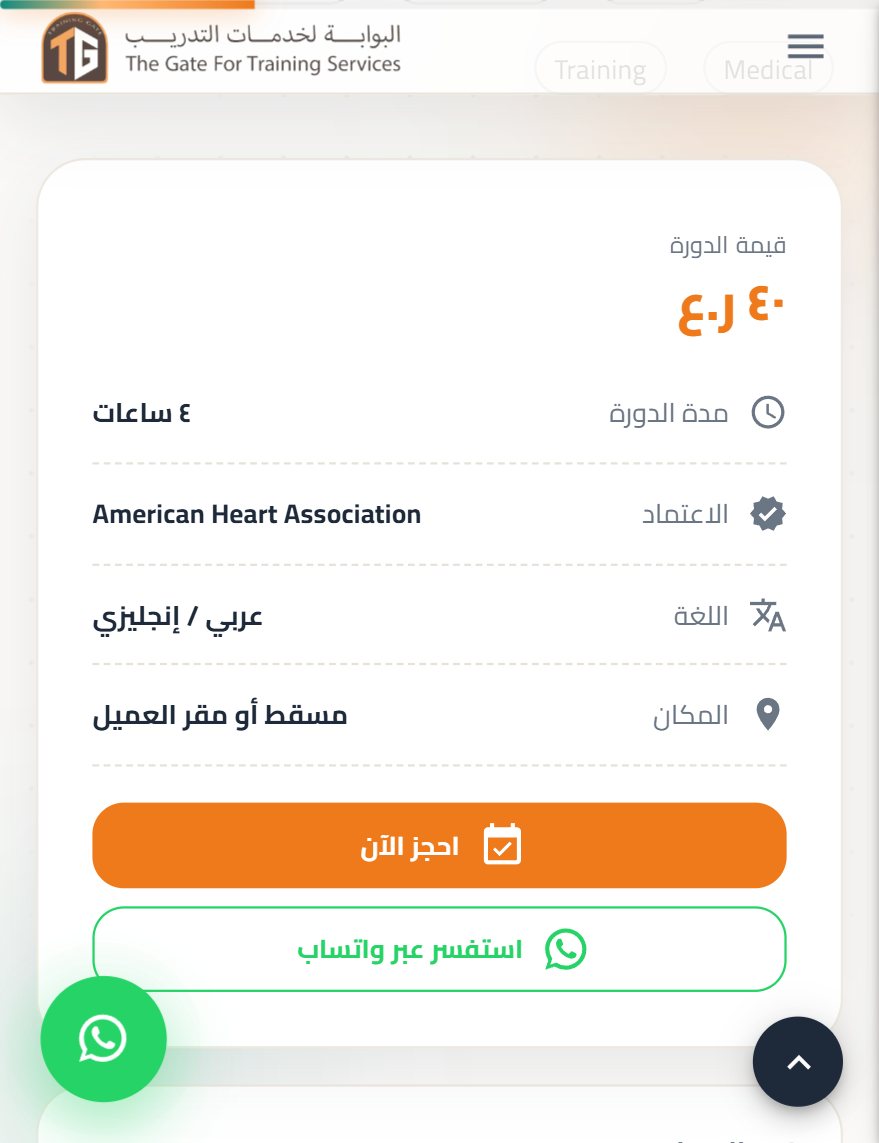
Each course has its own page with content, certificate and target audience in tabs, and a price card that stays in view. One click opens a booking form, or a WhatsApp chat already filled with the course name.
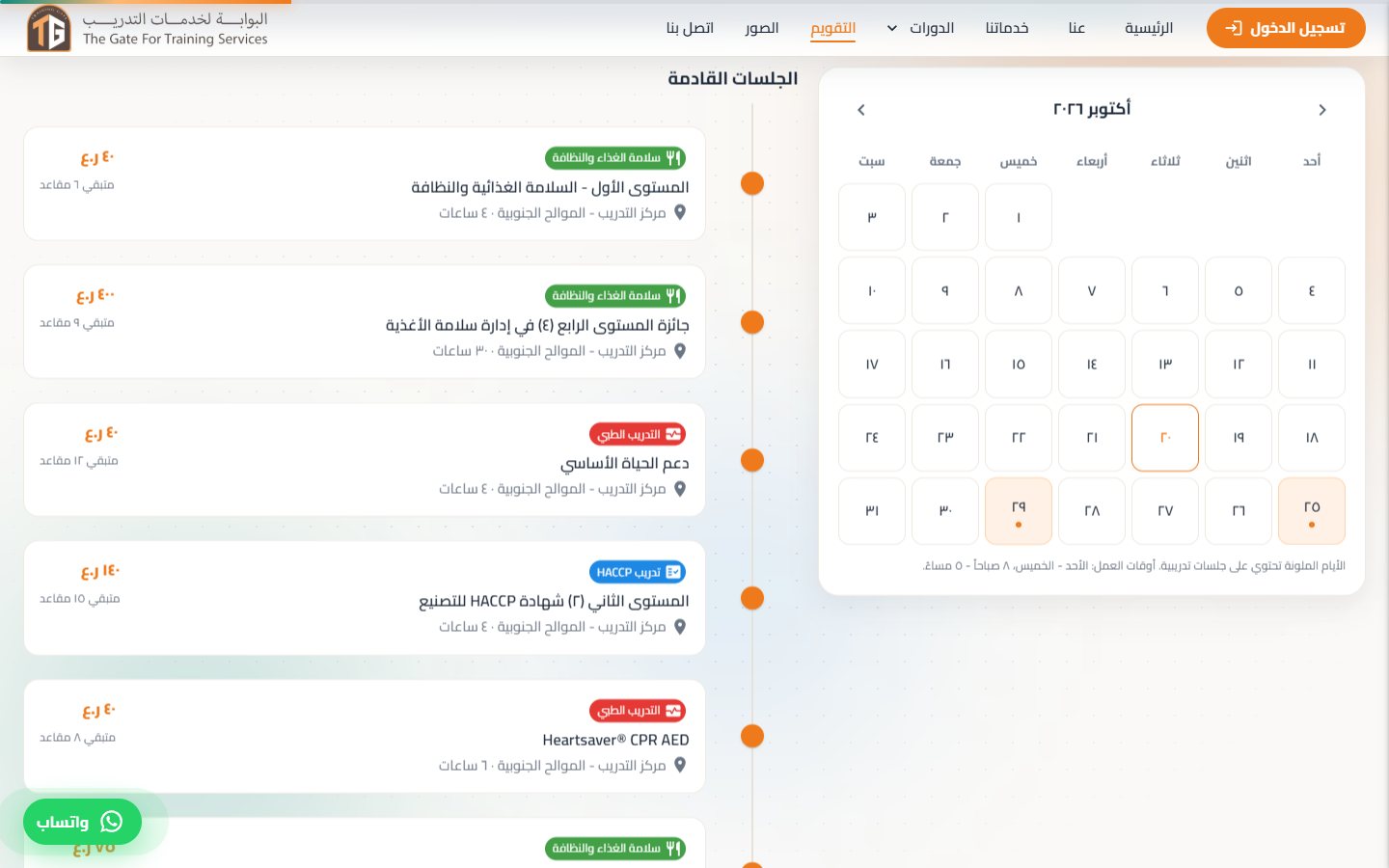
A month view highlights the days with training sessions; picking a day lists its courses with time, venue, price and seats left. On the old site this page was empty.
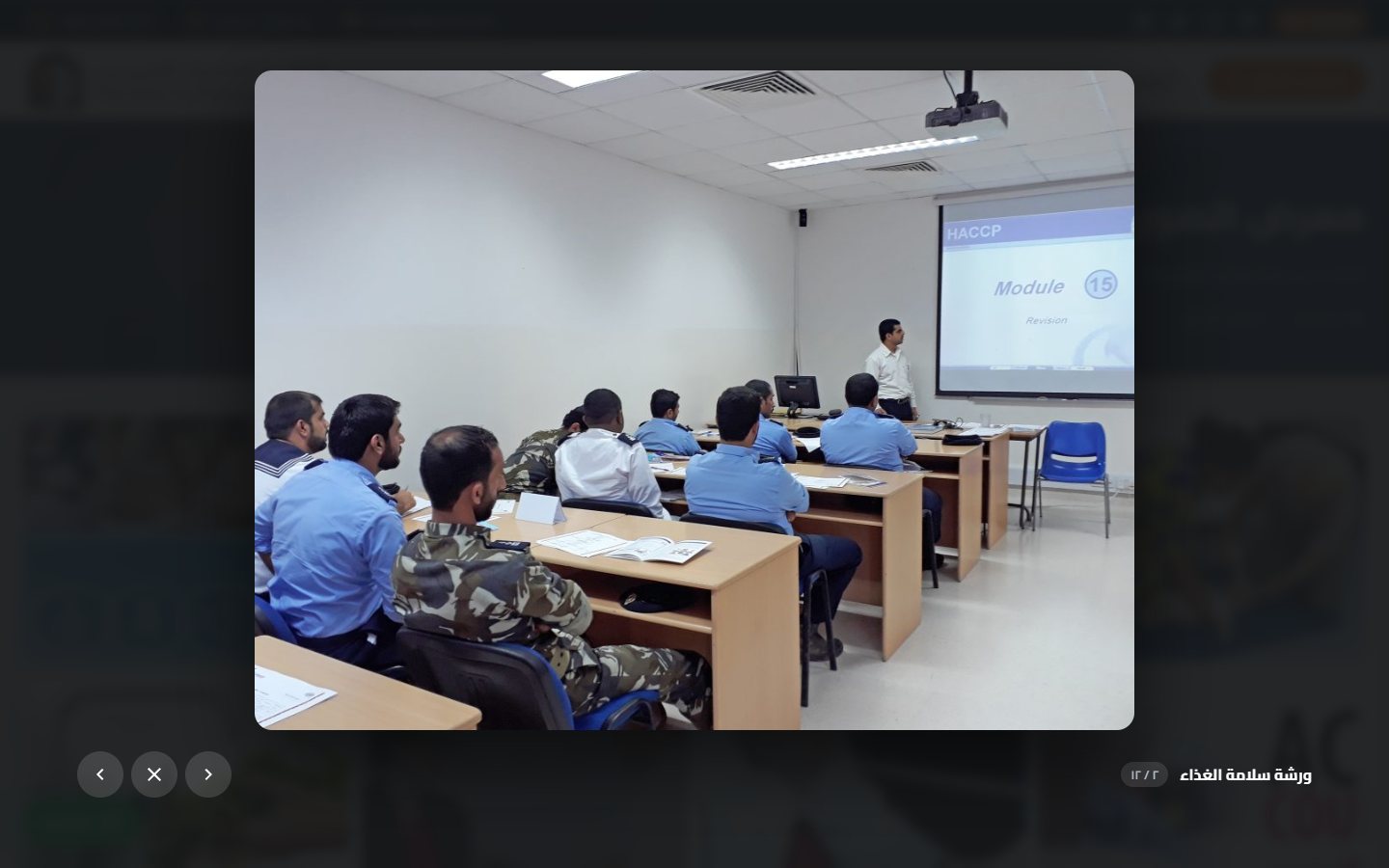
Photos from courses and workshops open in a full-screen viewer with captions, a counter and keyboard navigation. If any photo ever fails to load, a branded placeholder takes its place instead of a broken image.
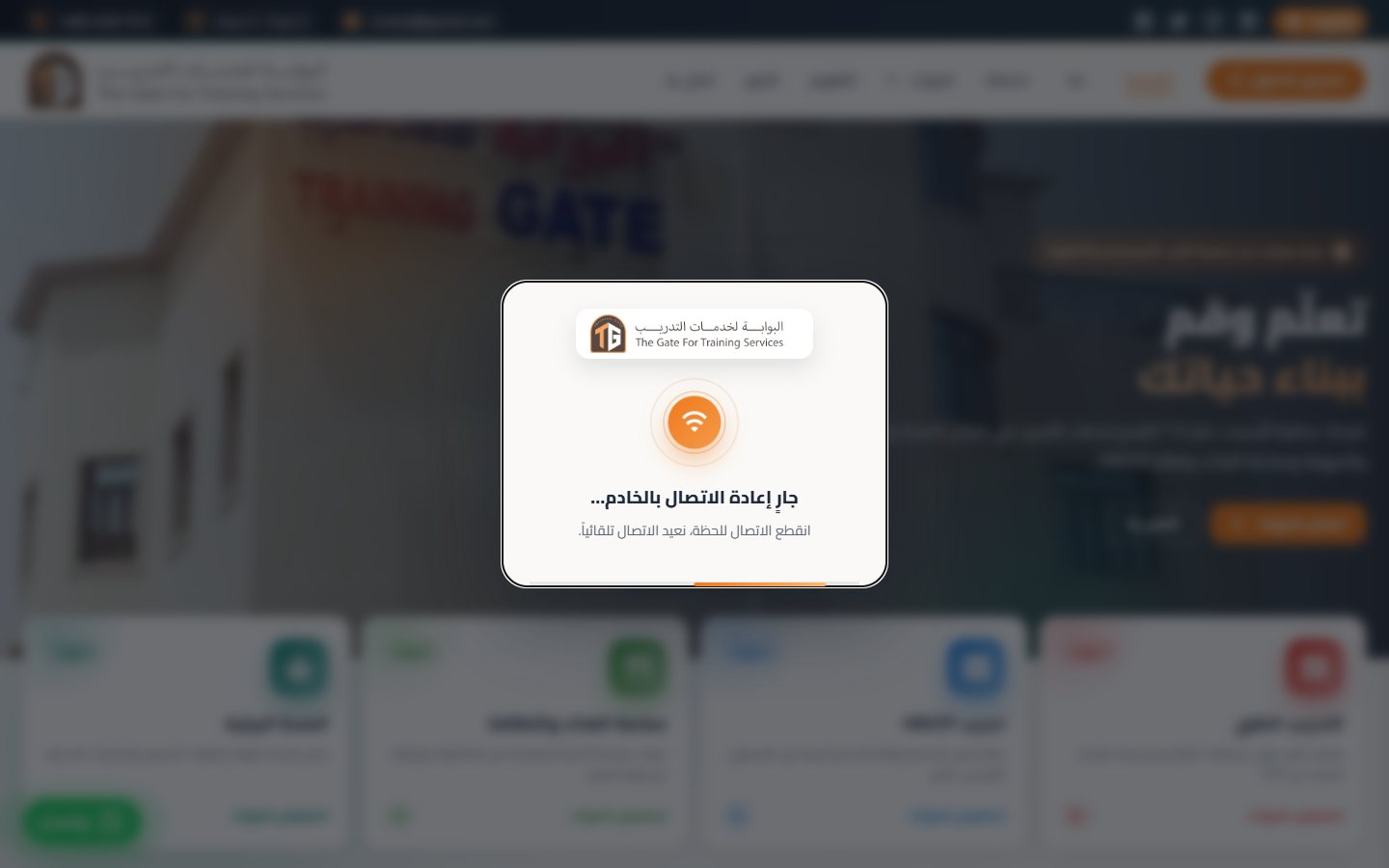
If the connection drops, a branded overlay reconnects automatically, retries when the visitor returns to the tab or comes back online, and the server keeps the session for ten minutes. Links shared in WhatsApp, Facebook or Telegram show the logo, title and description.
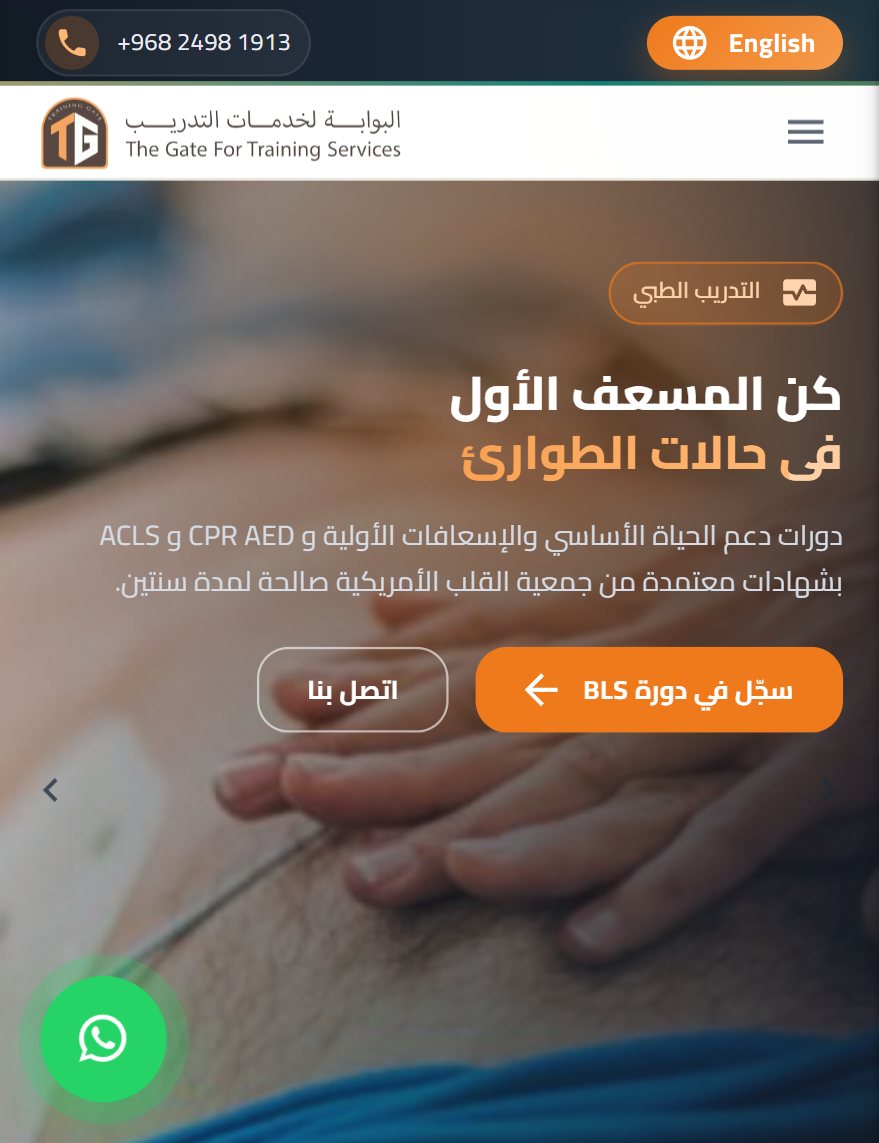
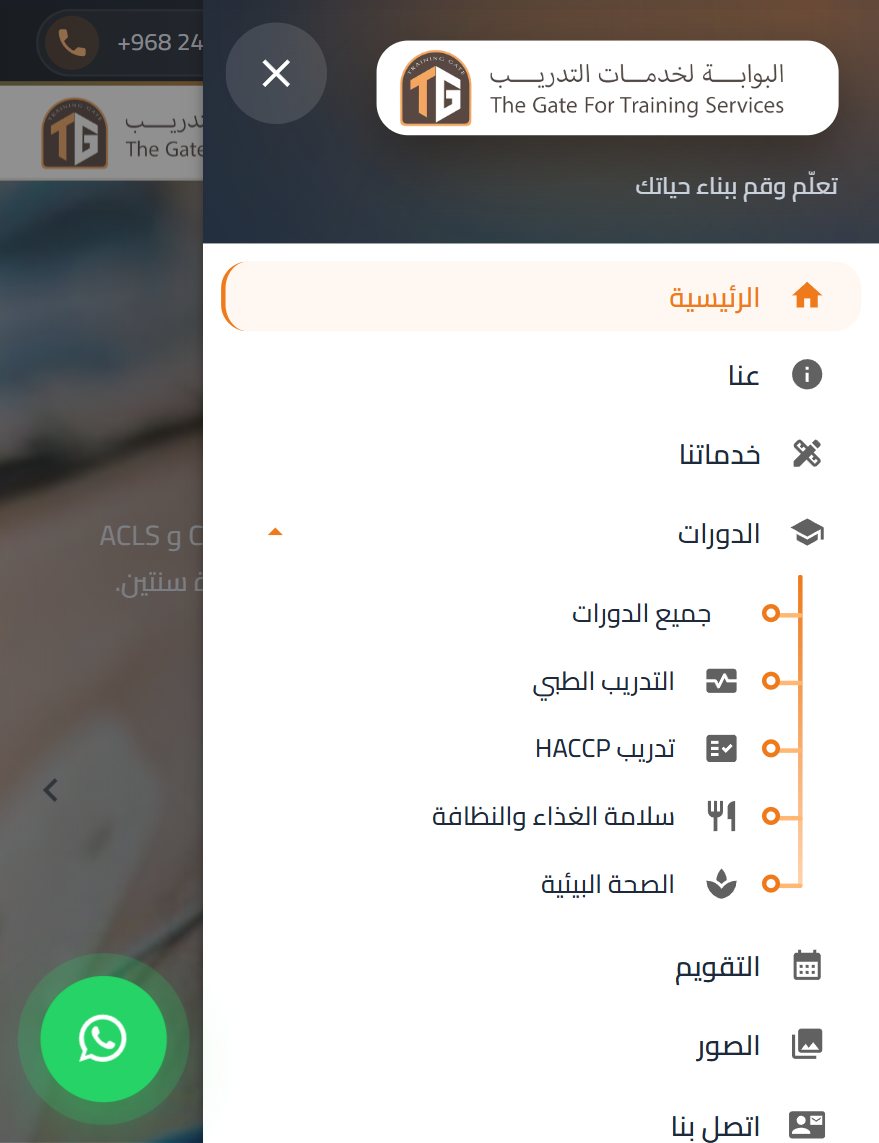
Most visitors arrive from WhatsApp on a phone, so the phone layout got its own pass: a compact top bar, a slide-in menu with the course categories as a tree, smaller type, and lighter effects so scroll animations start instantly.
A bilingual (Arabic / English), RTL-first case-management system built for law firms in Oman and the wider GCC. It replaces the spreadsheet-and-WhatsApp chaos most firms still run on with one secure platform that tracks every case, hearing, client, payment, and document from intake to closure.
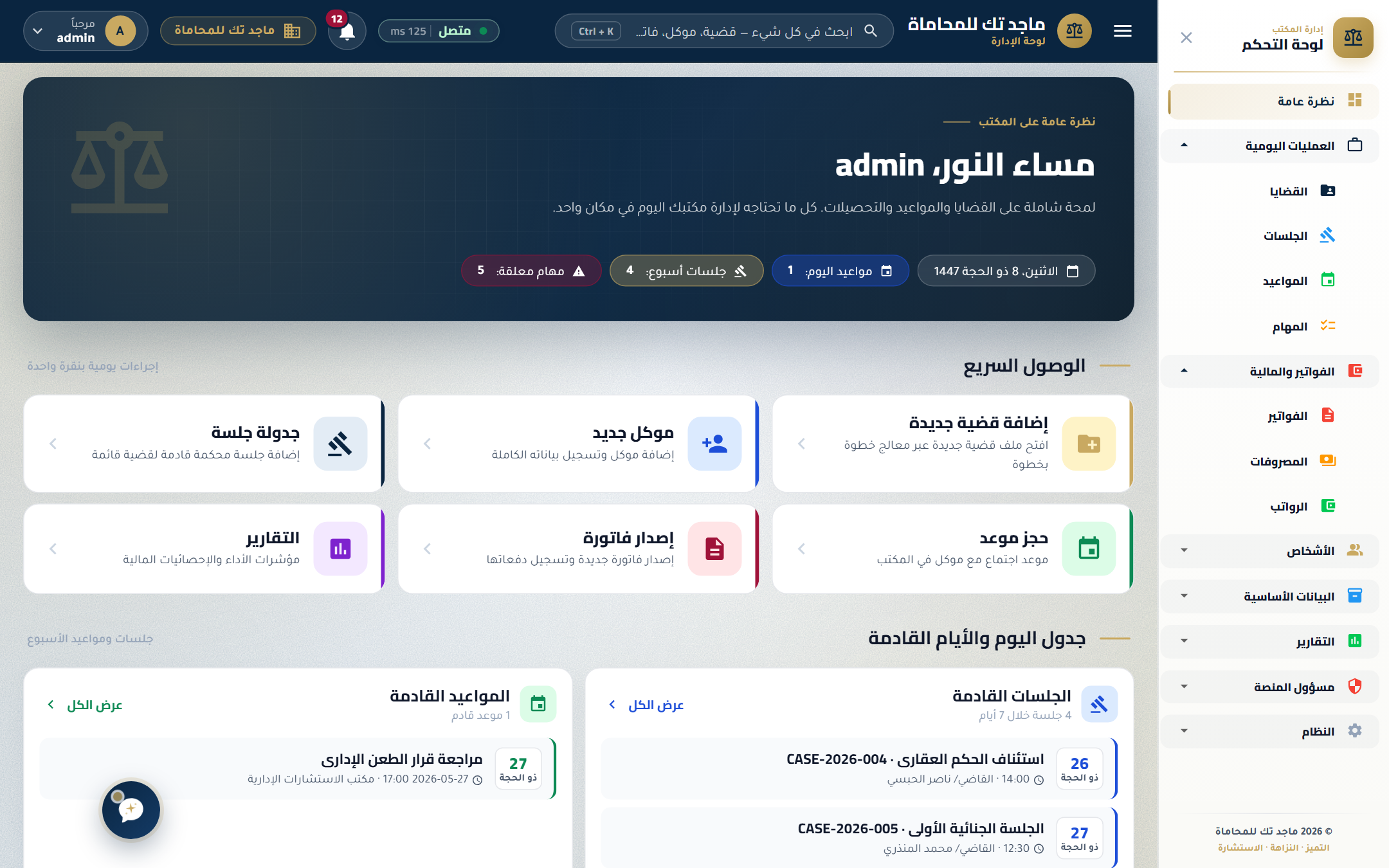
Every screen below is from a real production build. Tap into what each module does and who uses it.
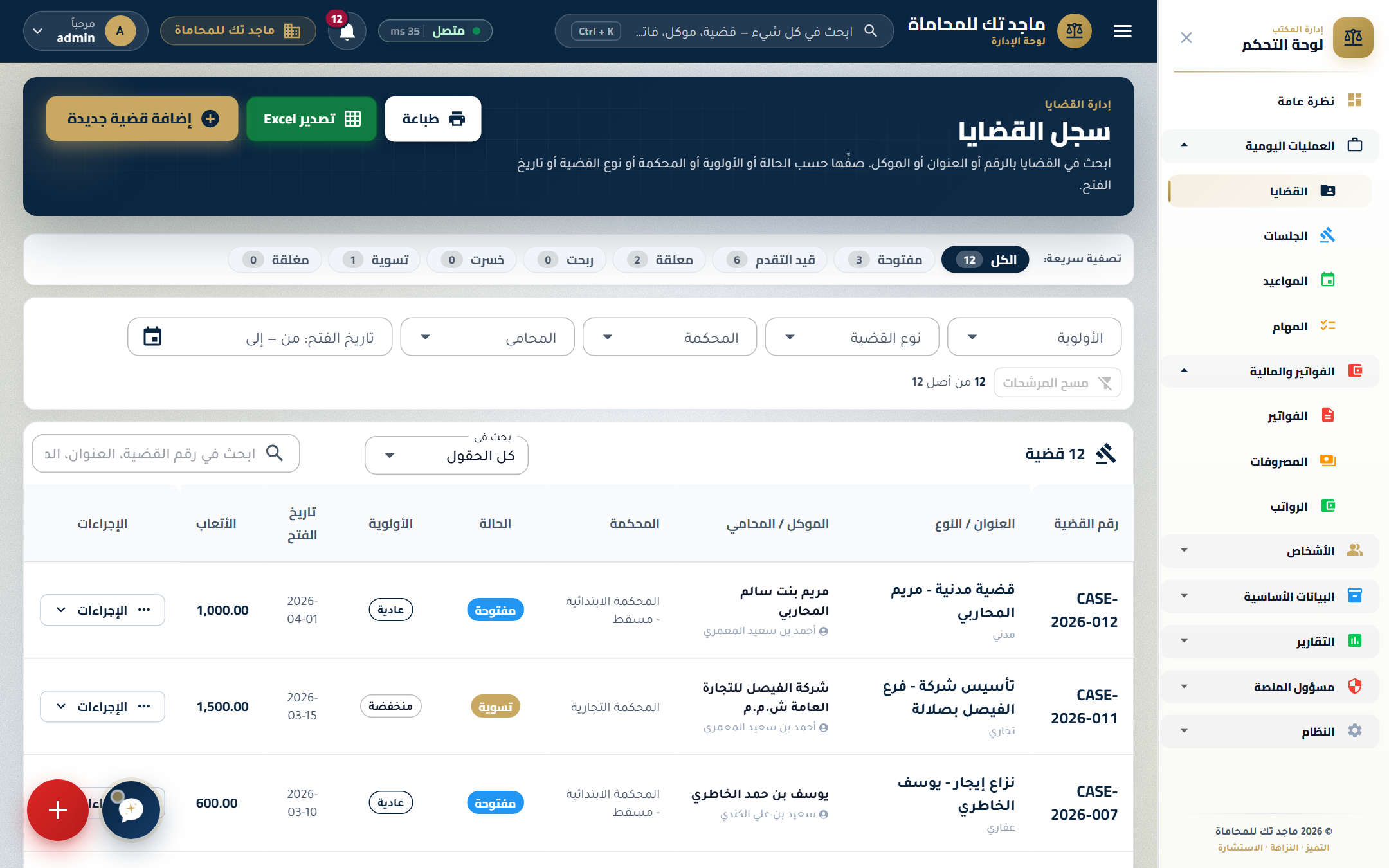
The heart of the platform — a single source of truth for every active and closed case. Lawyers can find any case in seconds by client, court, type, or status.
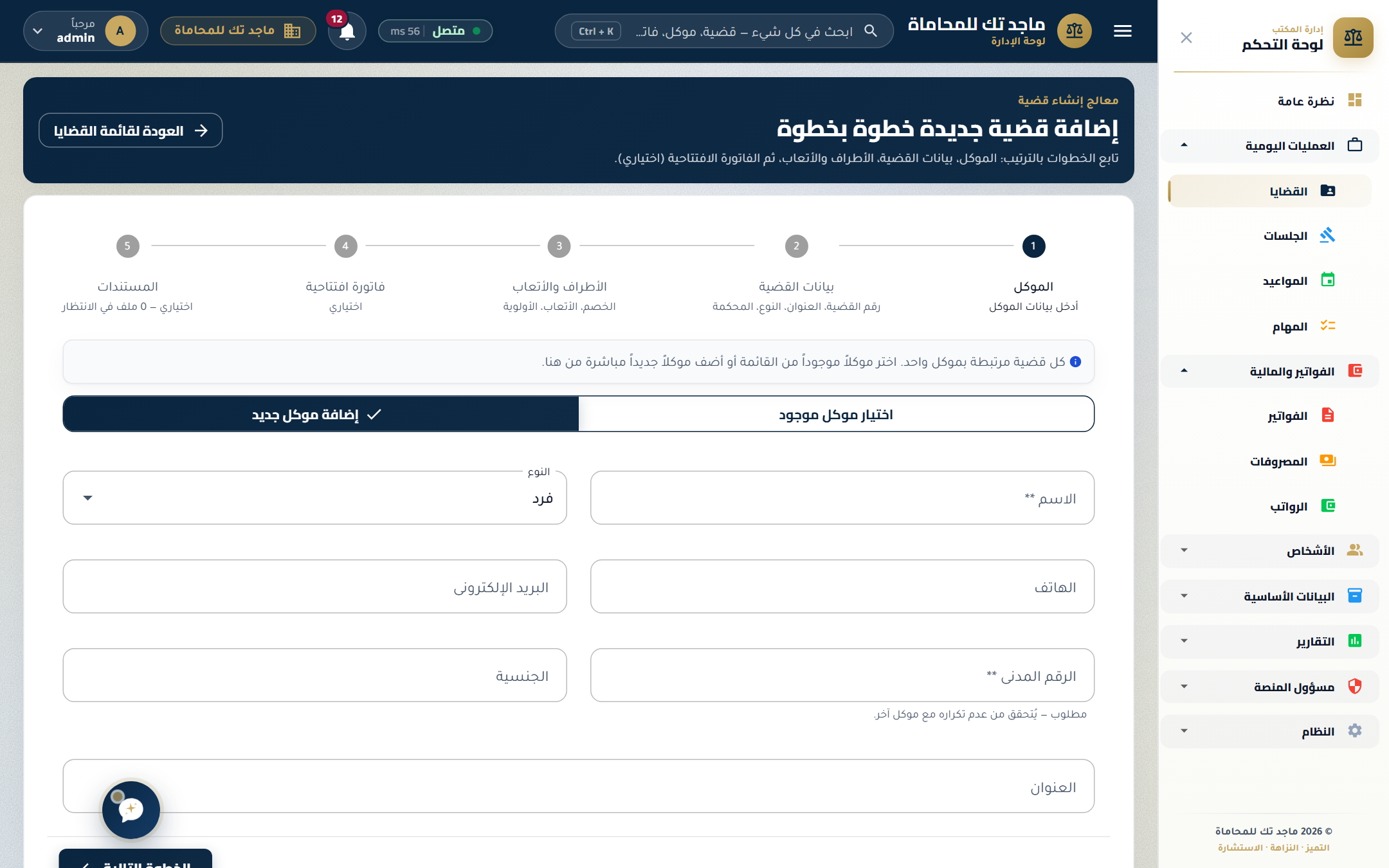
A step-by-step intake wizard makes opening a new case foolproof — even for staff who joined yesterday. Clients, parties, fee agreements, opening invoices, and documents are captured in one flow.
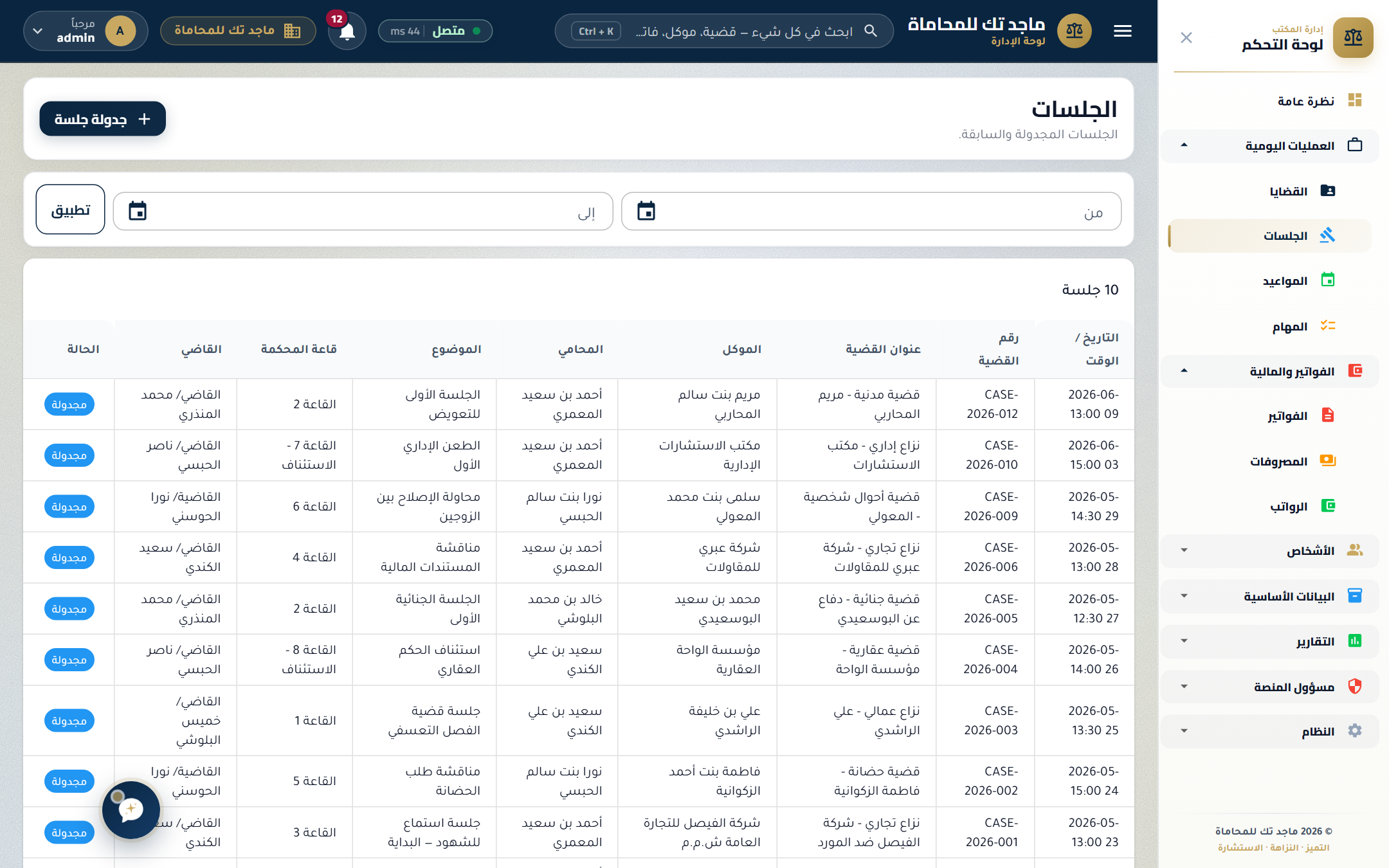
Centralized hearings register with full agenda details — judge, courtroom, time, opposing counsel — plus automated reminders for the lawyer assigned.
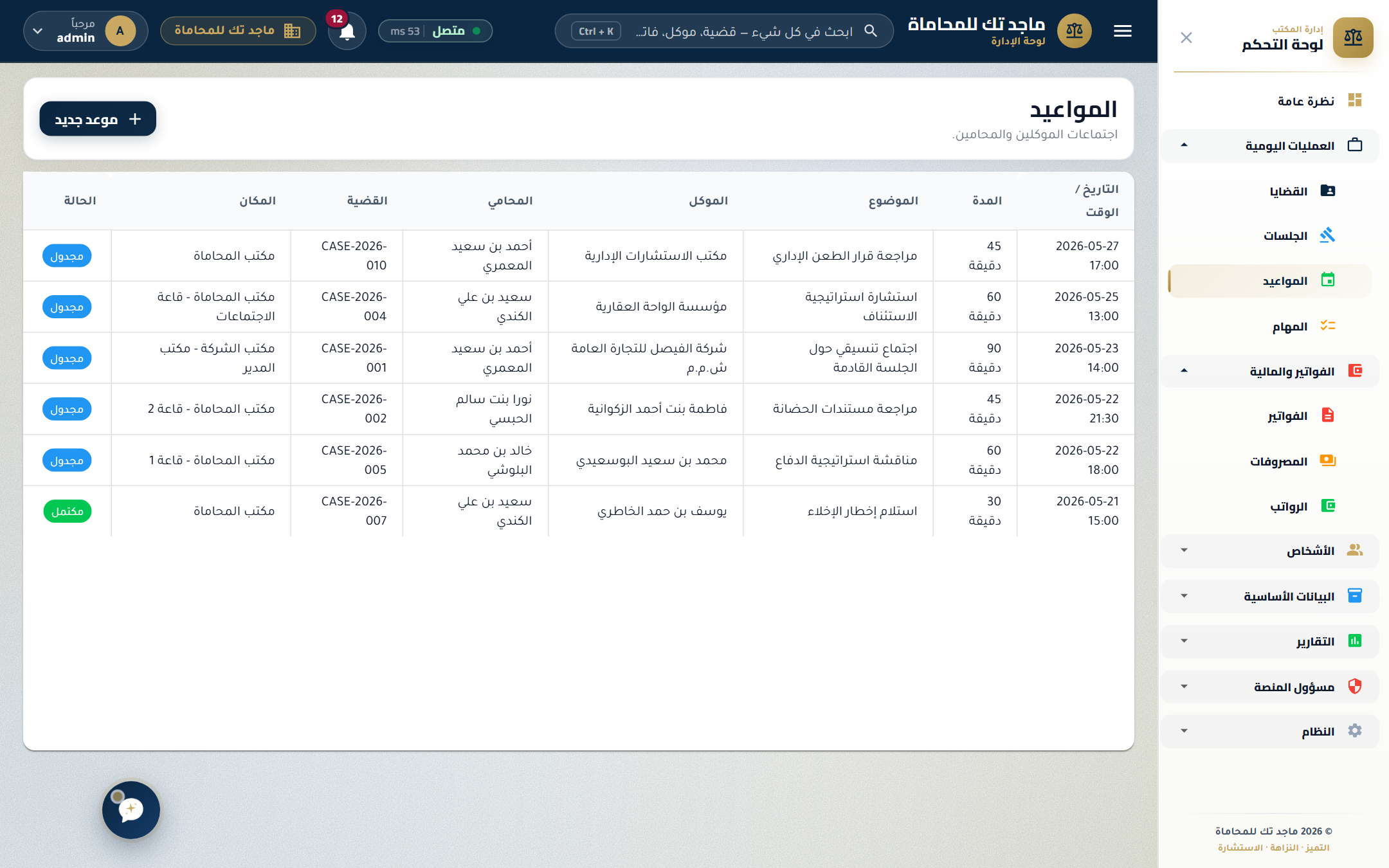
Separate from court hearings — track every in-office or call meeting with clients, with status (planned, completed, cancelled, no-show) and outcomes.
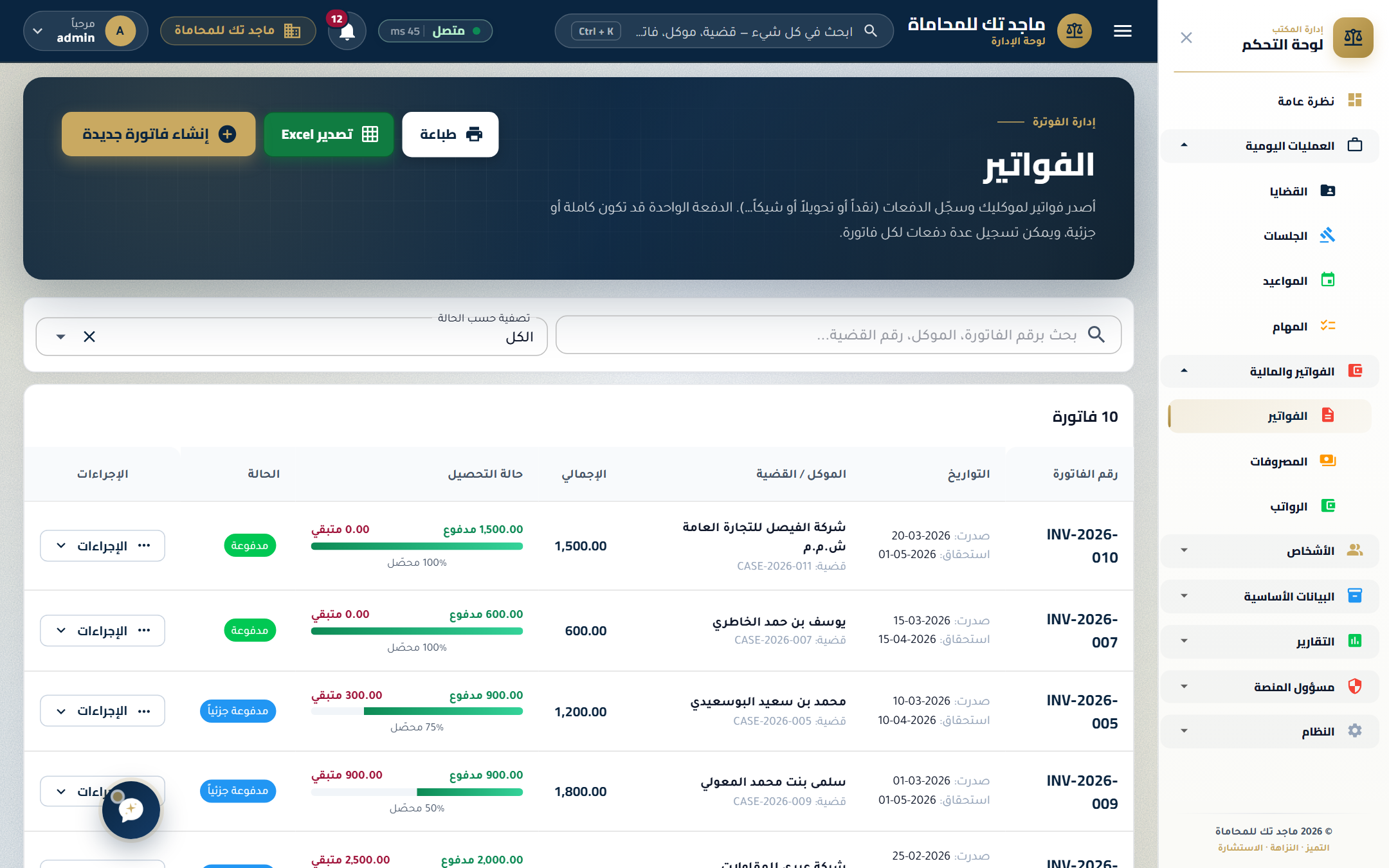
Issue invoices in one click from the case file. Track payment progress with running balance bars, accept partial payments across multiple methods, and see overdue invoices at a glance.
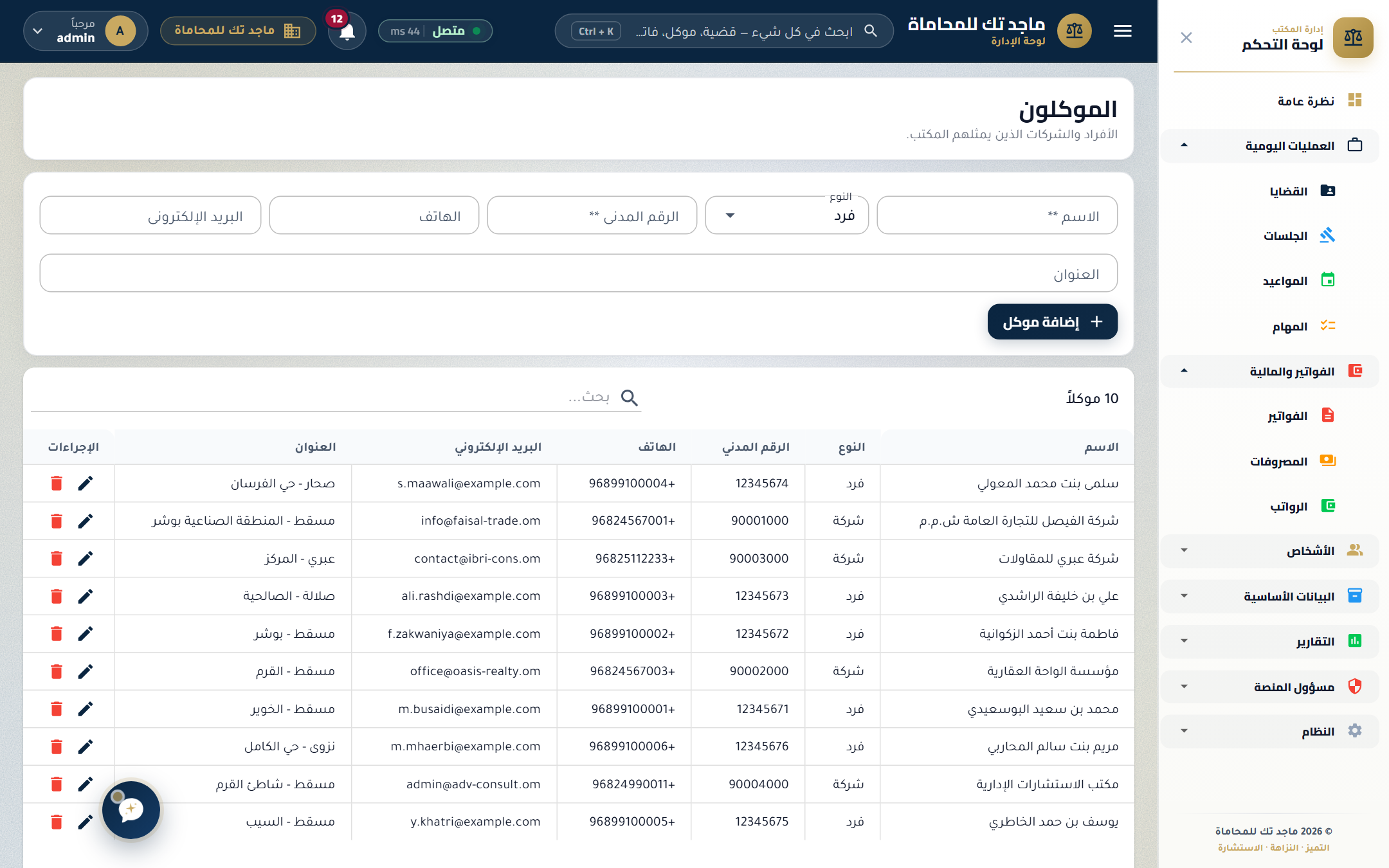
Every client has a profile page that lists their cases, hearings, appointments, invoices, and contact details — the whole relationship at a glance, including nationality and ID details for KYC compliance.
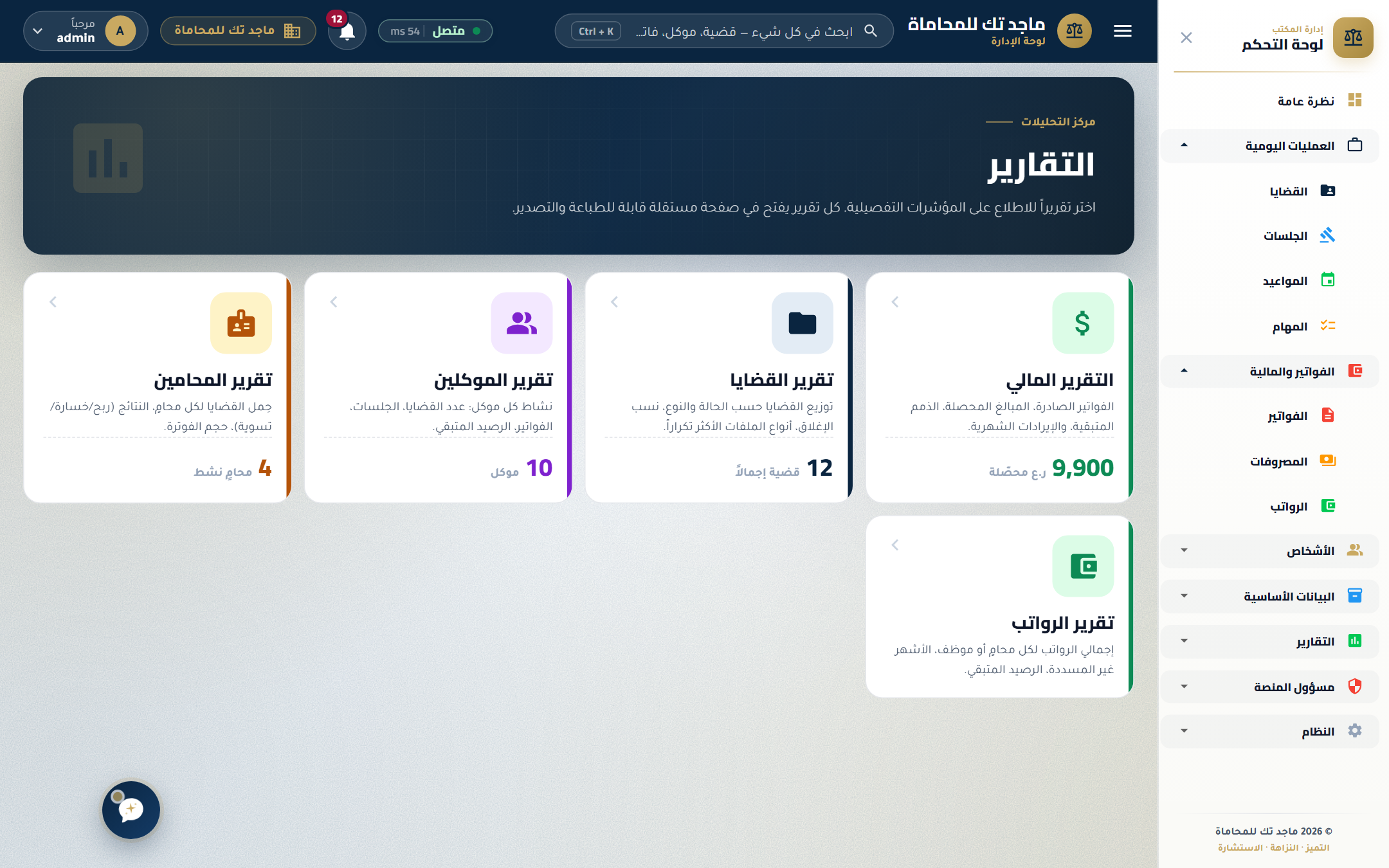
Built-in reports across cases, lawyers, clients, salaries, and financials. Partners see firm-wide performance; lawyers see only what they're allowed to.
Role-based access (partner / lawyer / paralegal / finance / admin), JWT-secured API, encrypted document vault, and a full audit trail on every privileged action — designed for a legal-compliance environment.
A focused, admin-only PMS platform built for properties whose bookings come in by phone, walk-in, OTA, or travel agency — properties that don't need a public booking website. The whole product is the back office: a visual room board, fast reservation entry, folios, housekeeping status, discounts, services, and reports — all bilingual (Arabic / English) and multi-tenant SaaS.
Every screen below is from a real production build, captured today. Designed so a new front-desk hire is productive on day one.
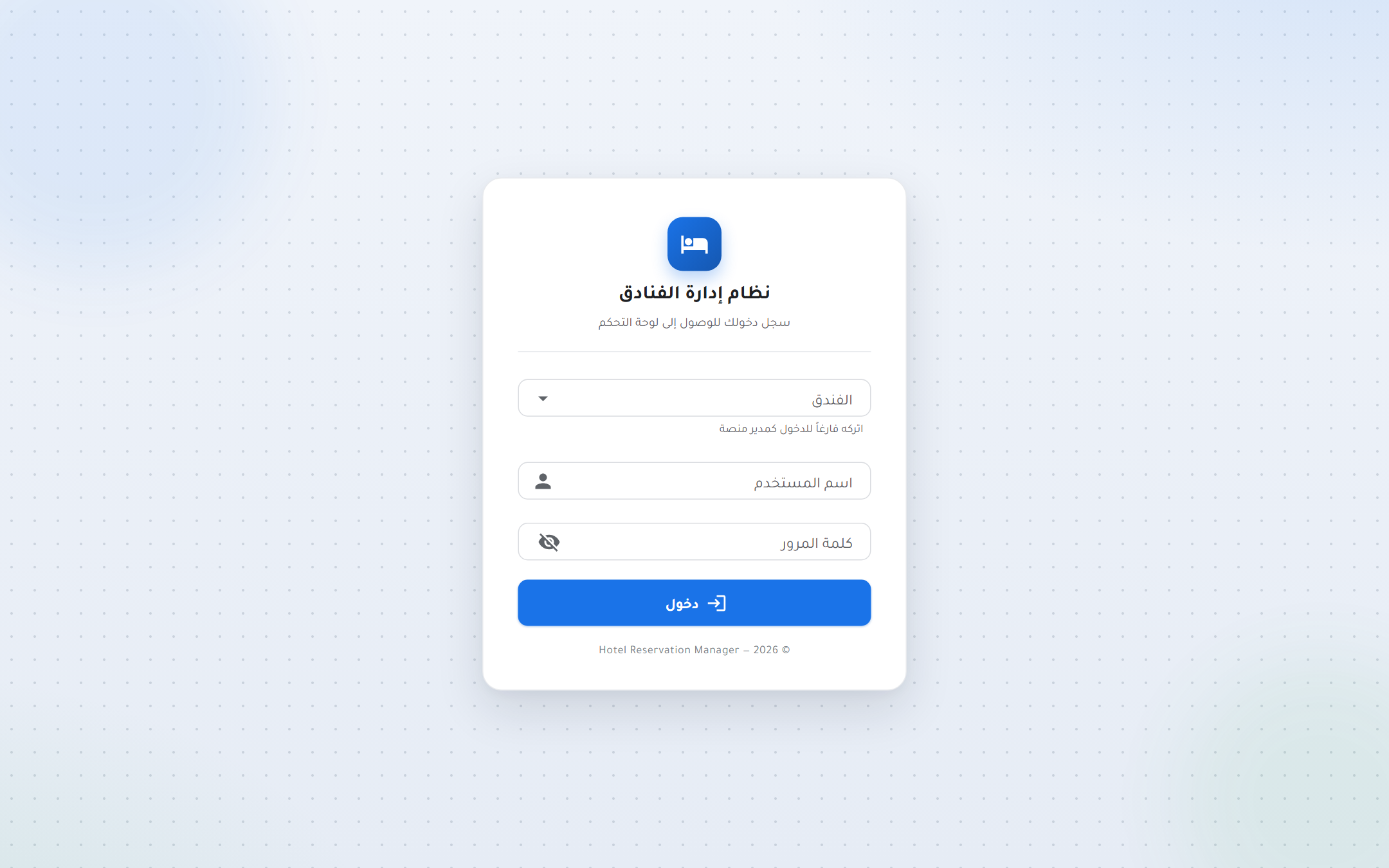
Each hotel is its own tenant with isolated data, but staff sign in through the same login. Platform owners can sign in as SuperAdmin to manage every property and switch tenants from the toolbar.
Opening view: today's check-ins and check-outs, occupancy %, revenue, rooms needing attention, top room types, and quick-action cards for the actions staff do most.
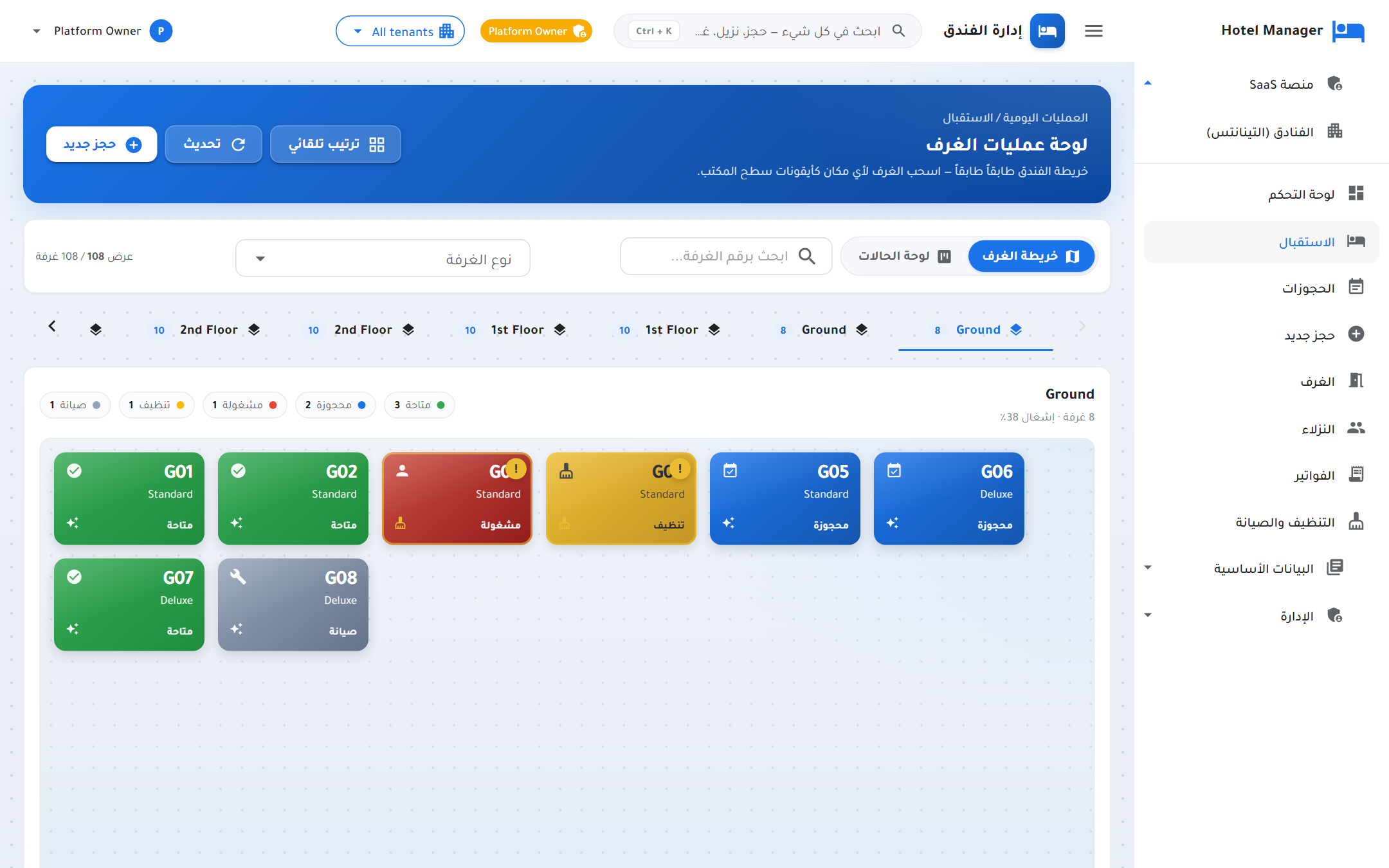
A color-coded board of every room, grouped by floor. Green = clean & ready, blue = reserved, yellow = ready for inspection, red = needs attention. One click on a card opens its history, current guest, or maintenance ticket.
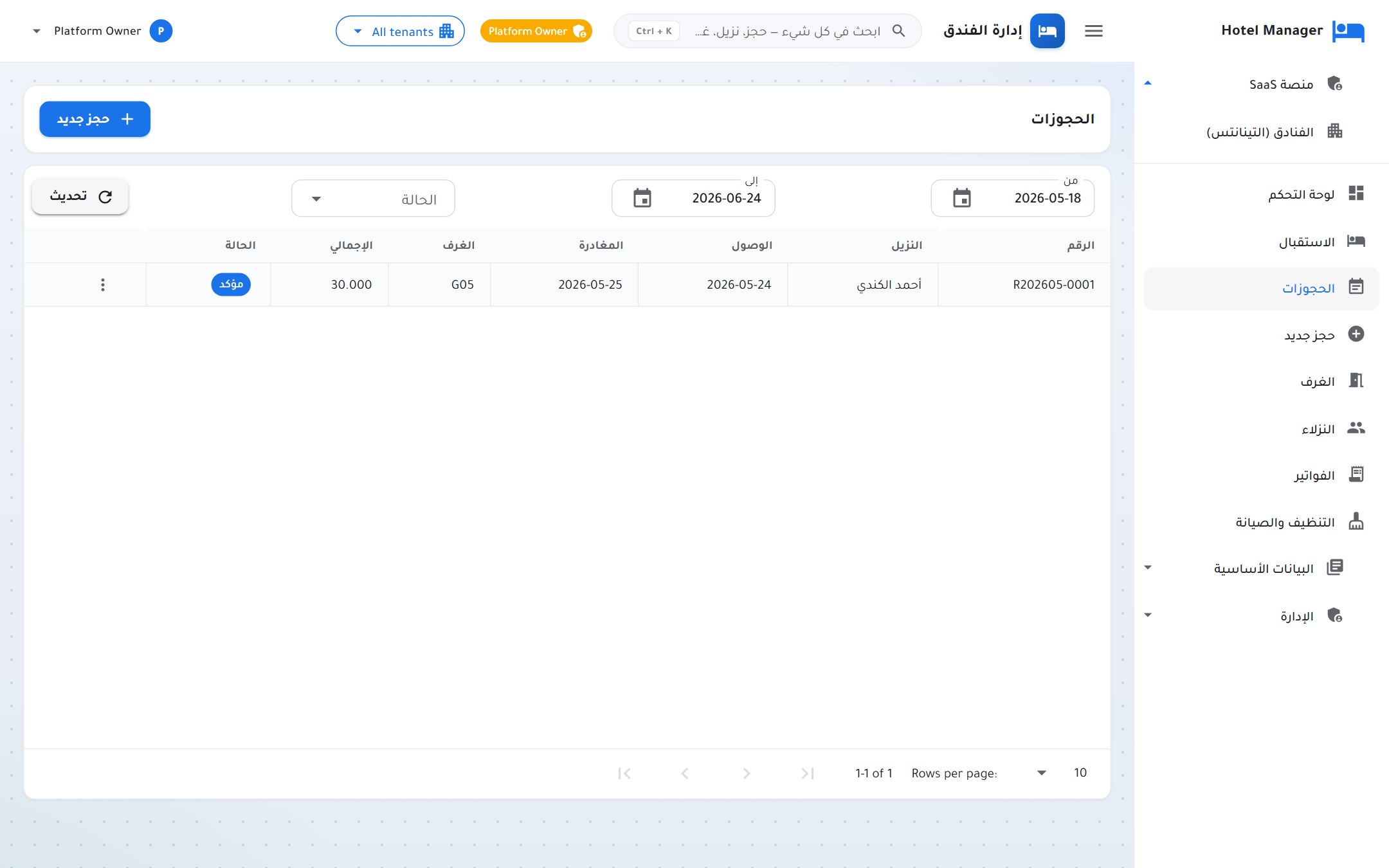
Auto-numbered reservations (R202605-0001 …) with arrival, departure, room, guest, total amount, and status badges. Filter by date range, status, room, or guest.
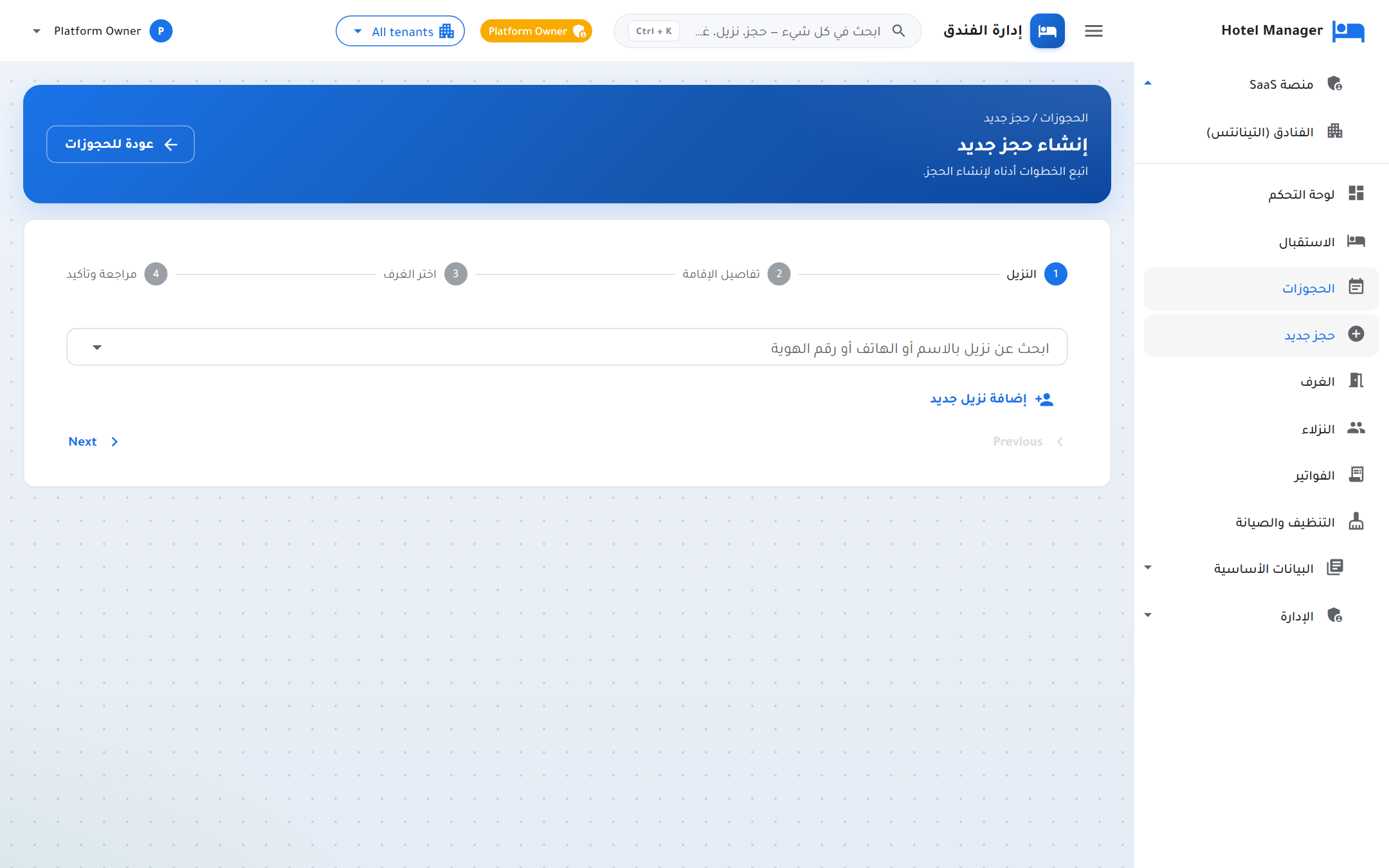
Fast intake flow optimized for phone bookings: pick dates and guest count → choose room and rate → confirm with guest details. Picks up existing guests automatically.
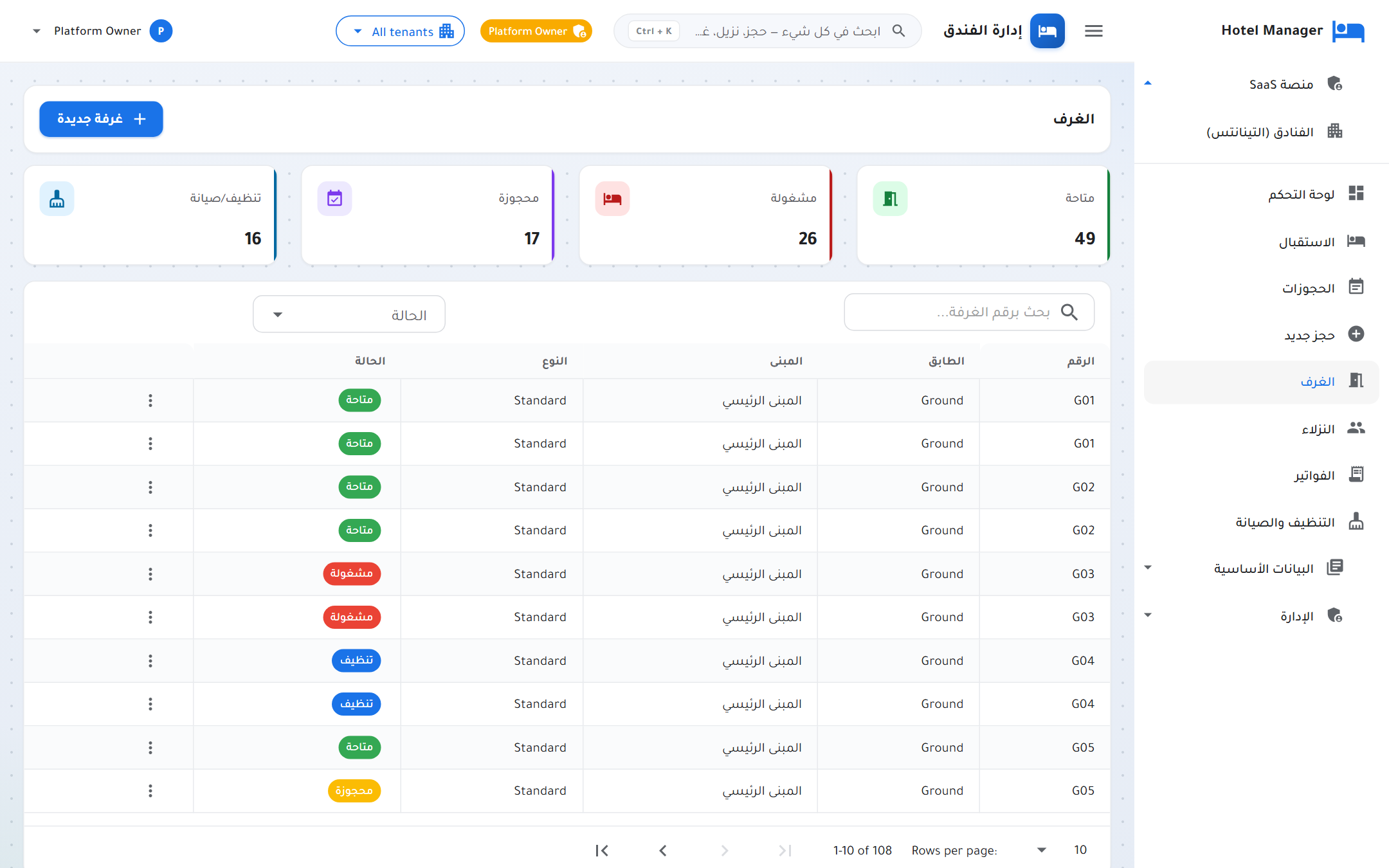
Two screens, one story: define room types (Standard / Deluxe / Suite) with base price, occupancy, and amenities — then assign physical rooms to those types, with their floor, view, and current status.
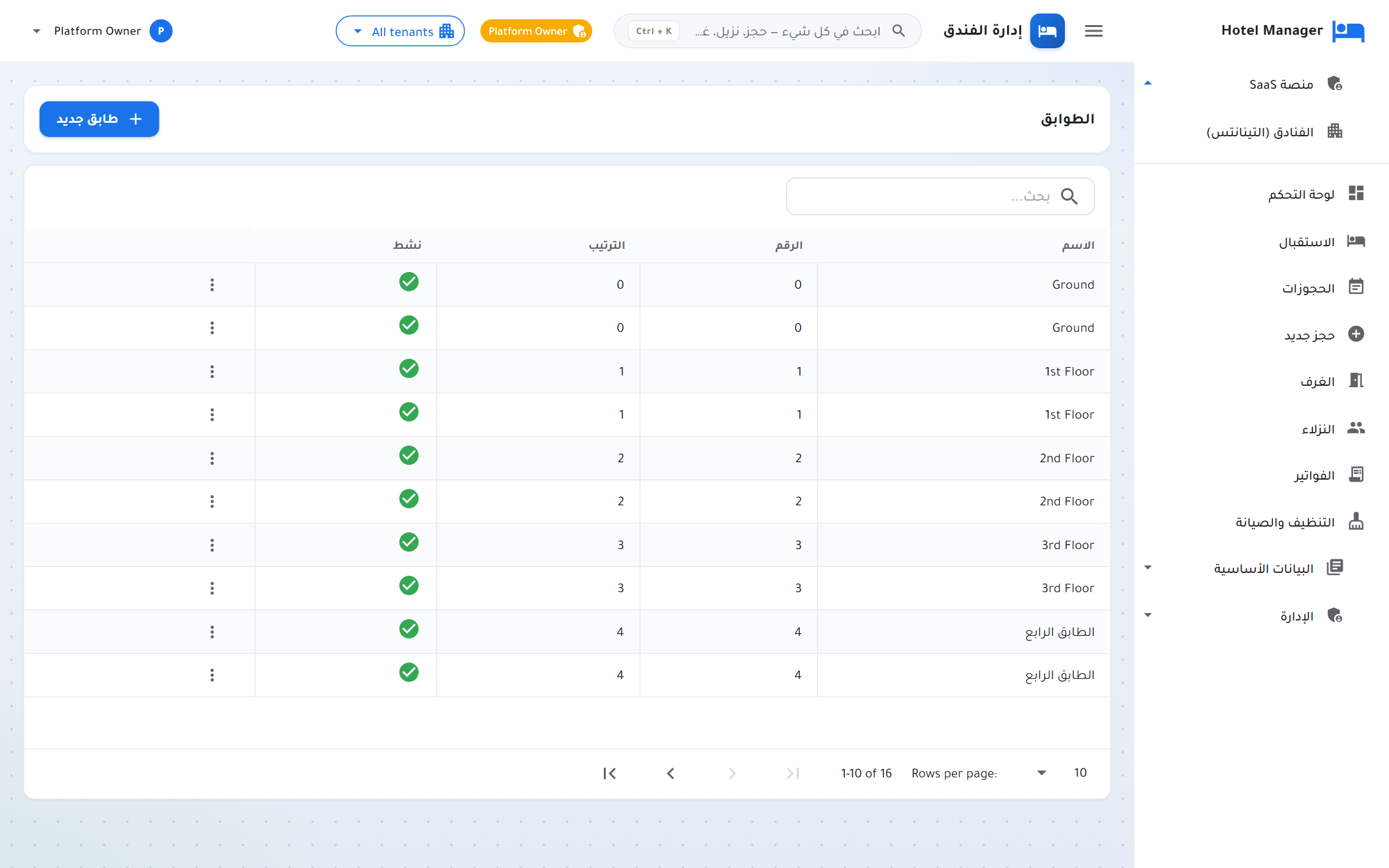
Configure the property structure: how many floors, what rooms are on each, what their numbering scheme is. The front-desk board mirrors this layout so staff see the property the way they walk it.
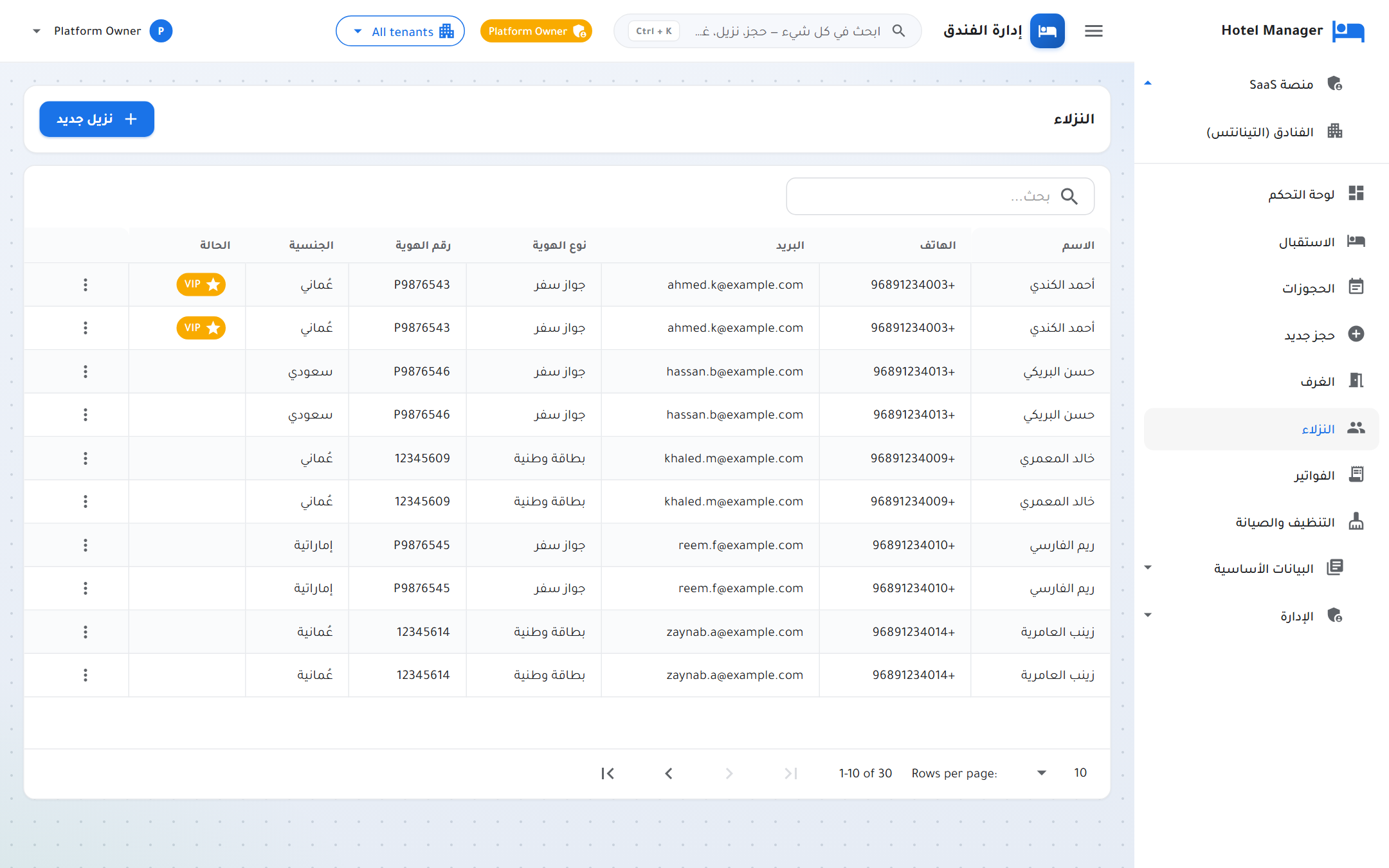
Full guest profile: contact details, nationality, civil ID / passport for KYC compliance, plus every past reservation, every folio, and every service request — the whole relationship at a glance.
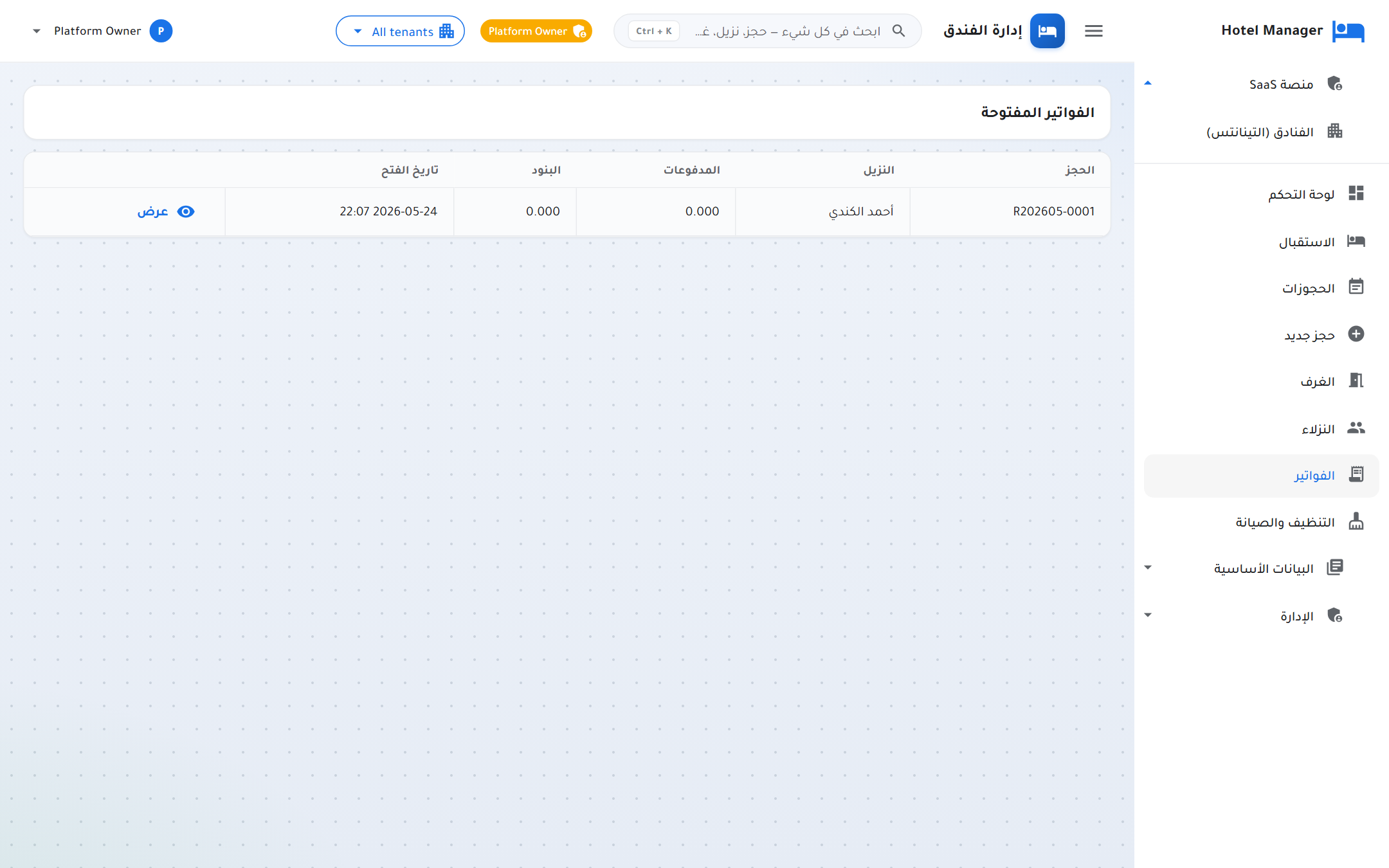
Every stay opens a folio (running bill). Charges land automatically (room nights, services, taxes); payments are posted as they come in (cash / card / transfer / cheque). Balance updates live until check-out.
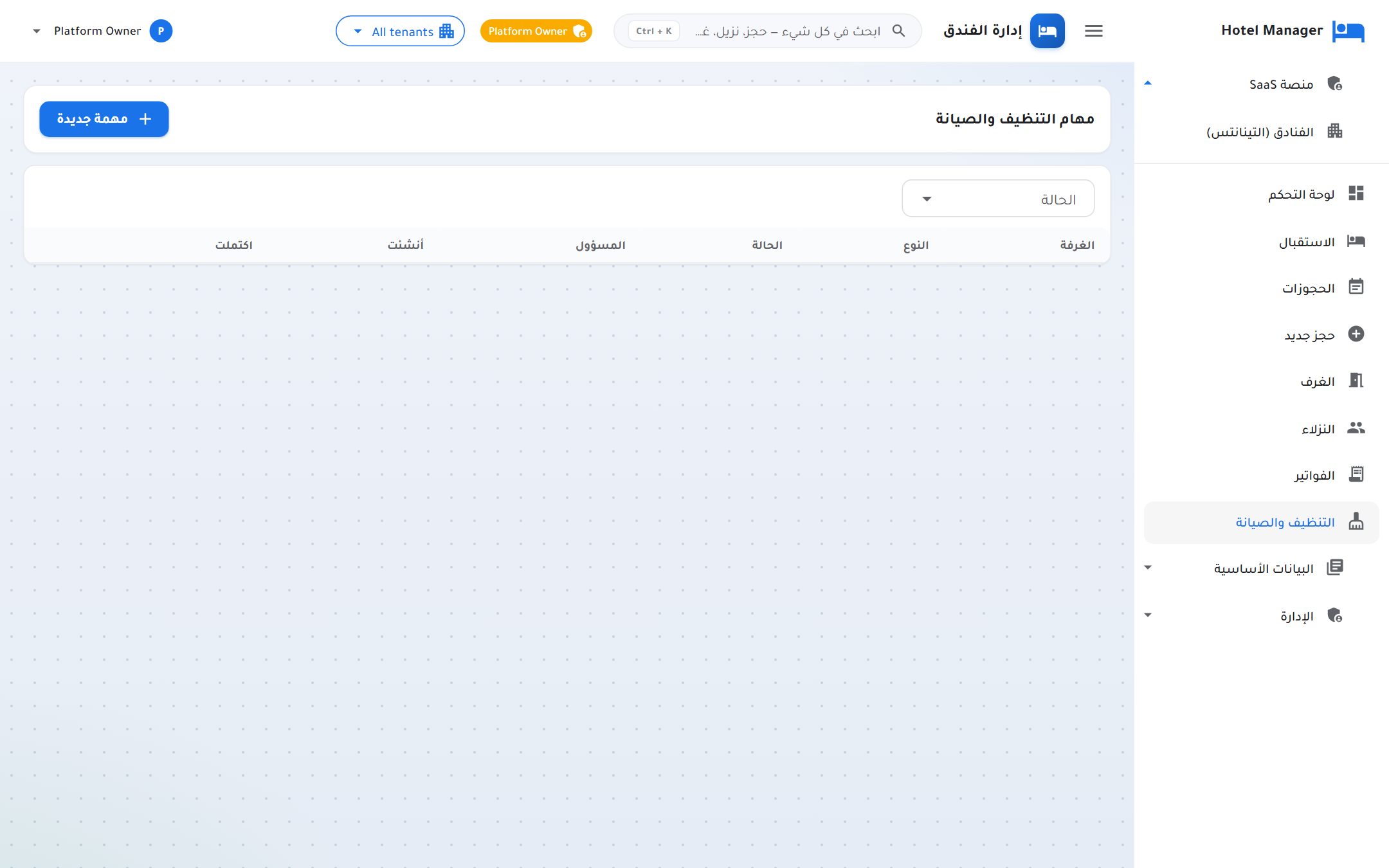
Live housekeeping board: every room and its current status (clean / dirty / inspected / out-of-order), who's assigned, and how long it's been. Updates flow back to the front-desk board instantly.
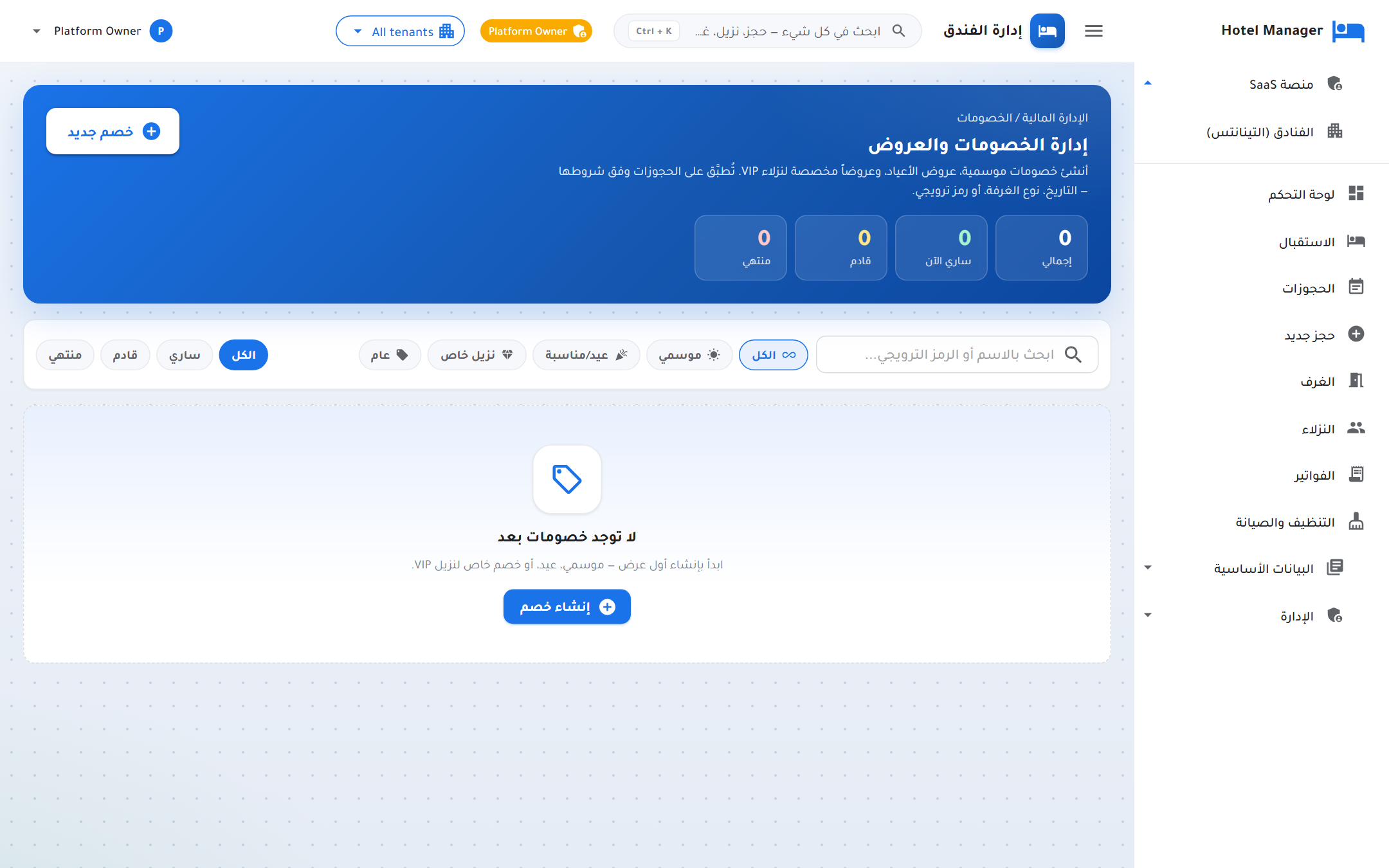
Two related modules: maintain a catalog of paid services (spa, laundry, airport pickup, room service) and a list of discount codes (long-stay, corporate, agent). Both surface inline in the new-reservation wizard.
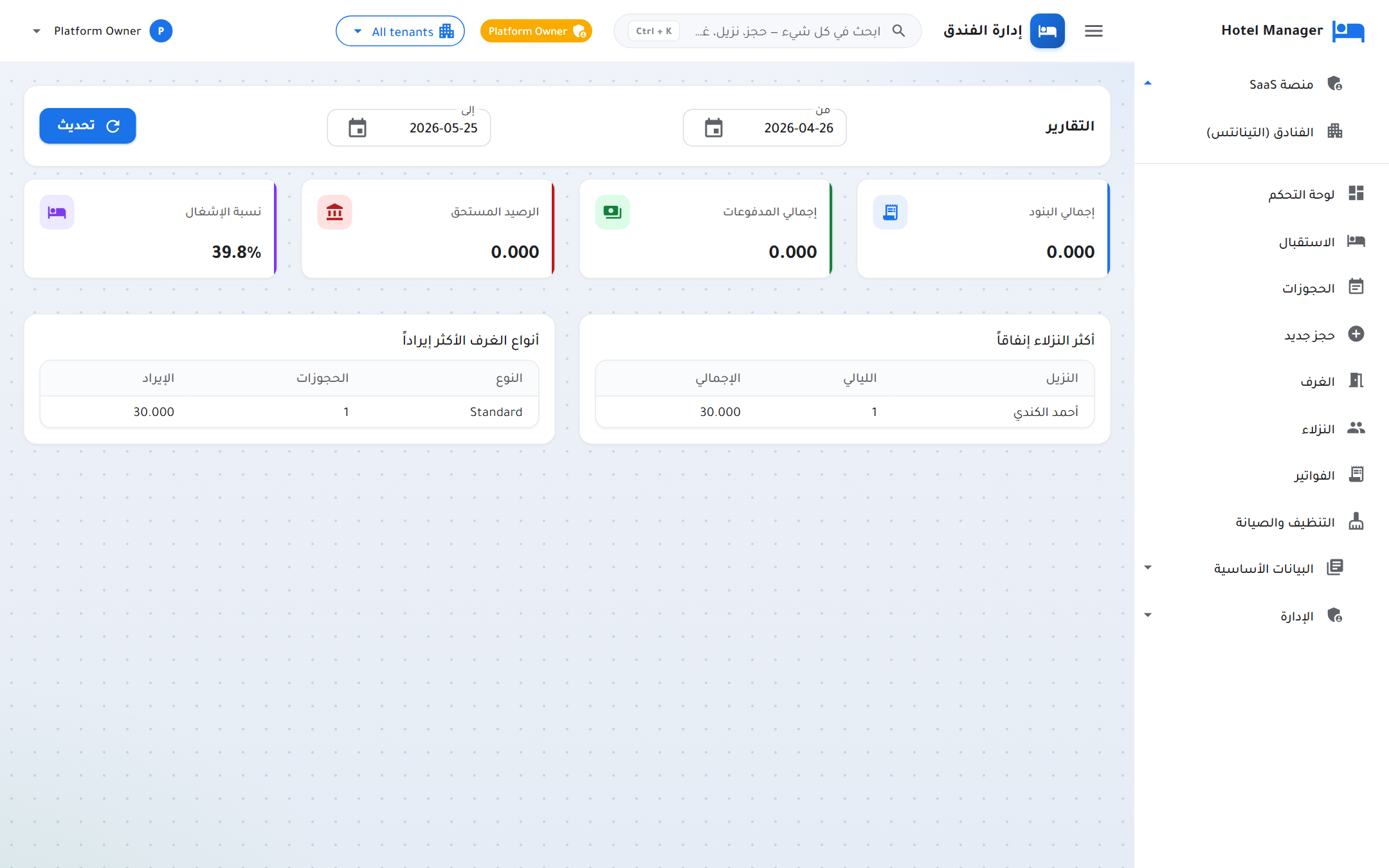
Built-in reports across reservations, revenue, occupancy, room performance, and guests. All exportable to Excel for accounting handoff. Per-tenant for hotel staff, cross-tenant for platform owners.
What we hold ourselves to on every project — from the first kickoff call to long-term support.
Our team is proficient in every stage of development, from concept design to deployment and maintenance.
We deliver innovative and customized solutions specifically designed to meet your business needs and objectives.
A history of delivering successful projects for a wide range of industries, ensuring reliability and trust.
We stay ahead of the curve by leveraging the latest tools, technologies, and frameworks to give you a competitive edge.
We prioritize our clients' needs and maintain close communication to ensure your vision is realized.
Our agile methodology allows us to adapt quickly to changes, delivering high-quality results within your timeline.
Our solutions are built to grow with your business, ensuring long-term value and performance.
Post-project support and assistance to ensure smooth operation and maintenance.
Integrity, transparency, and trust are at the core of everything we do.
A dedicated team of developers, designers, and strategists who are committed to turning your ideas into reality.
We don't talk much about our work — our clients do. Here is what they've said.
MajidTek rebuilt our entire case-management system in twelve weeks. The new platform is faster, cleaner, and our partners actually enjoy using it. They write code we can read.
We launched our PMS, customer portal, and mobile reservation flow on the date they committed to. Six months later, zero production incidents. That's rare in this market.
Their security review uncovered things our previous vendor missed for years. They didn't just patch — they explained, documented, and trained our team. Worth every rial.
The short answers. For everything else, just reach out — we reply within a business day.
Tell us about your project. We reply within one business day — usually a lot sooner.